

 mdn
mdn
Difference in Firefox/Chrome in behavior concerning the favicon in the new open window
MDN URL
https://developer.mozilla.org/en-US/docs/Web/API/Document/hasFocus
What specific section or headline is this issue about?
The Examples Section
What information was incorrect, unhelpful, or incomplete?
Hello MDN team.
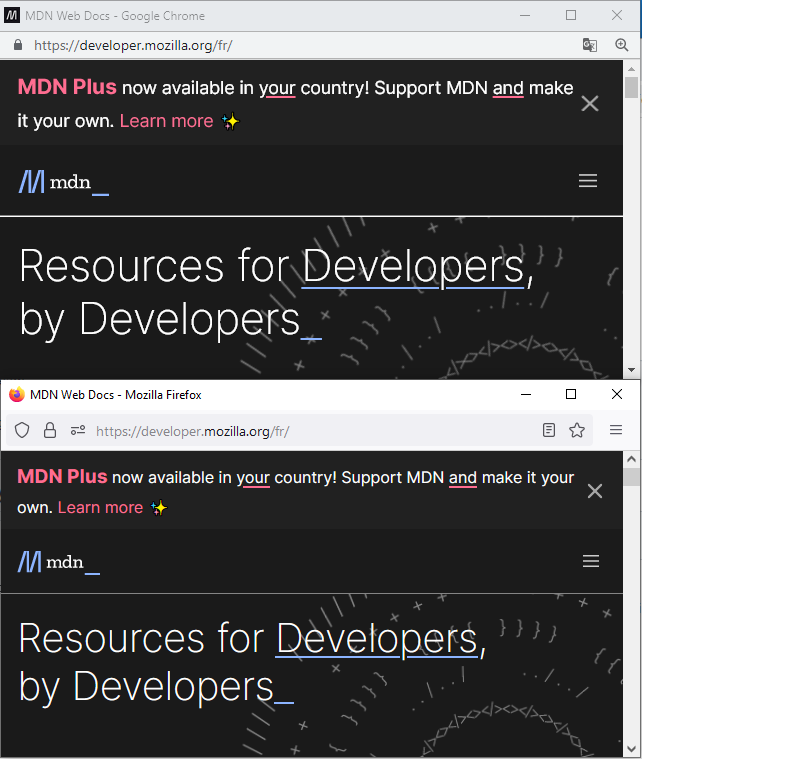
When testing this example, I just noticed a different behavior in the favicon appearing in the title bar according to the browser I'm using. I click on the "Open a new window" whatever the focus on the "Result" frame of the example.
In the new window from Firefox, the favicon seems to be the Mozilla Firefox default favicon. In the new window from Chrome, the favicon is the same as the MDN website.
What did you expect to see?
I intended to see the same favicon icon whatever the browser I used. As far as I'm concerned, I would think that the right behavior would be to see the favicon from the MDN website as in Chrome.
Do you have any supporting links, references, or citations?
No.
Do you have anything more you want to share?
No. If you have any clue about this difference in behavior, I'm really interested. I don't think I've any blocker on any browser. Thanks for your help.
MDN metadata
Page report details
- Folder:
en-us/web/api/document/hasfocus - MDN URL: https://developer.mozilla.org/en-US/docs/Web/API/Document/hasFocus
- GitHub URL: https://github.com/mdn/content/blob/main/files/en-us/web/api/document/hasfocus/index.md
- Last commit: https://github.com/mdn/content/commit/37f38ac4b337174d6b7ccf3fc08b1ac66c5a9fcd
- Document last modified: 2022-05-31T04:29:22.000Z

This looks like an MDN platform issue/question, so I'm going to transfer it there.

I wasn't able to reproduce this issue with Firefox Nightly on Mac OS:
- Opened https://developer.mozilla.org/en-US/docs/Web/API/Document/hasFocus in Firefox.
- Right-clicked on MDN Web Docs logo and clicked on "Open in new window".
- As expected, the new window has the MDN favicon.
@Ccccccccccccccccccccccccc What operating system, browser, and browser version are you using?

@caugner Yes, I forgot to be precise enough: The operating system is Windows 10 Professional Version 21H2 Build 19044.1826. I just retried and I was able to reproduce. The browser is 103.0.2 Firefox Release August 9, 2022 Version 103.0.2, first offered to Release channel users on August 9, 2022.
@Ccccccccccccccccccccccccc I just tested via BrowserStack on Firefox 103.0 on Windows 10 and couldn't reproduce it either, so I will go ahead and close this issue.
https://user-images.githubusercontent.com/495429/185612591-969159ed-1aa1-4aec-9c07-0e3e522bc5be.mov
Please consider clearing your browser cache, using Troubleshoot mode or trying in a separate Firefox profile or even on a different computer to rule out that this is an issue with your Firefox instance specifically.
If you continue to observe this issue, please open a new issue (using the bug report issue template). Thank you for your understanding!
@caugner: As requested, I did the test on a different computer from one colleague, and the result is the same as mine. I also cleared my browser cache. By the way, I watched attentively your video, and I saw the difference between what I was doing and what you were doing: You didn't open the window from the Result section of the example :
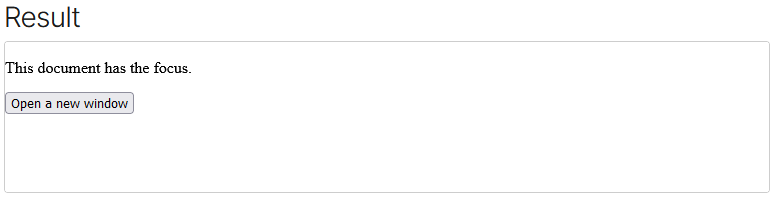 If you do the same as me, could you tell me, what is the result for you?
Thank you, I was able to reproduce it now. 👍
It appears that this is a known yet low-priority Firefox bug that is being tracked here: https://bugzilla.mozilla.org/show_bug.cgi?id=1657278
Unfortunately, there is nothing that we can do from the MDN side.
Ok, I understood. Sorry, I saw you answer too late and I recreated a new issue as you asked me... Anyway, thanks for your time.