

 mdn
mdn
Difference in Firefox/Chrome in behavior concerning the favicon in the new open window
MDN URL
https://developer.mozilla.org/en-US/docs/Web/API/Document/hasFocus
What specific section or headline is this issue about?
The Examples Section
What information was incorrect, unhelpful, or incomplete?
Hello MDN team.
When testing this example, I just noticed a different behavior in the favicon appearing in the title bar according to the browser I'm using. I click on the "Open a new window" whatever the focus on the "Result" frame of the example.
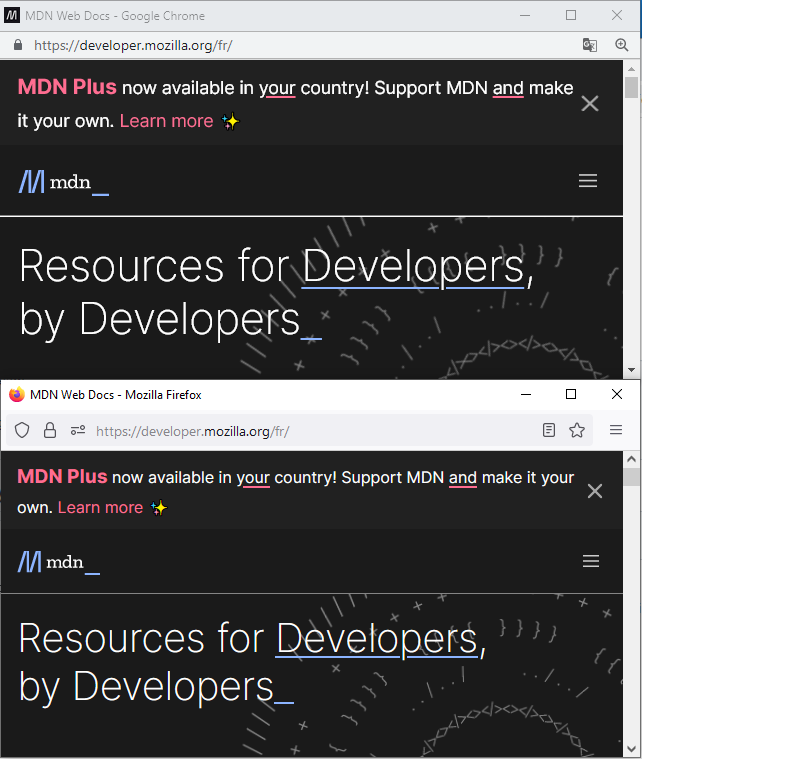
In the new window from Firefox, the favicon seems to be the Mozilla Firefox default favicon. In the new window from Chrome, the favicon is the same as the MDN website.
What did you expect to see?
I intended to see the same favicon icon whatever the browser I used. As far as I'm concerned, I would think that the right behavior would be to see the favicon from the MDN website as in Chrome.
Do you have any supporting links, references, or citations?
No.
Do you have anything more you want to share?
No. If you have any clue about this difference in behavior, I'm really interested. I don't think I've any blocker on any browser. Thanks for your help.
MDN metadata
Page report details
- Folder:
en-us/web/api/document/hasfocus - MDN URL: https://developer.mozilla.org/en-US/docs/Web/API/Document/hasFocus
- GitHub URL: https://github.com/mdn/content/blob/main/files/en-us/web/api/document/hasfocus/index.md
- Last commit: https://github.com/mdn/content/commit/37f38ac4b337174d6b7ccf3fc08b1ac66c5a9fcd
- Document last modified: 2022-05-31T04:29:22.000Z
