

 mdn
mdn
Issue with "<iframe>: The Inline Frame element": no height attribute
MDN URL: https://developer.mozilla.org/en-US/docs/Web/HTML/Element/iframe
What information was incorrect, unhelpful, or incomplete?
The height attribute is not mentioned, yet it is used in an example.
Specific section or headline?
https://developer.mozilla.org/en-US/docs/Web/HTML/Element/iframe#attributes
What did you expect to see?
I need an explanation of how to choose width and height for iframe.
Did you test this? If so, how?
MDN Content page report details
- Folder:
en-us/web/html/element/iframe - MDN URL: https://developer.mozilla.org/en-US/docs/Web/HTML/Element/iframe
- GitHub URL: https://github.com/mdn/content/blob/main/files/en-us/web/html/element/iframe/index.md
- Last commit: https://github.com/mdn/content/commit/45a09cc1e6a703a1eb5470f182de3f30589731ed
- Document last modified: 2022-03-29T13:36:25.000Z


How did you sneak that in there? There's still missing info, because iframe doesn't always show as the width or height specified, and it needs some explanation.
How did you sneak that in there? There's still missing info, because iframe doesn't always show as the width or height specified, and it needs some explanation.
Hi @joyously, can you please elaborate on what additional explanation you think we should add? Is it related to what values to chose? Or the way of setting the value of this attribute? Is it related to the fact we can set 100% as well?
Can you share some reference documentation that would have the additional content we should add here? Thanks!

If I understood it (or what I need to know about it), I wouldn't be looking it up! I've had trouble in the past with sizing iframes, and someone else was asking me why 100% didn't work. I was going to send them to the MDN page, but it didn't explain anything. I tried different values for width on the example at the top of the page, but the width didn't change. The height changed when I changed that attribute.
OK understood your point. I am looking at the specs and running some tests.
I tried different values for width on the example at the top of the page, but the width didn't change. The height changed when I changed that attribute.
This is because the included CSS has a declaration that sets the iframe's width to 100%.
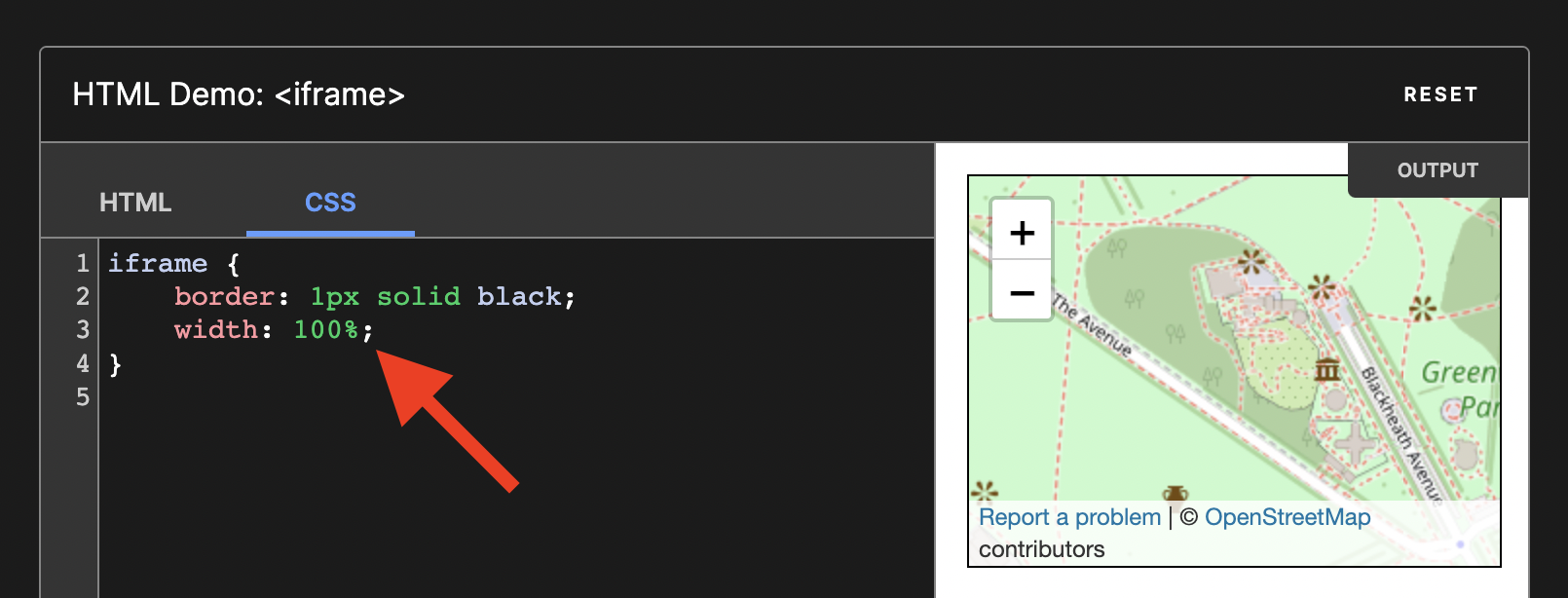
We could clean up the example by removing the width and height attributes.
- Both attributes have default values, so it will not break anything.
- This approach is used in other pages of the documentation: https://developer.mozilla.org/en-US/docs/Web/HTML/Global_attributes/title
- This approach is used in documentation outside of MDN: https://www.w3schools.com/tags/tag_iframe.asp

We could clean up the example by removing the width and height attributes.
If you are suggesting to remove the attributes just for "looks", I think that is the wrong approach. I was originally looking for what values those attributes can take (in regards to units) so having them in the example where you can change them is a valuable thing. Removing the CSS that affects the example would be good.