

 mdn
mdn
window.getSelection() doesn't work in iOS 15
window.getSelection() doesn't work in iOS 15 my example https://moshiach.ru/mistakes/test.php

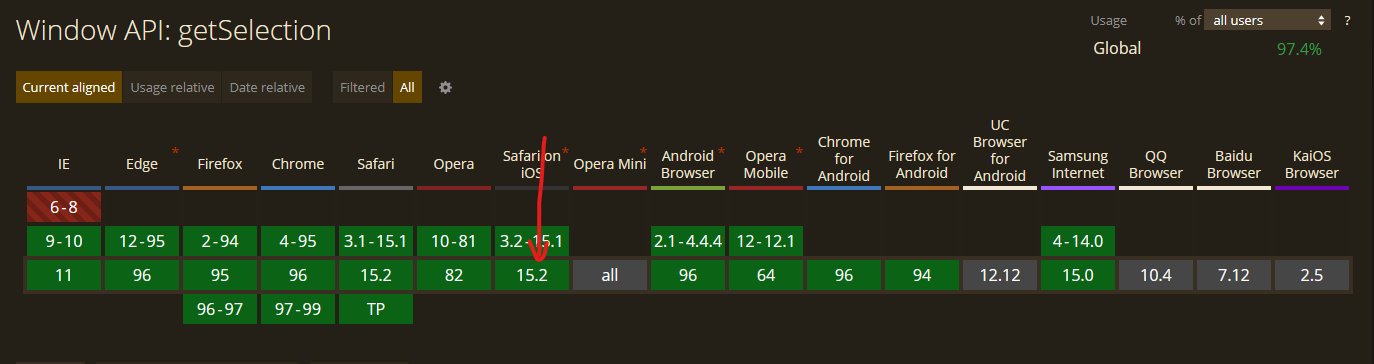
https://caniuse.com/?search=getselection
window.getSelection() does support in iOS 15.

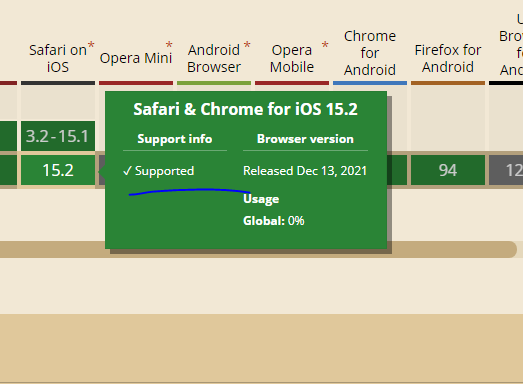
I test Window.getSelection() by selecting some text, opening a console, and entering let selection = getSelection().toString();. I can then see the selection as shown.
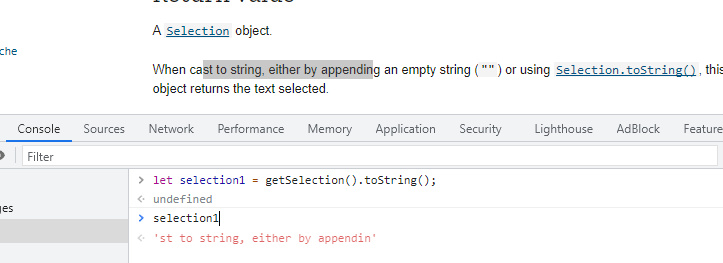
That was on Chrome on Windows. I don't have a mac computer but can you confirm that when you run the same test you don't see the same thing? If you do then this works. If you don't, yes we have a problem.
Please confirm.

The reporter was worried about window.getSelection() not working on iOS 15(iPhone) and as mentioned in https://github.com/mdn/content/issues/11366#issuecomment-998787328 and https://github.com/mdn/content/issues/11366#issuecomment-998790172, this issue can be closed.
cc @hamishwillee
Why closed? There is no solution? BTW I found how to fix it http://jsfiddle.net/JasonMore/gWZfb/
@AnilSeervi So @sholem is saying this doesn't work and you're pointing to caniuse data to say that it does work. However it is perfectly possible for that data to be wrong. That's why I've shown exactly how it can be verified.
@sholem Can you try doing exactly what I have done above. It is cool if you have a workaround, but that doesn't tell me whether the data is wrong or not.
IF the data is wrong then we try find the version in which it first works and update the data so people know it can't be used on that platform. There might also be a polyfill that can be used instead.
@AnilSeervi So @sholem is saying this doesn't work and you're pointing to caniuse data to say that it does work. However it is perfectly possible for that data to be wrong. That's why I've shown exactly how it can be verified.
@sholem Can you try doing exactly what I have done above. It is cool if you have a workaround, but that doesn't tell me whether the data is wrong or not.
IF the data is wrong then we try find the version in which it first works and update the data so people know it can't be used on that platform. There might also be a polyfill that can be used instead.
Well, I did it as you said. On my iPhone there is a web inspector. The answer is undefined.
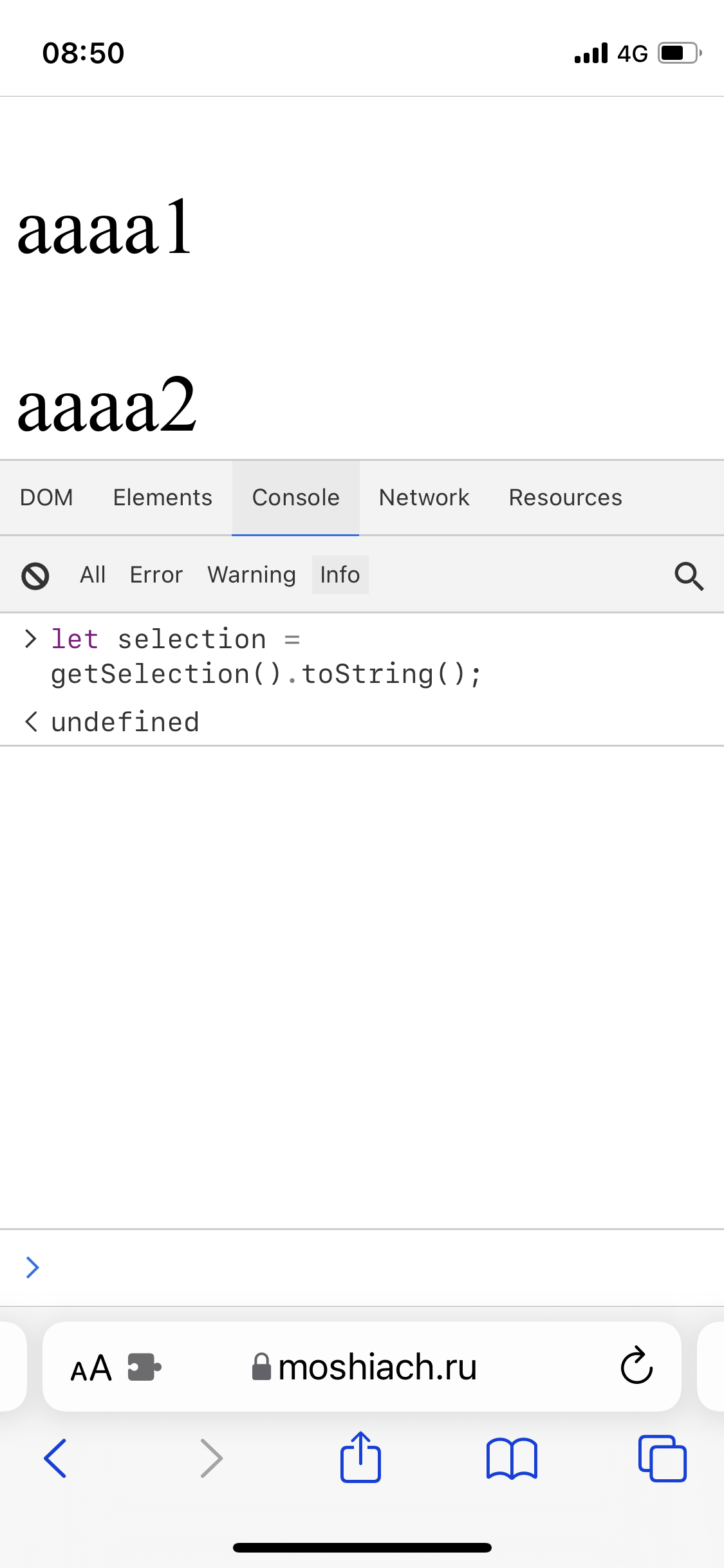
Can you select some text and then maybe try to invoke the method without deselecting the selected text?
Also declaration of selection variable will only return undefined. You need to log the selection variable.
Thanks very much. This is now in the browser compat repo. At some point someone will chase through the data.
@sholem @hamishwillee @AnilSeervi
I'm using Safari 14 and iOS 13.
I can confirm that window.getSelection() and document.getSelection() don't work on those.
const getCaretPosition = () => {
  if (window.getSelection) {
    const sel = window.getSelection()
    if (sel.getRangeAt && sel.rangeCount) {
      return sel.getRangeAt(0)
    }
  }
  return null
}
This block will return null on Safari but it works normally on Chrome.
I've been searching everywhere for a workaround for Safari but no luck yet. Can you have a look at this again?
Thank you!

The test code above is working as expected in as early as Safari 12.1 on macOS. It is also working in iOS 13 on an iPhone 11 with no issues. Here is a test page demonstrating that the Selection API functions as expected:
<!DOCTYPE html>
<html>
  <head>
    <style>
      .no-select {
        font-style: italic;
        pointer-events: none;
      }
    </style>
  </head>
  <body>
    <p class="no-select">Select some text. The selected text should appear below the paragraph.</p>

    <p>Lorem ipsum dolor sit amet, consectetur adipiscing elit, sed do eiusmod tempor incididunt ut labore et dolore magna aliqua. Viverra mauris in aliquam sem fringilla ut morbi. Faucibus purus in massa tempor nec. Et sollicitudin ac orci phasellus egestas tellus. Arcu dui vivamus arcu felis bibendum ut. Sed viverra ipsum nunc aliquet bibendum. Vel eros donec ac odio tempor orci dapibus. Posuere lorem ipsum dolor sit. Eu lobortis elementum nibh tellus molestie nunc non. Molestie a iaculis at erat. Risus nullam eget felis eget nunc lobortis mattis. Amet risus nullam eget felis eget nunc lobortis mattis aliquam. Nullam eget felis eget nunc lobortis mattis aliquam faucibus. In egestas erat imperdiet sed euismod. Pellentesque habitant morbi tristique senectus et netus et malesuada. Porta nibh venenatis cras sed felis. Vestibulum mattis ullamcorper velit sed. Et ultrices neque ornare aenean euismod.</p>

    <p class="no-select" id="results"></p>

    <script>
      const getCaretPosition = () => {
        if (window.getSelection) {
          const sel = window.getSelection();
          if (sel.getRangeAt && sel.rangeCount) {
            return sel.getRangeAt(0);
          }
        }
        return null;
      }

      document.onselectionchange = (e) => {
        document.getElementById('results').innerText = "Selected Text: " + getCaretPosition();
      }
    </script>
  </body>
</html>
