maxgoedjen
Display more information about process requesting SSH keys
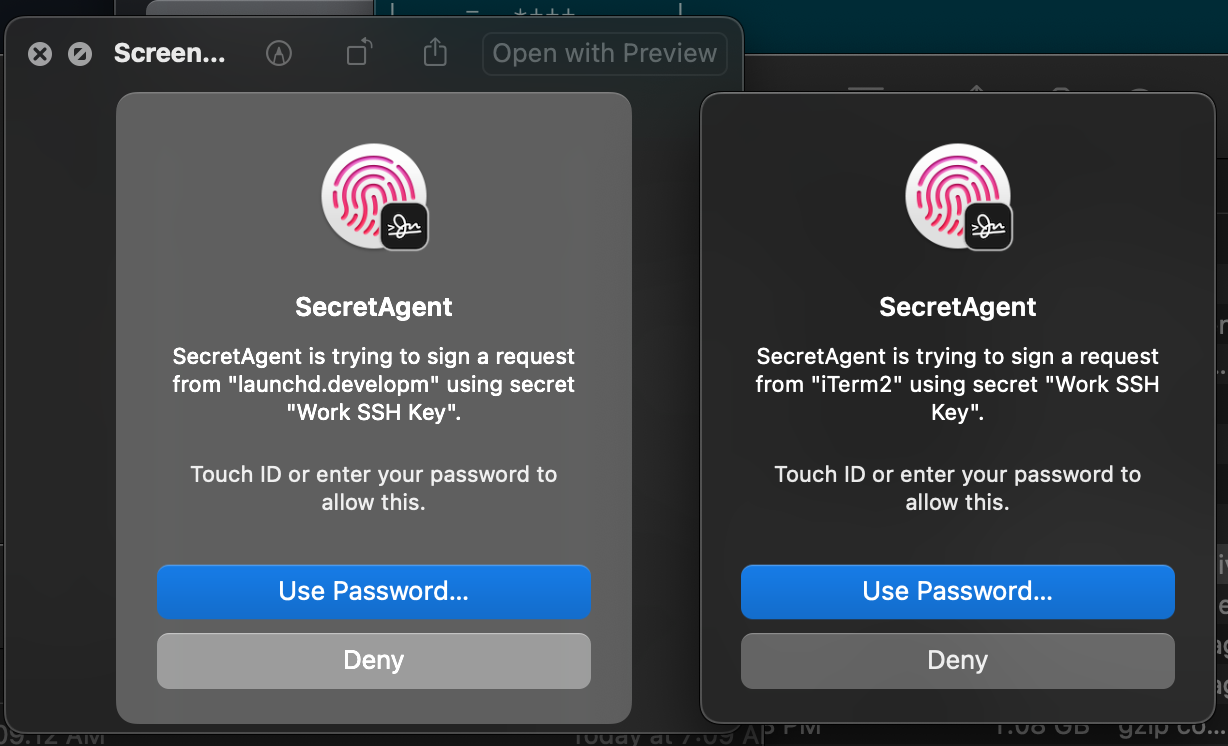
Something I've noticed while using Secretive is that it tries to show the Application which is responsible for the request, e.g. Terminal or iTerm2.
However, it's NOT clear what process / job / etc running in the terminal caused this -- so it's hard to troubleshoot when it pops up unexpectedly and at random.
This seems to show that Secretive is doing its job well at detecting unauthorized usage of my SSH keys, so I click Deny but have no way to investigate further what process is doing it.
For example, this popped up today, indicating that launchd is trying to use my SSH creds. This doesn't make sense, and I expect it's some daemon underneath launchd that is the culprit -- but there's no way for me to tell.
Could you add information like the PID of the requesting process (not the containing app, but ssh's PID), its parent PID (which would generally be the shell's PID), and the process name?