mawww
mawww
Virtual text in window
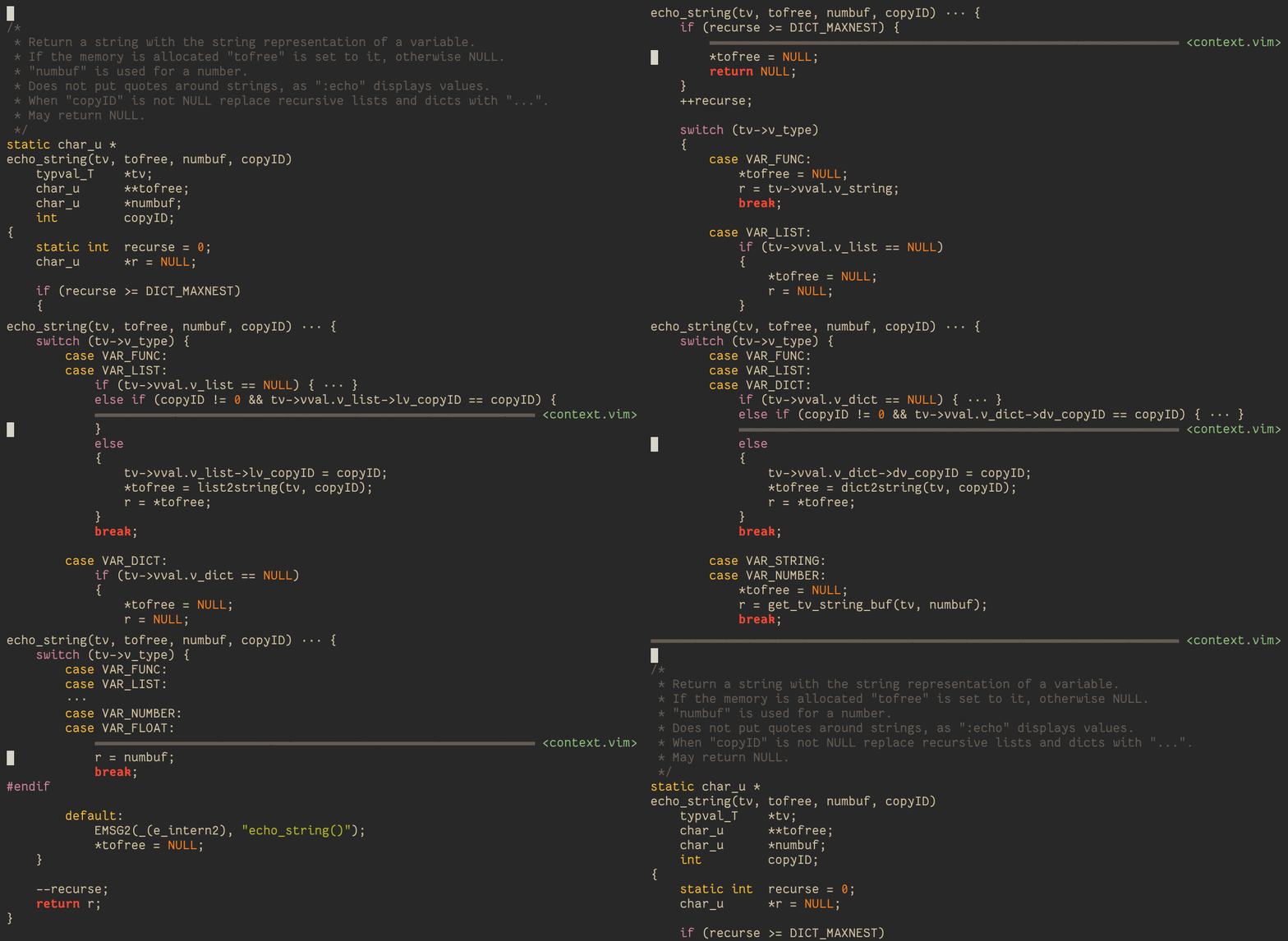
Some cool UI features are only doable if virtual text can be rendered inside of a window. For example, all of the text on the right-hand side is virtual.
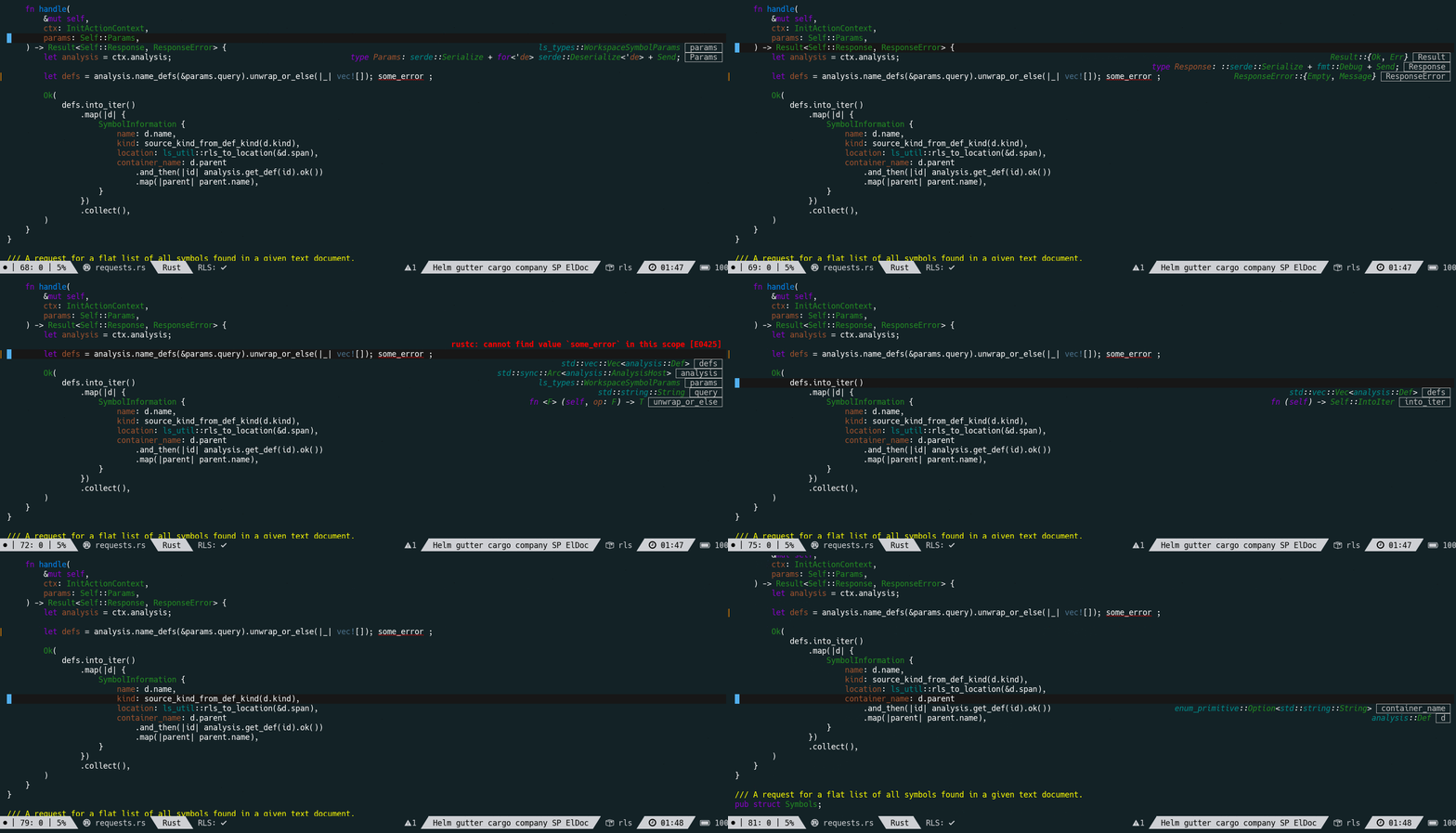
For high-quality LSP integration, certain features like code lens require this.
Would such a feature ever be considered for kakoune?

Hi. I think this could be achieved with slightly more placement options for the :info command + parsing of markup in the info box.

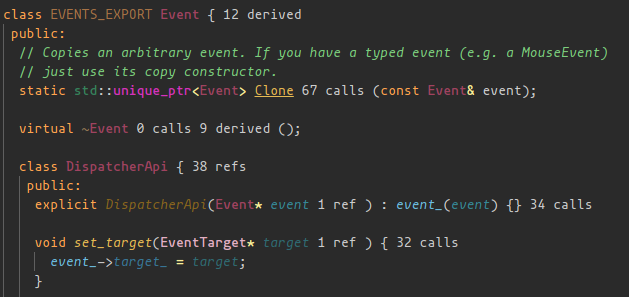
It would be nice to have support for this. Today we have alternatives exist but they are not so satisfactory for this purpose:
The replace-ranges highlighter almost does this, but it needs to replace on coordinates that actually exist on the screen.
The flag-lines gutter is also an option, but it's on the wrong margin.

I'd argue that the current features are sufficient for both use cases, the first one can use an info box (which might benefit from additional anchoring options), the second one could be implemented with a flag-lines or with a replace-ranges if we could specify empty ranges to replace (currently at least one character needs to be replaced).

a lot of this could be done if replace-ranges could take an empty range and be multiline. Multiline replace-ranges would also help with implementing code folding

@mawww as much as I'd love this (along with folding), I like the idea of infoboxes to provide this. Are there any plans to make them more customizable (placement, min/max size, scrollable, multiple instances, etc.)?

Hello, I would like to revive that discussion as I have needs for KTS. Basically, it would nice to be able to have an overlay over the buffer. It would require to allow to place text at arbitrary position in a buffer, or on the screen. Needs for KTS right now:
- Indent guidelines cannot support gaps, because
replace-rangescan only be visible at column 1 (on the\n), and in order to offset the guide lines, I need to implement a special logic to offset the guidelines to the right place. The problem is that since it pushes the logical beginning of the line up to the end of the char, it looks super weird when we try to put the cursor before it (it’s not allowed). The logic is different when usingline.col+nwithn > 0since the cursor can go past it. - I’m also thinking of implementing a sticky tree-sitter context at the top of the window, and there’s currently no way to implement that.
So I think we need two patches:
- Update the code behind
replace-rangesto allow arbitrary-length to be written. Maybe something likeline.0, that would basically allow to put some text on a line before the\n? - Add a new highlighter to put text wherever we want on the screen.

Indent guidelines cannot support gaps, because replace-ranges
we addressed that by adding a dedicated -indent component to the show-whitespaces highlighter
I’m also thinking of implementing a sticky tree-sitter context at the top of the window,
for LSP we ended up using the modeline (by adding to the modelinefmt option... not ideal but I guess it works for now)

Indent guidelines cannot support gaps, because replace-ranges
we addressed that by adding a dedicated
-indentcomponent to theshow-whitespaceshighlighter
I don’t think you can achieve the same level of semantic-aware feature with -indent vs. a tree-sitter approach.
I’m also thinking of implementing a sticky tree-sitter context at the top of the window,
for LSP we ended up using the modeline (by adding to the modelinefmt option... not ideal but I guess it works for now)
Yeah, not ideal to me, it doesn’t show the constructs, only the labels of the nodes, and it won’t show as much information, like which if branch you’re in, etc.
On Sun, Sep 22, 2024 at 07:33:26AM -0700, Dimitri Sabadie wrote:
Indent guidelines cannot support gaps, because replace-ranges
we addressed that by adding a dedicated
-indentcomponent to theshow-whitespaceshighlighterI don’t think you can achieve the same level of semantic-aware feature with
-identvs. a tree-sitter approach.
I couldn't find an example where it makes a difference
I’m also thinking of implementing a sticky tree-sitter context at the top of the window,
for LSP we ended up using the modeline (by adding to the modelinefmt option... not ideal but I guess it works for now)
Yeah, not ideal to me,
The reason it's not ideal to me is because it overrides user settings, not because of any UI concerns (well I guess it'd make more sense if the modeline was top not bottom but that's not woth it).
it doesn’t show the constructs, only the labels of the nodes, and it won’t show as much information, like which if branch you’re in, etc.
not sure what exactly you'd want to change here (what are constructs and branches?)
not sure what exactly you'd want to change here (what are constructs and branches?) If you are inside a long
iftrue-branch, inside a function, inside a class, with a sticky context, you can actually see that you are currently which statements you are in, plus the type and function. So instead ofModule > Type > FuncLSP breadcrumb, I’d have something like a sticky context at the top of the screen looking like:
 15: impl Foo {
 89:  fn bar() {
 94:    if self.something() {
105:      case x {
---
And that’s something that provides more information than just the function we are currently in.
Example with context.vim: