

 mavlink
Manual connection to serial port not working without unticking Pixhawk and SiK radio options
I'm connecting a pixhawk 4 with an FTDI cable to QGC. I need to use the 115200 baudrate which is not automatically detected.
I try to connect manually with the Comm Links tab but I get the following error: "Error on link Test1. Error connecting: Could not create port. Permission error while locking the device". This is because somehow qgc has already opened that port.
To solve this I need to untick the Pixhawk and SiK Radio options from the General tab.

To solve this I need to untick the Pixhawk and SiK Radio options from the General tab.
That's pretty much what you have to do. Otherwise QGC has already connected to the port.

@DonLakeFlyer the point is that it is not obvious and I've seen several people that did not know how to resolve it. Since QGC already knows which ports it has opened, it could just close it or show a better warning. What do you think?

No progress here? It's really causing headache because also our D2X radios, when connected via FTDI are not detected.

No progress here? It's really causing headache because also our D2X radios, when connected via FTDI are not detected.
This is causing issues for me too.

The Headache is, that auto connect blocks all COMports on Windows. And setting it up so QGC will only Auto connect to a specific COMport is not possible. The option to Autoconnect to manualy set COMports is greyed out.
Hey guys, I don't have the exact error but another error is prompted which I can't find any solution to, any help will be greatly appreciated.
Using Navio 2 with usb adapter telemetry; connecting it prompts the error: "Error on link Serial Device COM3. Error connecting: Could not create port. Access is denied."
Similar error prompts when trying to connect to Mission Planner.

@DonLakeFlyer This issue caused me some grief until I discovered this conversation yesterday as well. Any plans to fix it? Perhaps just change the default for these options if we can't just re-open the port?

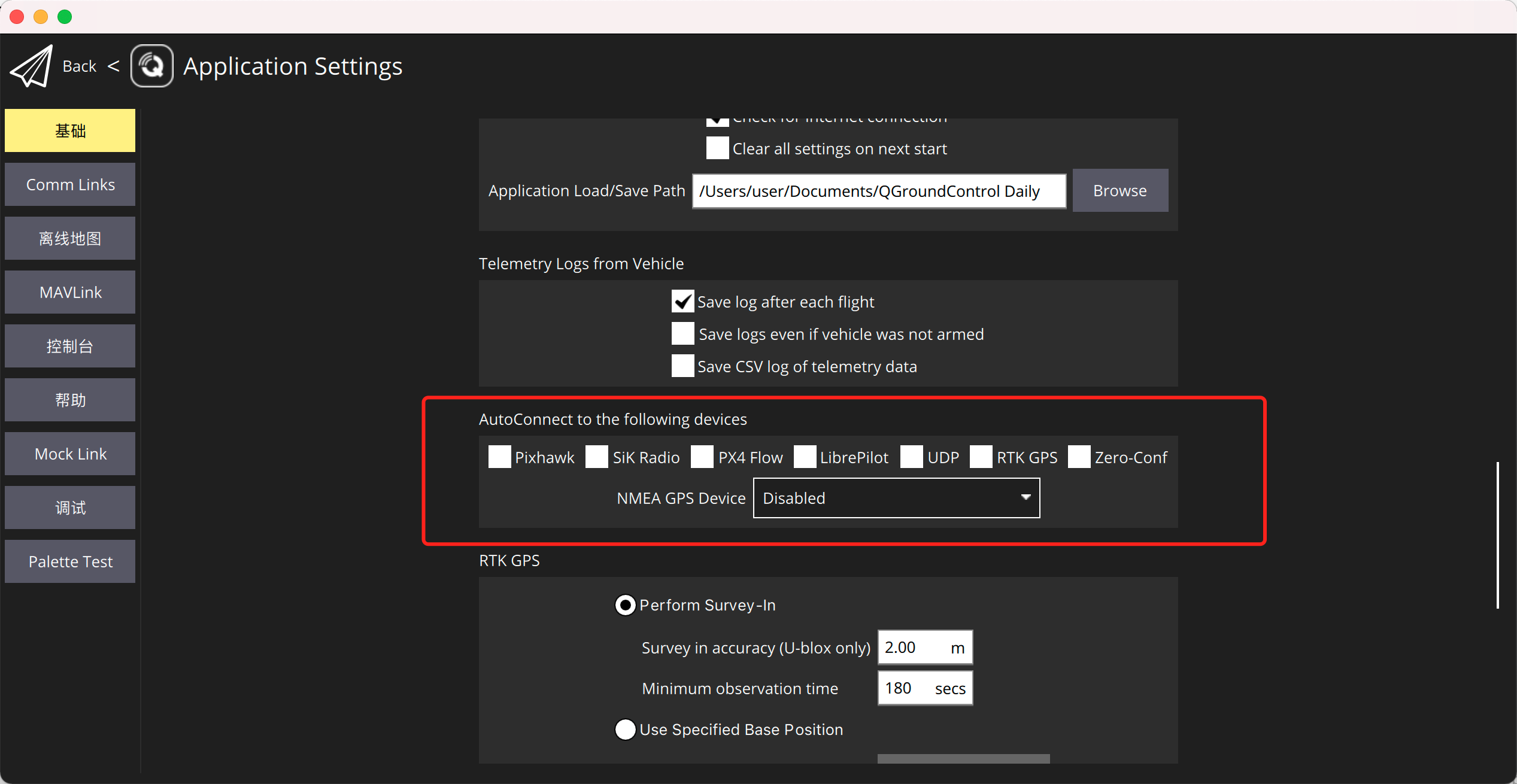 close AutoConnect to the following devices
@brad112358 @DonLakeFlyer
close AutoConnect to the following devices
@brad112358 @DonLakeFlyer