

 mattieha
Invert the percentage of the position
Dear developers,
First of all I would like to say that I am enthusiastic about your development. You have really developed something very great here. However, I still have the following wish. My roller blinds from Hm-IP (ELV Electronic) have the following status:
Open = 100% Closed = 0%
This means that from my point of view the representation for my roller blinds does not fit.
What do I mean by this: If I set the roller blinds in your tool to 70% (the dark bar is up - which means the roller blinds for me), however, the roller blind goes to the cover position: 30% - as mentioned above are mean with this cover the position 0% = closed.
So I would find it cool if you could also invert the percentage of the position. I.e. the so far 30% in your tool will then be displayed as 70%. This would then correspond to the actual position of the cover.

I hope to have expressed myself understandably.
BR Markus


Hi barmazu,
Yes I have also set invert to false. In this case, the percentage value is then displayed correctly.
For me the dark bar is the blind - but in this case it is displayed with 30% on top (in my example) - i.e. it looks like the blind is on top.
In fact, the blind is almost closed - so it should be displayed at the bottom.
BR Markus

I have the same issue with this card unfortunately.
I wish there was a way to show the percentage how it is reported by home assistant and by other cards:

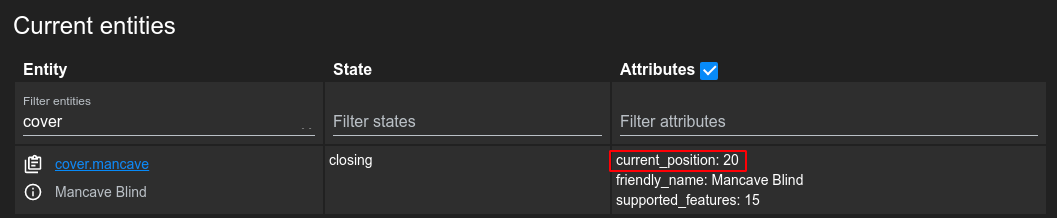

I found a few related issues (15, 63, and 73) that mention the slider.invert option but sadly don't address this problem with the inverted percentage.
Setting invert to true the percentage value is displayed correctly but the slider direction flips

any progress on this? having the cover percentage inverted isn't a major issue but is definitely inconsistent with HA standard values.
