
mattermost-plugin-jira
 mattermost-plugin-jira copied to clipboard
 mattermost
Automatically convert Mattermost Markdown to Jira formatting
REPRO:
- Enable and configure the plugin with instructions at https://github.com/mattermost/mattermost-plugin-jira
- As a user, connect your account in Mattermost to Jira by posting
/jira connect - As a user, hover over a message, click the "More Actions" (...) post menu option, then select "Create Jira Issue".
- Complete the steps to create a Jira issue.
- As a user, hover over a message, click the "More Actions" (...) post menu option, then select "Attach to Jira Issue"
- Complete the steps to attach the chosen message to a Jira issue.
Observed: Mattermost Markdown is not converted to Jira formatting, breaking the appearance of the issue in Jira. Few of these cases are listed below.
Proposed change: When a Jira issue is created or a message is attached to Jira, automatically convert Mattermost Markdown to Jira formatting.
CASES: (See https://mattermost.atlassian.net/browse/MM-15723 for the original ticket)

If you're interested please comment here and come join our "Contributors" community channel on our daily build server, where you can discuss questions with community members and the Mattermost core team. For technical advice or questions, please join our "Plugin: Jira" community channel.
New contributors please see our Developer's Guide and our Plugins Guide.


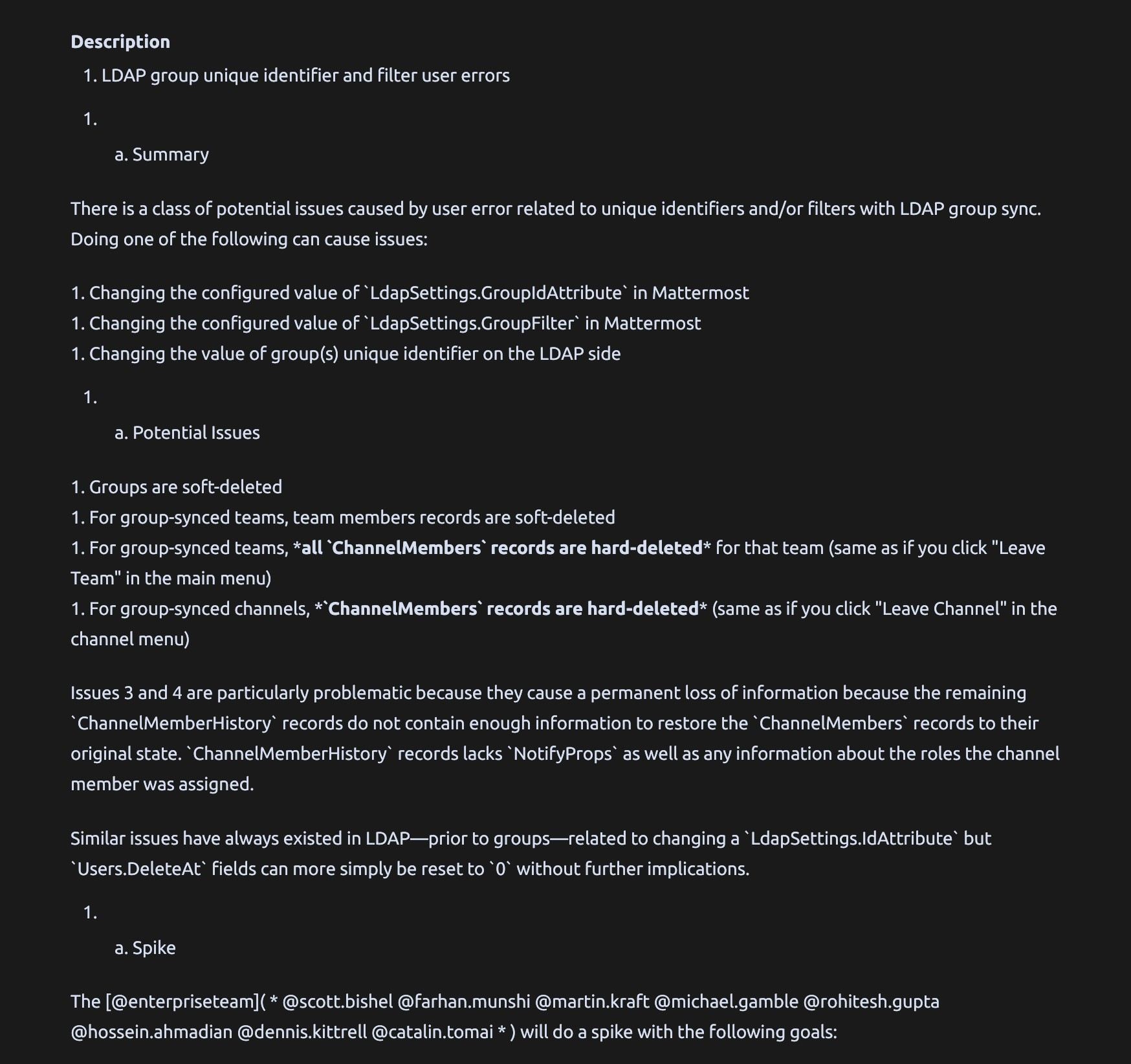
Example of undesirable UX when going from Mattermost -> Jira. Headers are converted to lists. Lists that are numbered with just 1. are expected to automatically enumerate, but instead are just rendered as 1. for each item.
Source post: https://community-daily.mattermost.com/core/pl/eoydjca6upy6mfq7qxx56r67bh
# LDAP group unique identifier and filter user errors

## Summary

There is a class of potential issues caused by user error related to unique identifiers and/or filters with LDAP group sync.  Doing one of the following can cause issues:

1. Changing the configured value of `LdapSettings.GroupIdAttribute` in Mattermost
1. Changing the configured value of `LdapSettings.GroupFilter` in Mattermost
1. Changing the value of group(s) unique identifier on the LDAP side

## Potential Issues

1. Groups are soft-deleted
1. For group-synced teams, team members records are soft-deleted
1. For group-synced teams, **all `ChannelMembers` records are hard-deleted** for that team (same as if you click "Leave Team" in the main menu)
1. For group-synced channels, **`ChannelMembers` records are hard-deleted** (same as if you click "Leave Channel" in the channel menu)
Result in Jira:
Expected in rendered properly in GitHub:
LDAP group unique identifier and filter user errors
Summary
There is a class of potential issues caused by user error related to unique identifiers and/or filters with LDAP group sync. Doing one of the following can cause issues:
- Changing the configured value of
LdapSettings.GroupIdAttributein Mattermost - Changing the configured value of
LdapSettings.GroupFilterin Mattermost - Changing the value of group(s) unique identifier on the LDAP side
Potential Issues
- Groups are soft-deleted
- For group-synced teams, team members records are soft-deleted
- For group-synced teams, all
ChannelMembersrecords are hard-deleted for that team (same as if you click "Leave Team" in the main menu) - For group-synced channels,
ChannelMembersrecords are hard-deleted (same as if you click "Leave Channel" in the channel menu)

I reproduced this without mattermost... by making requests to the Jira API I could create issues with Markdown description that could be well rendered anywhere else except on Jira. What's the status of this issue ?

@hervinhio I'm not sure how recently it's been worked on but @nathanmkaya is working on the implementation for this here https://github.com/nathanmkaya/goldmark-extended
Closing issues due to inactivity. This issue can be re-opened with more interest from our community.
