
docker
 docker copied to clipboard
 matomo-org
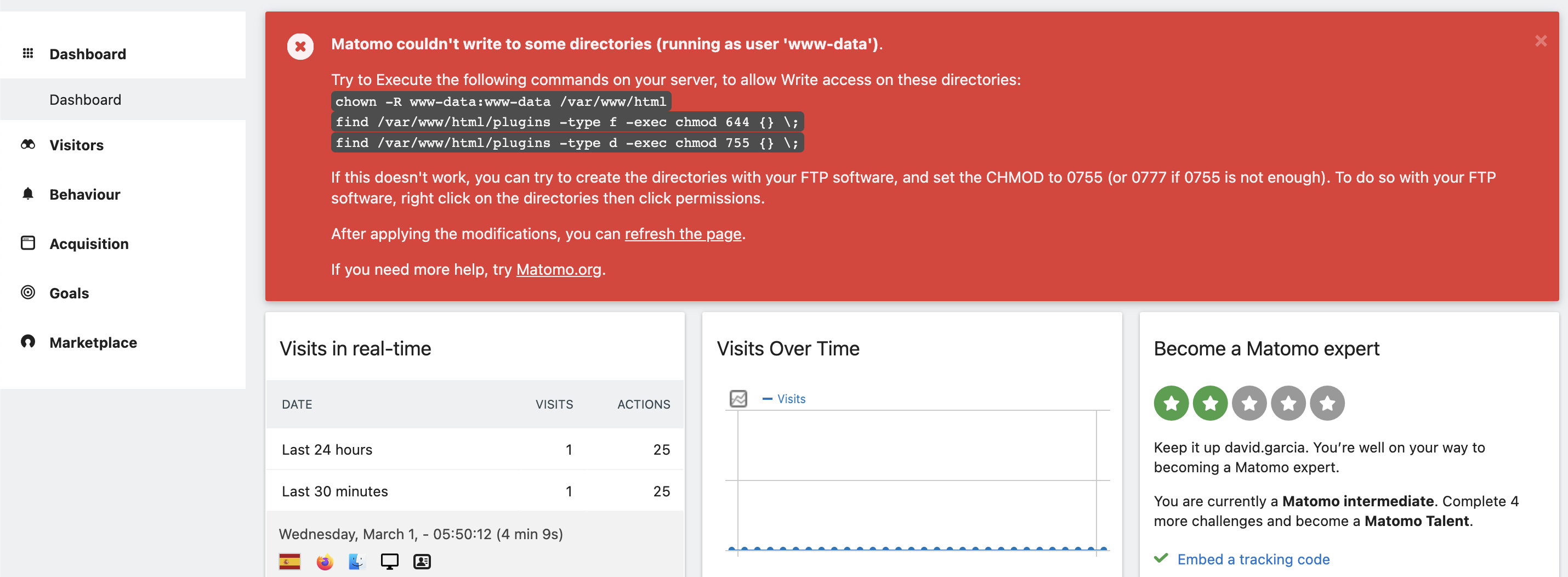
Matomo couldn't write to some directories (running as user 'www-data').
As per https://github.com/matomo-org/matomo/issues/18813 it seems better to post this issue here when Docker containers are involved, so this is the docker-compose.yaml file in my server:
version: "3"

services:
    mariadb:
        image: mariadb:latest
        command: --max-allowed-packet=64MB
        restart: unless-stopped
        volumes:
            - ./data/mariadb:/var/lib/mysql
        env_file:
            - ./.env

    app:
        image: matomo:fpm-alpine
        restart: unless-stopped
        links:
            - mariadb
        volumes:
            - ./config:/var/www/html/config:rw
            - ./logs:/var/www/html/logs
            - ./data/matomo:/var/www/html
        env_file:
            - ./.env

    web:
        image: nginx:alpine
        restart: unless-stopped
        volumes:
            - ./data/matomo:/var/www/html:ro
            # see https://github.com/matomo-org/matomo-nginx
            - ./matomo.conf:/etc/nginx/conf.d/default.conf:ro
        ports:
            - 8080:80
And, although it seemed to work as expected, after installing a plugin from the marketplace (that needed to run php ./console core:update) the system renders this error message:
Matomo couldn't write to some directories (running as user 'www-data').

Try to Execute the following commands on your server, to allow Write access on these directories:

chown -R www-data:www-data /var/www/html
find /var/www/html/plugins -type f -exec chmod 644 {} \;
find /var/www/html/plugins -type d -exec chmod 755 {} \;
If this doesn't work, you can try to create the directories with your FTP software, and set the CHMOD to 0755 (or 0777 if 0755 is not enough). To do so with your FTP software, right click on the directories then click permissions.

After applying the modifications, you can [refresh the page](https://analytics.deralia.net/index.php).

If you need more help, try [Matomo.org](https://matomo.org/).
I have tried running the 3 commands, but no success. I also tried to run the find ... commands for the whole /var/www/html directory (not just the plugins) but still no success, the error message is there and seems impossible to get rig of it.
Any advise here would be appreciated.
Thanks,

Do you have any additional access control features like SELinux, ACL, xattr etc. enabled on the host?

Nope. Actually, this is the only Docker container that raised unexpected behaviours with the file system.
As I already mentioned in the original post...
I have tried running the 3 commands
Just out of curiosity... is this a real-time check or does it cache any potential flag in a session/cookie?
both, by the way... host & container
That's bad, the numerical id on the host may differ from the id inside the container for the same group/username.
Just out of curiosity... is this a real-time check or does it cache any potential flag in a session/cookie?
I don't know. If you have any doubt, just restart/recreate the container and clear your local browser session.
That's bad, the numerical id on the host may differ from the id inside the container for the same group/username.
Sorry for not making it clear enough; my bad.
After trying it inside the container (as I was expecting the container to handle it according to the app's needs) and confirming the error didn't disappear, I also tried to set the permissions from the host machine. Given we are talking about file system permissions (644 and 755) it should not be problematic at all.
In regards to the owner of the file/folder, I checked what numerical value was set for the rest of the folders/files to make them match instead of setting a non-existing user, so the final result matched.
I don't know. If you have any doubt, just restart/recreate the container and clear your local browser session.
Funny thing, but I cleaned up all local storage and cookies and logged in again, which made the error disappear. I understand Matomo (somehow) manages this alert from the local cache, and it was there until I made this clean-up.
--
Although this seems to "solve" the problem, I understand the system might require a review to double-check how these details are handled and reported to the admin user. Thus, I would prefer to keep this issue open until someone can confirm the root cause (to avoid repeated reports).