material-components
Make Sketch library Backdrop resizable
Overview
I'm designing the UX of a Flutter app. I downloaded the Design Kit for Sketch from Google's Material Resources page. Our app needs to work well on cheap Android phones with small screens. I wish to use Google's provided Sketch widgets to design for such phones.
The very first widget I tried to use doesn't work for small phone sizes. This ticket is about fixing that widget. The larger problem is to make the entire kit work for small phones.
Reproduction steps
- Download Google's provided material-design-stickersheet.sketch file.
- Open Sketch and create a new document.
- Click the menu Sketch / Preferences.
- Click the Libraries icon.
- Click the "Add Library" button.
- Select the file you downloaded and click Open.
- Close the Preferences window.
- Click the menu Insert / Artboard. The right-hand panel changes to show artboards.
- Click the "Create Custom Size..." button at the bottom of the right-hand panel.
- Enter a size of 240x320px. This corresponds to the 2.7" QVGA device type in Android Emulator. It is an mdpi device with a logical screen size of 230x320dp.
- Click the menu Insert / Symbols - material-design-stickersheet / Backdrop / 2. Active Front Layer / _Light.
- Align the widget with the upper-left corner of the artboard and click to place it.
- Resize the widget to fill the artboard.
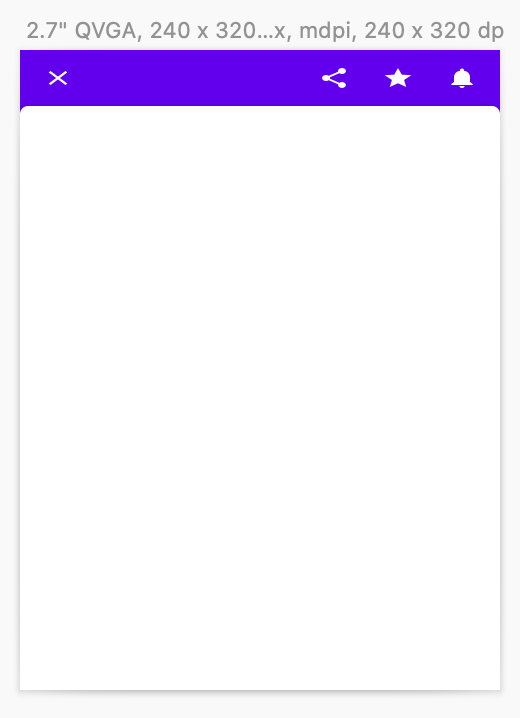
Expected behavior: The Backdrop widget should maintain its proportions. The icons should maintain their proportions. The top bar should remain thick.
Observed behavior: The icons are flattened. The top bar is too thin.
Screenshot:
Example file: backdrop-not-resizable.sketch.zip
Version number
- The downloaded file
material-design-stickersheet.sketchhas no version number. Its SHA-1 digest isd20842107db0282cee376c2ec974278ae1e60c5a.
Operating system and device
MacOS 10.15, Sketch 59.1, Macbook Pro.

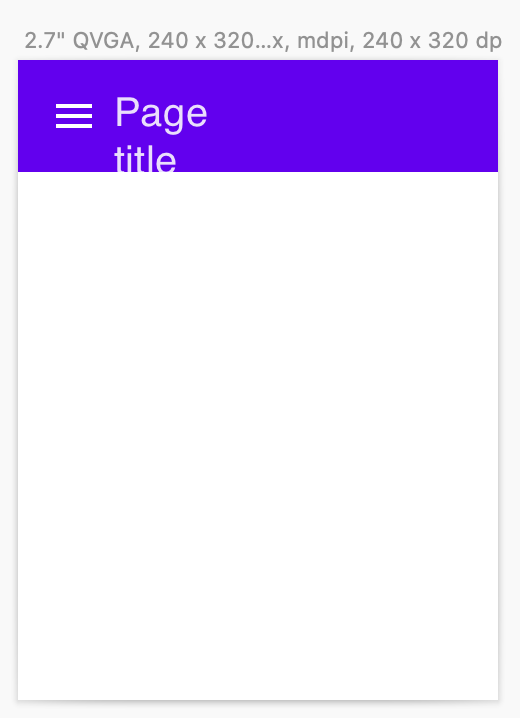
The App Bar widget has a similar problem: Removing trailing icons doesn't let the title text use the space.