

 mastercomfig
Bird-Man of Aberdeen becoming super stretched out.
Description
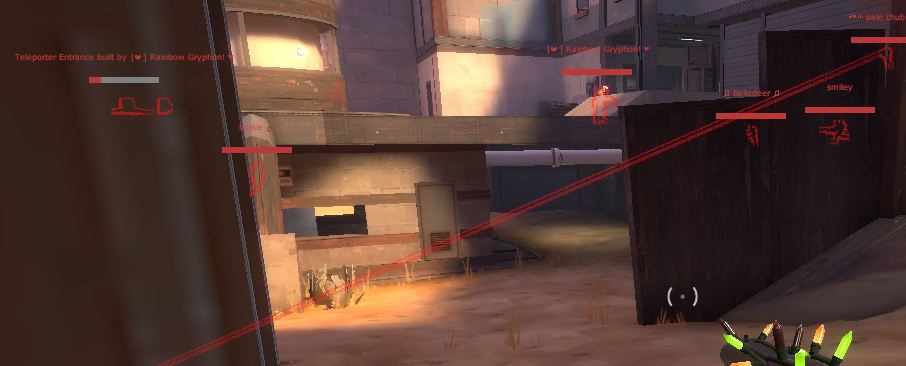
This bug, from my experience, seems very common for the Bird Man, though it might also occur with other similar cosmetics. The head of the parrot starts moving up and down very quickly, then the head warps to some far off location on the map. It might have something to do with jigglebones but I'm not sure.
Checklist
- [x] None of the open or closed issues document this problem.
- [x] This is a bug, not a new idea.
- [x] This is objectively a bug, and not something that people commonly disagree on.
- [ ] This issue occurs on the latest Team Comtress release, or the
masterbranch. - [x] This issue occurs on the latest vanilla TF2 update.
- [x] This bug is in the code of the game, not in the textures, sounds, or other resources.
- [ ] This issue is listed on the Source 1 official bugtracker.
- [ ] This issue occurs with DirectX level 100.
- [x] This issue occurs when using no custom content.
- [ ] This issue occurs when using
start_tf2.bat(orstart_server.bat) with no custom launch options. - [ ] This issue occurs when using a listen server (using the
mapcommand ingame). - [x] This issue occurs when using a dedicated server.
- [ ] This bug is in the internal procedures or tooling (e.g. the build process).
Reproduction
Seems most likely to occur if the player wearing the cosmetic moves through the air very quickly with a lot of air strafing. It might also occur immediately after respawning.
Screenshots
Setup Details
Client Settings
- Server or client: Game client
- Operating system: Windows 10
- Team Comtress version: Vanilla game
- Custom content: Mastercomfig medium config with weak gpu addon
- Launch options: -novid -windowed -noborder
Driver Version
- Graphics driver: Intel graphics
- DirectX level: dxlevel 9.5
Hardware Specs
- CPU model: Intel i5
- GPU model: Intel i5
- RAM amount: 8gb
- TF2 install location: SSD
- TC2 install location: SSD
- TC2 installation method: Basic

Okay so this bug has been present for a long time now. I believe the bug has to do with physics and is code related not model related. After doing some testing, I’m 99% sure the issue is with jiggle bones. Sometimes the bones collide and go spastic when they shouldn’t. I believe the issue with the could be solved by disabling collision between jigglebones with the same parent model/rigging. (I’m not very familiar with TF’s modeling) So the bones of the Bird-Man wouldn’t interact with each other, but would still be able to be acted upon by other factors (Source engine physics, explosions, the demo himself moving, etc.) This would of course cause different issues just as clipping but it would fix the majority of cases where the bones just collide with themselves and go everywhere. Idk, just an idea
