

 markshust
Docker Desktop on Ubuntu breaks permissions
Description
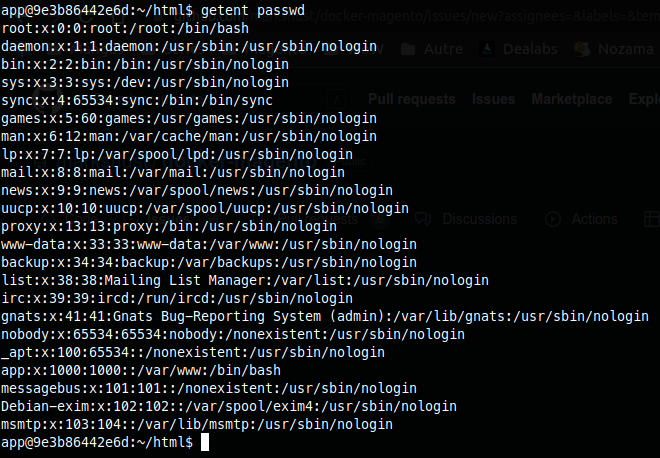
When using Docker Desktop on Ubuntu, the host user / group is mapped to a "root" user / group within the container. Thus, when the Dockerfile adds the "APP_ID" as "1000", it doesn't actually match the real host machine user.
If I run a getent passwd to list users available, I get the following result:
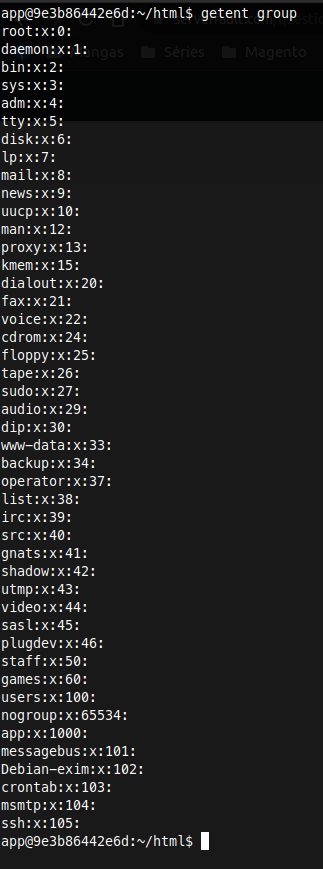
and wit the getent group command to list groups
Finally, as you can see bellow, the file listed on the Docker container is with the user / group "root" but on the host machine, it is with my real user / group:

Because of that, every file created by Docker is broken and can't be used.
Steps To Reproduce
- Install Docker Desktop on Ubuntu (tested on 22.04)
- Follow the README instructions to setup a project
- Try to create a file within the container (e.g:
bin/cli touch test.txt)
Expected Result
- The file is created
Actual Result
- A permission denied is thrown

Hi @Axel29,
I too had some issues with file ownership and permissions (there seems to be a general issue with docker desktop on linux: https://github.com/docker/desktop-linux/issues/31#issuecomment-1161606016). I did the following:
- Run
bin/fixownsandbin/fixperms - Now if you
ls -lain the root directory of the host, you will see all files have user:group set to 100999:100999 - I went ahead and created a new user group on my host:
sudo addgroup --gid 100999 dockercontainer - Add your user to that group:
sudo usermod -aG dockercontainer $USER - Now make sure users of the group can write files in your root directory:
bin/clinotty find . \( -type f -or -type d \) -exec chmod ug+w {} +; - Restart your device for the changes to take (full) effect
Now you should be able to edit files on both your host and your container.
