

 markshust
Warning from repo.magento.com: You haven't provided your Magento authentication keys
Description On my MacBook M1 Pro I followed Manual setup guide to setup magento env. After running command
bin/download 2.4.3-p1
I get this error
Composer authentication required (repo.magento.com public and private keys):
    Username: XXXX
    Password: XXXX

Composer auth has been set up.
Creating a "magento/project-community-edition=2.4.3-p1" project at "./"
Warning from repo.magento.com: You haven't provided your Magento authentication keys. For instructions, visit https://devdocs.magento.com/guides/v2.3/install-gde/prereq/connect-auth.html
  [Composer\Downloader\TransportException]
  The 'https://repo.magento.com/packages.json' URL required authentication.
  You must be using the interactive console to authenticate
Even if I use valid access keys. I get the same error when I follow Automated Setup
Interesting thing is that when I run
bin/bash
I am not able to execute any shell command from docker container.
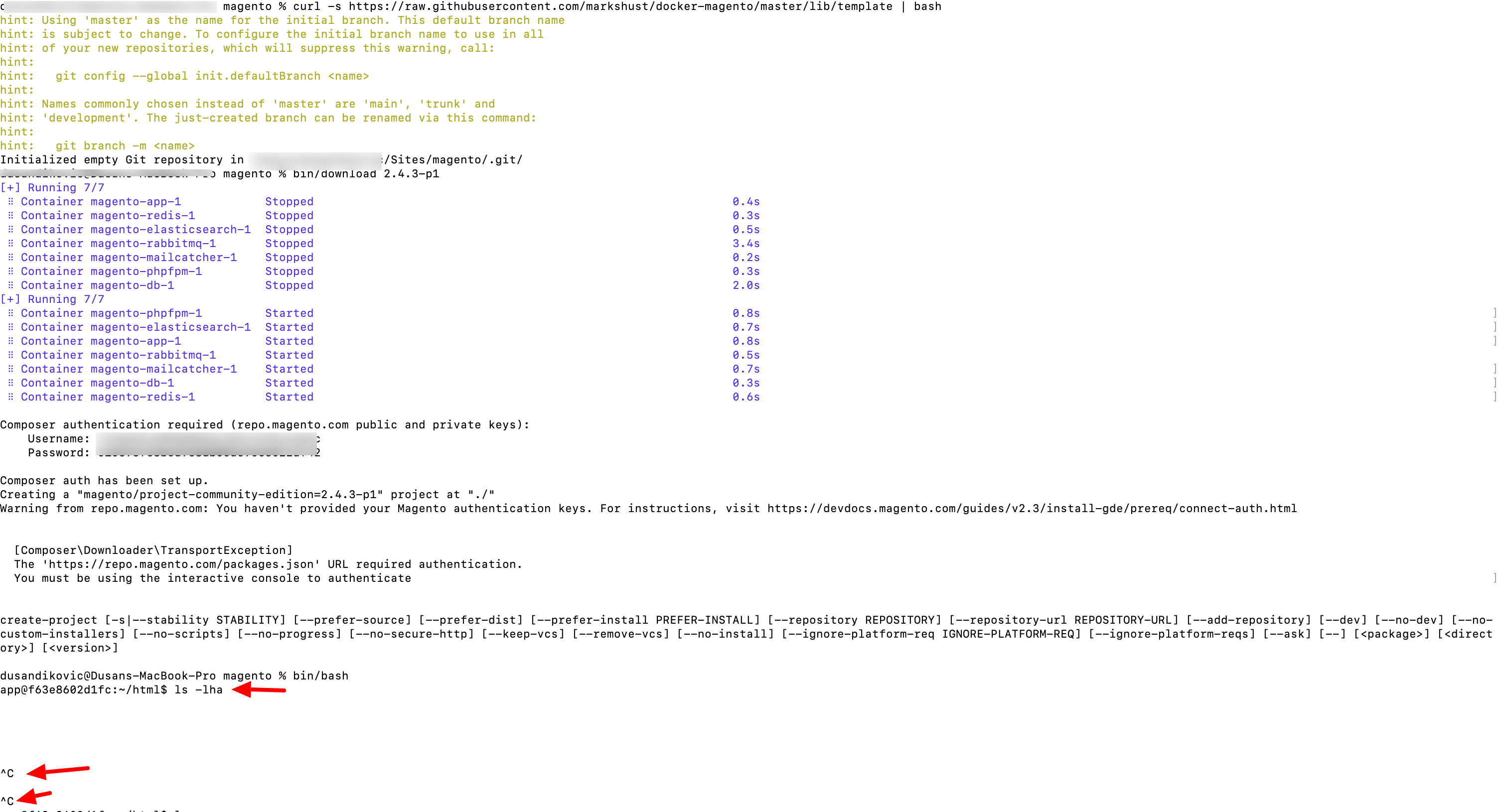
It looks that my terminal is not interactive.
Any idea what could be the problem here?

This is really odd, and I'm unable to replicate this on a fresh macOS install. Is anyone else able to replicate?

I reproduce it too, with a new fresh install and setting bad credential when terminal ask for it the first time.
Btw i dont know how to change this config to set the good credentials after that.


Maybe go back to your auth.json file and update the credentials -
vi ~/.composer/auth.json
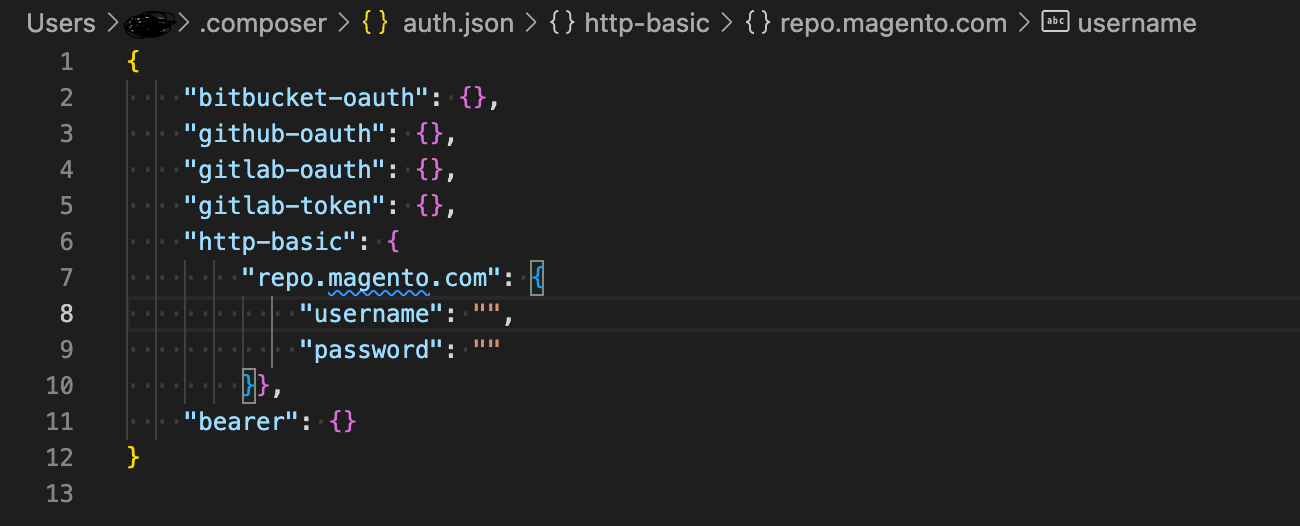

I don't understand this. Are we supposed to set up keys of some sort? Why is that not explained in the docs?
I'm confused. This happened first on my M1 Mac.
@markshust if you want to replicate, you should try with a GitHub codespace. It's happening there as well.
