

 mariuz
Firebird 4
Hello,
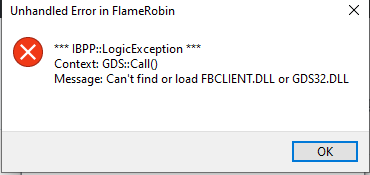
Flamerobin (flamerobin-0.9.3.e6015349) does not work with Firebird 4 (zip). Both Firebird and Flamerobin are 32 Bit.
Tried to put fbclient.dll same folder as flamerobin.exe.

Hi @Hugolarson ,
You need install, manuali, the client library. \firebirdfolder\instclient.exe Or \firebirsfolder\wow64\installclient.exe
I working for selection the library per database, but isnot ready.
./jo

Hi,
I run the command below but it still does not work
instclient i fbclient FBCLIENT.DLL has been installed to the System directory.
Hi @Hugolarson
Could you please retest this issue on FlameRobin 0.9.3.12 and close it if it is no longer reproducible?
Thanks in advance, Luciano

Hi,
Now it seems to find fbclient.dll but when I try connecting to either FB4.0 or FB2.5 database files it wont connect. With engine 2.5 it connects fine but not engine 4.0. With engine 4.0 I can connect with isql and jdbc but not flamerobin
firebird.conf AuthServer = Srp256, Srp, Legacy_Auth UserManager = Srp, Legacy_UserManager WireCrypt = Disabled
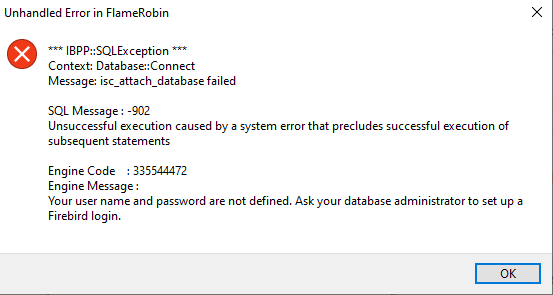
Hello. We still have problems with Flamerobin on Windows 10 with FB4. We love this software and have many installations and want migrate from FB2.5 to FB4.0.
Is it possible for you to make a portable version of Flamerobin where one just place fbclient.dll in same folder and it just works. That would be awesome. Thank you for the effort.
Hello, what kind of problem do you have with fb4?
Also you can use flamerobin as a portable app, just coping it's folder and using some parameters during startup do use a local config(almost sure you'll find something related here) same for embedded

Hi @Hugolarson Please review this https://github.com/mariuz/flamerobin/pull/261
./jo
Hi, Tried to put the path to fbclient.dll, which I have placed in flamerobin folder. I have deleted all old fbclient 2.5. Same problem with several other Windows 10 computers It would be great if flamerobin primarily search for fbclient.dll in same folder.
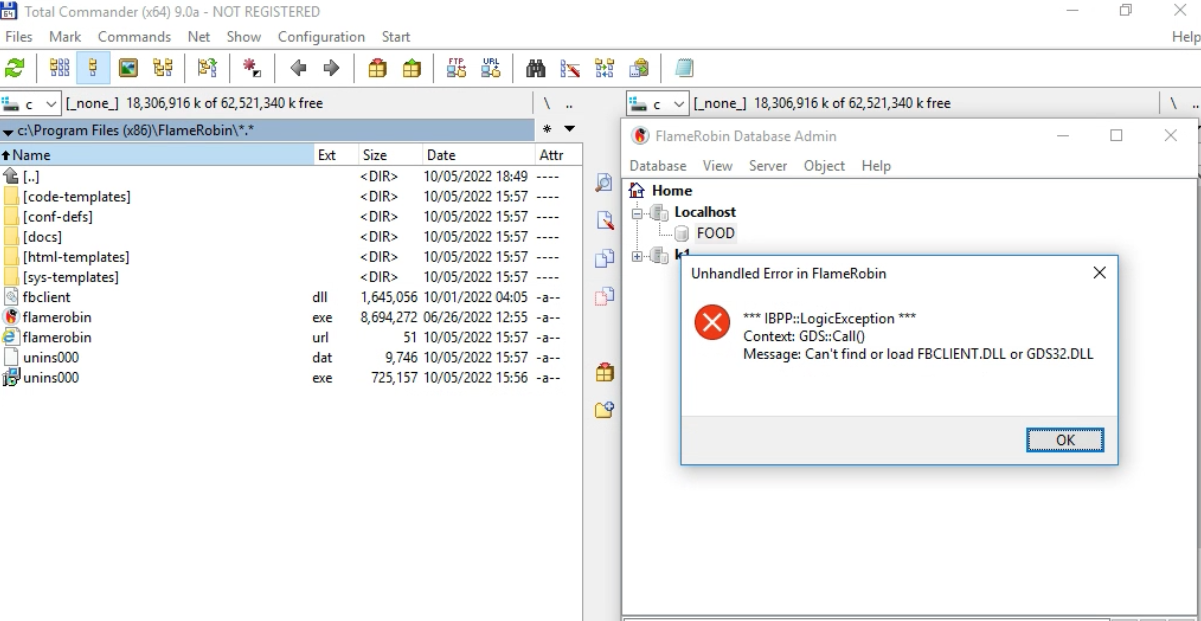
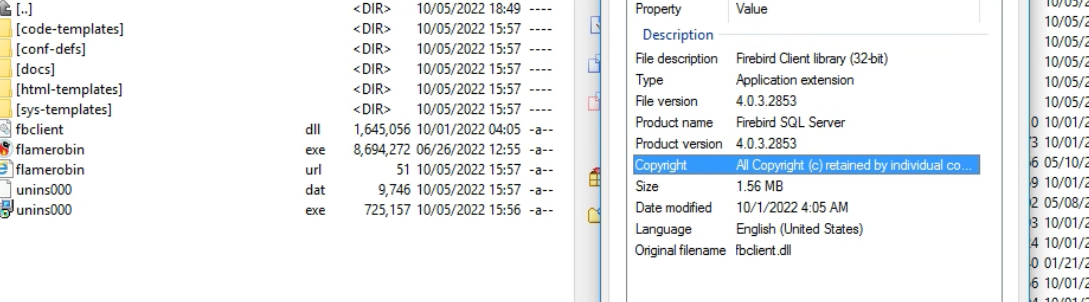
@Hugolarson Could you try to assign the library, in the general configuration?
./jo
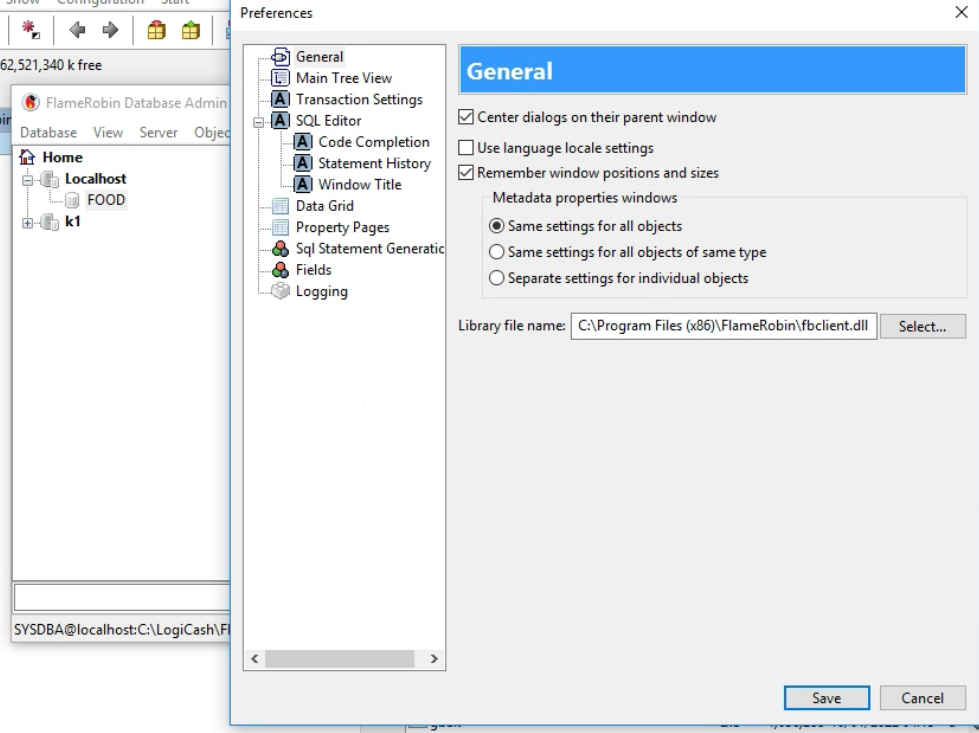
I did already
There seems to be something wrong with the library you are using.
Try assigning the library to the FB installation directory
Don't think so. I tried with IBExpert and it works. Tried to assign it to FB4 install folder. Same. Here is it. fbclient.zip
Don't think so. I tried with IBExpert and it works. Tried to assign it to FB4 install folder. Same. Here is it. fbclient.zip
Hi @Hugolarson Please try this version, information about the latest error is included
./jo