

 maproulette
Shortcuts are not working when the 'buttons' are not displayed
Hi Maproulette developers ❤️
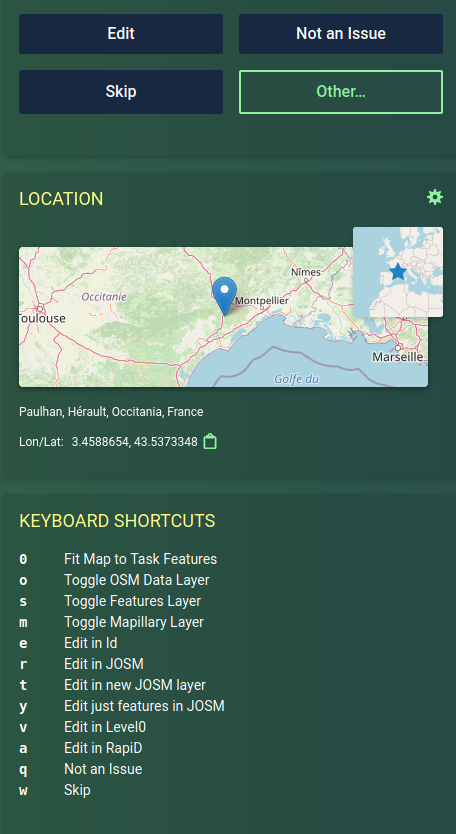
Here is a simple bug. In the following screen I want to press shorcut 'f' for 'I fixed it' or even 'x' for 'Already fixed'. But those shortcut are not working.
... But if I click on the "Other..." button, then new shorcuts appears 😅 And now I can press 'f' or 'x'.
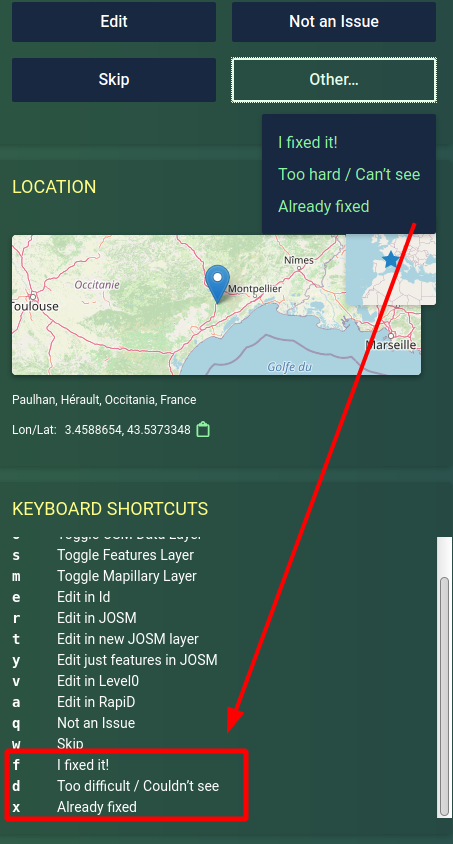
The bug fix is pretty simple, make shortcuts 'available' even is I don't click with my mouse on the button 'Other...'. Hum... simply because this is the main purpose of keyboard shortcut... to get rid of mouse clicking 🤣 😇
Thank a lot for fixing this bug ❤️


We are looking into implementing this feature, initially we created a fix for this particular issue, but we will be expanding this to adjust to all edit buttons (not just the one in the task completion modal) and reconfigure the shortcuts to better interact with rapid. Linked: https://github.com/maproulette/maproulette3/issues/2127
