
mapbox-navigation-ios

mapbox-navigation-ios copied to clipboard
 mapbox
[Bug]: Guidance Card size is too big by default on ipad and landscape
Mapbox Navigation SDK version
v2.0.0-rc.4
Steps to reproduce
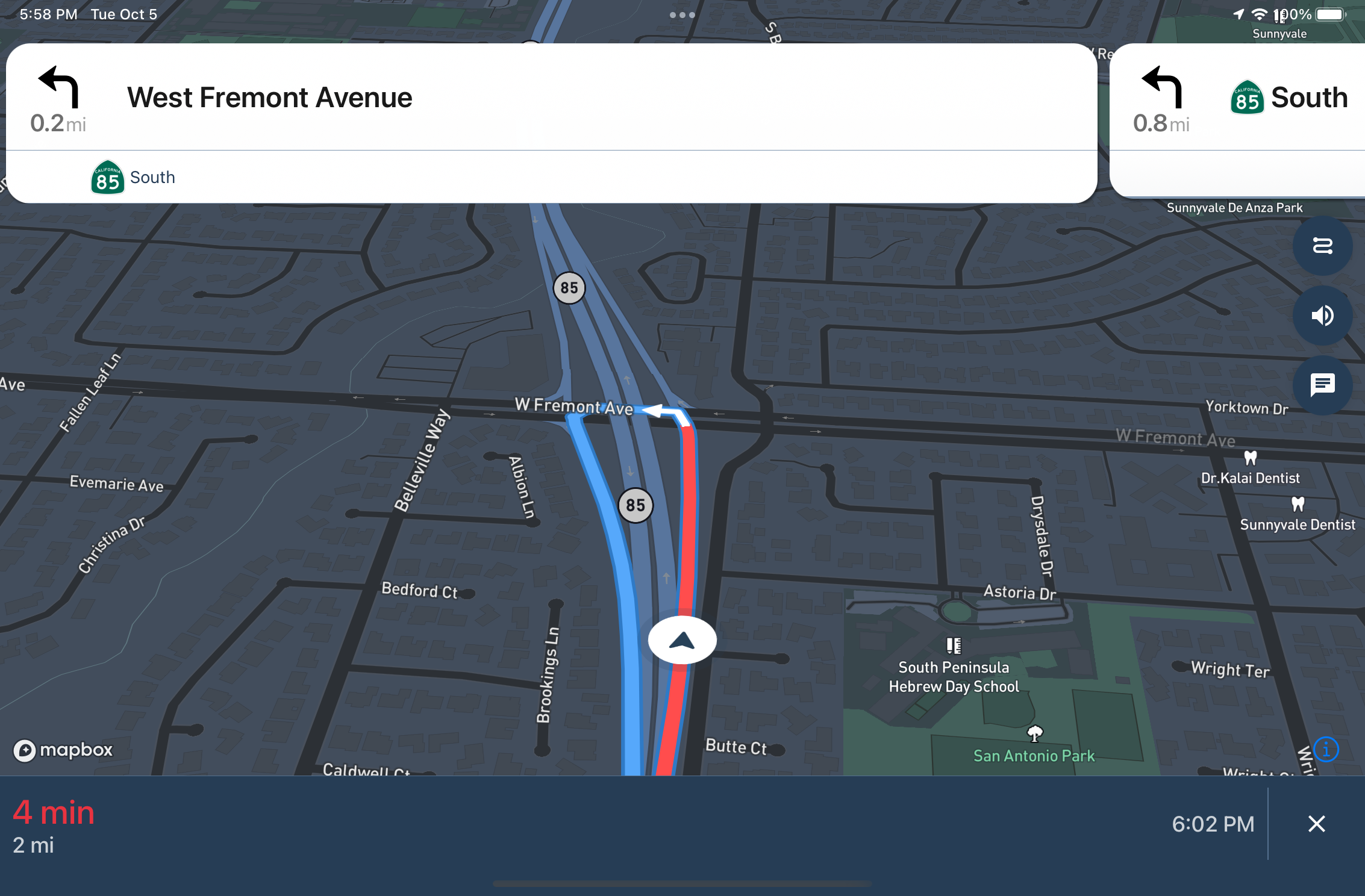
Too big
- Run example app on iPad in landscape mode.
- Start a navigation with guidance cards
- Check the width of the guidance cards
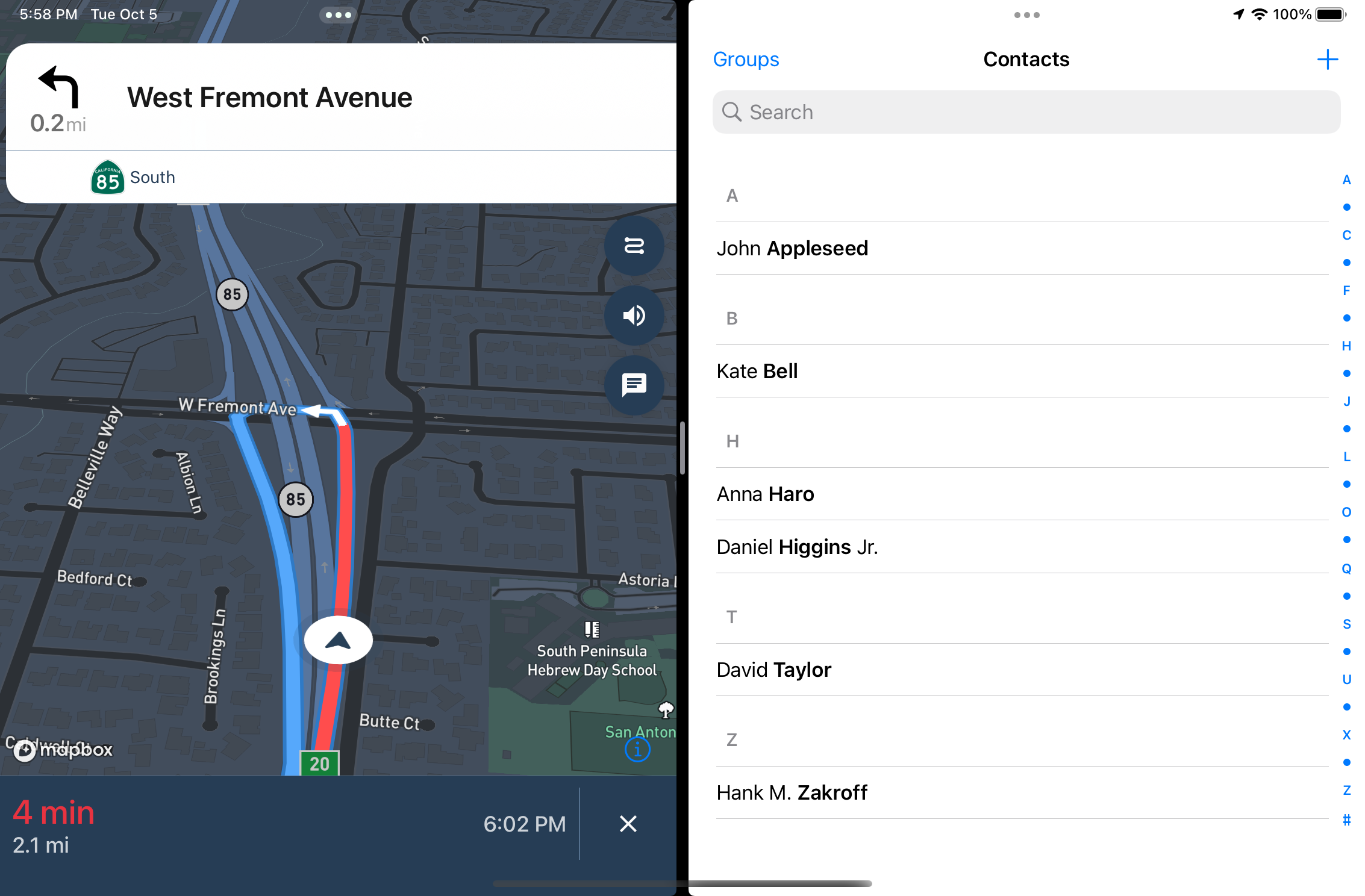
Isn't fully shown
- Run example app on iPad in landscape mode.
- Start a navigation with guidance cards
- Add another app to a split screen.
- Check the width of the guidance cards
Expected behavior
Case 1
The width of the guidance cards should have sensible default (max size).
Case 2
Guidance cards just use 80% of UIScreen.main.bounds.width. It should take into account new iOS APIs. https://github.com/mapbox/mapbox-navigation-ios/blob/5382dc06ef592805dc17689ace4be423aa6d8ee9/Sources/MapboxNavigation/InstructionsCardViewController.swift#L60
Actual behavior
Case 1
Case 2
Is this a one-time issue or a repeatable issue?
repeatable
