
mapbox-maps-ios

mapbox-maps-ios copied to clipboard
 mapbox
lineMetrics is required for lineTrimOffset, but it's not documented
Environment
- Xcode version: 14.2
- iOS version: 16.2
- Devices affected: Simulator (iPhone 14 Pro Max)
- Maps SDK Version: 10.11.1, and #main( #3257f24 )
Observed behavior and steps to reproduce
lineTrimOffset doesn't work without lineMetrics. IMO it makes sense, but it's not documented.
In LineGradientExample.swift comment lineMetrics = true:
- geoJSONSource.lineMetrics = true // MUST be `true` in order to use `lineGradient` expression
+ // geoJSONSource.lineMetrics = true // MUST be `true` in order to use `lineGradient` expression
Also comment out the lineGradient part:
- lineLayer.lineGradient = .expression(
+ /* lineLayer.lineGradient = .expression(
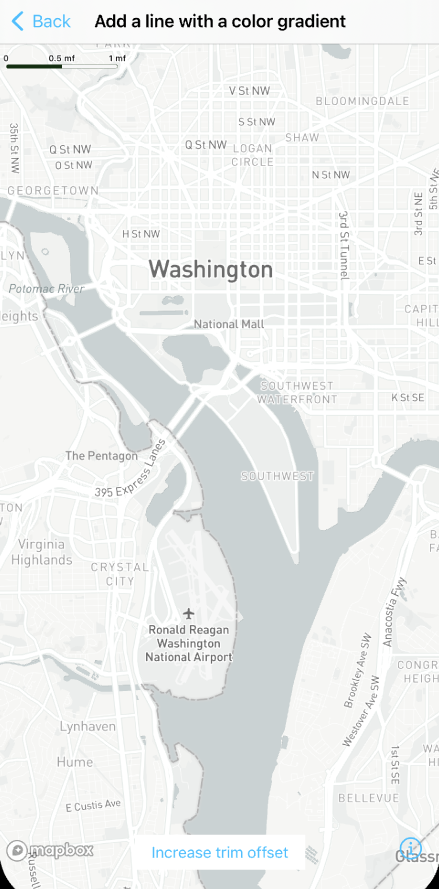
If you press Increase time offset the line will disappear and I see the following in the logs:
2023-03-11 19:32:04.835663+0100 Examples[40954:4605738] Failed to create render pipeline: Error Domain=CompilerError Code=2 "Vertex attribute a_packed(2) is missing from the vertex descriptor" UserInfo={NSLocalizedDescription=Vertex attribute a_packed(2) is missing from the vertex descriptor}
2023-03-11 19:32:04.836487+0100 Examples[40954:4605738] Can't create pipeline for `line` shader
Expected behavior
a.) document this at lineTrimOffset b.) throw a nicer error if possible
Notes / preliminary analysis
Doc for lineMetrics:
/// Whether to calculate line distance metrics. This is required for line layers that specify `line-gradient` values.
Doc for lineTrimOffset:
/// The line part between [trim-start, trim-end] will be marked as transparent to make a route vanishing effect. The line trim-off offset is based on the whole line range [0.0, 1.0].
