
mapbox-gl-js
 mapbox-gl-js copied to clipboard
 mapbox
Blur on draped lines inconsistent depending on zoom direction
From https://github.com/mapbox/mapbox-gl-js/pull/11951#issuecomment-1144637240:
I also noticed an existing "bug" that is more visible now that the reference scale is higher than previously. Draped lines are more blurred around ~1.99 zoom level when approaching from a lower zoom level (e.g. zooming from 0 to 1.99) compared to zooming out (e.g. zooming out from 3 to 1.99).
After a quick investigation I believe this is caused by the function
getPixelsToTileUnitsMatrixusingtransform.zoomfor computing the scale which shouldn't be done in draped rendering. While draping the zoom value is either ~1 or ~1.99 depending on direction of the zoom leading to this kind of blurriness. Fixed tile zoom level should be used instead. cc @karimnaaji.https://user-images.githubusercontent.com/55925868/171596477-5801fd24-059e-4fd7-a490-7c8a49a23205.mp4
@mpulkki-mapbox I'm not able to reproduce this issue, maybe it's specific to one operating system? EDIT: More likely it's just more visible on some screens and I'm having a hard time seeing it.
Trying the approach of fixed tile zoom:
const s = scale * EXTENT / (tile.tileSize * Math.pow(2, tile.tileID.overscaledZ));
Lines become sharper, but we also introduce a sudden jump at each zoom level transition.
https://user-images.githubusercontent.com/14878684/171913001-803916d0-3301-46a4-841c-8bdf745bf25c.mov
cc @karimnaaji

It might be possible that we are not considering a change of line width as a prerequisite to clear off tiles from the terrain render cache. So that while zooming between two zoom levels, we are using a stale zoom here during the entire range [z..z+1[?

Thanks for looking at the issue @SnailBones! This might be actually caused by the terrain render cache not being cleared as @karimnaaji suggested.

Anything moving related to this issue? As we have been adding more features on lower zoom levels (e.g. roads), the jump is pretty evident between zoom levels, especially between z4 <--> z5 <--> z6
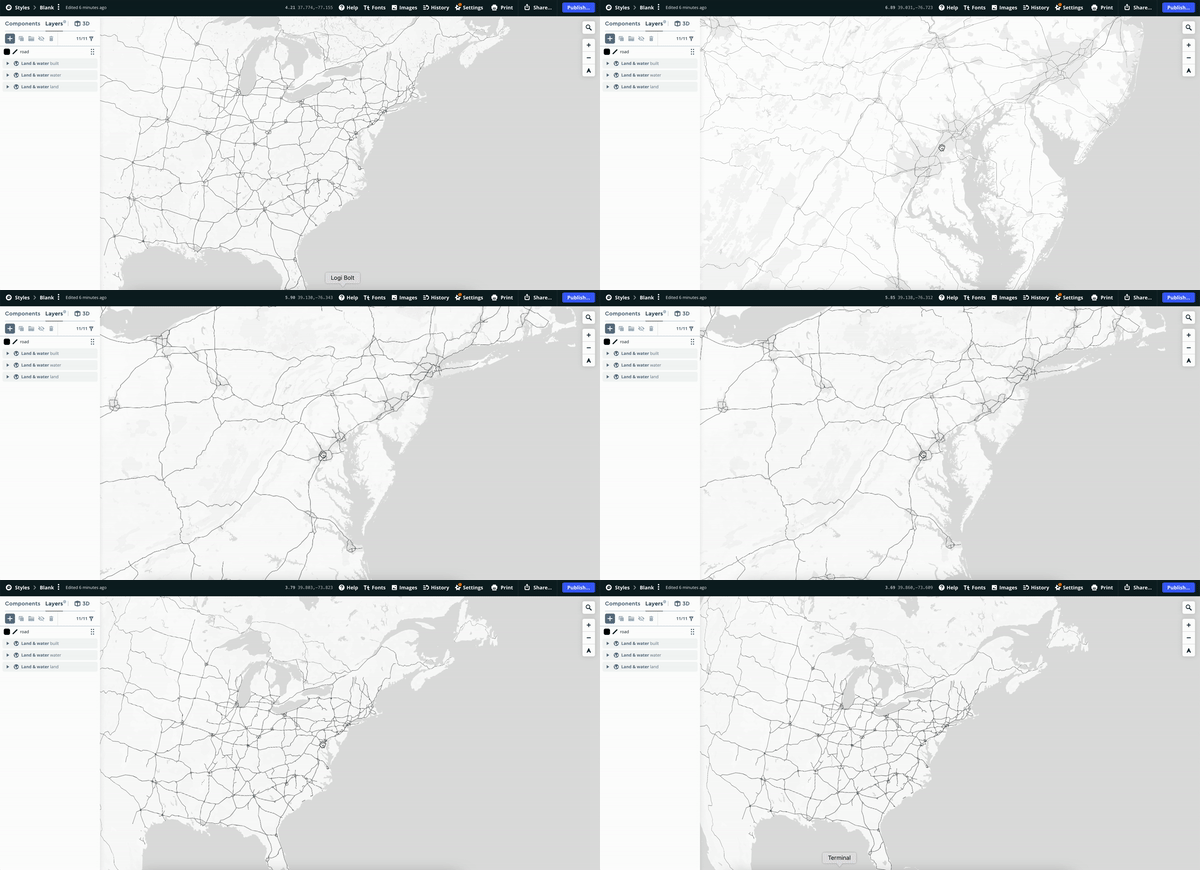
https://user-images.githubusercontent.com/13899537/189281564-60d84b70-54c9-4c34-8a1e-7e6345241ad4.mov
Here's also a link to a style I created which clearly shows the issue. The road lines look very thin on high zooms compared to the globe zoom levels although no zoom expression is used.

Didn't see similar issues in gl-native for a while. A bit more conservative approach to render caching is done there. it is good to verify this using gl-native build (internal Shell app or SDK) and if backporting would fix this. cc @endanke

Is there any update on this issue? I'm facing the same issue. Lines get blurry on globe view (left) and 3D terrain. Lines remain sharp with i.e. Mercator projection (right)
https://user-images.githubusercontent.com/111220915/204108081-2b10d62f-5e44-454e-a8bd-9fd1278f785e.mp4

@karimnaaji I can confirm that clearing the terrain cache makes blurry lines sharp
https://user-images.githubusercontent.com/533564/211612685-10e6ed33-8858-4e12-9983-67fba2f4d3a0.mov
Also, it seems that there is no such issue in gl-native implementation
https://user-images.githubusercontent.com/533564/211616411-f2b0a7e6-7e79-409b-8394-68f52e6a4a68.mov
