

 maoschanz
minimal mode
Requested feature
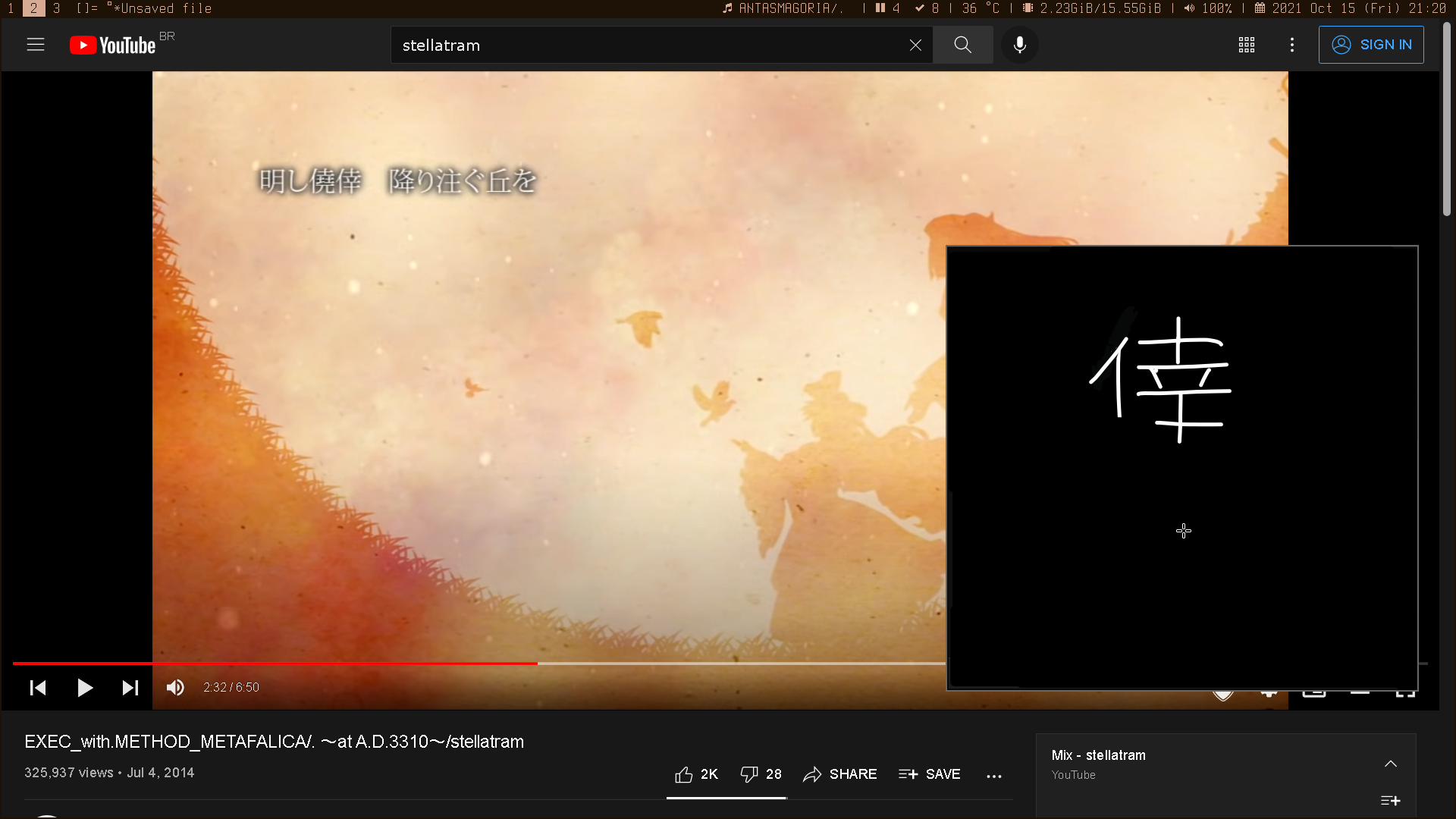
A minimal, no distraction mode for the UI, where only the canvas is shown, no bar or anything. This could be useful if you want to bind drawing to a hotkey, and bring just a canvas to quickly sketch something.
Possible drawbacks
None, not even time consuming, since this is already implemented, just not realized.
Possible alternatives
I say this feature is already implemented because fullscreen mode does exactly that, but it also, unfortunately, makes the window fullscreen.
Implementation
Bind a button to the minimal mode, which hides the top, bottom and left bar. The most important thing to this feature is a COMMAND LINE OPTION, something like "-m, --minimal", to allow opening drawing with everything already hidden. It would make sense to suppress the "unsaved modification" prompt if opened with this option, although you can always sigkill the program if you opened it this way. It would be nice if the scrollbars only showed up for a few seconds when you drag the canvas on this mode too, but not necessary, since I only plan to use this with a matching window/canvas size.
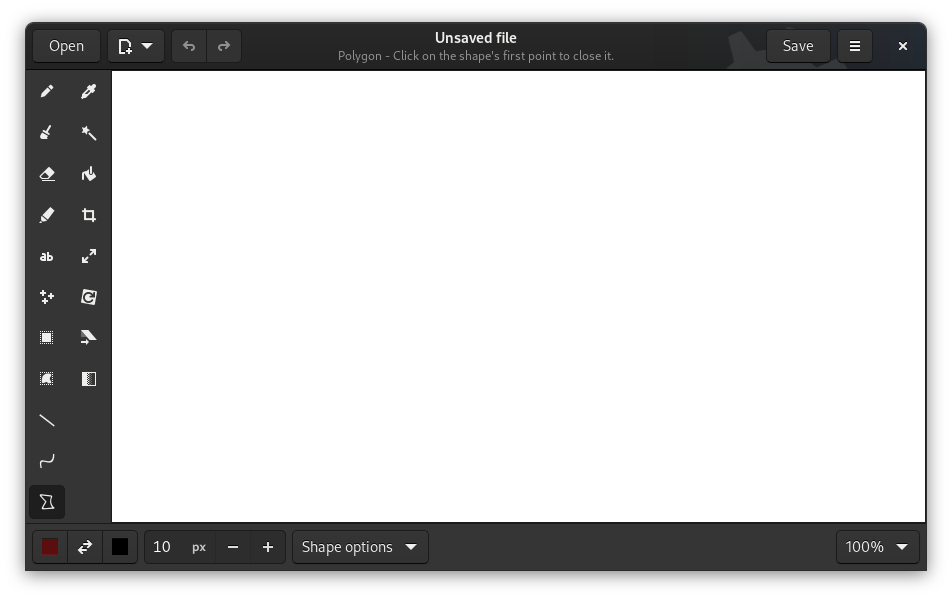
Some images to illustrate how it should look like.
Normal mode:
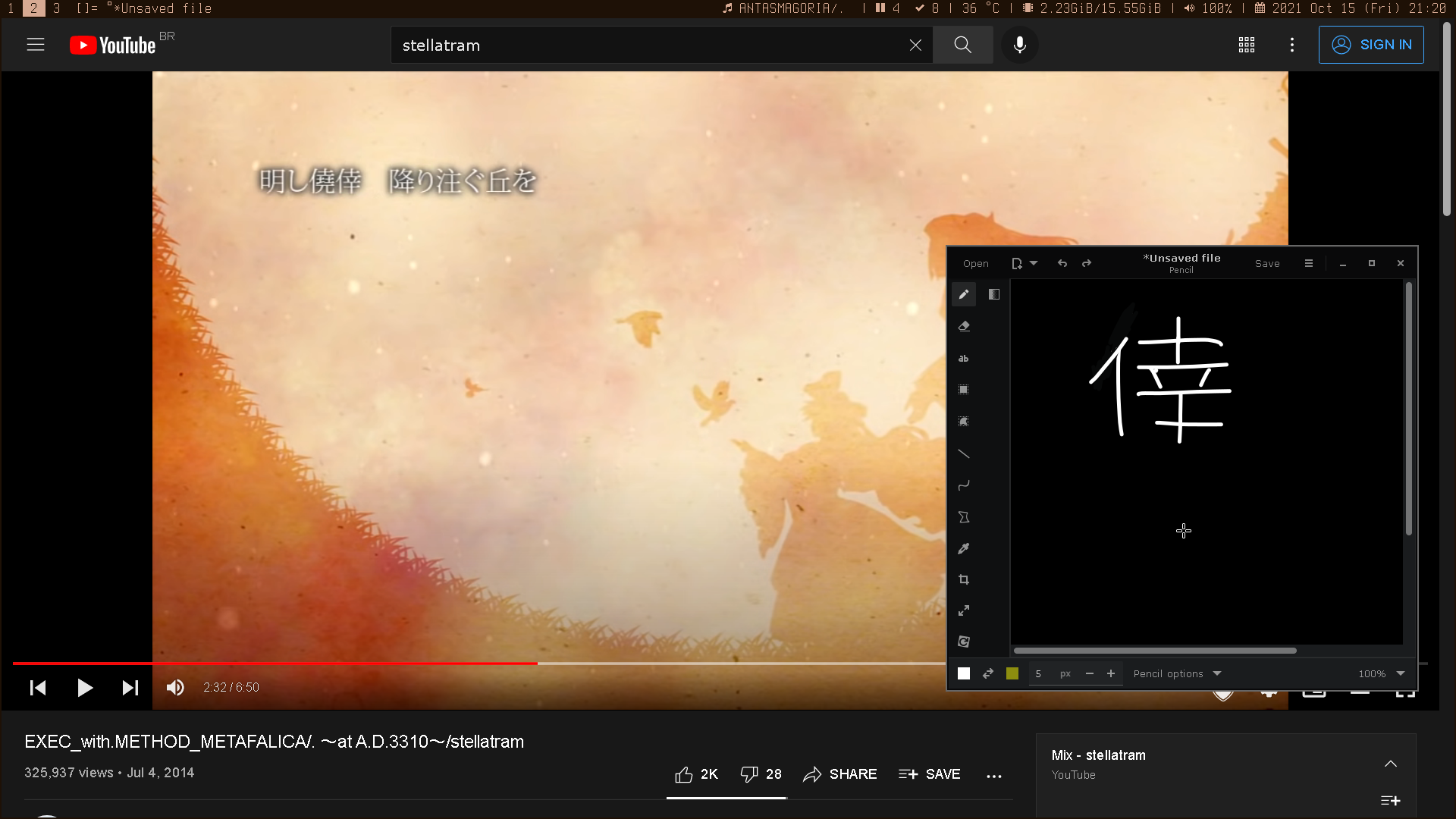
Minimal mode:
Use case
My use case would be: quickly bring a floating window with drawing to practice japanese writing, or to do some quick math. The top, left and bottom bar are useless and distracting on this case, even if I need any of the tools, I would prefer to bind them to a hotkey.

apparently the top bar visibility depends on the width of the window, which is odd
i'm not sure what window layout you're using so idk what top bar you're talking about, but i'm not surprised: when you change the width, it checks whether or not the UI should become responsive, and it changes the visibility of several items depending on that. Of course, i have never expected people to dynamically change the width of a monitor, so your situation is not supported and triggers untested scenarii where an item hidden by the fullscreen mode ends up being shown by the resizing (and i'll not fix that, the odd thing here is how you use the fullscreen mode, please just use it in fullscreen).
I can only hide the side bar with F8 on fullscreen mode too, for some reason.
First, as a bonus, remove the fullscreen-only restriction to F8, it makes no sense
it makes sense when you consider that this action is not primarily intended to be toggled from the keyboard, but using the middle-click (or a tablet stylus' button set to correspond to the middle-click, or a tablet's button set to correspond to F8). Outside of the fullscreen mode, the middle-click exchanges the 2 colours instead (a more common action in this context imho), i don't want to sacrifice any of these 2 conflicting uses of the middle-click.
Also, if someone presses F8 by accident and doesn't know the shortcut, it would be a problem for them lol, this app aims to be more beginner-friendly than Vim!
Then, when -m is used ok F8 can hide/show the tools too, but no i'll not remove this restriction from the default window
side note, if you use drawing to practice kanji i really recommend the optional "brush" tool in its default configuration, and a pressure-sensitive tablet+stylus, i implemented these two features to practice kanji myself!
Aside of these details, i agree the general feature would be nice
However:
I say this feature is already implemented because fullscreen mode does exactly that
this isn't true. Managing the visibility of the window's decoration is kinda the core of what you're asking, and in the case of the fullscreen mode, it's entirely managed by native methods from GTK3: Gtk.Window.fullscreen() and Gtk.Window.unfullscreen()
So the code needed for such a minimal mode isn't implemented, i think the only part already implemented is the "hide tools" action. It's possible to add it to the layouts with a headerbar (i know it because Quilter does it quite well in its "focus mode") but i'm not sure about the layouts with more classic server-side decorations. Well you probably don't care about them, since a WM wouldn't decorate the window at all i guess
You can always send a sigkill to close the window if you opened on this mode, but it would make sense to suppress the "unsaved modification" prompt, if opened with the --minimal flag.
and this isn't implemented at all either

added some images just to illustrate how I envision it. I'm kinda busy for the next week, but I plan to implement this since it doesn't look too hard, hope I can help with this.
i'm not sure what window layout you're using so idk what top bar you're talking about
I mean the decoration bar. The one with the Save and the close button.
side note, if you use drawing to practice kanji i really recommend the optional "brush" tool in its default configuration, and a pressure-sensitive tablet+stylus, i implemented these two features to practice kanji myself!
thanks for the tips, definitely doing that. When I posted this issue, I had just downloaded drawing, after trying 5 different minimal drawing applications, didn't finish setting up everything yet.
Outside of the fullscreen mode, the middle-click exchanges the 2 colours instead
not sure if I understood you, but pressing the stylus button to change the colours on normal mode, then on fullscreen mode suddenly the same button now brings the sidebar, seems like a bizarre behaviour.
Also, if someone presses F8 by accident and doesn't know the shortcut, it would be a problem for them lol
They should read the manual. Function keys are also isolated enough for me to not worry about being my fault if someone pressed it and for some reason forgot about it and got stuck.
i have never expected people to dynamically change the width of a monitor
I'm not changing the size of my monitor, just resizing the window after leaving fullscreen using my wm. Guess gtk/drawing thinks it is still in fullscreen.
the odd thing here is how you use the fullscreen mode,
I'm not using the fullscreen at all, just brought that up to point out that the fullscreen already hides the top bar. I then tried to trick drawing to hide both bars, simulating how it would look like with both bars hidden, even without fullscreen, but it didn't work.
I mean the decoration bar. The one with the Save and the close button.
What's actually shown on your system depends on the app preferences, and the default value for this setting is "automatic" which means "do something different depending on XDG_CURRENT_DESKTOP". I'm not sure what's the value of this env variable when using a WM, if it's not set i guess you're seeing the GNOME-ish layout. Here are all the possible ones:
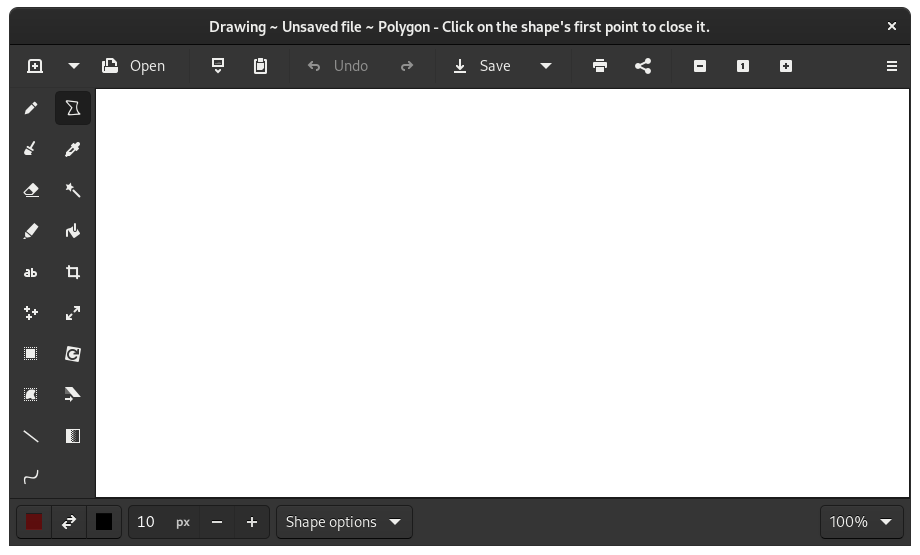
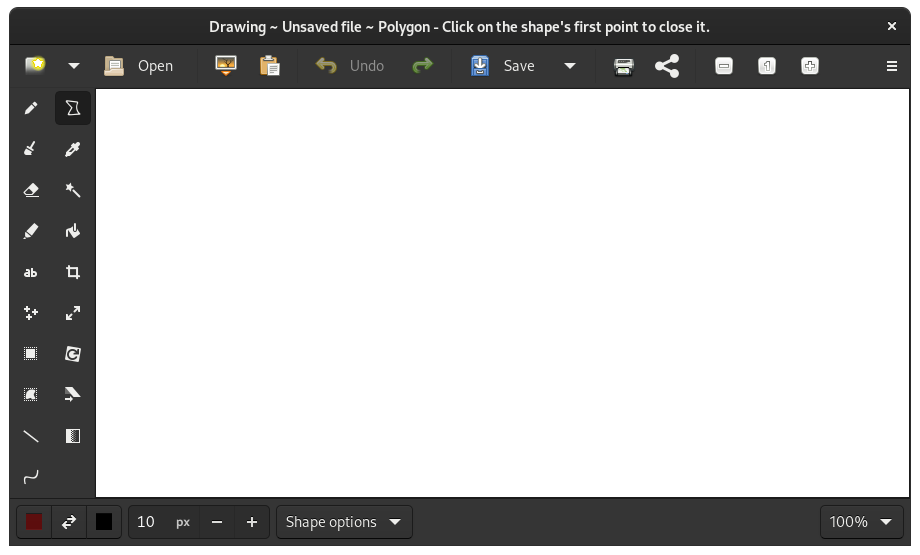
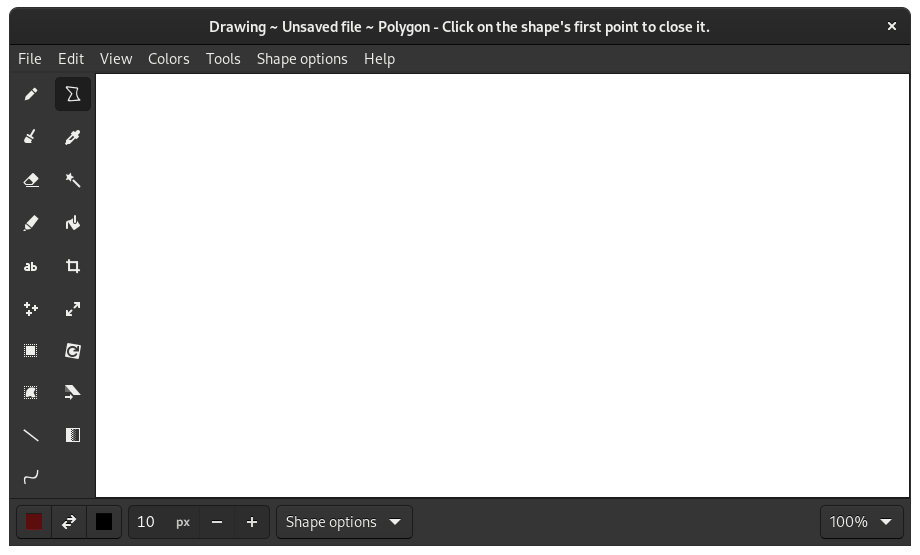
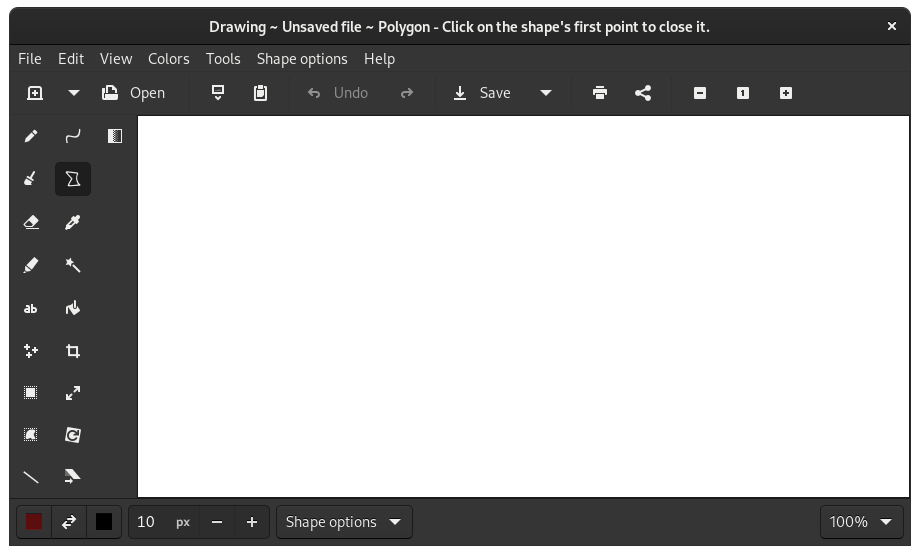
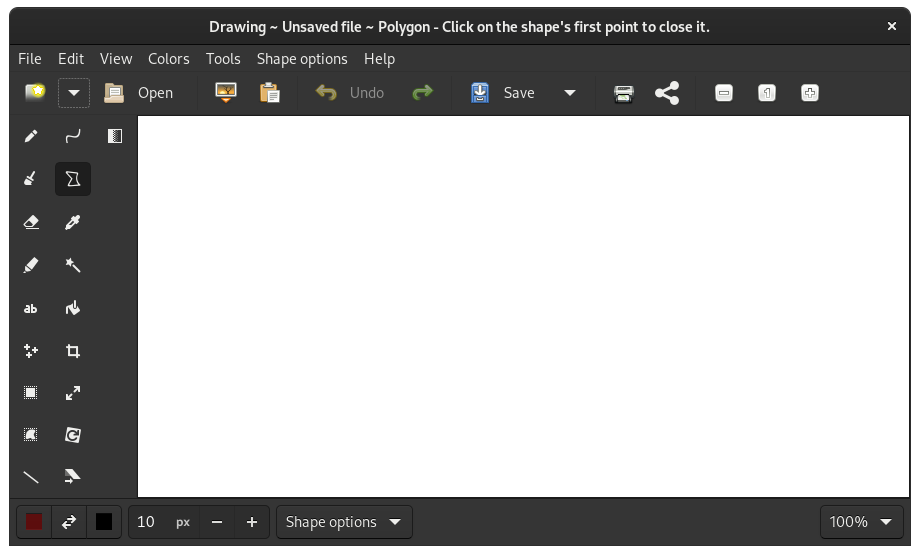
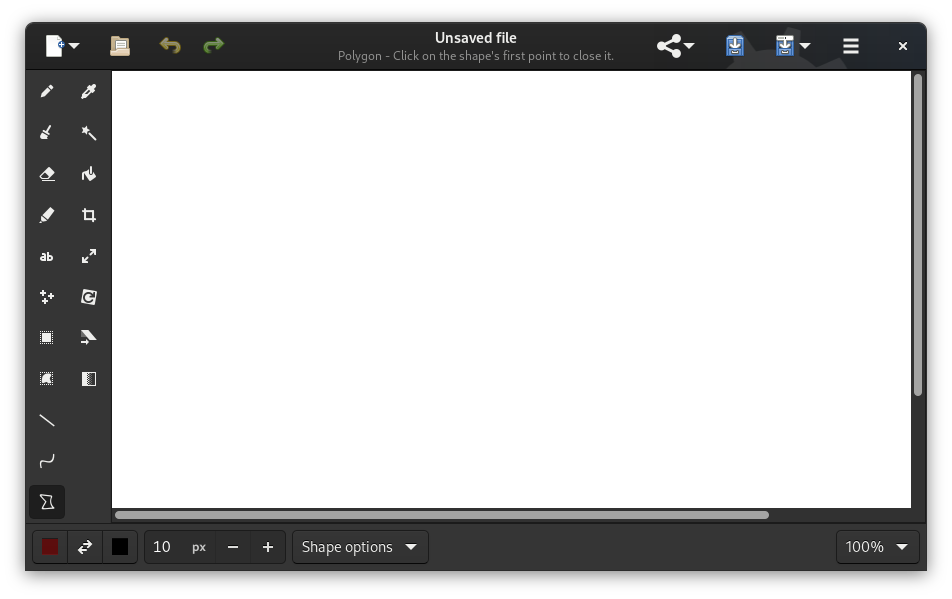
and several of these are responsive, and they have to stay responsive regardless of the locale and the active tool.
so as you can guess, doing anything regarding decorations isn't that simple.
In my opinion, a minimal mode should be really minimal: i would change the entire structure of the code for the windows
- an
AbstractDrawingWindowwith most features (will have to stay inwindow.pyfor git conflicts reasons), - then a
CompleteDrawingWindowextending it, with all features not wanted in the minimal mode (tabs, maybe a few things regarding how to open files, the decoration manager, the dialog asking to save, etc.), - and a
MinimalDrawingWindowwith a simpler decoration management, where the F8 action is always active
there are a lot of cases to test, it's probably not "hard" but you may face problems since you're not familiar with the bullshit in the code (and the poor documentation is quite outdated and useless...)
They should read the manual
come on, this is a GNOME Circle app here, it's seriously supposed to be more beginner-friendly than Vim