

 mandiant
Can't get past the HTML characters
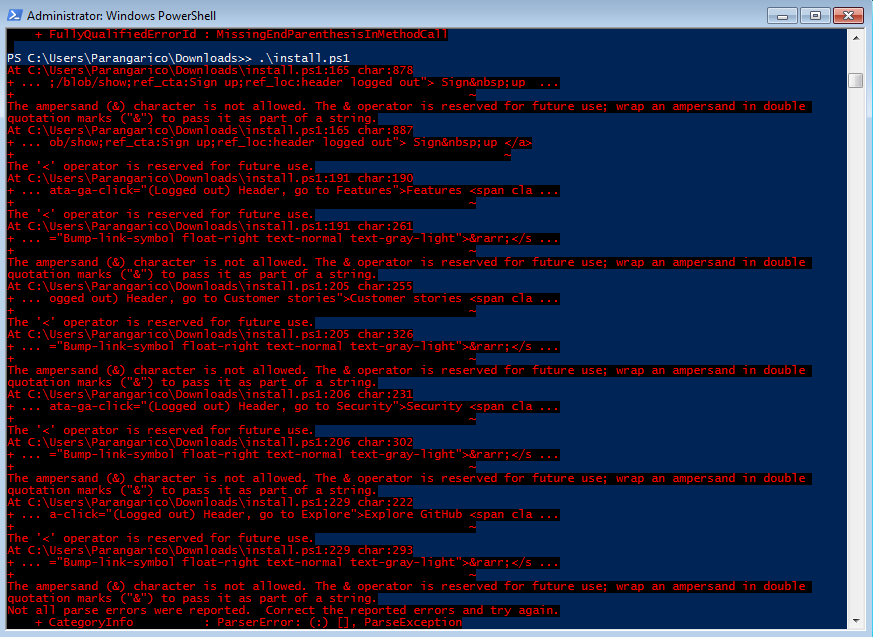 Unable to run the installation script due to errors with the HTML characters.
Using Powershell 5.1 on Windows 7 SP1, running as Administrator.

exactly same error for me with windows 10 Powershell 5. Tried to fix the & encapsulation. But then < and > errors pops up. Need a fixed code.

I believe we botyh downloaded from save link. Need to download using wget or just copy the raw content from github and save it as install.ps1 and then it will work.
Thank you for your feedback! We've been working on major updates to FLARE VM over the last year. The now revamped FLARE VM has just been released and will make the project more open and maintainable. Please check out our blog post at https://www.mandiant.com/resources/blog/flarevm-open-to-public and give the new installation a try.
If this problem still persists with the new installation, please report:
- new tools or tool-related issues at https://github.com/mandiant/VM-Packages/issues
- ideas and issues related to the installer script and configuration at https://github.com/mandiant/flare-vm/issues
Please note that we use this message to close all legacy issues in this repository. We look forward to your feedback and support for the next generation of FLARE VM.
