

 magicmonty
The second part of the git prompt is not being displayed properly
Hi,
I think this is quite easy, but I am not really sure what is missing. My prompt is shown like:
[master|���]
How can I eliminate those symbols on the right? This is only reproducible in Guake terminal. Others, like MATE terminal work fine.
Thanks, P.

It seems, that the guake terminal cannot display UTF8 characters correctly. You could try to create a new theme, with different characters as symbols and set it conditionally whether you are on the Guake terminal or not.
see also https://github.com/Guake/guake/issues/877

I have the same issue but I'm running in (CentOS v7.5) Gnome where I've modified the font family to one I prefer that's easier on my eyes. Is there a standard font family that bash-git-prompt is originally designed with as a default? I was thinking that I'd simply change the font family in the prompt using the GIT_PROMPT_START and GIT_PROMPT_END variables so that all the special characters display correctly in the prompt where they typically appear.

Here's a screenshot of what the prompt is now displaying for me ... I'm at a loss to know how to resolve it and restore the appropriate settings so it works correctly:
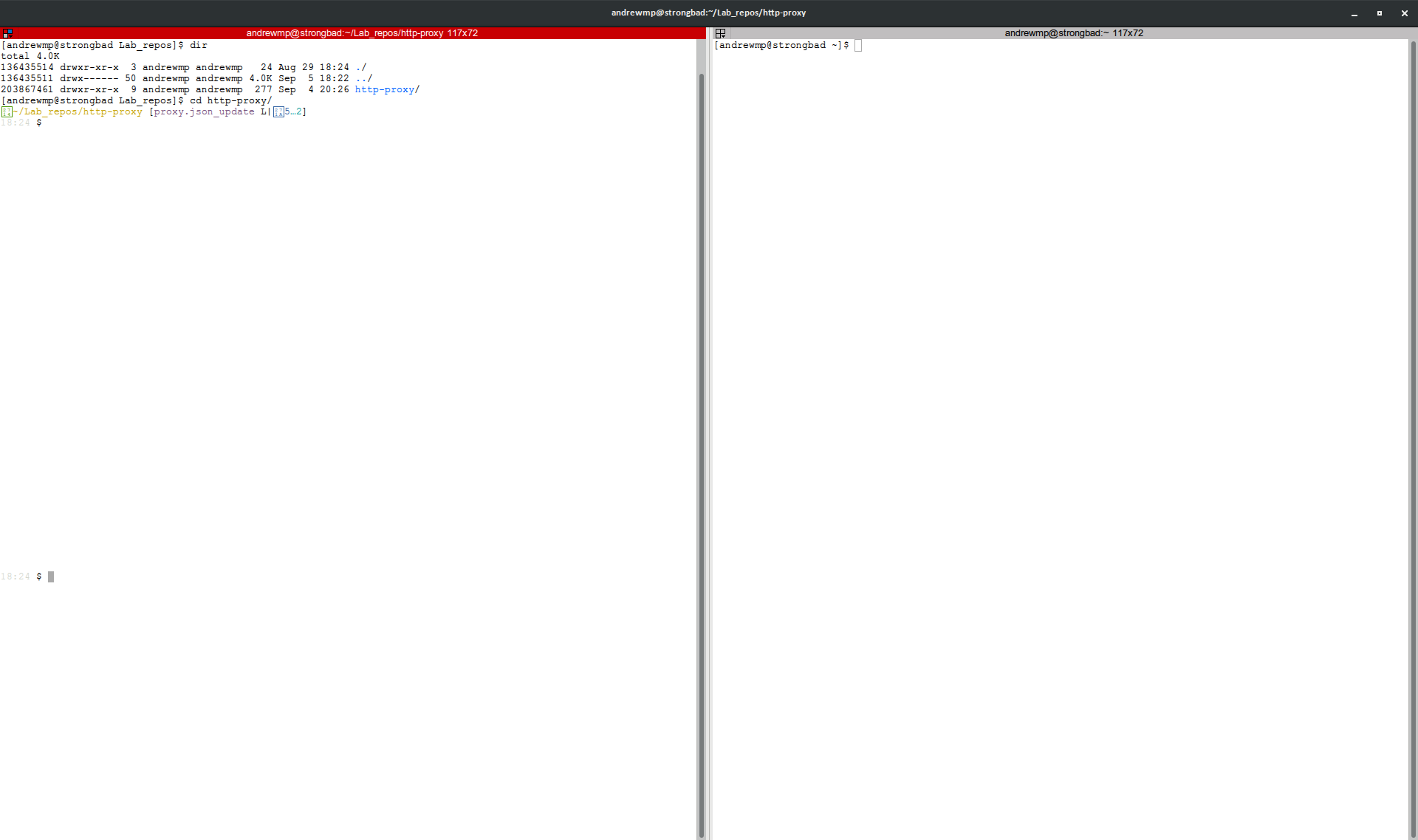
That still looks a lot like your terminal or your font doesn't support UTF8 characters.
I would tend agree with you; I've reset Gnome and changed to a monospace font and it still renders that way.
I'm actually running that in Terminator and I have the Terminator Preferences set to UTF-8:
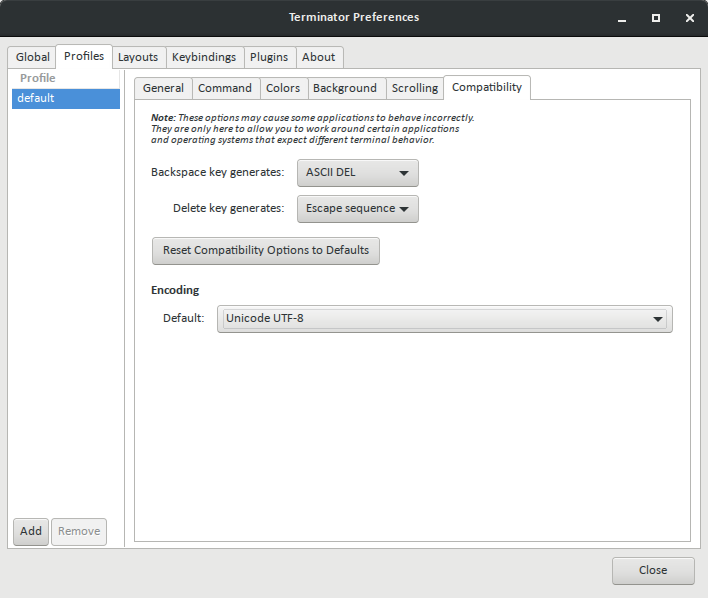
I still get that character issue even in standard bash terminal. It has to be a Gnome font setting issue.
I was able to fix the issue by installing the following Deja Vu font RPMs on my CentOS v7 (centos-release-7-5.1804.4.el7.centos.x86_64) server:
dejavu-fonts-common.noarch 2.33-6.el7 dejavu-sans-fonts.noarch 2.33-6.el7 dejavu-sans-mono-fonts.noarch 2.33-6.el7 dejavu-serif-fonts.noarch 2.33-6.el7
That said, the prompt worked prior to me doing this, but apparently manipulating the fonts on the server broke whatever was initially making it work. At this point I'm just glad I got it back to a working state. :+1:
Digging up a zombie issue:
If there are two people on the same CentOS7 server and one has this problem while the other doesn't and neither can install fonts, is there something else that can be looked into?
