
magento2
 magento2 copied to clipboard
 magento
Lost content editing functionality after upgrading to 2.4.5-p1
Preconditions and environment
- 2.4.5-p1 upgraded from 2.4.1 with product descriptions added in text editor format.
Steps to reproduce
- Create a magento 2.4.1 instance
- Create a product
- Add a description using WYSIWYG
- Upgrade to 2.4.5-p1 instance Try to edit the description block which is now migrated in the page builder format with an HTML Code block. The user is no longer able to modify the description with an easy editor, and they have to write html code manually.
Alternate way to do this
- Go to Stores -> Attributes -> Product
- Find attribute Description
- Convert it to show WYSIWYG Editor
- Go to a product and add a description.
- Go back to the Attribute and switch again to use the Page Builder.
- Go back to the product and verify that it's now an HTML code element without a WYSIWYG Editor
Expected result
The user is able to modify the HTML block by opening the page builder, and having an easy single element with a WYSIWYG editor maintaining their functionality
Actual result
The user is no longer able to modify the description with an easy editor, and they have to write html code manually.
Additional information
The page builder may be nice, but it's bad to remove functionality like this, people were looking buffled as to what was happening after the upgrade and a whole company freezed for a day until we could see what was happening.
They saw this
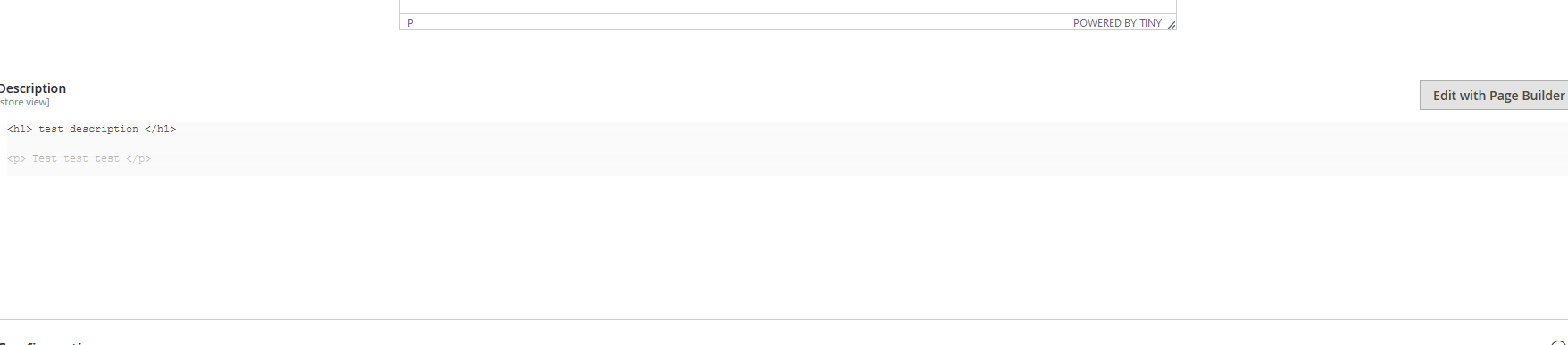
And when they click on edit they see this

And they click on the gear icon to edit it and they see this
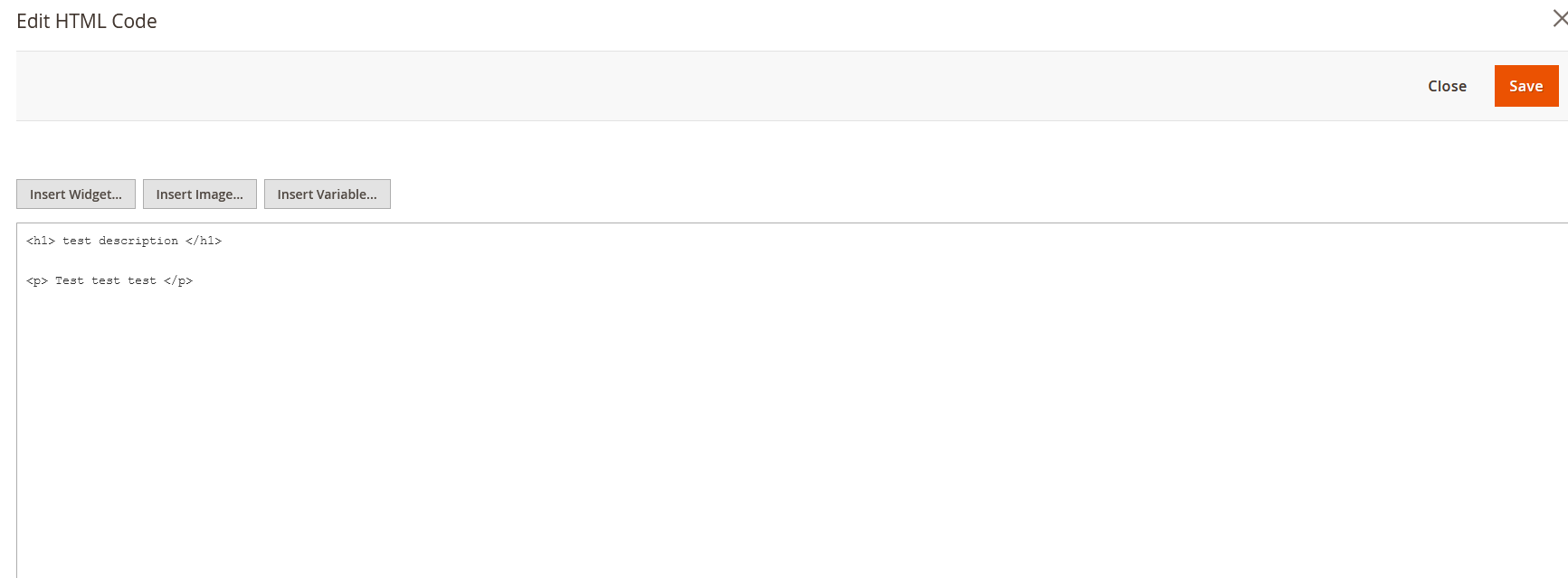
And there's no button to switch it to the wysiwyg view. How is a shop data entry person supposed to change the description if there's no wysiwyg editor here? Do you expect them to learn HTML just because you changed the editor without any thought to the impact?
By reverting the product description attribute to use the WYSIWYG editor in Stores -> Attributes -> Product we were able to restore the functionality but as I see it, it's a destructive change if something used the page builder and you had mixed content. And also they lose the page builder functionality now. But it's impossible to edit 100000 products just to modify the HTML code element to use rows and text elements instead. No one in their right mind, would do this and would opt to lose the page builder.
I think more thought should be put to this and the page builder shouldn't automatically replace the wysiwyg editor when upgrading. If replacing it, the html code element should have the option to show the WYSIWYG Editor
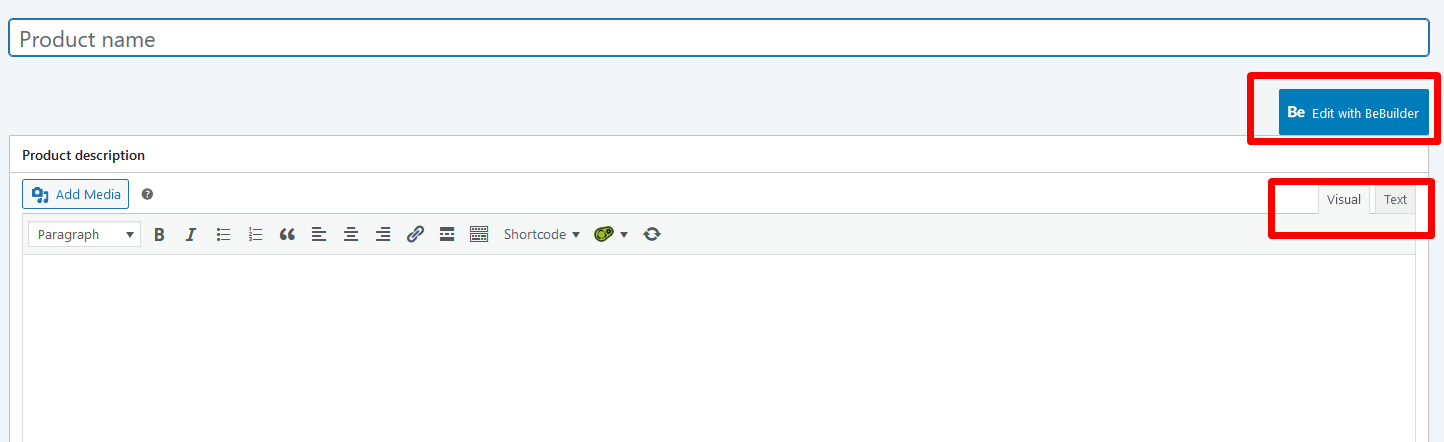
Even by adding the wysiwyg block there, it's 4 clicks to edit content. The wysiwyg button should be next to the edit with page builder button, and the user should have both choices to edit descriptions like it's done in all other CMS systems
E.g. from woocommerce
From Prestashop
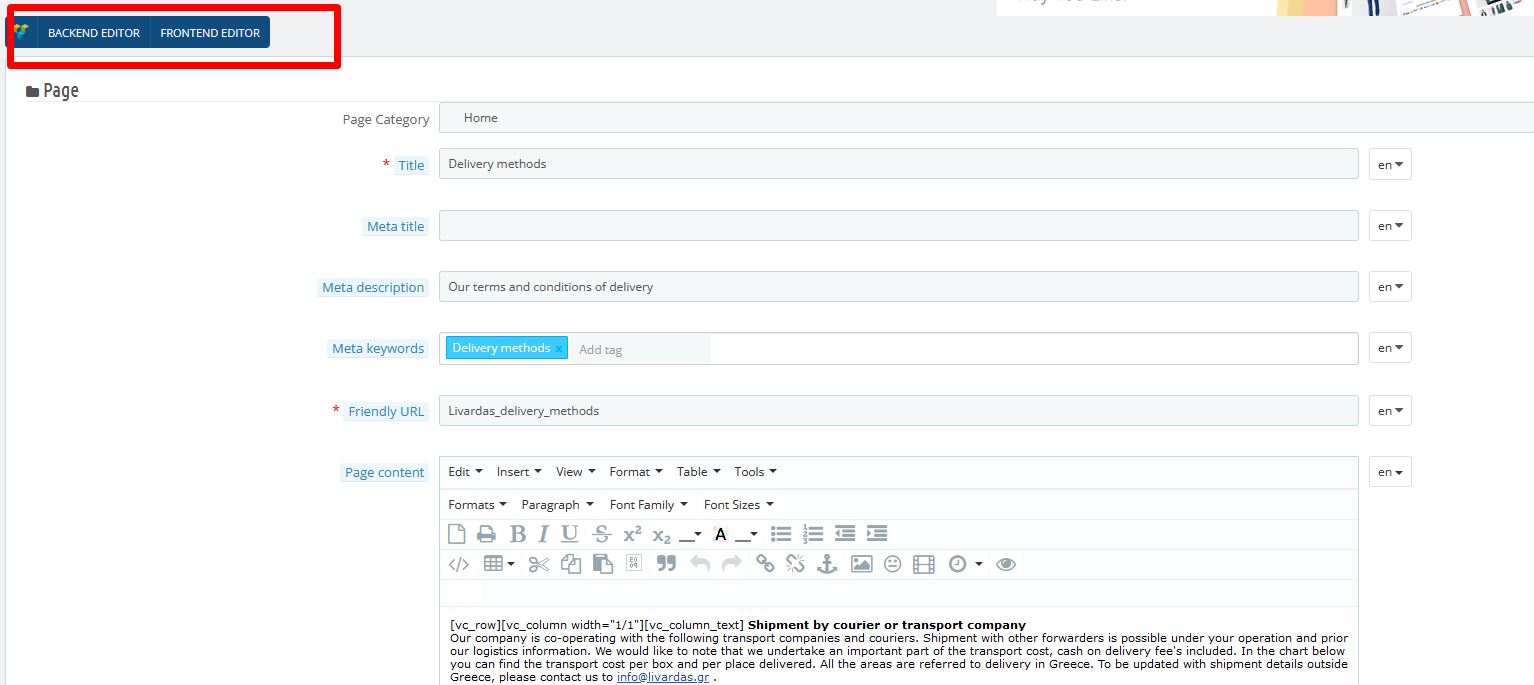
Much more understandable than the current flow in Magento 2.
Upon observations, Magento 2 is the slowest platform in data entry compared to prestashop, woocommerce, cs cart and these things aren't helping with the most clicks to add content.
Release note
No response
Triage and priority
- [ ] Severity: S0 - Affects critical data or functionality and leaves users without workaround.
- [X] Severity: S1 - Affects critical data or functionality and forces users to employ a workaround.
- [ ] Severity: S2 - Affects non-critical data or functionality and forces users to employ a workaround.
- [ ] Severity: S3 - Affects non-critical data or functionality and does not force users to employ a workaround.
- [ ] Severity: S4 - Affects aesthetics, professional look and feel, “quality” or “usability”.

Hi @ioweb-gr. Thank you for your report. To speed up processing of this issue, make sure that the issue is reproducible on the vanilla Magento instance following Steps to reproduce. To deploy vanilla Magento instance on our environment, Add a comment to the issue:
@magento give me 2.4-develop instance- upcoming 2.4.x release- For more details, review the Magento Contributor Assistant documentation.
- Add a comment to assign the issue:
@magento I am working on this - To learn more about issue processing workflow, refer to the Code Contributions.
Join Magento Community Engineering Slack and ask your questions in #github channel. :warning: According to the Magento Contribution requirements, all issues must go through the Community Contributions Triage process. Community Contributions Triage is a public meeting. :clock10: You can find the schedule on the Magento Community Calendar page. :telephone_receiver: The triage of issues happens in the queue order. If you want to speed up the delivery of your contribution, join the Community Contributions Triage session to discuss the appropriate ticket.
![m2-assistant[bot] avatar](https://avatars.githubusercontent.com/in/27048?v=4 "Published by a pub.dev verified publisher")
Hi @engcom-Dash. Thank you for working on this issue. In order to make sure that issue has enough information and ready for development, please read and check the following instruction: :point_down:
-
- Verify that issue has all the required information. (Preconditions, Steps to reproduce, Expected result, Actual result).
-
- Verify that issue has a meaningful description and provides enough information to reproduce the issue.
-
- Add
Area: XXXXXlabel to the ticket, indicating the functional areas it may be related to.
- Add
-
- Verify that the issue is reproducible on
2.4-developbranchDetails
- Add the comment@magento give me 2.4-develop instanceto deploy test instance on Magento infrastructure.
- If the issue is reproducible on2.4-developbranch, please, add the labelReproduced on 2.4.x.
- If the issue is not reproducible, add your comment that issue is not reproducible and close the issue and stop verification process here!
- Verify that the issue is reproducible on
- Join Magento Community Engineering Slack and ask your questions in #github channel.

Hi @engcom-Dash. Thank you for your request. I'm working on Magento instance for you.
![magento-deployment-service[bot] avatar](https://avatars.githubusercontent.com/in/52578?v=4 "Published by a pub.dev verified publisher")
Hi @engcom-Dash, here is your Magento Instance: https://f92f57fe3b5807f5aa495ad6355edbaf.instances-prod.magento-community.engineering Admin access: https://f92f57fe3b5807f5aa495ad6355edbaf.instances-prod.magento-community.engineering/admin_8c3b Login: c9d0c428 Password: 45fff3aefe32
Hi @ioweb-gr ,
Thanks for raising this issue,
Verified the issue in 2.4-develop instance and the issue is not reproducible.
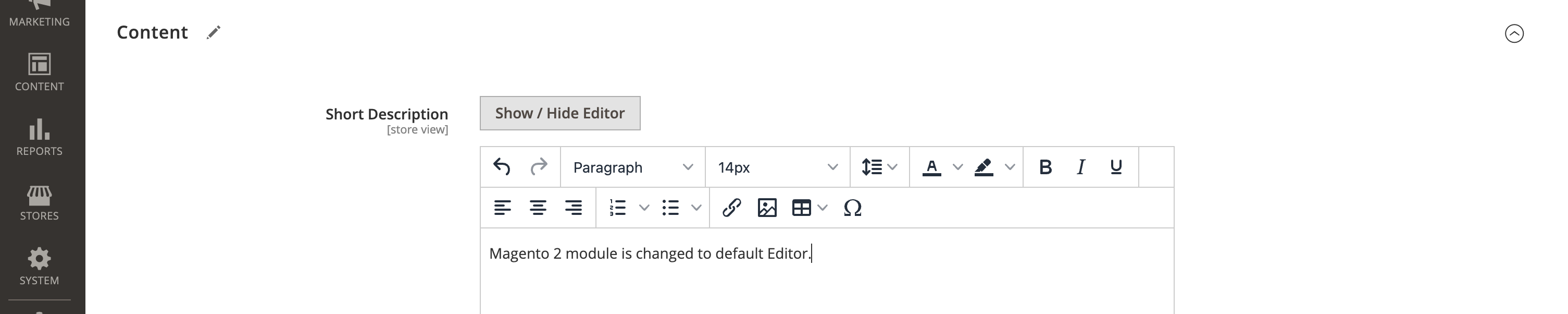
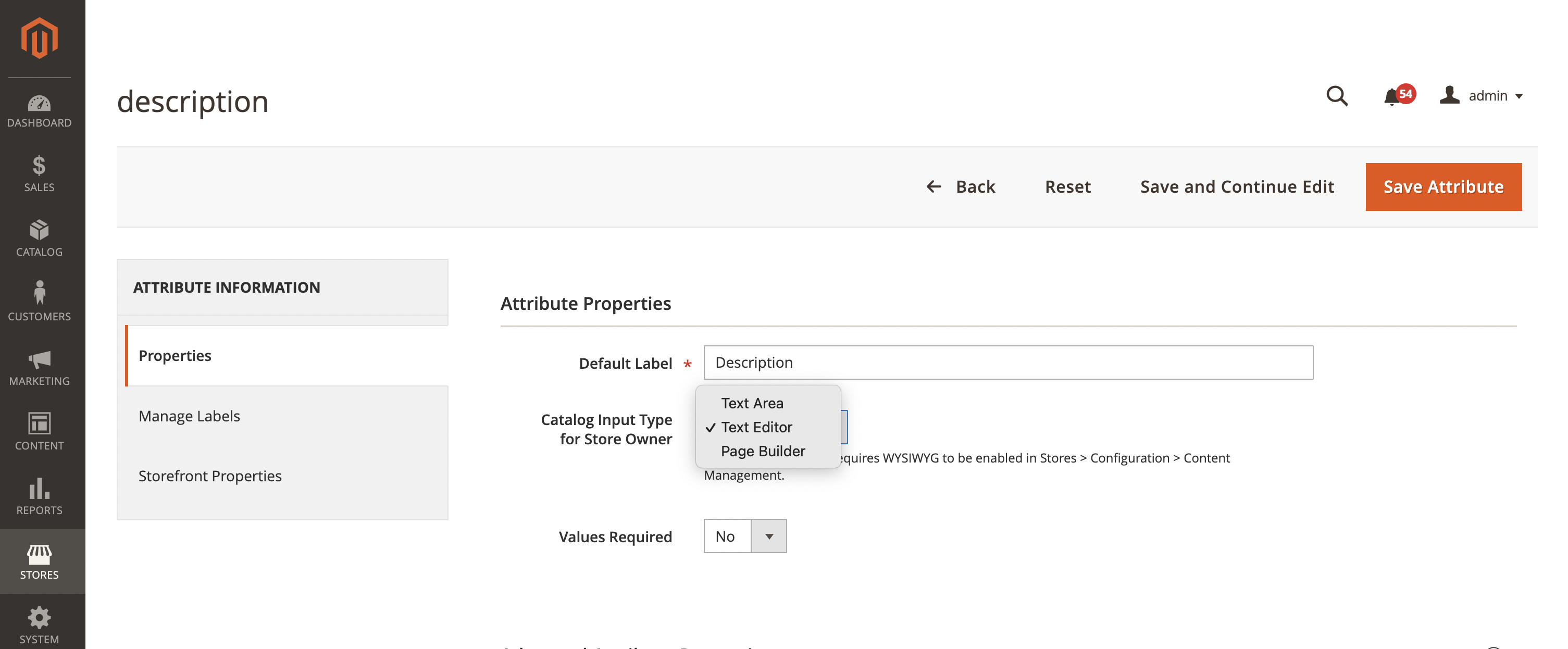
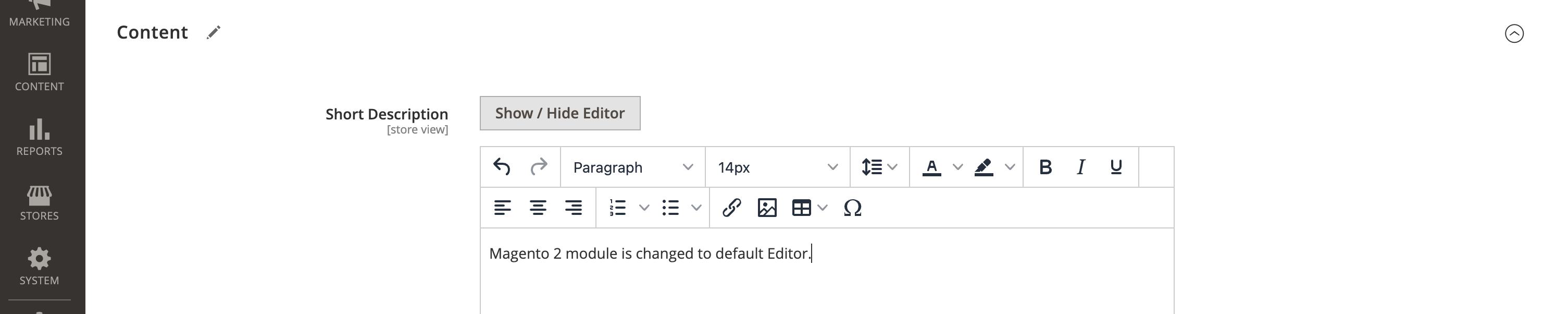
Kindly Refer the below Screenshots:
Before changes(WYSIWYG):
 After the changes(Page Builder):
Steps to reproduce:
- Go to Stores -> Attributes -> Product
- Find attribute Description
- Convert it to show WYSIWYG Editor
- Go to a product and add a description.
- Go back to the Attribute and switch again to use the Page Builder.
- Go back to the product and verify Content in Product Edit section
We are getting expected behaviour in this issue and the issue is not reproducible in 2.4-develop instance,Kindly Provide more information if the issue is still reproducible.
Let us know if we are missing anthing, Regards,
@engcom-Dash You are checking the short description. Please check the long description
Hi @engcom-Dash. Thank you for your request. I'm working on Magento instance for you.
Hi @engcom-Dash, here is your Magento Instance: https://f92f57fe3b5807f5aa495ad6355edbaf.instances-prod.magento-community.engineering Admin access: https://f92f57fe3b5807f5aa495ad6355edbaf.instances-prod.magento-community.engineering/admin_d873 Login: fd4a797b Password: bad4a279e6dc
Hi @ioweb-gr ,
Thanks for your quick response !
Verified the issue in 2.4-develop instance also 2.4.5-p1 instance,Still the issue is not reproducible in both the instance,We are getting expected result as per the main description.
Preconditions: Magento version 2.4-develop Magento Version 2.4.5-p1
Steps to reproduce:
We are trying to reproduce the issue in 2.4.5-p1 instance with below steps:
- Create a magento 2.4.1 instance
- Create a product
- Add a description using WYSIWYG
- Upgrade to 2.4.5-p1 instance
- Try to edit the description block
We installed 2.4.1 magento instance and we upgrade the magento instance and we followed DevDocs to upgrade the magento instance. We are trying to reproduce the issue in 2.4 develop instance with below steps:
- Go to Stores -> Attributes -> Product
- Find attribute Description
- Convert it to show WYSIWYG Editor
- Go to a product and add a description.
- Go back to the Attribute and switch again to use the Page Builder.
- Go back to the product and verify the description
Kindly refer the below screenshots:

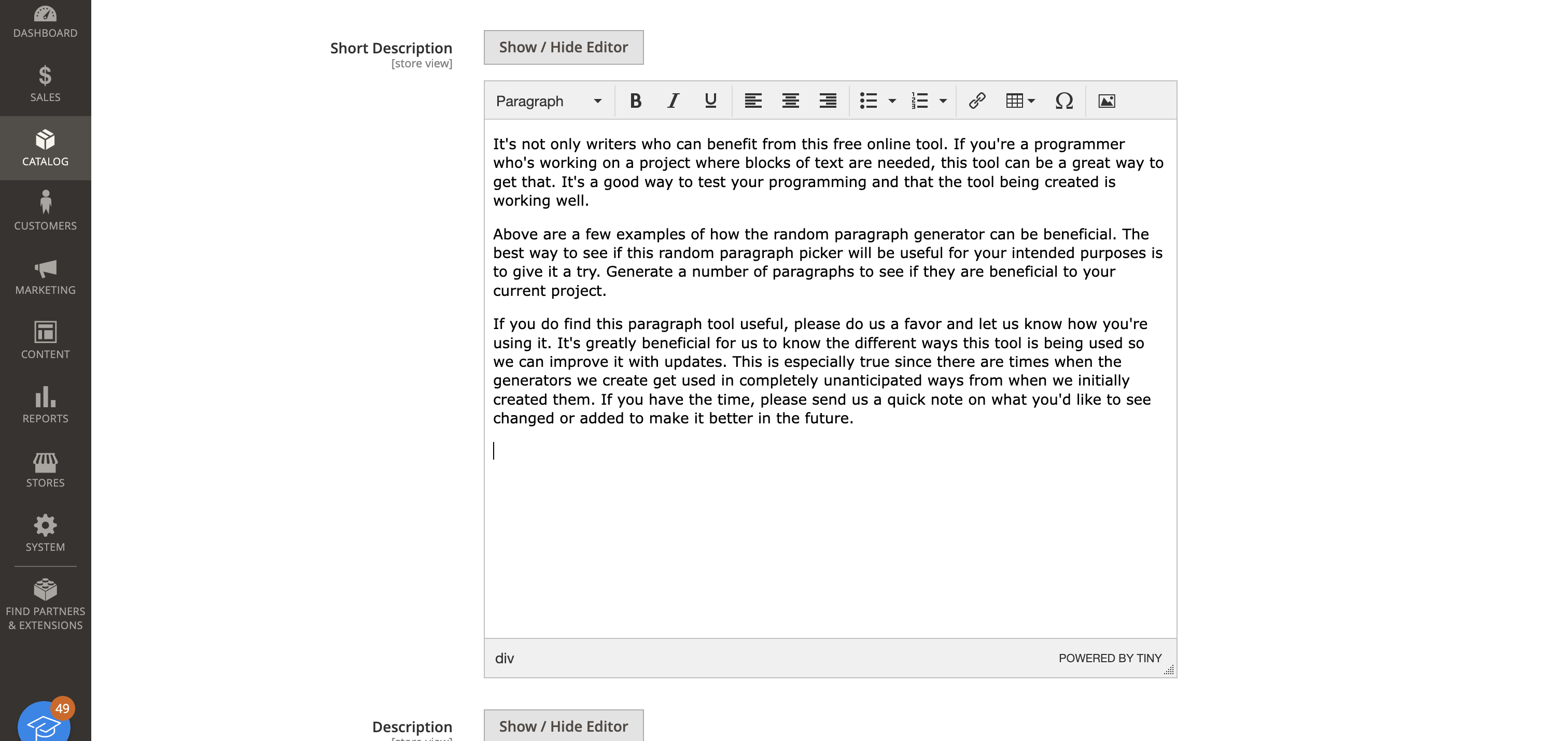

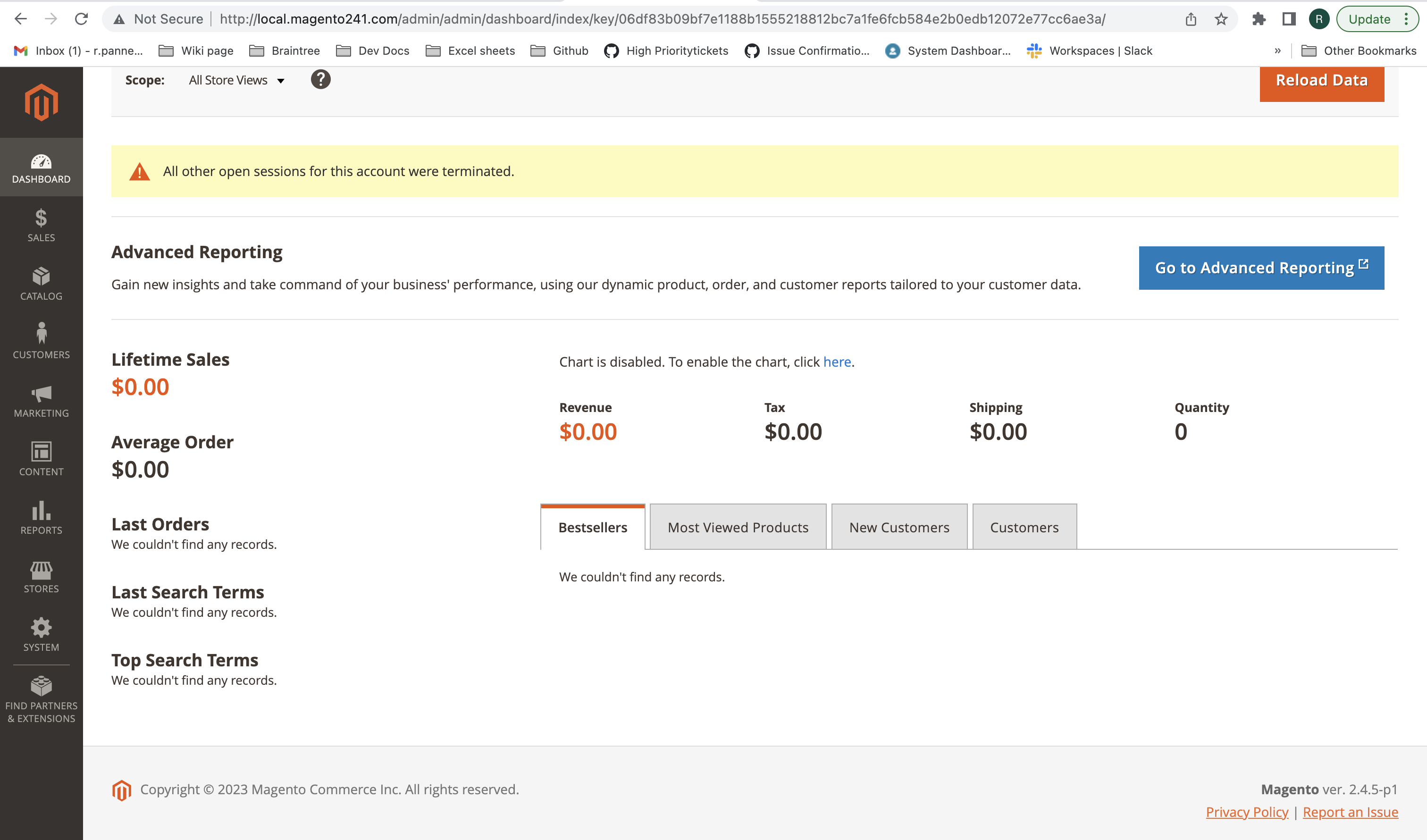
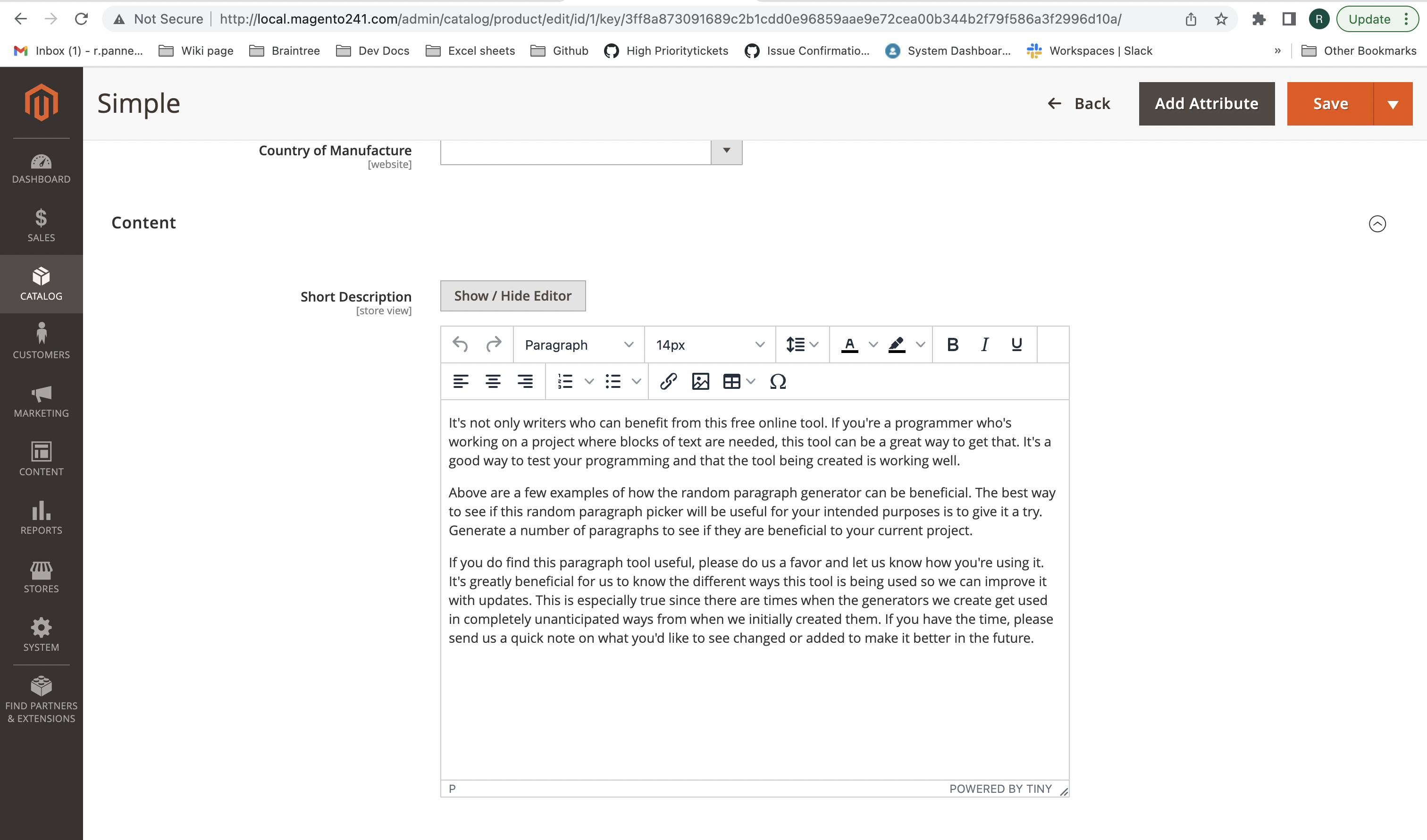
After we upgrade magento 2.4.5-p1 its showing with WYSIWYG Editor only,We are getting expected result,Kindly provide more information if the issue is still reproducible.
Regards,
@engcom-Dash OK try this. In the 2.4.5-p1 instance as you are with the attribute for description set in WYSIWYG mode where you see this image

Follow the following steps:
-
Go to Stores -> Attributes -> Product -> Description
-
Set the editor type to Page Builder
-
Go to the product
-
Go to description field
-
Click on "Edit with Page Builder" button.
-
Verify that you see an HTML Code element only similar to this image

-
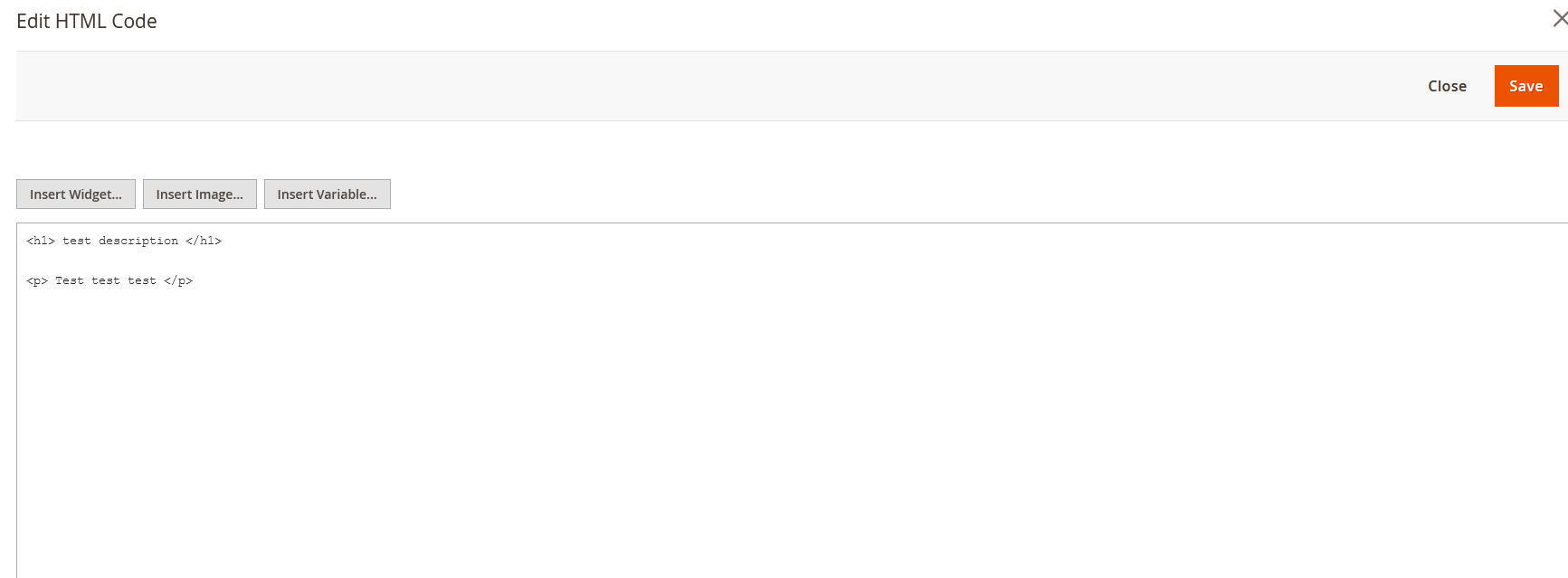
Click on the gear icon to edit the block which contains the description. Do you see that it shows raw html only like this image?
-
Try to Edit this html code without any knowledge of HTML coding whatsoever. Is it possible? Of course not because there is no wysiwyg editor button in this screen that he sees.
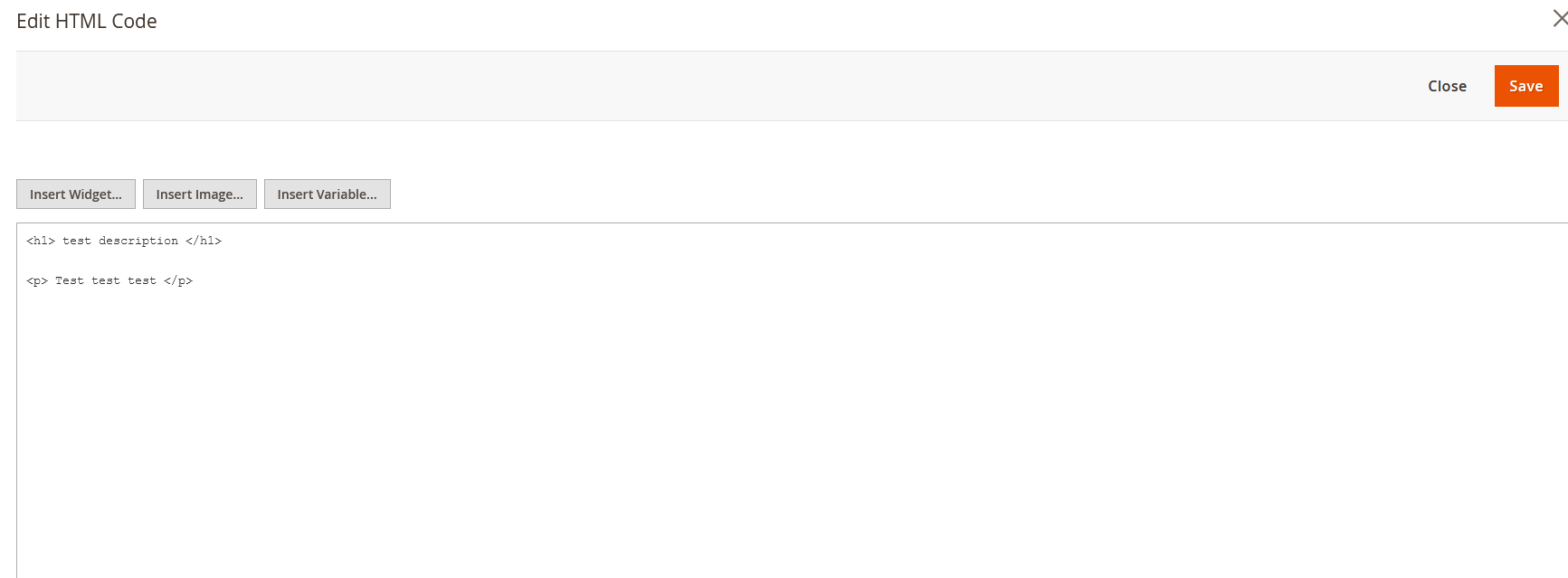
If you don't know HTML it's not possible to edit it.
So from a shop employee's point of view, he lost the WYSIWYG functionality he had due to the conversion to the newer page builder view. I hope the description now is more clear to you
Hi @ioweb-gr ,
Issue confirmed !
Verified the issue in 2.4-develop instance and its reproducible,Hence we are confirming the issue.
Preconditions: Magento Version 2.4-develop PHP Version 8.1
Steps to reproduce:
- Go to Stores -> Attributes -> Product
- Find attribute Description
- Convert it to show WYSIWYG Editor
- Go to a product and add a description.
- Go back to the Attribute and switch again to use the Page Builder.
- Go back to the product and verify that it's now an HTML code element without a WYSIWYG Editor
Kindly refer the below screenshots:
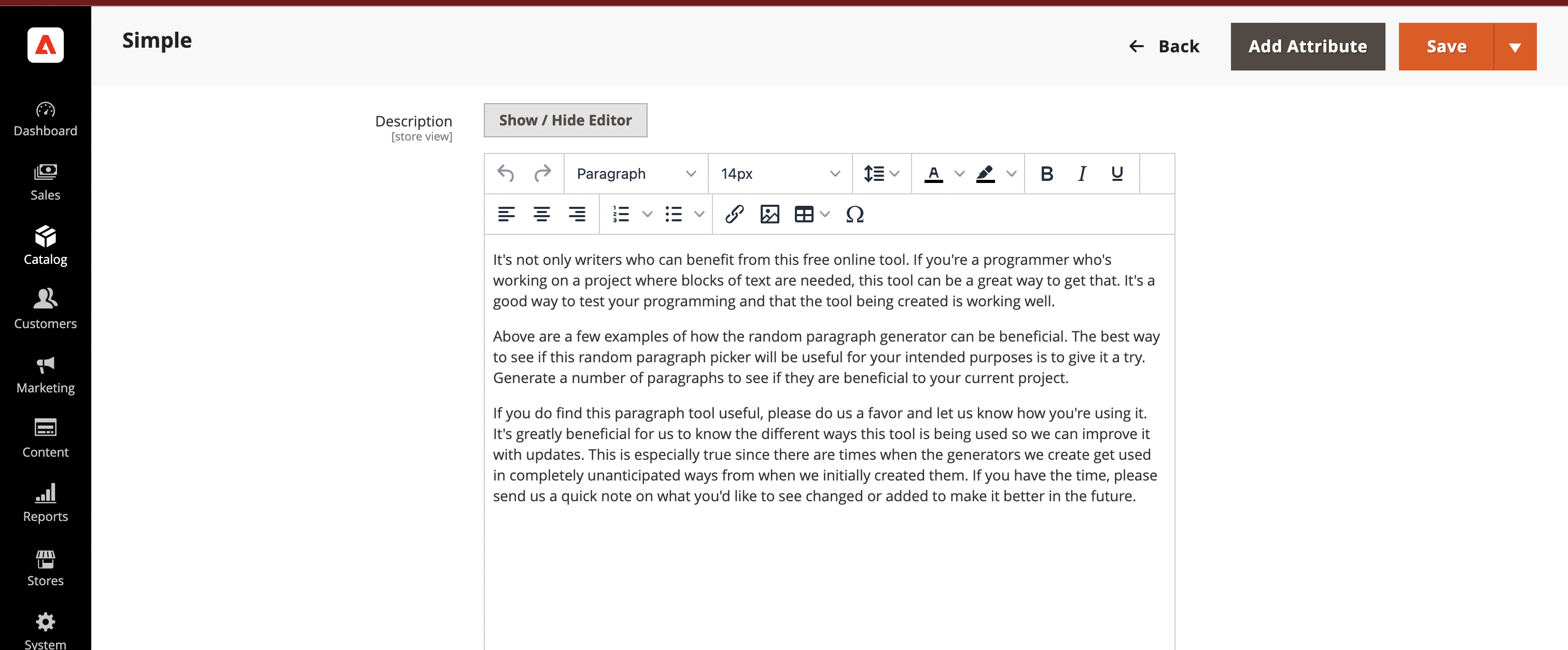
Before the changes:
 After the changes(PageBuilder):
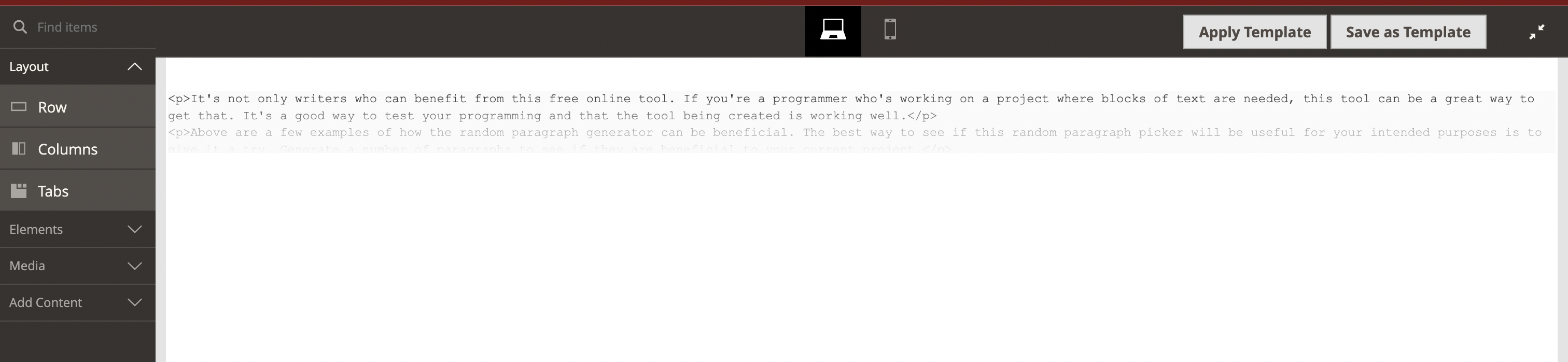
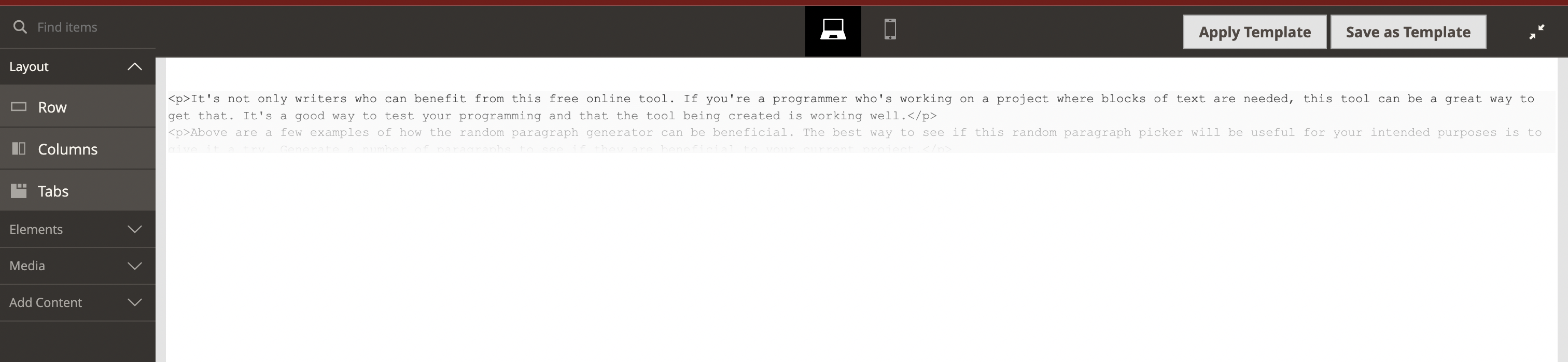
We are getting Actual result as per the description which is user is no longer able to modify the description with an easy editor, and they have to write html code manually. So we are confirming the issue in 2.4-develop instance.
Regards,
:white_check_mark: Jira issue https://jira.corp.adobe.com/browse/AC-8313 is successfully created for this GitHub issue.

:white_check_mark: Confirmed by @engcom-Dash. Thank you for verifying the issue.
Issue Available: @engcom-Dash, You will be automatically unassigned. Contributors/Maintainers can claim this issue to continue. To reclaim and continue work, reassign the ticket to yourself.
Closing this issue as duplicate of https://github.com/magento/magento2/issues/36713

@engcom-Hotel although it may be similar I don't think it's a duplicate. In my case I don't see a way to enable wysiwyg inside the page builder so I lose functionality. The other issue is something different in my opinion

Hello @quochuy1508,
Please track on the progress of this issue here https://github.com/magento/magento2/issues/36713
@engcom-Hotel these are different issues he's requesting to disable wysiwyg I'm asking it to be available in the page builder html element
@ioweb-gr @quochuy1508 We are reopening this issue for further processing.
:x: Cannot export the issue. This GitHub issue is already linked to Jira issue(s): https://jira.corp.adobe.com/browse/AC-8313
Agreed - No WYSIQYG toggle when using HTML editor in page builder, which would be a handy feature to have.

Agree this would be a nice feature to use for those merchants that are used to M1.

Answer updated to conform with @leonhelmus
app/code/Vendor/Plugin/view/adminhtml/ui_component/pagebuilder_html_form.xml
<?xml version="1.0" encoding="UTF-8"?>
<form xmlns:xsi="http://www.w3.org/2001/XMLSchema-instance" xsi:noNamespaceSchemaLocation="urn:magento:module:Magento_Ui:etc/ui_configuration.xsd" extends="pagebuilder_base_form">
<fieldset name="general">
<field name="html" formElement="hidden">
<argument name="data" xsi:type="array">
<item name="config" xsi:type="array">
<item name="disabled" xsi:type="boolean">true</item>
</item>
</argument>
</field>
<field name="htmlwysiwyg" formElement="wysiwyg" sortOrder="10">
<argument name="data" xsi:type="array">
<item name="config" xsi:type="array">
<item name="source" xsi:type="string">page</item>
<item name="wysiwygConfigData" xsi:type="array">
<item name="is_pagebuilder_enabled" xsi:type="boolean">false</item>
<item name="toggle_button" xsi:type="boolean">true</item>
<item name="add_variables" xsi:type="boolean">true</item>
<item name="add_widgets" xsi:type="boolean">true</item>
<item name="add_images" xsi:type="boolean">true</item>
<item name="add_directives" xsi:type="boolean">true</item>
</item>
</item>
</argument>
<settings>
<additionalClasses>
<class name="admin__field-wide">true</class>
<class name="admin__font-console">true</class>
</additionalClasses>
<dataScope>html</dataScope>
<dataType>text</dataType>
<validation>
<rule name="validate-no-utf8mb4-characters" xsi:type="boolean">true</rule>
</validation>
<placeholder translate="true">Enter HTML, CSS or JavaScript code</placeholder>
<notice translate="true">HTML code must be valid, all CSS & JavaScript must be wrapped in their HTML elements.</notice>
</settings>
<formElements>
<wysiwyg>
<settings>
<wysiwyg>true</wysiwyg>
</settings>
</wysiwyg>
</formElements>
</field>
</fieldset>
</form>
@leonhelmus - So this is the section that was updated.
<fieldset name="general" sortOrder="20">
<settings>
<label/>
</settings>
<field name="html" formElement="wysiwyg" sortOrder="10">
<argument name="data" xsi:type="array">
<item name="config" xsi:type="array">
<item name="source" xsi:type="string">page</item>
</item>
</argument>
<settings>
<additionalClasses>
<class name="admin__field-wide">true</class>
<class name="admin__font-console">true</class>
</additionalClasses>
<dataScope>html</dataScope>
<dataType>text</dataType>
<validation>
<rule name="validate-no-utf8mb4-characters" xsi:type="boolean">true</rule>
</validation>
<placeholder translate="true">Enter HTML, CSS or JavaScript code</placeholder>
<notice translate="true">HTML code must be valid, all CSS & JavaScript must be wrapped in their HTML elements.</notice>
</settings>
</field>
</fieldset>
Clearing the configuration and layout cache and it seemed after that. Try it in the vendor/magento/module-pagebuilder and see if it works directly. Revert it if it does and then you'll want to override it.
Tried both but did not work. But i think this is the way to go so i will check further.