

 macvim-dev
Setting `set macthinstrokes` doesn't have any effect
It looks like there has been regression and the set macthinstrokes option stopped working at some point
Describe the bug
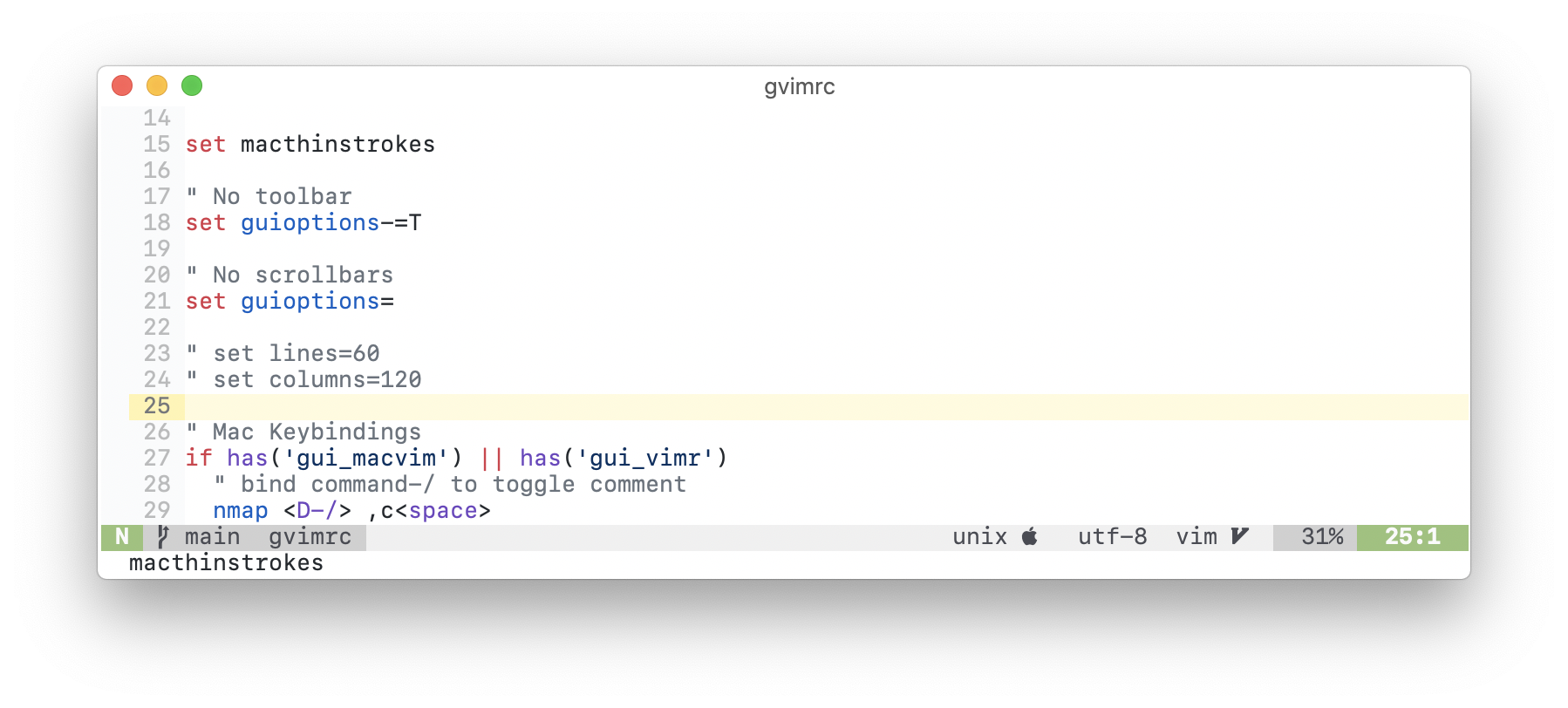
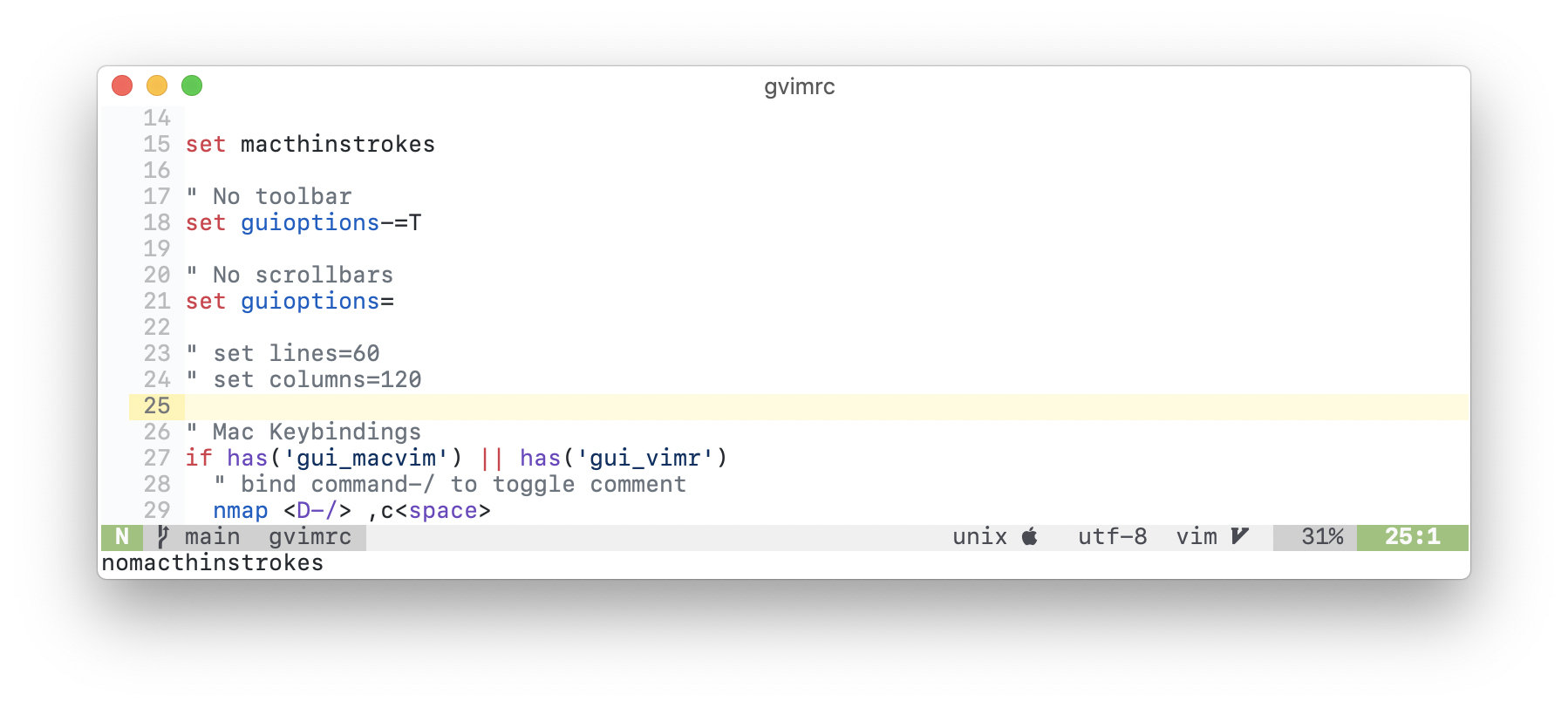
set macthinstrokes doesn't change the way the font is rendered
To Reproduce
- Run
gvim --clean - Set the thin strokes option with
:set macthinstrokes - Observe nothing happens, the font is exactly the same as it was before running the command
Expected behaviour The font should be slightly thinner
Screenshots
With set macthinstrokes
Without set nomacthinstrokes
Environment:
VIM - Vi IMproved 8.2 (2019 Dec 12, compiled Apr  1 2021 08:37:51)
macOS version - x86_64
Included patches: 1-2681
Compiled by GitHub Actions
Huge version with MacVim GUI.  Features included (+) or not (-):
+acl               +file_in_path      -mouse_sysmouse    -tag_old_static
+arabic            +find_in_path      +mouse_urxvt       -tag_any_white
+autocmd           +float             +mouse_xterm       -tcl
+autochdir         +folding           +multi_byte        +termguicolors
-autoservername    -footer            +multi_lang        +terminal
+balloon_eval      +fork()            -mzscheme          +terminfo
+balloon_eval_term +fullscreen        +netbeans_intg     +termresponse
+browse            +gettext           +num64             +textobjects
++builtin_terms    -hangul_input      +odbeditor         +textprop
+byte_offset       +iconv             +packages          +timers
+channel           +insert_expand     +path_extra        +title
+cindent           +ipv6              +perl/dyn          +toolbar
+clientserver      +job               +persistent_undo   +transparency
+clipboard         +jumplist          +popupwin          +user_commands
+cmdline_compl     +keymap            +postscript        +vartabs
+cmdline_hist      +lambda            +printer           +vertsplit
+cmdline_info      +langmap           +profile           +virtualedit
+comments          +libcall           +python/dyn        +visual
+conceal           +linebreak         +python3/dyn       +visualextra
+cryptv            +lispindent        +quickfix          +viminfo
+cscope            +listcmds          +reltime           +vreplace
+cursorbind        +localmap          +rightleft         +wildignore
+cursorshape       +lua/dyn           +ruby/dyn          +wildmenu
+dialog_con_gui    +menu              +scrollbind        +windows
+diff              +mksession         +signs             +writebackup
+digraphs          +modify_fname      +smartindent       -X11
+dnd               +mouse             -sound             -xfontset
-ebcdic            +mouseshape        +spell             +xim
+emacs_tags        +mouse_dec         +startuptime       -xpm
+eval              -mouse_gpm         +statusline        -xsmp
+ex_extra          -mouse_jsbterm     -sun_workshop      -xterm_clipboard
+extra_search      +mouse_netterm     +syntax            -xterm_save
-farsi             +mouse_sgr         +tag_binary
   system vimrc file: "$VIM/vimrc"
     user vimrc file: "$HOME/.vimrc"
 2nd user vimrc file: "~/.vim/vimrc"
      user exrc file: "$HOME/.exrc"
  system gvimrc file: "$VIM/gvimrc"
    user gvimrc file: "$HOME/.gvimrc"
2nd user gvimrc file: "~/.vim/gvimrc"
       defaults file: "$VIMRUNTIME/defaults.vim"
    system menu file: "$VIMRUNTIME/menu.vim"
  fall-back for $VIM: "/Applications/MacVim.app/Contents/Resources/vim"
Compilation: clang -c -I. -Iproto -DHAVE_CONFIG_H -DFEAT_GUI_MACVIM -Wall -Wno-unknown-pragmas -pipe -DMACOS_X -DMACOS_X_DARWIN -g -O2 -arch x86_64 -arch arm64 -U_FORTIFY_SOURCE -D_FORTIFY_SOURCE=1 -Wall -Wextra -Wshadow -Werror -Wno-error=missing-field-initializers -Wno-error=deprecated-declarations -Wno-error=unused-function
Linking: clang -L. -fstack-protector-strong -L/usr/local/lib -L/usr/local/opt/libyaml/lib -L/usr/local/opt/[email protected]/lib -L/usr/local/opt/readline/lib -L. -fstack-protector-strong -L/usr/local/lib -L/usr/local/opt/libyaml/lib -L/usr/local/opt/[email protected]/lib -L/usr/local/opt/readline/lib -arch x86_64 -arch arm64 -L/usr/local/lib -o Vim -lm -lncurses -liconv /usr/local/lib/libintl.a -framework AppKit -fstack-protector -L/System/Library/Perl/5.18/darwin-thread-multi-2level/CORE
Additional context
MacVim uses exactly the same API as iTerm2
MacVim: https://github.com/macvim-dev/macvim/blob/ef048edbb7aa6a65d11c7345ea7ca71d9748462a/src/MacVim/MMCoreTextView.m#L755-L758
iTerm2: https://github.com/gnachman/iTerm2/blob/c52136b7c0bae545436be8d1441449f19e21faa1/sources/iTermGraphicsUtilities.m#L43-L51
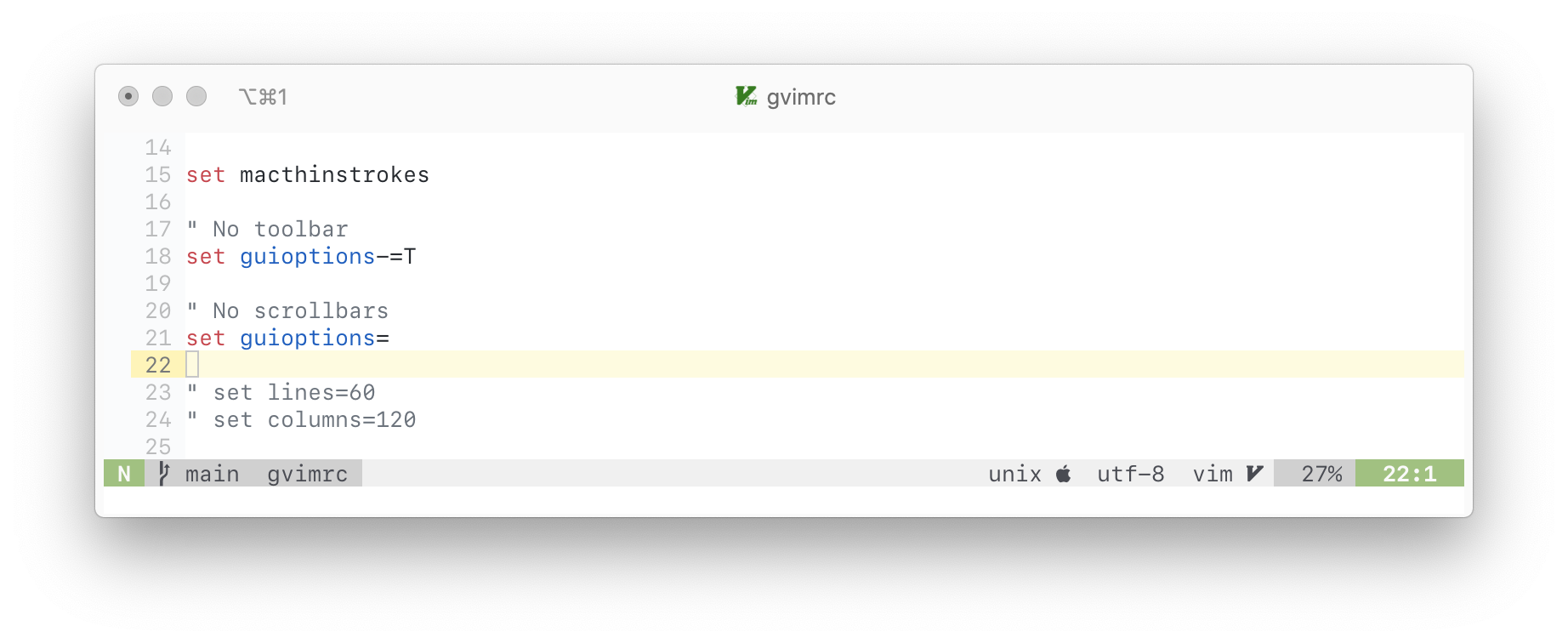
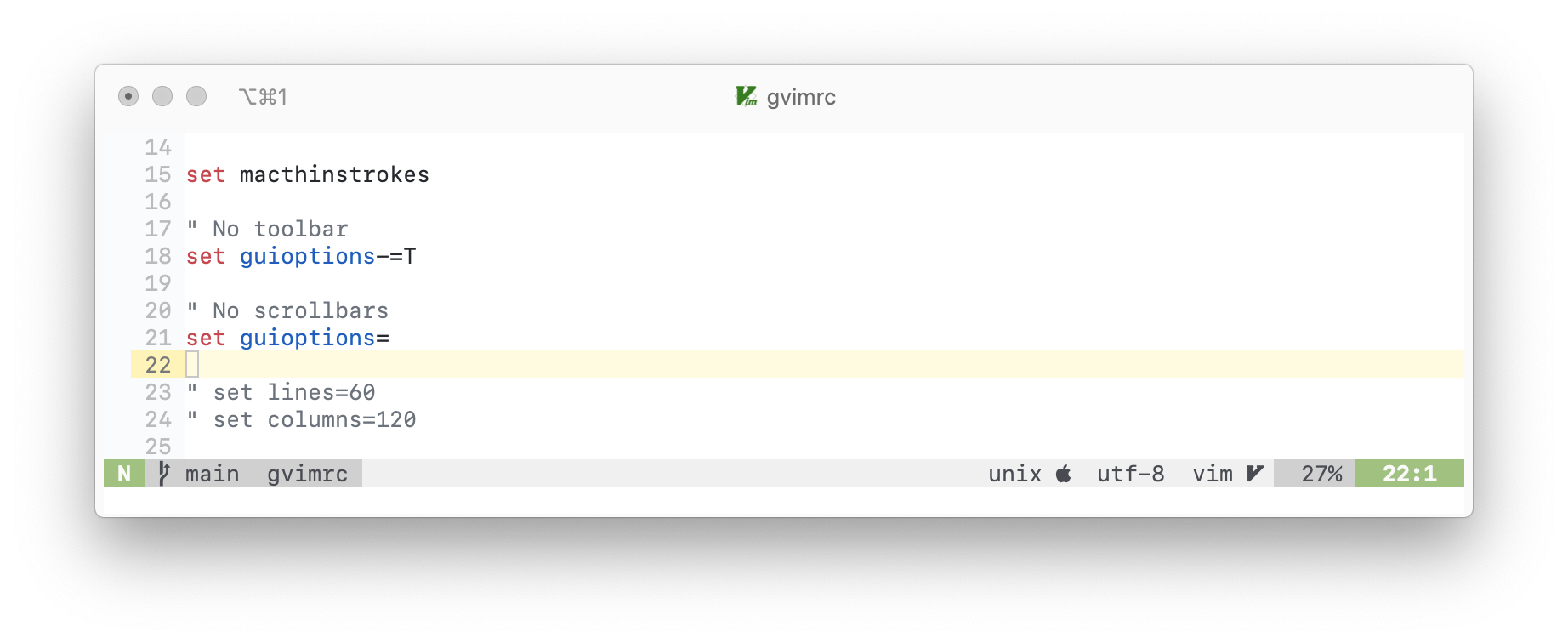
In iTerm2 it is working great, so apparently, there is something wrong and that code in MacVim is never reached
Here are the iTerm2 screenshots:
with the thin strokes option
without the thin strokes option

I think something broke in Big Sur. Testing this on older macOS versions seems to show that it works, so maybe font smoothing is overriding the thin stroke here. I can take a look.

Thanks, that would be great @ychin
Worth mentioning that I did all the screenshots on Catalina(10.15.7) so it looks like it is not only a Big Sur problem
I have a feeling that the API call(CGContextSetFontSmoothingStyle) is simply not reachable because exactly the same call works great in iTerm2