
depthai
 depthai copied to clipboard
 luxonis
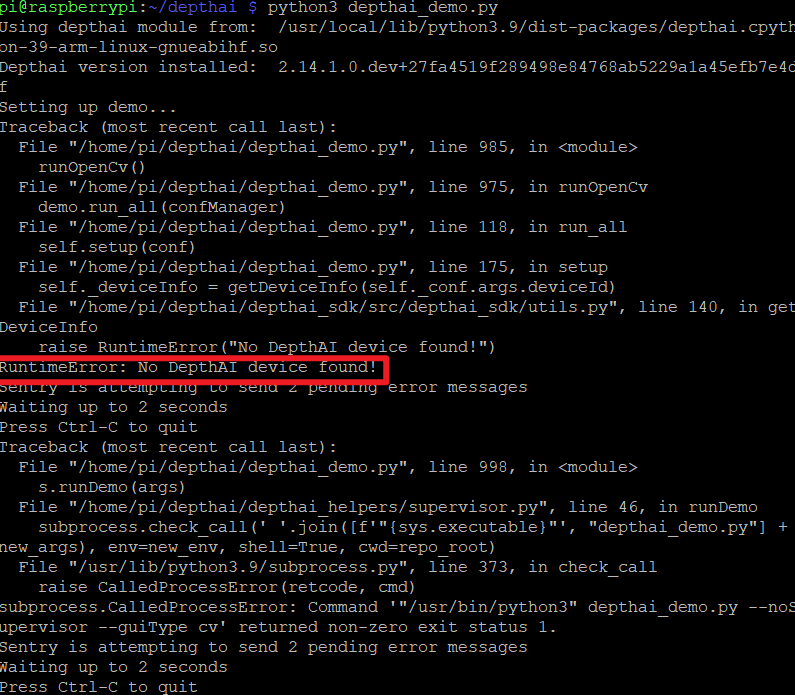
Raspberry pi does not display OAK-D devices
I installed the depthai dependency on the Raspberry Pi according to the tutorial, but the device still does not display after connecting the OAK-D device, I want to know what is the reason, could it be because of insufficient power supply? The device I use is a Raspberry Pi 4B.

Hi @2640546445 , Could you also share the error log? You might also want to check preconfigured RPI image for OAK cameras. Thanks, Erik

I did not use preconfigured RPI image,beacuse I am using my owe Raspberry Pi image.My problem is that the OAK-D has been connected to the raspberry pi through the data cable, but the raspberry pi shows that there are no devices available.

 Raspberry Pi does not recognize OAK-D device
Hi @2640546445 , I would suggest the following:
- Power you OAK-D via the power jack
- Follow the troubleshooting docs
- Use a preconfigured RPI image, or, follow installation steps that were used when creating this image (here)
Thanks, Erik
Sorry to bother you again. I used a preconfigured RPI image, but still the same problem. I want to supply power through the power jack, but the OAK-D-lite does not have a power port. So what should I do, does not OAK-D-Lite support Raspberry Pi?
Hi @2640546445 , Could you send a photo of how you have the OAK-D-Lite connected to the RPI? Which RPI do you have? You could use something like a Y-adapter (or maybe powered usb3 hub) to power the OAK-D-Lite externally (not with the RPI). THanks, Erik
Sorry to bother you for so long. The problem is solved, there is a problem with the data cable, and it is solved by changing one. Thanks for your patience