

 luizribeiro
Show current working environment, temperature and humidity, from DHT22
Truly a great, functional project!
Would be helpful to add temp/humidity readings to main screen and a graph on a detailed screen. The sensor can be bought very cheaply and directly attaches to rpi.
Something like : https://ukmesh.org/2020/01/26/raspberry-pi-dht22-temp-sensor-and-web-server/

I like this! I use a BME680 with esphome next to my printer to measure IAQ and a few other things, but having this on the printer itself would likely be nice.
My main concern is that adding this will increase the complexity of the hardware setup for newcomers.
I'm thinking that this should either be optional through a config file or, even better, available as a plugin.
Maybe plugins could add more cards to the main screen, new tabs, as well as add new API endpoints to the backend - which would then enable us to build a plugin for measuring temperatures with DHT (along with clear instructions on how to setup the hardware for that plugin).
What do you think?

Completely true that adding anything will increase the complexity, but this particular sensor is just three wires; gnd, +3/+5, and data. For any sensor, as long as it is easily supported on rpi and has easily obtainable libraries then I think it would be ok as support would be plentiful. The DHT22 is covered by adafruit and has lots of tutorials around.
For the software end - I think a config file would be easier to implement? Maybe have predefined webpage layout 'sections' where the end-user could paste in their variable that they want to be displayed? My understanding and implementation of python is next to nothing, although I'm picking it up... slowly... I was able to have the following started with rc.local, putting the temp/humid in the shared directory.
`import os
import time
import Adafruit_DHT

DHT_SENSOR = Adafruit_DHT.DHT22
DHT_PIN = 4

try:
    f = open('/mnt/usb_share/enviro.csv', 'a+')
    if os.stat('/mnt/usb_share/enviro.csv').st_size == 0:
            f.write('Date,Time,Temperature,Humidity\r\n')
except:
    pass

while True:
    humidity, temperature = Adafruit_DHT.read_retry(DHT_SENSOR, DHT_PIN)

    if humidity is not None and temperature is not None:
        f.write('{0},{1},{2:0.1f},{3:0.1f}%\r\n'.format(time.strftime('%m/%d/%y'), time.strftime('%H:%M'), temperature, humidity))
        f.flush()
    else:
        print("Failed to retrieve data from sensor.")

    time.sleep(60)`
Will mess around and try to get the 'humidity, temperature = Adafruit_DHT.read_retry(DHT_SENSOR, DHT_PIN)' shown on top page bar once I get the chance.
Cheers, Kolbi
Yeah, I understand it's just three wires - but I feel like not everyone will want the feature or go through the effort of buying a DHT22. So either we would need a way of enabling/disabling this on a configuration file or a plugin system if we're going to implement it.
I was able to get temp/humidity graph displayed (using dygraph), as well as a few command options, with iframes and php. Kinda dirty but functional in the interim. Web-root files and python logger script can be found at: https://github.com/rkolbi/framed-pi-stats.
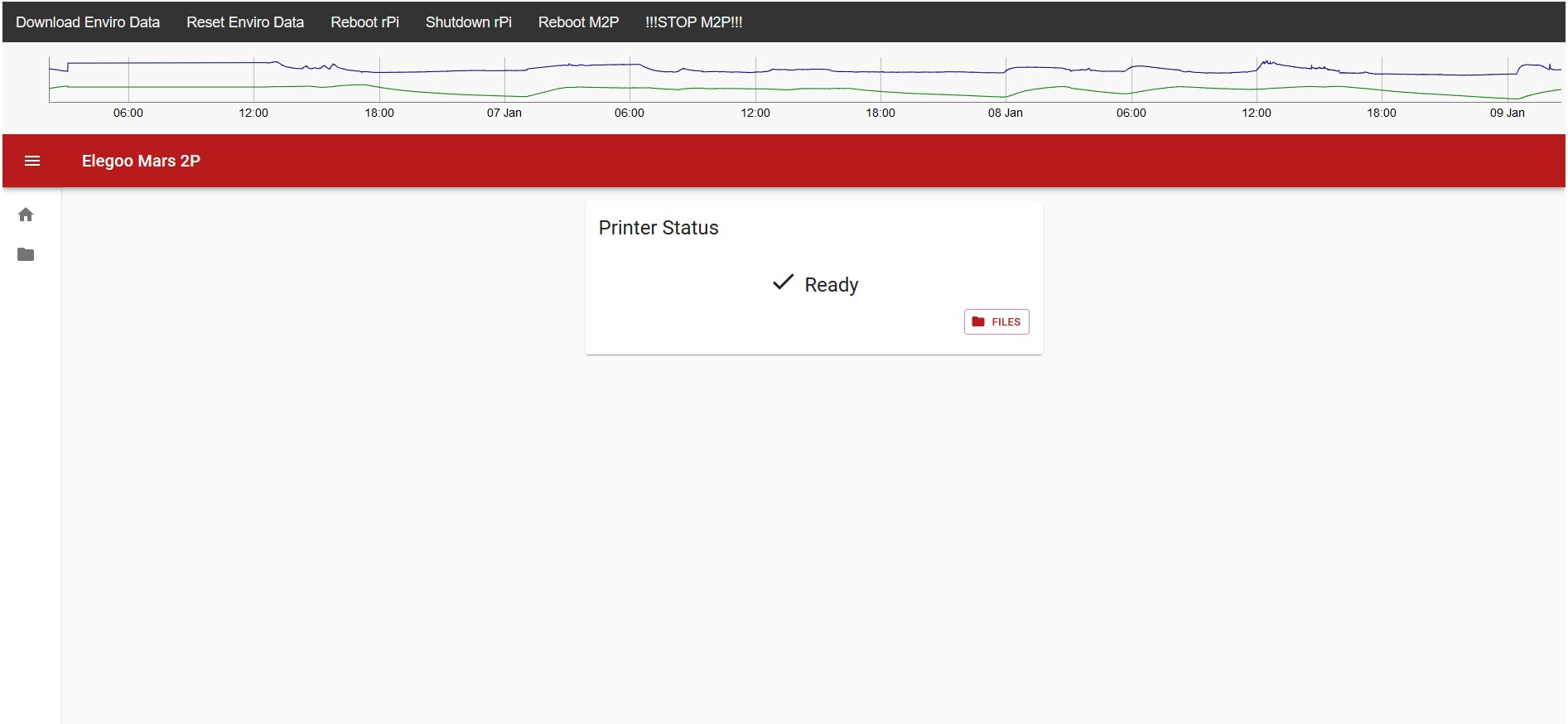 (Added options to reboot and stop Mars controller)
@rkolbi, really cool! :) Out of curiosity, where are you placing your DHT22?
Thanks! I actually have two sensors installed, but that just happened yesterday... So when I wanted to do a proof of concept, I simply put double-back tape on the dht22 and placed it in the printer, on the back housing wall, next to the vent area. Since I have a Mars 2 Pro, the unit sucks air in from behind the vat, runs it through a charcoal filter, and expells it by this vent area. But I do acknowledge that the internal temp will be higher than the exterior and not show a true reflection of the environment that I am trying to monitor - but it was quick and easy. So the second one, which just happened yesterday, that I installed is on top of the Z-Tower. This is the safest spot that I can think of and will provide monitoring of the printing environment. I think just this one sensor/location will suffice but I'll keep the internal dht22 in place as it's not hurting anything ;)
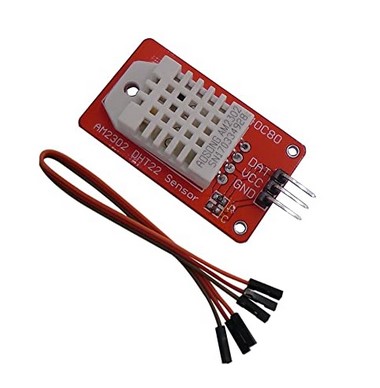
The dht22 sensors can come bare or on a PCB. I had this particular one on hand and as such, my brackets are designed for it.
Brackets located here

All of this and more can be done with Node-RED which comes pre-installed on Raspberry Pi OS (including Light). I am actually in the process of building a platform to do all of this and more. Definitely check out Node-RED, it's free, awesome and the community is very nice and helpful.
All the best!
Dax.

