

 luciusDXL
[UI] No confirmation when overwriting a save in some cases
whenever you select "configure" in the in-game main menu (the menu that appears when you press ESC amidst gameplay) the engine main menu should open, never open the last windows open, because this can be the "save game" windows (which is infuriating because if you select any of the saved savegames you overwrite the save directly)
always ask if you want to overwrite an existing savegame! (!!!!!) (!!!!!!!!!!!!!) infuriating :)
maybe the "configure" in the in-game main menu could always force open on the "about" window of the engine main menu, forcing always to make a choice of the wanted screen.

Just to be clear about what you are asking for:
- You don't want Configure to open the last tab but always reset to a fixed tab.
- You want another confirmation for overwriting saves.
It already brings up a confirmation/name dialog when you click on a save game and you have to hit enter or click on the OK button. So you want another confirmation after that?
Existing confirmation:
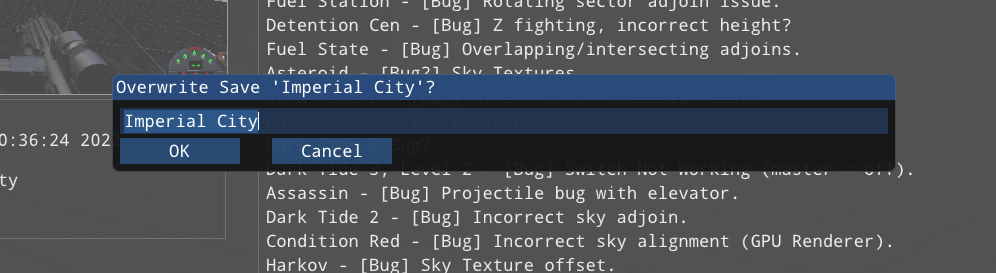

In general, it seems that a single confirmation is enough for most people. After checking other similar programs, it is about the same. So I can change the default tab opened, but I don't think I will add another confirmation for saving.
that's not my experience, if I click on save game, and click on an existing savegame name, i overwrite it without any other confirmation.
the other proposal about always opening on a fixed tab (like the "about" one) seem a reasonable proposal isn't it?
The other proposal is fine, which is why I focused on asking about the confirmation. So you don't get the overwrite save prompt at all? If that is true, then that is a bug. Does that mean you are unable to name saves? Or rename existing saves?
These may seem like silly questions, but this is the first time hearing about the save confirmation/name dialog not working - I have seen it work in streams and other people (and of course on my system, but that is always true for things like this). So if it is not working for you, we should figure out why.
-
when you're on the save tab, and you click on an existing savegame( over it's name) it saves outright instead of asking for any confirmation, an goes back to the game.
-
I've just tested also, you can have two saves named equally and not ask for any confirmation of overwritting because it's using a different savegame file!
here you can see two different savegames with the same string "start" attached:
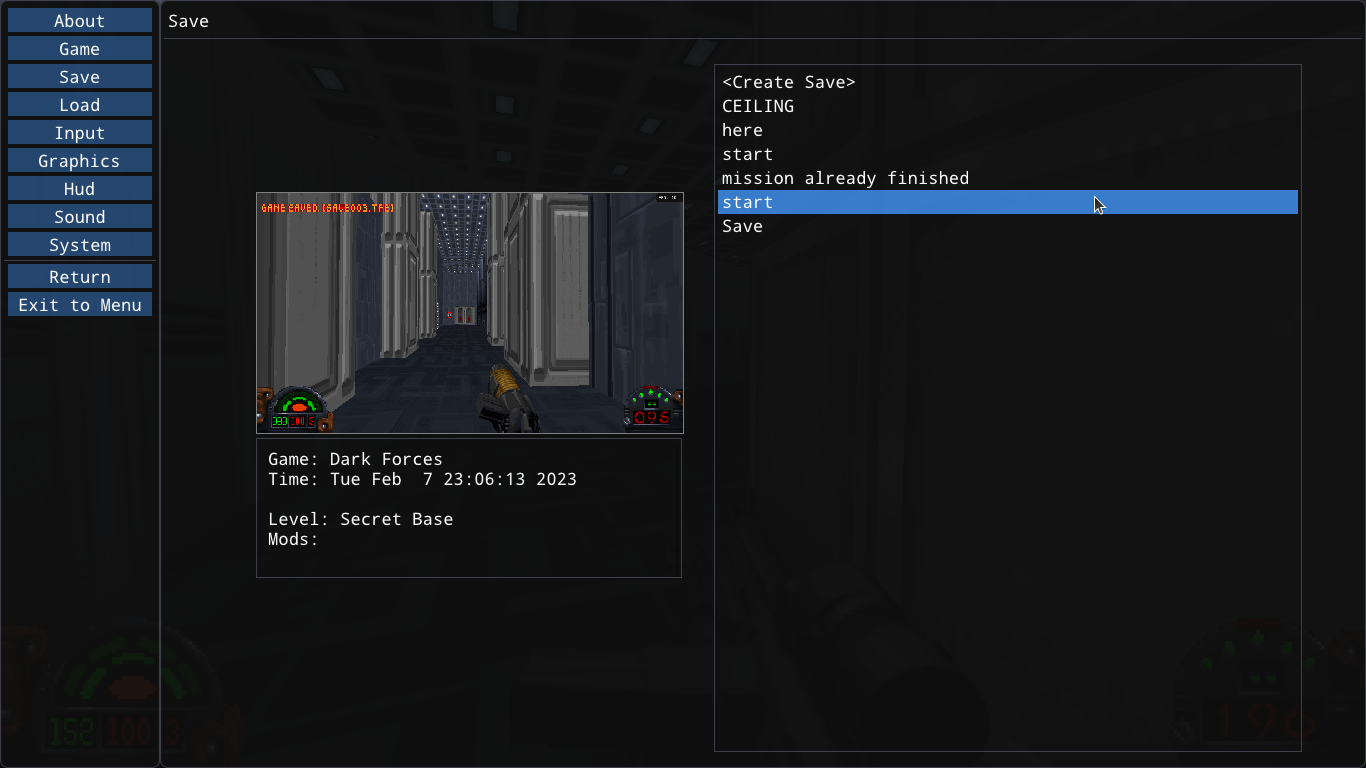
so exactly when is the overwritting a save prompt appear exactly?
Apparently, it isn't for you, I'm not sure why. I will have to try and reproduce the issue (it has always worked for me and you are the first person to say it doesn't). So that is clearly a bug, which is why it doesn't make any sense for it to work that way (there should always be a confirmation when overwriting a save file).
Thanks for explaining your issue, now it makes more sense. So I will mark this as a bug.
A few questions to help track this down:
- What OS are you running?
- If on Windows, are you compiling yourself or using the zip package?
- Does loading save games work?
I can reproduce it with save000.tfe: it gets overwritten every time without the confirmation dialog. Also, when creating new saves, it overwrites files when there is a gap in the numbering. For example: have save000-save005.tfe, and a save007.tfe. Now start TFE, then create a new save: it will overwrite save007.tfe unconditionally instead of creating save006.tfe.

Interesting. I bet this is the real issue, thanks for the extra information - I have a better idea of what is likely going wrong now. :) The current system assumes no one is directly editing/deleting save files - which clearly isn't ideal. Also, I need to fix the save000 issue.
but I haven't edited any of the savegames files, I've never touched them.