
wp-browser
 wp-browser copied to clipboard
 lucatume
[DOC REQUEST] Docker setup documentation
What do you think is missing from the documentation? I would like to see a section of the documentation dedicated to setting up and running tests using containers.
Do you have any examples of what you'd like to see added to the documentation?
A walkthrough and a docker-compose.yml file would be a good start. If required Composer scripts too would help.

Hey @lucatume, I created CI setup for a wordpress plugin which uses docker containers to run WP and CLI commands. It is mostly based on your makefile but still took me a few days because testing a plugin has its own pitfalls. That's what I added:
- During setup it copies the plugin files to wordpress/plugins since it must be tested without dev dependencies. All paths to copy are defined in
.rsync - I introduced
BUILD_FLAVOR = PHP${PHP_VERSION}WP${WORDPRESS_VERSION}WC${WOOCOMMERCE_VERSION}which is passed to helper, so that tests can run in parallel on Travis without conflicts when they post data to database / api. E.g first flavor creates a user withname=johndoe-php7.1wc5.1and second createsname=johndoe-php7.2wc4.9. No conflicts when they create data in parallel.
Although the plugin is WIP, the tests setup is fully functioning. It'd be great if you pick up some ideas or reuse the setup code for the documentation. Or even make a skeleton which can be used by composer create-project.
Also I'll be happy if you give me feedback on my setup.
Here is my plugin url: https://github.com/trackmage/trackmage-wordpress-plugin/tree/develop
The commands I use for the local testing::
export PHP_VERSION=5.6
make ci_local_prepare
make ci_script
#shutdown
make down
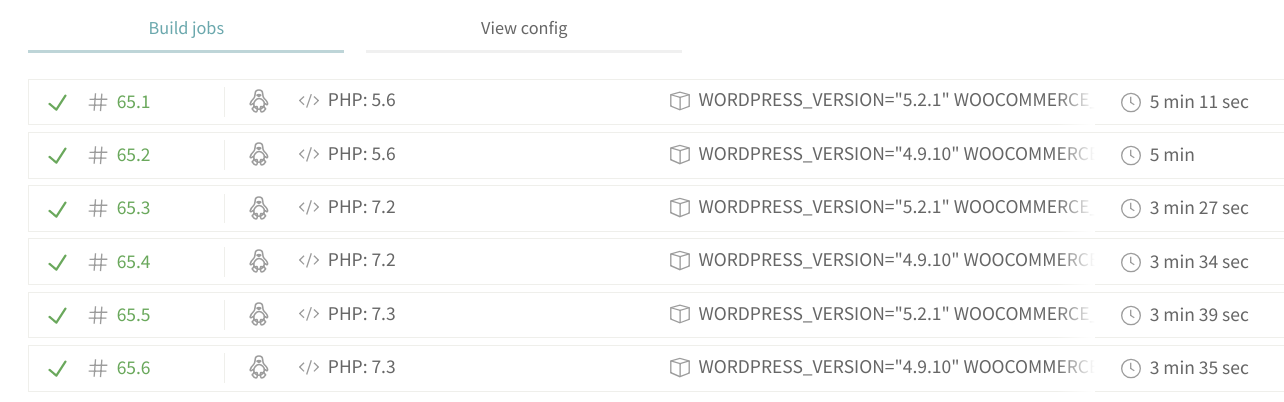

@karser sorry for the late reply.
Thanks for getting back with this information. Your PR made something click for me and I'm currently working on a solution to run all the test suites in parallel. At the moment the solution would apply to wp-browser only, but I'm hoping to get something more usable out of it.
I'm open to PRs about documentation. Just so you know.
run all the test suites in parallel
That makes sense - all kind of tests take approximately same amount of time (except unit ones). And they don't depend on one another. Are you using docker for running in parallel? I guess there are implications - wait until all tests finished, merge tests result, clover, etc.
I'm using docker-compose and make -j.
The make part is not definitive, but it's convenient at the moment.
There are a number of "gotchas" along the way; I'm keeping a "diary" of the discovery process on my blog.
@lucatume Been looking for a long time now for some solid WordPress integration testing tools and I'm really happy I found your library.
Any update on this request? I think it would be hugely helpful to have some sort of CLI wrapper for doing everything this library already does, but in Docker. Of course, you can always setup codeception from within an already running container, but you have to do a lot of manual setup to get it going. I would love to see these steps automated in some way so you can easily spin up a container for the sole purpose of running tests.

We have been working on this for anyone interested in Docker setup:
https://github.com/valu-digital/wp-testing-tools
Not quite ready yet for theme testing but for plugin testing it's been pretty good already.

@esamattis Thanks for the recommendation. Glad to see people are out there developing automated solutions for this.
Glad to see this tool is being used out in the wild.
I've been working on a solution myself and I will share it, with example files and a documentation entry, when ready.
I'm especially interested in this to "parallelize" the execution of tests and scaffold portable solutions.