

 love2d
Highdpi Font Kerning Miscalculated
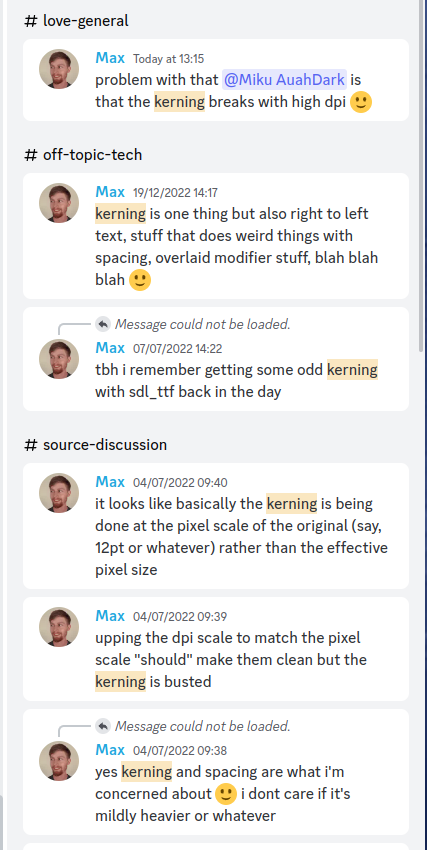
Search on discord for more, but @MikuAuahDark basically suggested I mirror this here so it doesn't get lost.
HighDPI font gets kerning calculated with the wrong pixel size, so the letters are all crammed together. Scaling down, rendering an up-sized font "at 100%" with 100% dpi scale is the workaround for now.
Do you have an example of what it looks like versus what it should look like? Kerning is calculated in the same coordinate space as the rest of font spacing (the font's pixel coordinates rather than DPI-scaled coordinates), but right now it's rounded when converting to DPI-scaled coordinates. Is that what you mean?

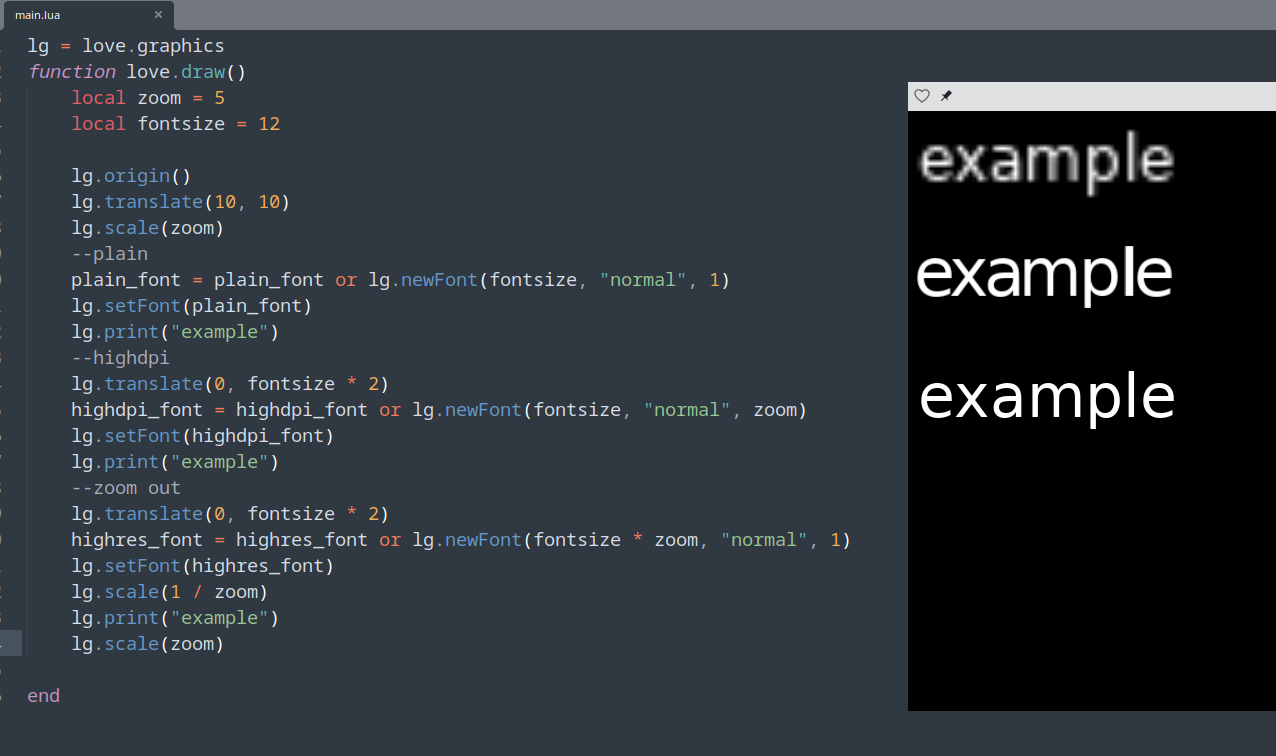
Apologies for the crude methodology, here's the code for testing locally. Basically the code ends up cramped and the glyphs seem to have gone bad when upping the dpi scale.
lg = love.graphics
function love.draw()
	local zoom = 5
	local fontsize = 12

	lg.origin()
	lg.translate(10, 10)
	lg.scale(zoom)
	--plain
	plain_font = plain_font or lg.newFont(fontsize, "normal", 1)
	lg.setFont(plain_font)
	lg.print("example")
	--highdpi
	lg.translate(0, fontsize * 2)
	highdpi_font = highdpi_font or lg.newFont(fontsize, "normal", zoom)
	lg.setFont(highdpi_font)
	lg.print("example")
	--zoom out
	lg.translate(0, fontsize * 2)
	highres_font = highres_font or lg.newFont(fontsize * zoom, "normal", 1)
	lg.setFont(highres_font)
	lg.scale(1 / zoom)
	lg.print("example")
	lg.scale(zoom)

end