
love
 love copied to clipboard
 love2d
[12.0] getTemporaryTexture returning dirty stencil texture, causing ugly
When rendering with stencils, if I did many in a single frame, it would cause artifacts and stencil failures:
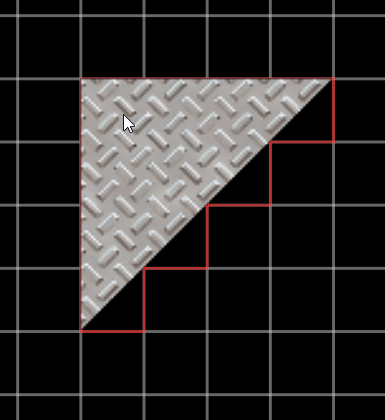
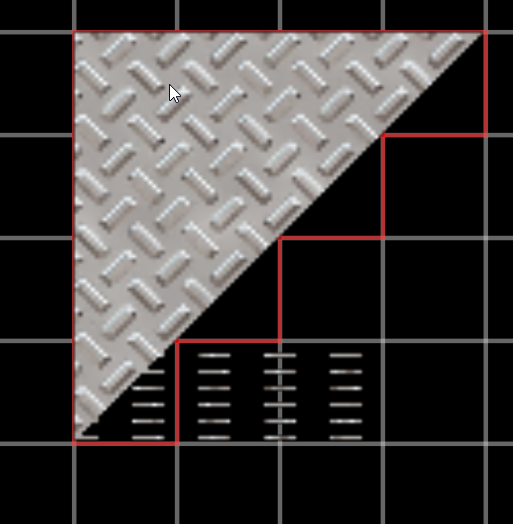
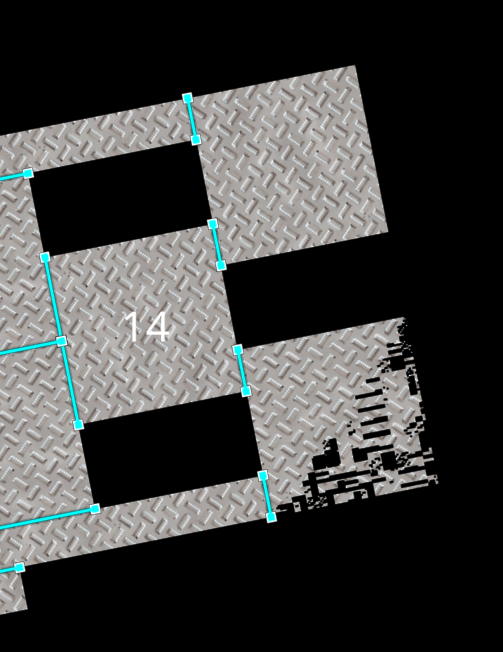
If I do the stencils slowly, its fine, fastly, its glitched:
https://user-images.githubusercontent.com/11986037/190876129-3b343310-10af-45b8-9fa9-78cf38ba989e.mp4
Which pointed to this magic number about frames:
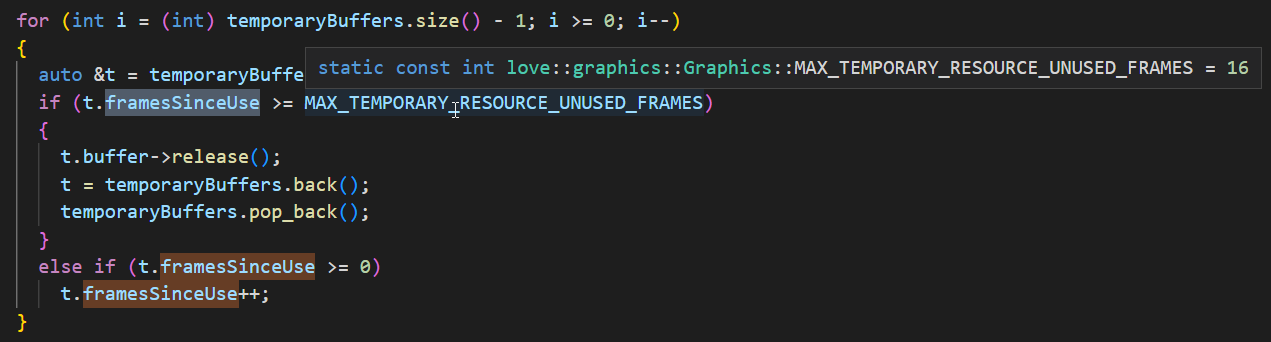
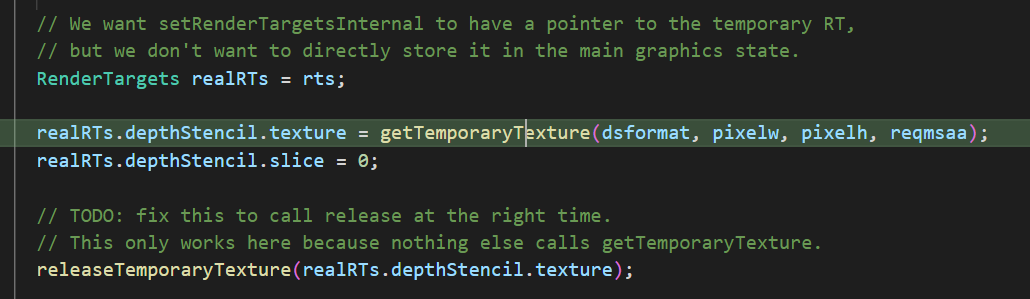
And from there I traced it down to the getTemporaryTexture, which is returning a dirty texture:

The stencil buffer is cleared when you call love.graphics.clear, and also in love 11 when you call love.graphics.stencil (as long as you don't set keepvalues to true).
It sounds like you aren't clearing the stencil buffer via clear()? In that situation since you're intentionally avoiding resetting it to a specific state, it may have undefined contents.
If that's not the case, some code or a .love file that can demonstrate the issue would help.

In 12.0 the love.graphics.stencil was replaced with the more generic setStencilMode(),
My code is something like this: (Graphics is just a local variable of love.graphics)
  self.shapeCanvas = Graphics.newCanvas(w + canvasTolerance, h + canvasTolerance)
  Graphics.setCanvas({self.shapeCanvas, stencil = true})
  Graphics.setStencilMode("increment", "always")
  Graphics.translate(canvasOffset - x1, canvasOffset - y1)
  for k, shape in pairs(self.shapes) do
    if shape.type == "polygon" then
      Graphics.polygon("fill", shape.points)
    elseif shape.type == "circle" then
      local x, y = shape.x or 0, shape.y or 0
      Graphics.circle("fill", x, y, shape.radius)
    end
  end
  Graphics.setStencilMode("replace", "greater", 0)
I fixed the issue by calling Graphics.clear() after the first setCanvas, but I would expect since I am passing a new/fresh canvas to use as the stencil each time, it would not persist any previous values from unrelated canvases/draw calls
I am not exactly sure if I am using the stencil functions correctly, since there are no docs/examples for the 12.0 branch, this is just what I figured out from reading the source code and trial and error
I fixed the issue by calling Graphics.clear() after the first setCanvas, but I would expect since I am passing a new/fresh canvas to use as the stencil each time, it would not persist any previous values from unrelated canvases/draw calls
The active color canvas isn't related to / doesn't own the stencil buffer. If you want to have a stencil canvas you pass around, you can do that (by calling newCanvas with a stencil format like "stencil8", and then setting depthstencil = stencilcanvas in setCanvas). This works in both love 11 and love 12.
When you don't clear the auto-generated stencil buffer, it's left in an undefined state. So incrementing that will result in arbitrary values. It might make more sense for love to automatically clear the stencil buffer inside setCanvas (when it's not a manually created / user-managed one), although if people call love.graphics.clear right after that it'd result in a bit worse performance because of the redundant clear call in that situation.
Okay, I think I just was not 100% on how the stencil and canvas functions work in 12.0, if I get it now, the setCanvas by a by-product, also creates a temporary stencil buffer, which based on the width/height, is reused for other stencil usage
Since this is a transparent effect, I would expect the stencil to be cleared automatically in the setCanvas call. It is not always possible to call the `graphics.clear()' after the setCanvas, as you may want to mask out the same canvas and paint to it in multiple steps. A sub-optimal solution then it to make the user made stencilCanvas, and switch to it, clear it, then switch back to the colorCanvas.
The goal I suppose of the auto generated stencil canvas is to make things easier and 'just work' without added steps or gotchas, so not auto-clearing is a hazard to that
It is not always possible to call the `graphics.clear()' after the setCanvas, as you may want to mask out the same canvas and paint to it in multiple steps.
There are love.graphics.clear variants which let you only clear the depth/stencil buffers if you choose. But I agree that overall it's not very intuitive right now when auto-generated stencil buffers are used.
It might make more sense for love to automatically clear the stencil buffer inside setCanvas (when it's not a manually created / user-managed one), although if people call love.graphics.clear right after that it'd result in a bit worse performance because of the redundant clear call in that situation.
This is implemented now in 94d05e3.