
gistpad
 gistpad copied to clipboard
 lostintangent
Upload File(s) to Gist fails while using Remote-WSL connection
Describe the bug Attempts to Upload File(s) to Gist fails while using a Remote-WSL connection with the following message...
Error running command gistpad.uploadFileToGist: Running the contributed command: 'gistpad.uploadFileToGist' failed.. This is likely caused by the extension that contributes gistpad.uploadFileToGist.
To Reproduce Steps to reproduce the behavior:
- From VSCode running on Windows 10 w/ Windows Subsystem for Linux; command pallete -> Remote-WSL: New Window
- Open the GistPad tab in the activity bar
- Right click on a Gist, and chose Upload File(s)
- Select any file from the pop-up file chooser
- Error encountered
Expected behavior Expect file to upload to Gist.
Screenshots Error running command gistpad.uploadFileToGist: Running the contributed command: 'gistpad.uploadFileToGist' failed.. This is likely caused by the extension that contributes gistpad.uploadFileToGist.
Desktop (please complete the following information):
- Windows 10 20H2, WSL w/ Ubuntu-20.04
- VS Code Version 1.55.2
- GistPad Version 0.2.8
- Remote - WSL extension Version 0.54.6

Hmm, interesting. If you try this outside of a WSL context, does it work?

Yes, it works fine outside of a WSL context. (Love the extension btw.)
Interestingly, I uninstalled the extension form the marketplace and tried building the extension myself and running it in the extension development host and it works fine so this appears to be something with that build.
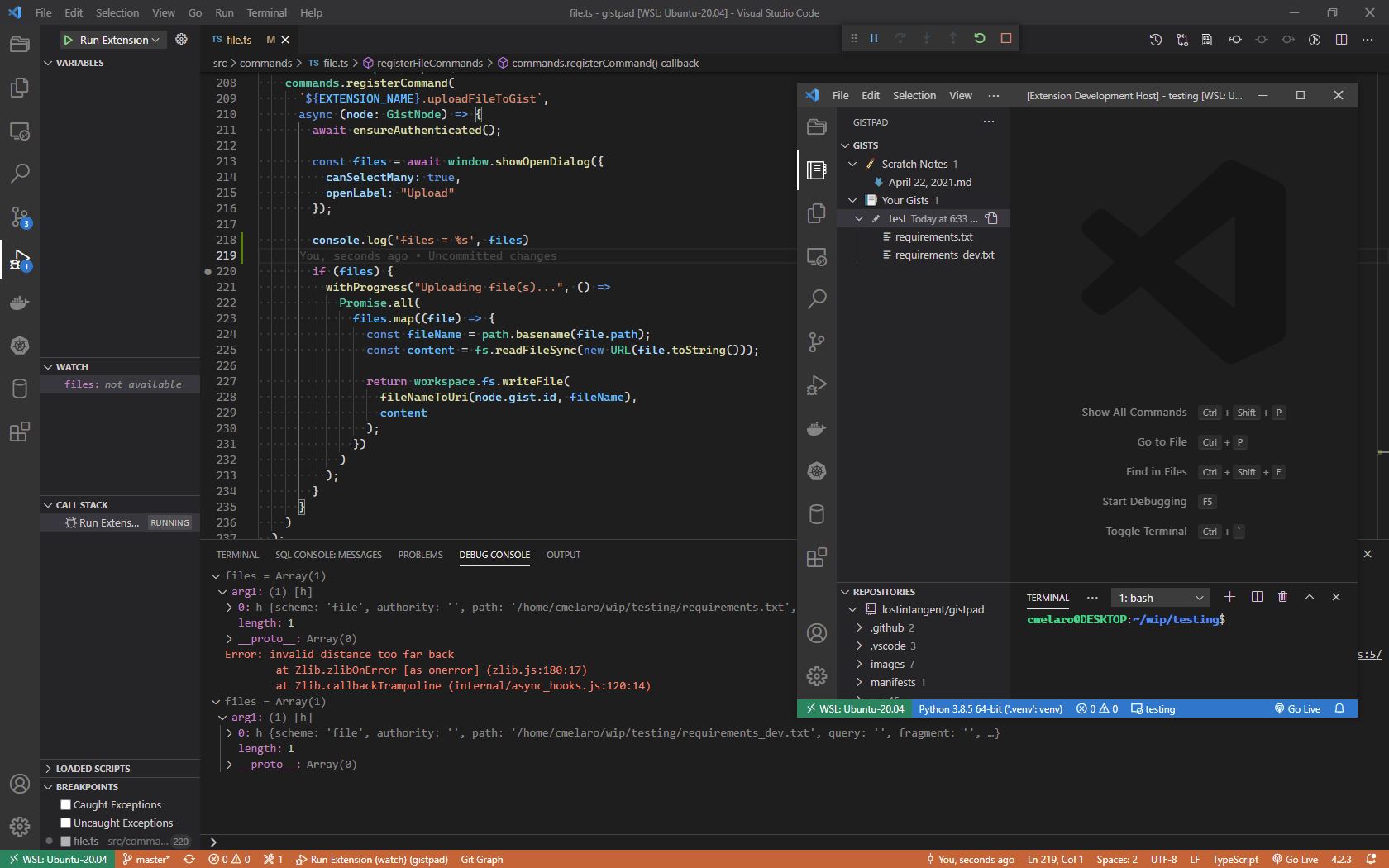
Since it works running under the debugger on my machine I decided to package a new vsix and side load it. Unfortunately my sideloaded version also fails.
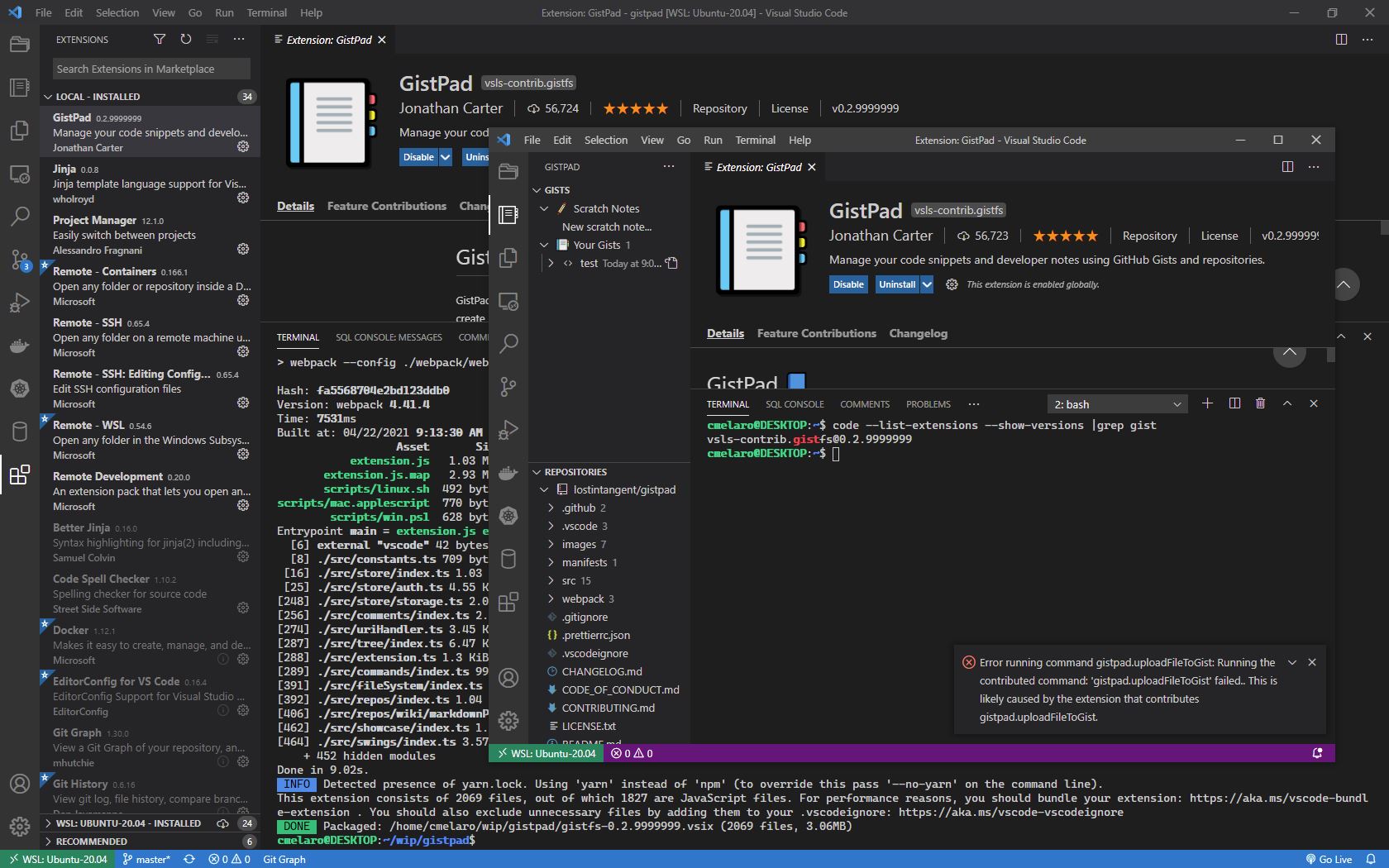
I'm lost as to why this works when running in the debugger but fails otherwise. Since addFilesToGist works but uploadFileToGist does not I compared their code. The obvious difference is that add is just using readFile while update is using readFileSync. Making a guess there is an issue with the blocking synchronous read I modified uploadFileToGist to use just readFile, built a new .vsix and tested it. The upload works succesfully with my change.
https://github.com/cmelaro/gistpad/commit/4bf56132e41d0e254a8f14f83fc4b5fe18984278#diff-35e5c25f149a4c791fd9dd440a2f1ba225acc7e6546037430e1e90d198db51da
Confirmed this issue still exists with a Remote-WSL connection with the following components:
Windows 10 21H2 (OS Build 19044.1766) WSL distribution: Ubuntu 22.04 LTS (Linux Ubuntu-2204 5.10.102.1-microsoft-standard-WSL2) VS Code version: 1.68.1 GistPad extension version: v0.4.1 Remote - WSL extenstion version: v0.66.3