

 loris
loris
Incorrect type declarations/exports on latest version (5.3.1)
Hello,
I am not able to import the library as per the documentation. When doing it like so:
import aqp from 'api-query-params'
I get the following error: TypeError: (0 , api_query_params_1.default) is not a function. I'm attempting to call the function as in the docs' example yet again:
const { filter, skip, limit, sort, projection, population } = aqp(query)
When doing an old-fashioned require statement though, (e.g. const aqp = require('api-query-params') ) behavior is as expected and I'm not getting errors when attempting to call the function.
I would like to use the type definitions if possible to avoid mixing all my other import statements with this require one. By the way, doing this:
import { AqpQuery } from 'api-query-params' for that exported type works well. it is the function the one I just can't import with the help of TS.
Any guidance would be much appreciated. Thank you


looks like a couple of one liners (one on the base js file and one in the TS types file) fix the issue.
I changed the following at the very end of index.js:
module.exports = {aqp};
And also changed the default export to a named function export on the types.d.ts file.
export function aqp(
    query: string | Query,
    opt?: {
      skipKey?: string;
      limitKey?: string;
      projectionKey?: string;
      sortKey?: string;
      filterKey?: string;
      populationKey?: string;

      blacklist?: string[];
      whitelist?: string[];

      castParams?: unknown;
      casters?: unknown;
    }
 ): AqpQuery;
With this in place I make the necessary imports with no issues on my app's files.
E.g.
import { aqp } from 'api-query-params'.
Hopefully a PR with these couple changes can be submitted and approved in order to solve this issue
@f5hajnal Hi! will look into it, can you keep the import the way it is currently working: import aqp from 'api-query-params';
Otherwise it will be a breaking change (requires major version)

@loris I was not able to have it properly working doing it that way unfortunately. I get the same error (TypeError: (0 , api_query_params_1.default) is not a function.).
I have to modify both the JS and TS files in order to make the TS import (and function call) work
hi @loris. Please change the following line in dist/cjs/index.js [338] module.exports = aqp; --change to --> module.exports = {aqp};
and following lines in dist/cjs/types.d.ts [38] export default aqp; <--- delete this line [20] function aqp ---change to ---> export function aqp
It will fix all the errors related to import aqp from 'api-query-params' when writing application in Typescript
Hi @duongapollo,
I cannot apply your suggestion: module.exports = aqp; --change to --> module.exports = {aqp}; because it will break how others users successfully import the lib right now (import aqp from 'api-query-params' won't work anymore
I am using this library, and its typings in several projects without any issue. Can you have a look at your setup? This should work:
import aqp, { AqpQuery } from "api-query-params";

const query = aqp("status=sent", { limitKey: 'max' }) as AqpQuery;
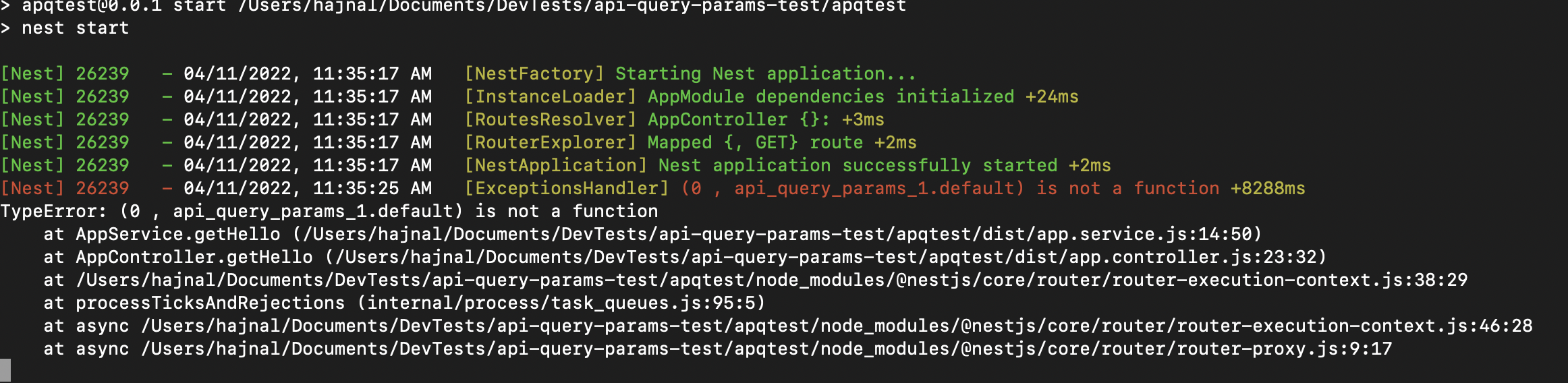
Hello @loris , I created a minimal application for trying reproduce the issue (to discard that maybe some other dependencies on the main and more complex project I was originally trying to use this were affecting somehow). I created a brand new NestJS Application and just added the api-query-params module additionally.
I'm directly importing and calling the function in my app.service.ts and getting the error once again. I'm using version 5.3.1 for aqp, as well as Typescript 4.2.3 (installed by the Nest CLI)
I also just created a brand new NestJS application, and have no issue. Can you show me how you import the library?
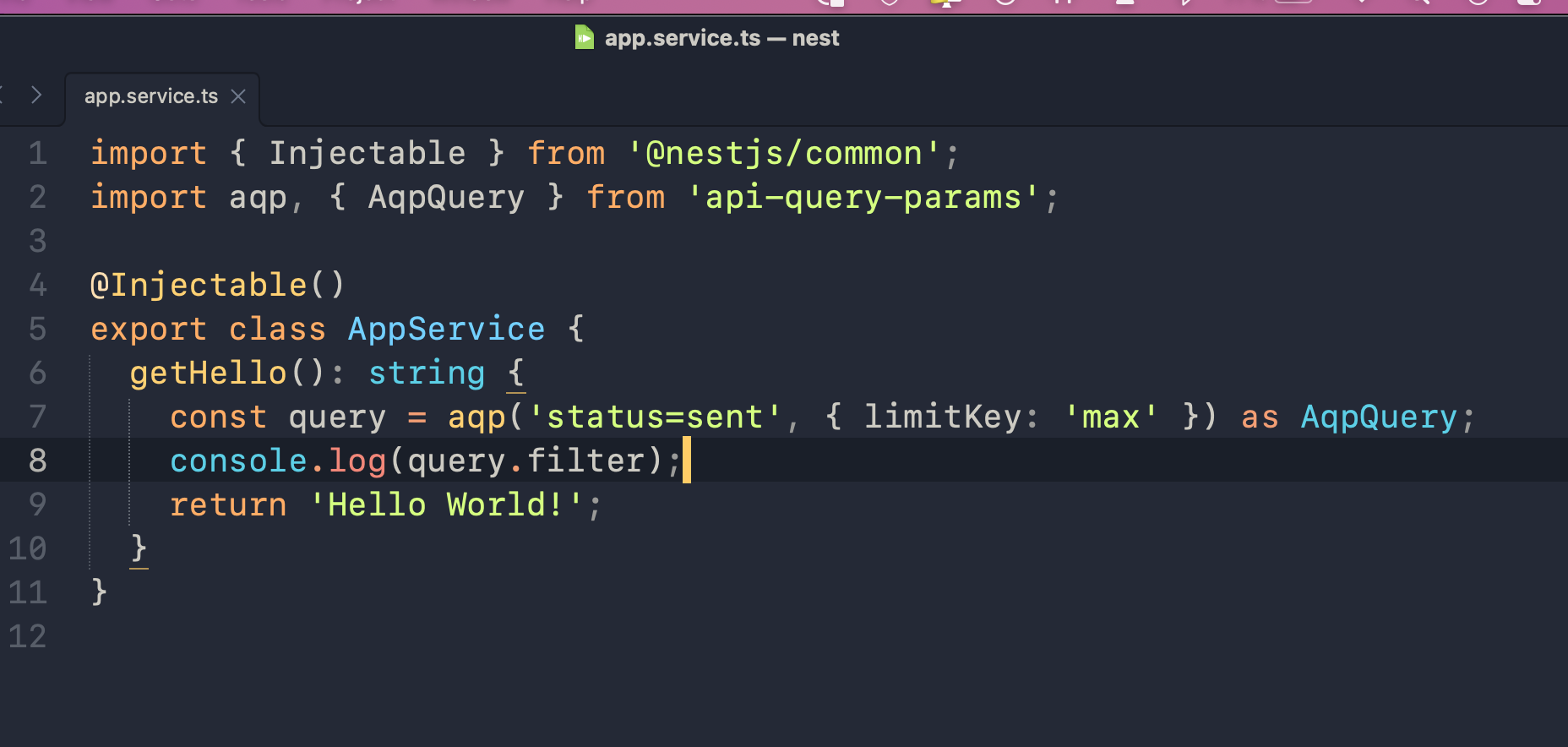
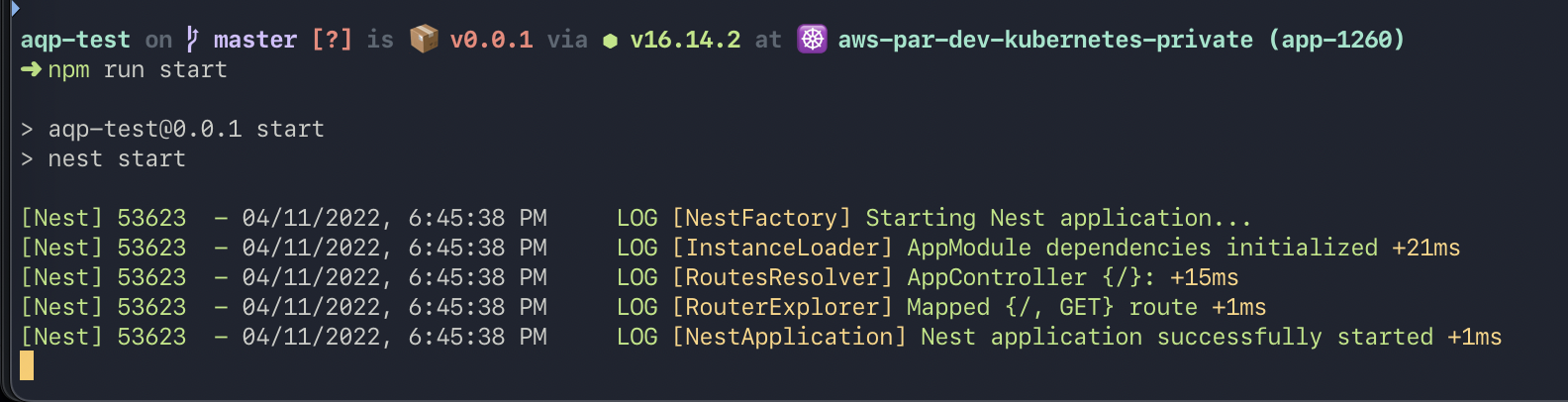
Thanks for the quick reply.
This definitely looks odd. I already had the import just like yours. I actually just tried your exact same code in the same file and I'm still getting the error 😕
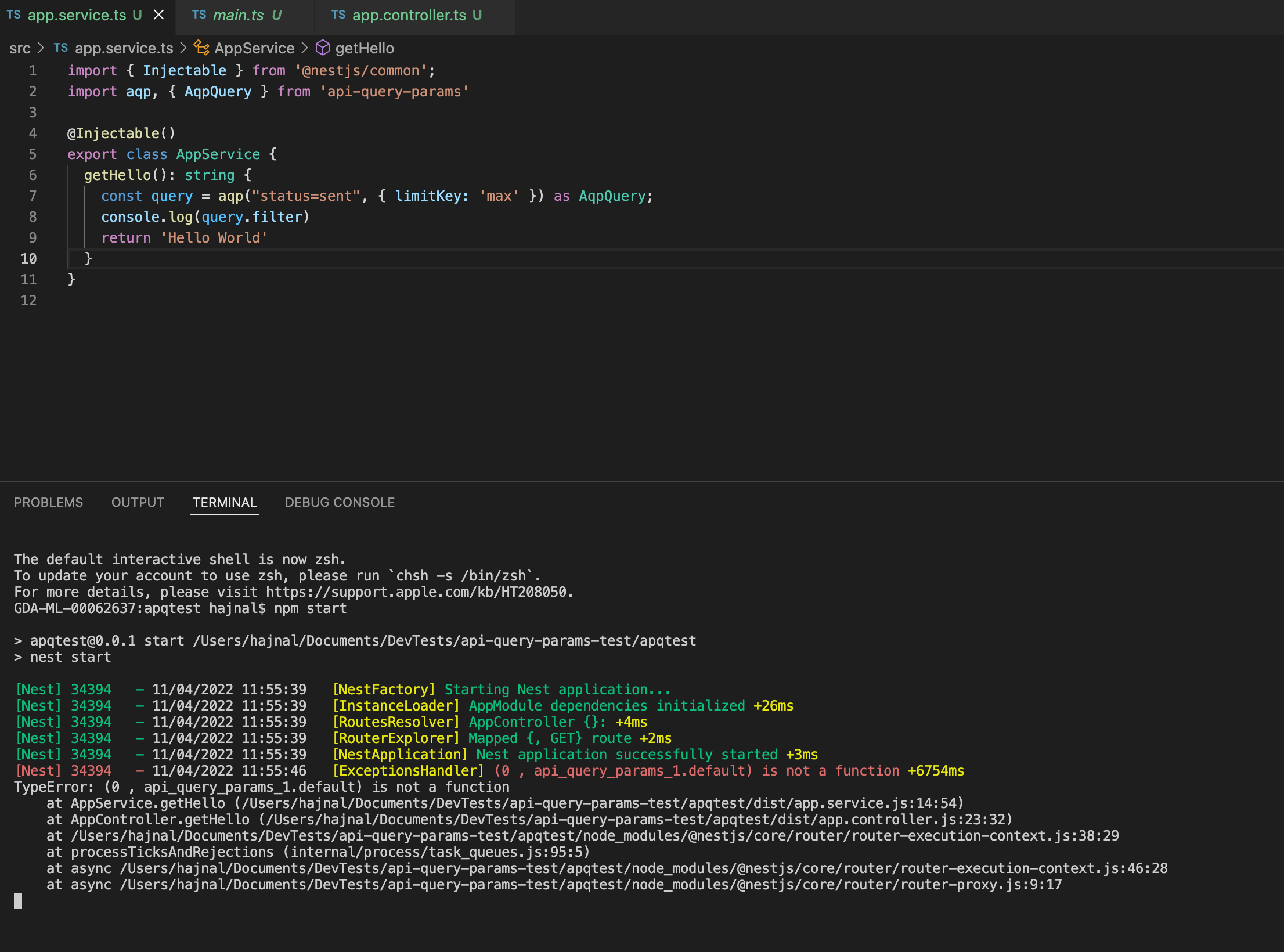
i got the same error as @f5hajnal, with completely new NestJS Project Setup.
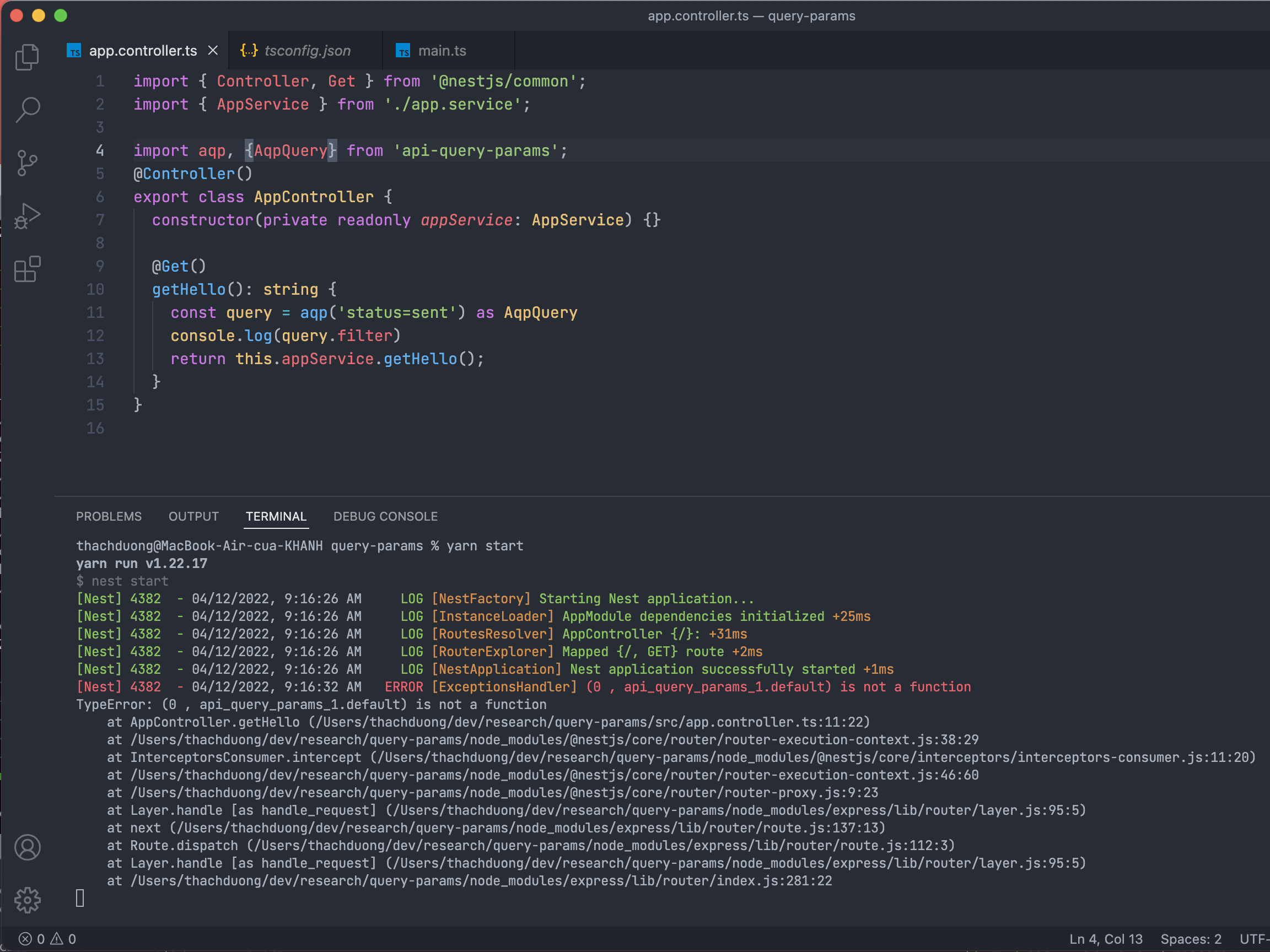
I was thinking it might be the Typescript version but a default export is a very basic feature that should not have changed in a while. @loris Do you have any other thoughts? 2 out of 3 scenarios with the same error
@loris I know you already closed this, but would you have any suggestion or ideas we might follow? Thanks
Sorry, I just reopened it. To be honest I don't understand the issue, not sure if related to TypeScript (which I am not using enough to have any clues) or Nodejs import. I'll make some more research


Hey everyone. As a follow up for this issue, we have found out that it is possible to fix this without breaking current usage.
This can be achieved simply by modifying the last line on index.js like so:
module.exports.default = aqp;
This allows for the default import to work properly (import aqp from api-query-params) and no error gets thrown when attempting to actually call the function :)
btw @loris i noticed that the test project which you created for one of your comments above was not actually tested correctly, since you only started the nest app but did not actually call the endpoint and trigger the function (you can see your console.log did not get printed on that screenshot you shared).
Let me know if we can create a PR for this or something. Thanks
Hey @loris I created the corresponding PR for this. Hopefully you can check it out and let me know your thoughts. Thanks!
Hi @f5hajnal Thanks for the follow up, may I ask how you validated that it did not break? Both test cases and importing the library in my apps is broken after the change
So on my existing nestjs application, I directly edited index.js under the node_modules/api-query-params folder and then tested functionality in my service.
importing like so: import aqp from 'api-query-params' and then calling like so:
const { filter: _filter, skip, limit, sort, projection, population } = aqp(query).
I no longer get the is not a function error on my console. But looks like I did not consider everything needed then
ok my bad for this. the line I replaced on that PR actually needs to be added. That way, both default import syntax and old require syntax work well. And I imagine that way your test cases should work too. @loris any chance you could try this out?
module.exports = aqp;
module.exports.default = aqp;
thank you