

 localgovdrupal
Archiving a page and creating a redirect from it
A relatively common use case for us has been:
- Archive a page
- Create a redirect from that location to a new, suitable location.
We are finding this challenging in LocalGov Drupal. We're following something like this process:
- Archive the 'old' page
- Navigate to the 'new' page
- Go into the 'URL redirects' section in the sidebar and create a new one
- Paste in the path of the old location
- Get this message:
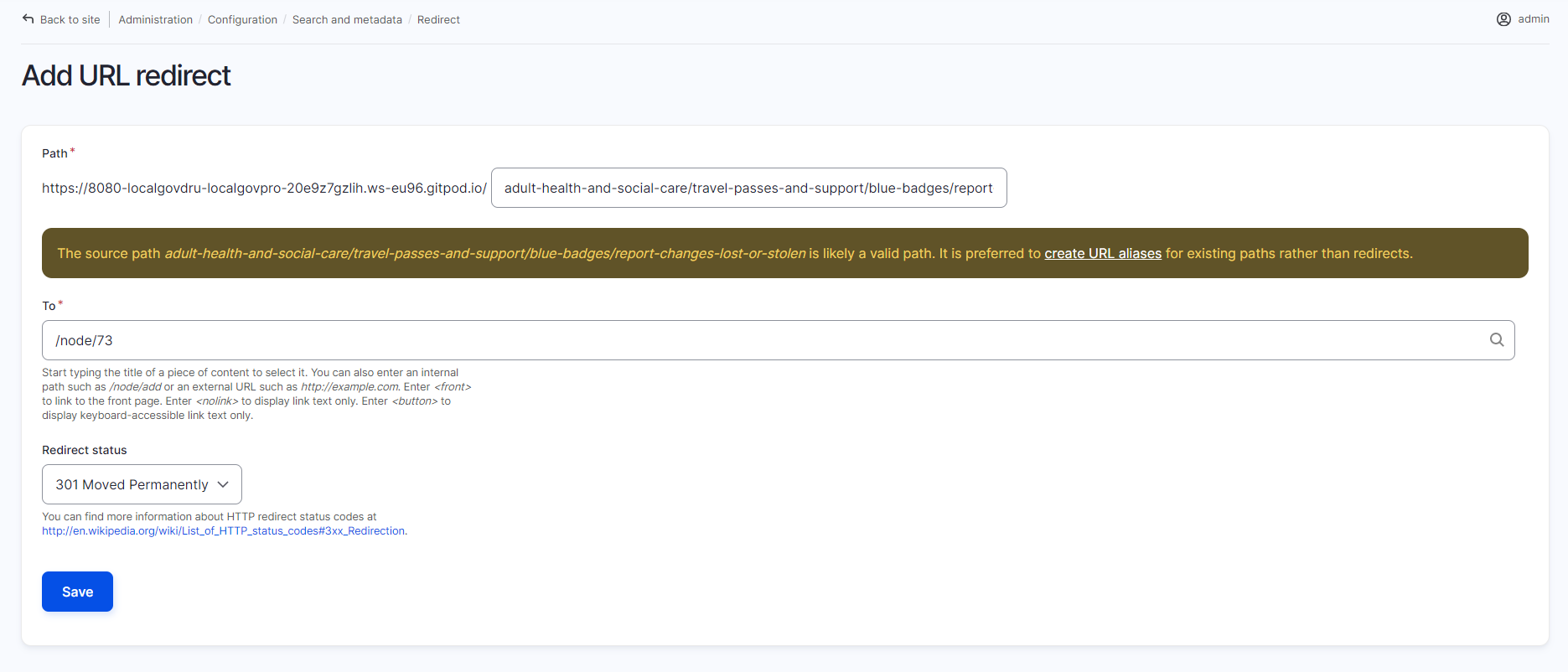
- On a clean install, this then allows the redirect to be created, but on navigating to the old location, you get a 403 error.
If instead you try to work around this by changing the alias of the 'old' page to remove the conflict, a redirect is then created from the old alias to the new alias of the old page, and then you can't create another redirect to the new page, unless you delete that automatically generated redirect.
I'm still trying to unpick this a bit as we have some slightly different behaviour on the Essex site, but just wondered if anyone else had experience with this or if they achieve this goal in a different way.

+1 on this, its a major pain point at BHCC and causing us lots of broken links and somehow we've manage to create redirect loops which are taking time to untangle.
The source of the issue is that Drupal can't really have a path that can point to more than one location, and as the existing page got there first, it has first dibs on the alias which it is using, even if archived. The error message is tecnhically correct, your trying to redirect an existing path.
We've tried to solve this with a routesubscriber to allow redirects to take priority, but honestly this tends to cause more problems that it solves.
What we need is some sort of archive and redirect which would:
- Archive the page
- Remove the url alias (but remember it so it can be restored)
- Create a redirect entity to the page it is being redirected to.
When restoring a page from archive
- Fetch the stored url alias
- Remove the redirect entity
- Reset the path alias on the restored node
Does something like above sound plausable and doable?

~Also seeing an intermittent issue here - in the above situation, the 'correct' error appears very briefly, but then disappears, the 'from' path is cleared and a new, unhelpful error appears:~
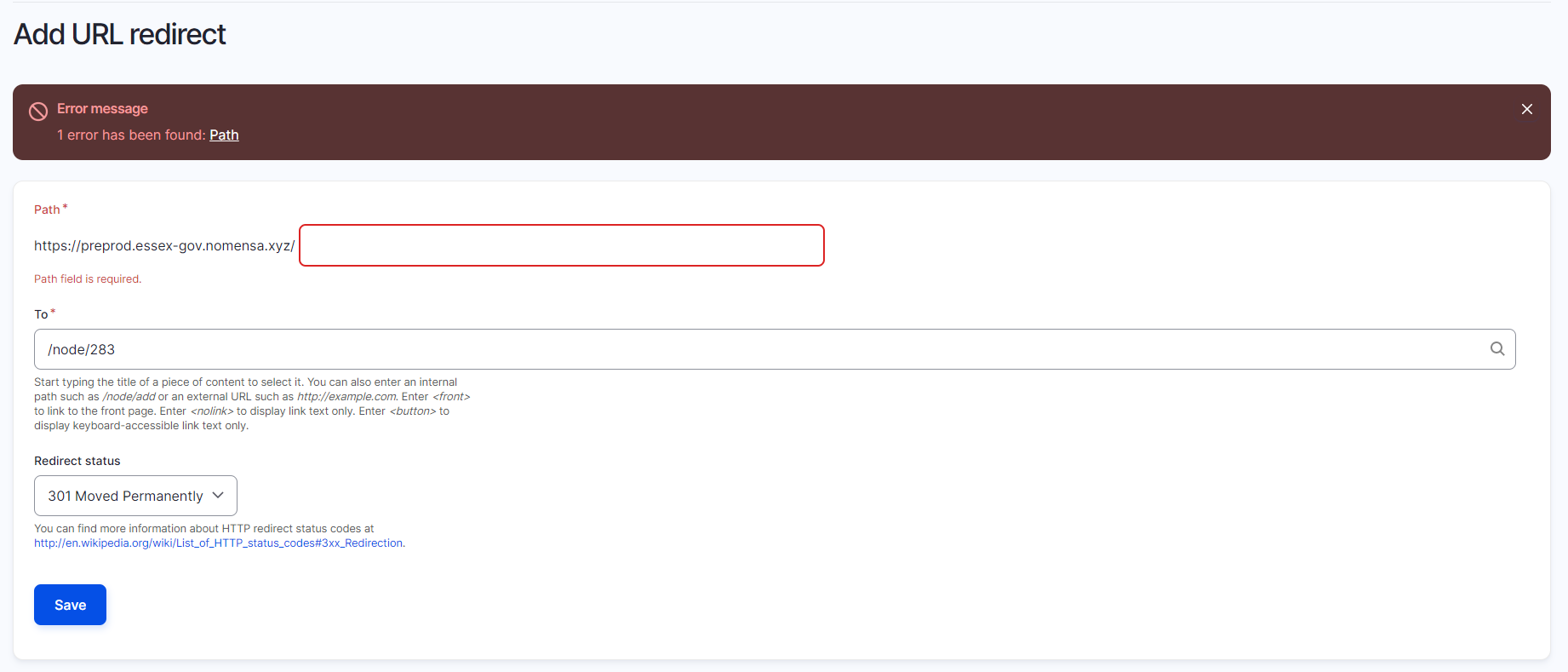
~Is this something anyone else has observed?~
This is likely a separate issue which I've separated out for clarity in #551.
This came up again for us, this time to do with links to then page being unpublished still being present, as internal links can get changed to reference the node/number directly and are then altered to appear aliased. Once the page was archived these gave a 403 error and had to be manually updated.
@willguv I think this is a good candiate to take to content group to find simmilar experinces. And then take to backlog group so we can map out an approach to handle this. BHCC experince suggests this could be a large common problem as sites get a lot of content.
Agreed, this would be a good thing to bring to content then backlog! I've moved up to the top of the product backlog list, I considered bringing it up last week but it would have been rushed at the end.

Andy: Doesn't want this to be a dev task
Spec and estimate this?
What we need is some sort of archive and redirect which would:
Archive the page Remove the url alias (but remember it so it can be restored) Create a redirect entity to the page it is being redirected to.
Ryan, Andy, Keelan report this as an issue
Finn: Will check with the wider Drupal community
[Doesn't cover related use case: news that's old like GOV.UK]
@finnlewis did you identify if this sort of need has been covered by the wider Drupal community? Thanks
Related issue being discussed today, just thought I'd throw it in the mix:
Pages that are still archived are showing up on (e.g.) Service Landing Pages. This is perhaps surprising as it doesn't show what end users will see. Perhaps these should be excluded from showing up? (This does require a distinction between archived pages and pages that are unpublished for other reasons - e.g. drafts). Or they could be marked as archived at least.
PG today
We think this is potentially easy, so could be done first:
Archive the page
- Remove the url alias (but remember it so it can be restored)
- Create a redirect entity to the page it is being redirected to.
- When restoring a page from archive
This part is harder (and rarer) so could be left until later
- Fetch the stored url alias
- Remove the redirect entity
- Reset the path alias on the restored node
@stephen-cox let's confirm this and estimate
In the meantime @andybroomfield will raise with the TG
It should easy enough to hook into the saving of an entity, check whether it's being archived and has a path alias, if so remove the alias and create a redirect. The bit that needs thinking about is adding the URL that archived page should redirect to. One way would be to have a 'redirect URL` field appear when changing the state of a node to 'Archived'. When a path is entered into this the old path is removed and a redirect is created. If it's left empty the node is archived as usual.
The harder part is saving this information and then having some way of restoring it. To reverse the archive changes we'll need to create an entity to store the node ID, the original alias and the created redirect. If an archived page is then restored, the redirect can be removed and the page alias restored. We would probably need a confirmation screen before doing this and then a way to handle errors where the redirect has been removed and/or the path alias as been used by another piece of content.
Having an entity that records this information would also allow a view of all the archived and redirected content with an action to restore it.
How does that sound @willguv @andybroomfield?

This sounds like a good approach. It could work like the review date module, adding a field once the status is being set to archive that allows for a url to redirect to. That won't work on views bulk operations but thats a different issue.
This has come up again at BHCC as part of our content restructure. It truly is a pain point. Is there any aggreement on the direction as I might try and pick this up.