

 localgovdrupal
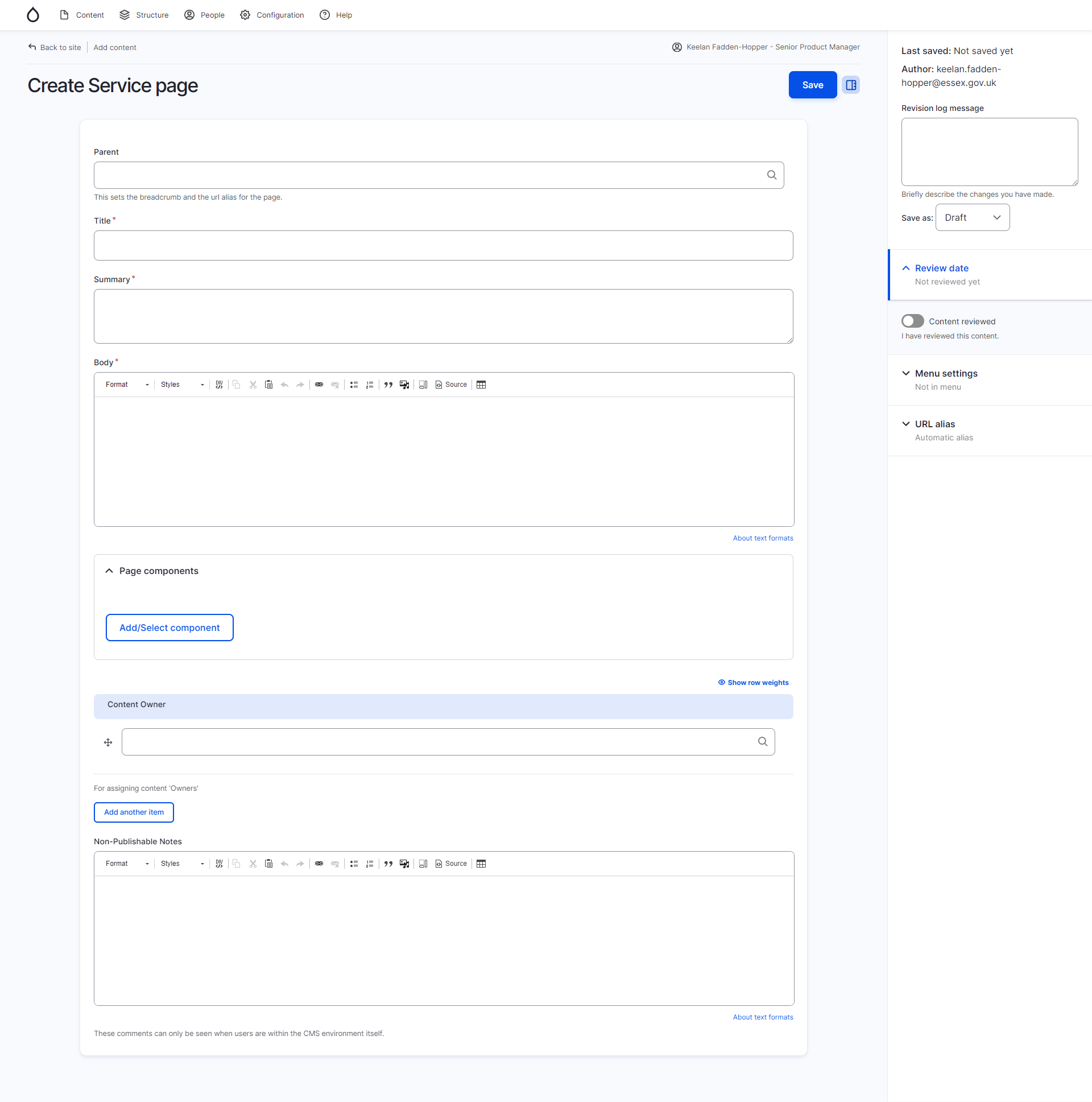
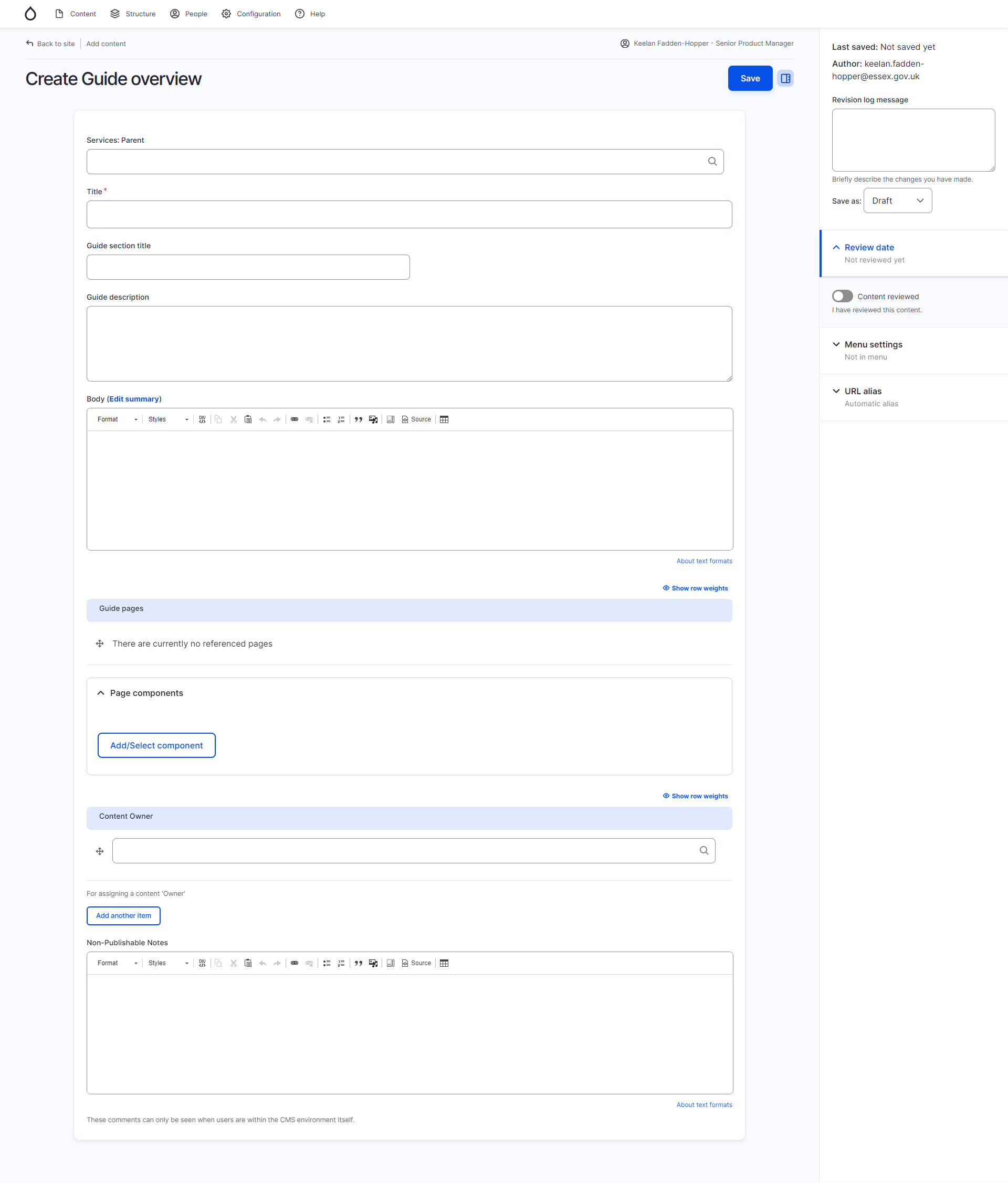
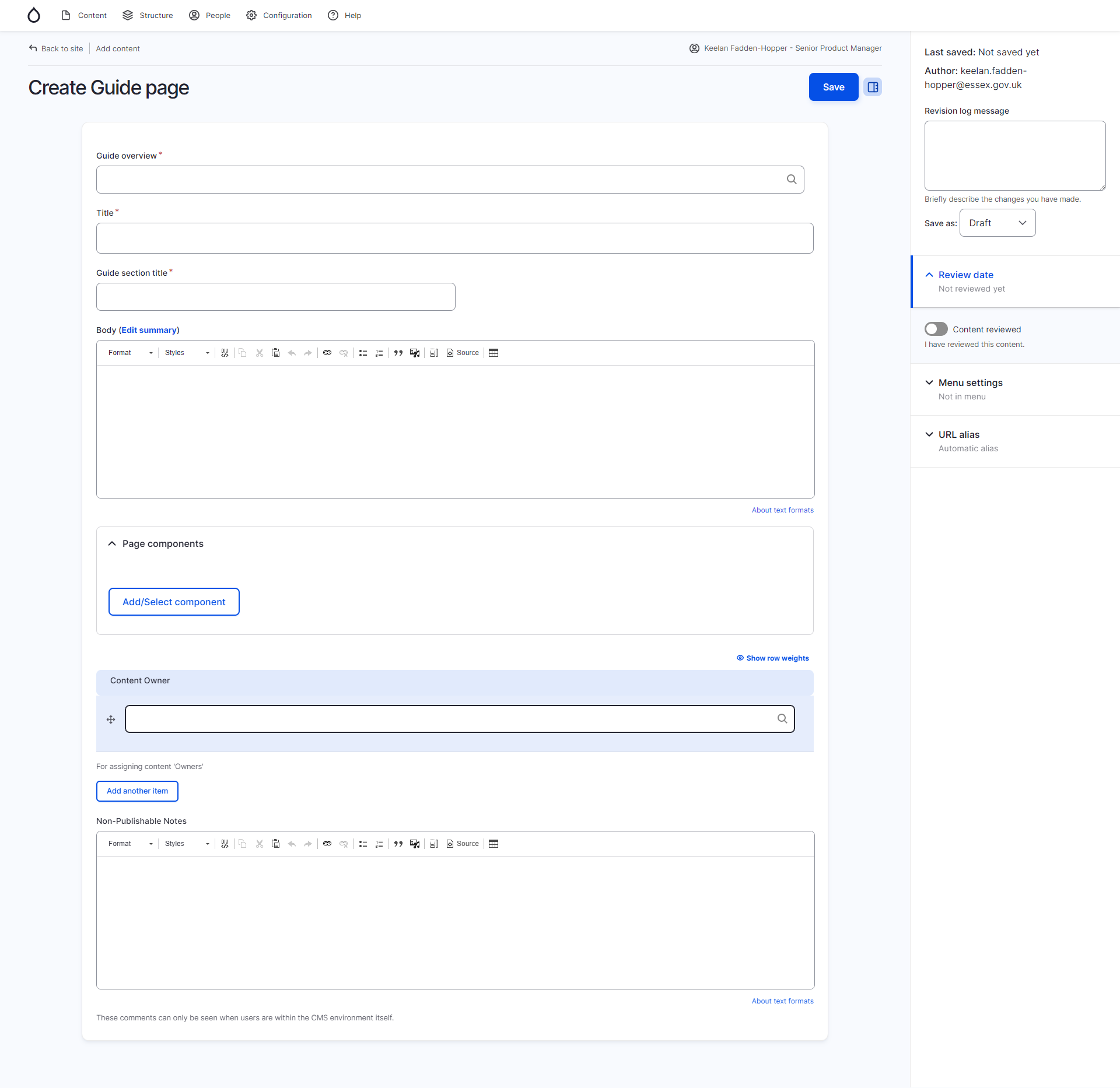
Standardised parent field labelling and order
In the content editor forms, there are often the same or similar fields for different content types. But these don't always appear in the same order, which could be confusing for content editors as they switch between editing different content types.
For example,
- "Parent" is the first field on Service page
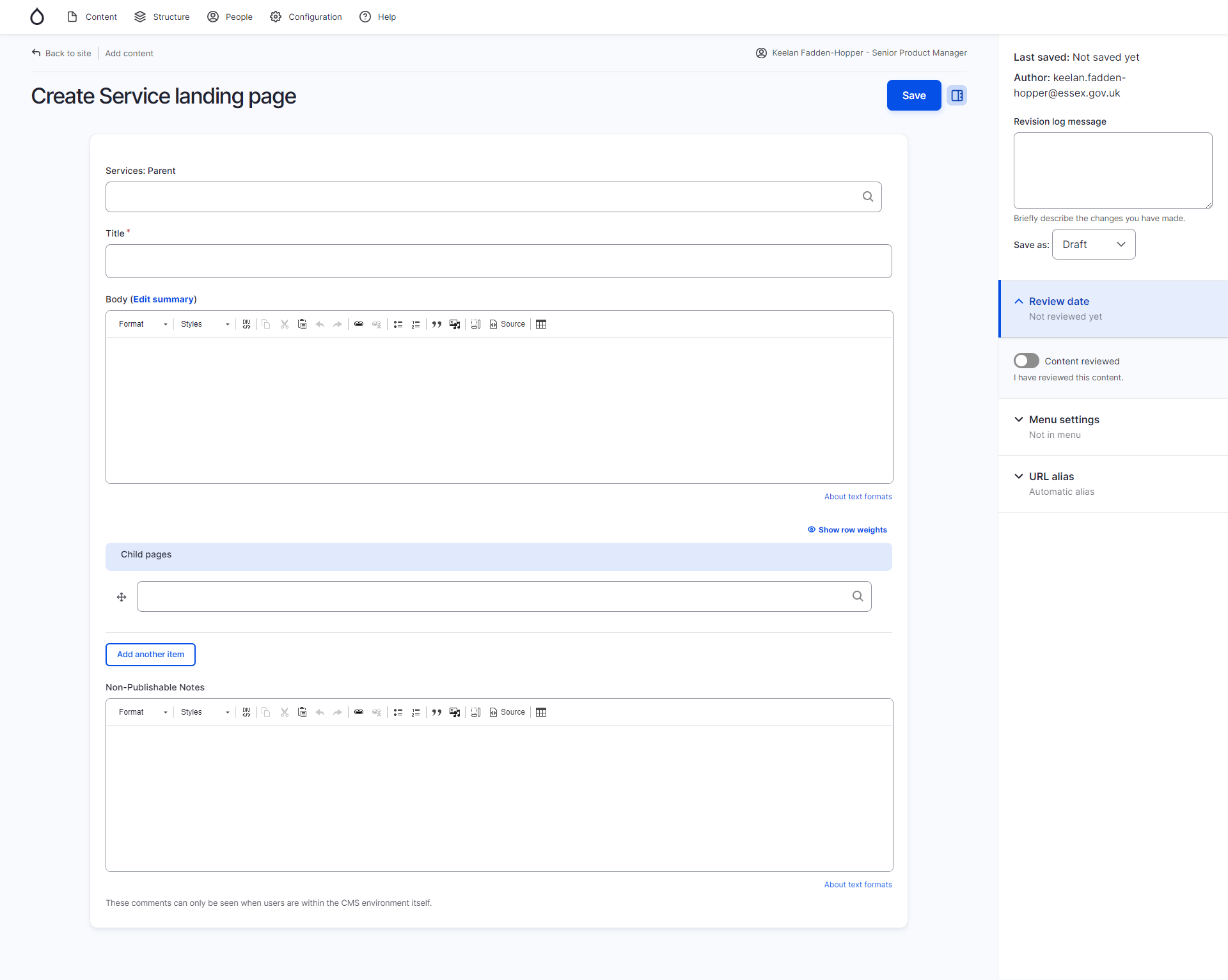
- "Services: Parent" is the last field on Service landing page
- "Guide overview" (effectively also a parent relationship) is in the middle of Guide page
We've made some changes to this in our install to make it more logical. I'm happy to create some PRs for changes to default config when I get the chance, but I can't just use the config from our install, as we've added and taken away some things from our installation. So it would take me a bit of time.
We could also look at making the terminology (and also the autocomplete/dropdowns) more consistent.
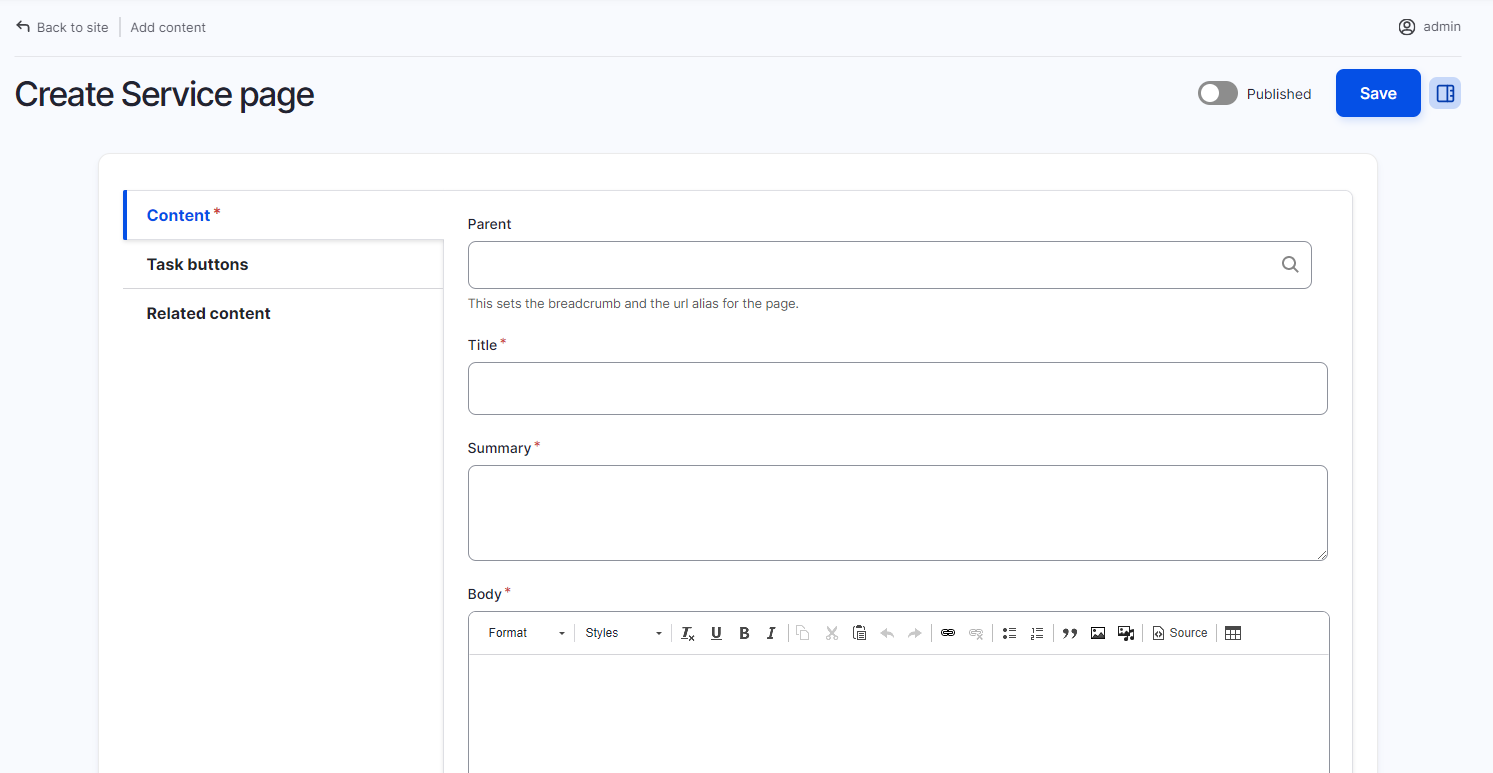
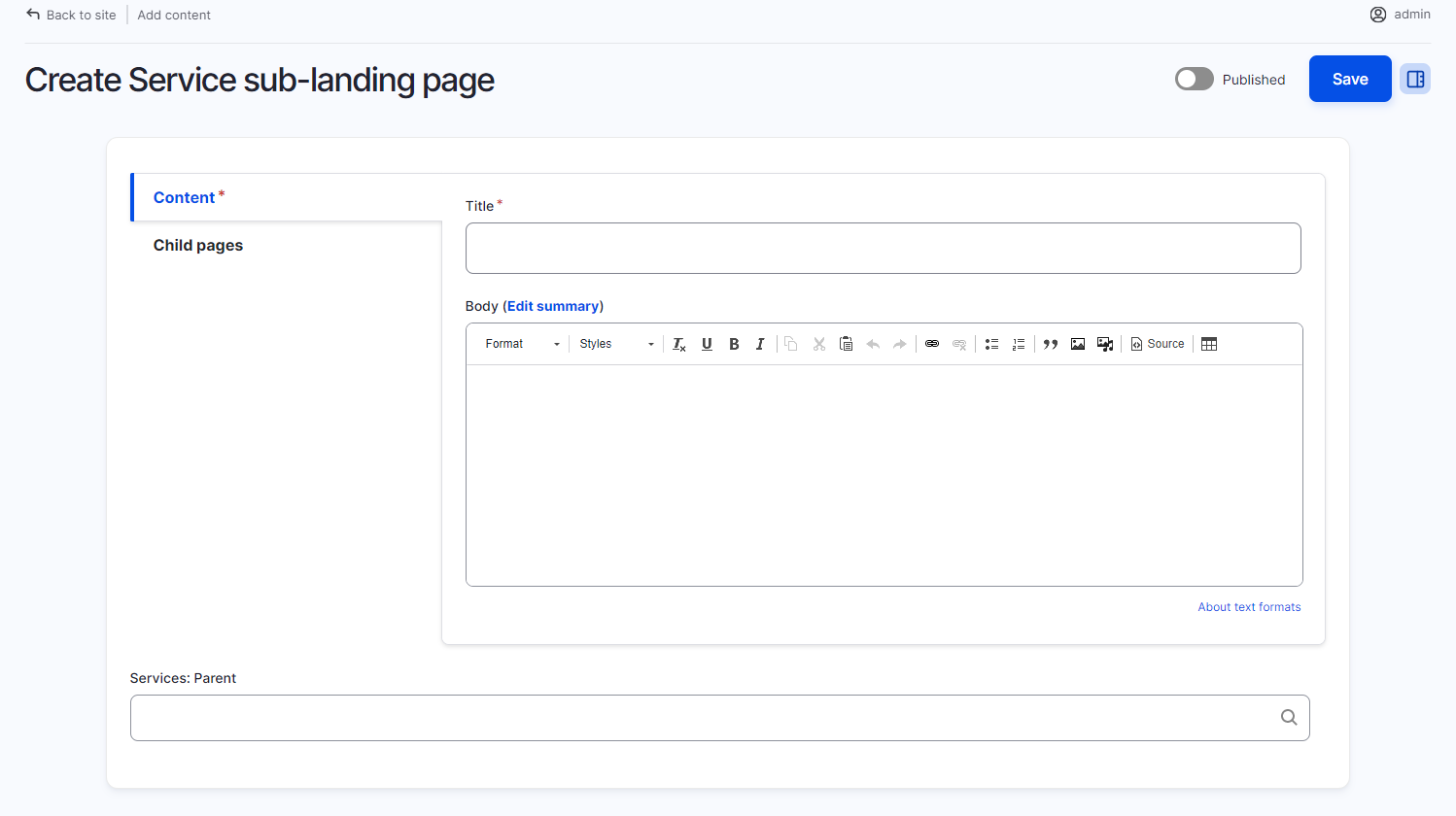
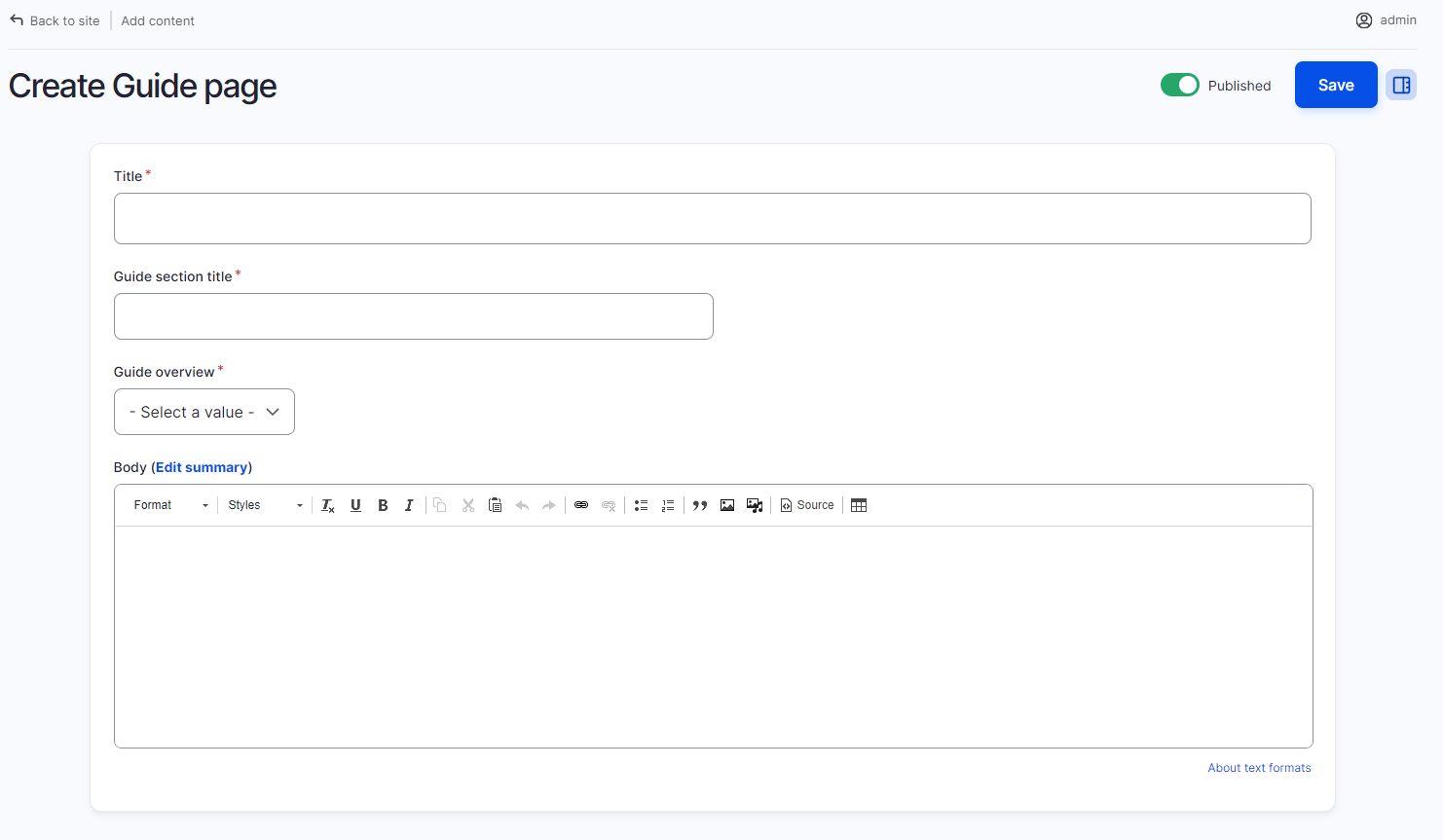


Screenshots of what we have in Essex for now on the ones we've changed:
Service landing page
Service page
Guide overview
Guide page
@keelanfh am going to content group on 25th to raise this and similar issues - you're very welcome to come or I'll report back. DM if you'd like an invite

BHCC Standadised the first details group / tab to be
- parent (This is added to all content types unless they are explicit children of something like guide / step by step page)
- Title
- Summary
- Body
And nearly always call this group 'Description' (a few a calling it content, as its still using the body field).
For the details group / tabs, we changed the switch between then to 1138px, so narrow viewports use detail dropdowns between the sections instead of vertical tabs.

Thanks @andybroomfield it's great to hear about these improvements
Could you post a screenshot of the detail dropdowns? Would be good to share with content group, see what they think
Narrow viewport (with details dropdowns)
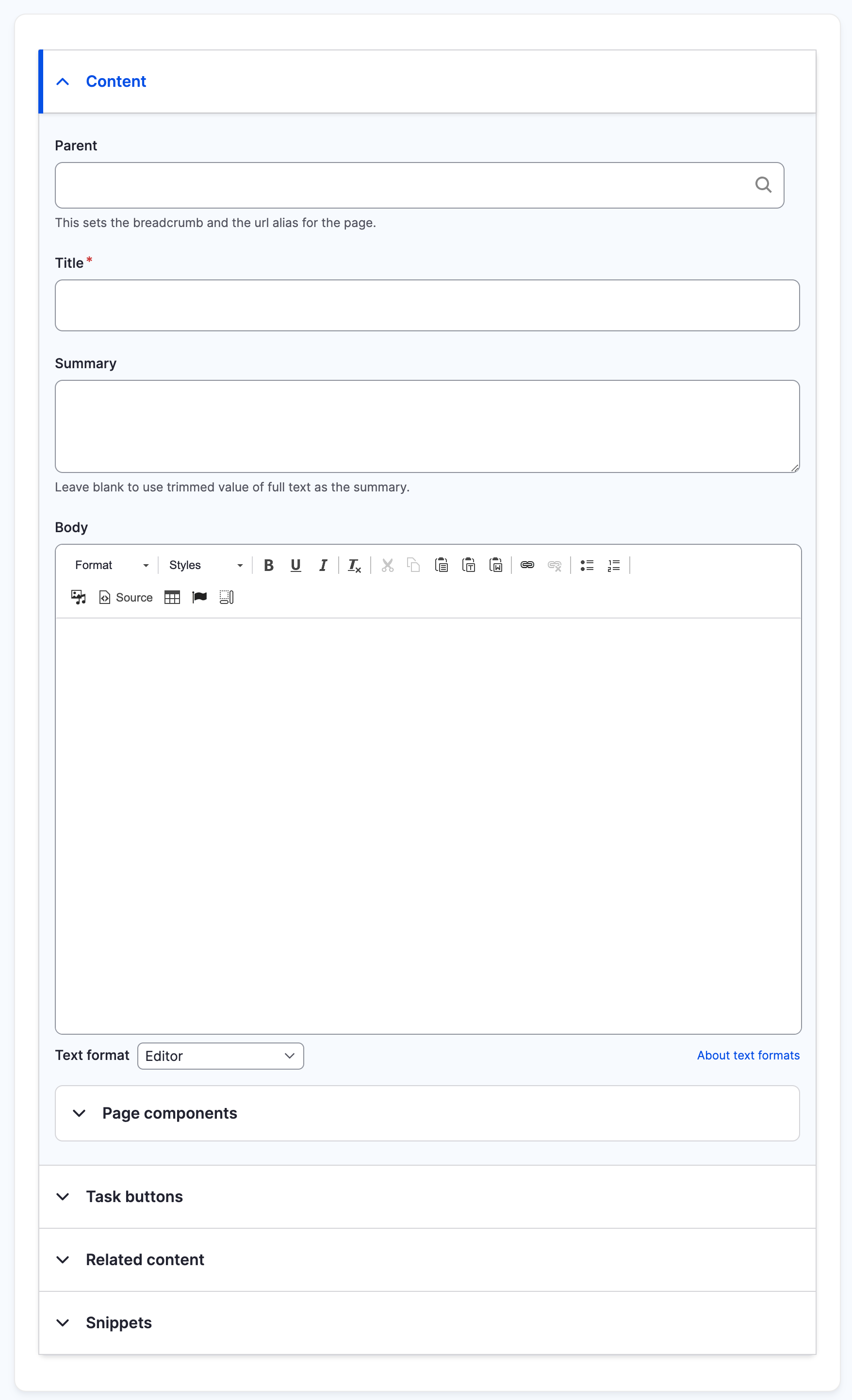
Wide viewport (with vertical tabs)
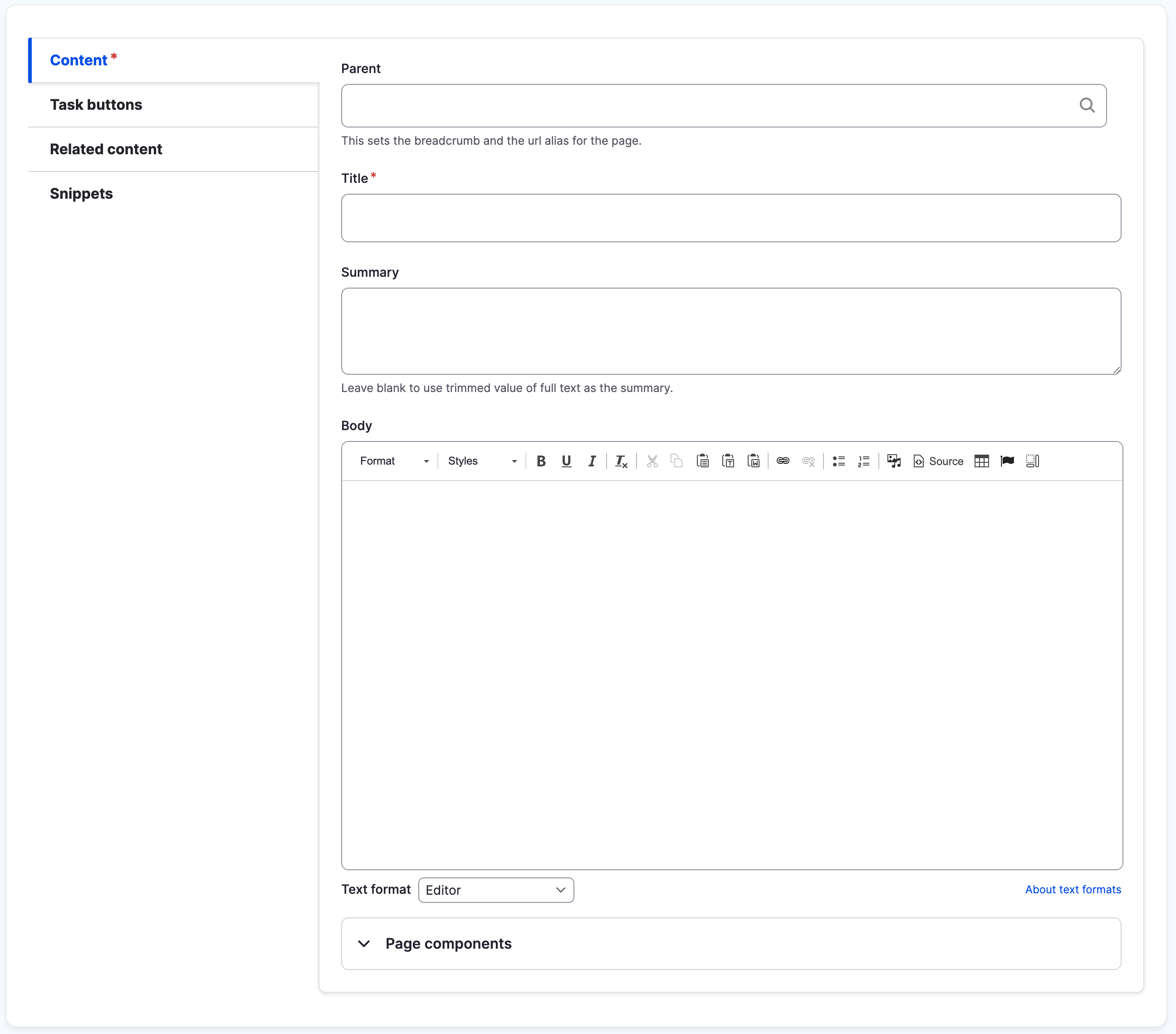
@stephen-cox I discussed this with the content group on 25 April and here's what we think.
For the following content formats:
- directory channel
- guide overview
- step by step overview
- service page
- service sub-landing page
Can you change the following?
- the parent field needs to be first
- the field should be labelled "parent page"
- it's type should be a lookup not a drop down menu
On guide overview:
- the "guide overview" field should be first and a lookup type, not drop down menu
On step by step overview"
- the "step by step overview" field should be first and a lookup type, not drop down menu
Hope this is OK!
I've created issues for this in all the repos that need changing:
- https://github.com/localgovdrupal/localgov_directories/issues/283
- https://github.com/localgovdrupal/localgov_guides/issues/109
- https://github.com/localgovdrupal/localgov_step_by_step/issues/74
- https://github.com/localgovdrupal/localgov_services/issues/207

How to get this
- All new LGD sites will get this update automatically
- If you have an existing site, it's best to ask your dev to make these changes (they're simple and won't take long) and then export the config files so they're not overwritten in the future
- If you have admin permissions and can see the "Structure" menu in the nav, you can make these changes yourself. Be careful as deleting any fields will delete all the content associated with it!
First, go to Structure > Content types > the type you want to change (eg Guide overview) > Manage fields
Scroll down to the parent field (it's called a few different names) and click "Edit"
Change the label to "Parent page" then Save (button at the bottom)
Second, go to Structure > Content types > the type you want to change (eg Guide overview) > Manage form display
Scroll down to parent field, then click and hold on the arrow icon
Drag the field to the top. This can be a little fiddly. Also be careful not to make other fields a child of this one, or vice versa
Remember to save your changes when done. Then visit an example of the content type you've changed to check it works OK
You should then export the config, and a dev is best placed to do this. If you'd like to learn more, read Drupal's config management section
Hi @stephen-cox looks like there's a problem with Step by Step overview and Guide Overview parent fields
- the label is wrong (should say "Parent page")
- they're in the wrong place (they're at the bottom when they should be at the top)
See https://product.localgovdrupal.org/node/22/edit and https://product.localgovdrupal.org/node/6/edit
Same problem on the demo site - see https://demo.localgovdrupal.org/node/29/edit and https://demo.localgovdrupal.org/node/66/edit
Thanks
Re-opening so we can agree what the different parent pages should be called.
Content types and their parents
For reference, I'm listing all the different content types and their different parents.
Directory channel
No parents
Directory page, promo page and venue
Directory channels => parent directory channel
Events
No parents
Guide overview
Services: Parent => Services landing or sub-landing page
There's a PR to rename 'Services: Parent' to 'Parent page'.
Guide page
Parent page => Guide overview
Newsroom
No parents
News article
Newsroom => Newsroom
Services landing page
No parents
Service sub-landing page
Parent page => Services landing page
Service page
Parent page => Services landing or sub-landing page
Service status
Parent page => Services landing
Step by step overview
Services: Parent => Services landing or sub-landing page
There's a PR to rename 'Services: Parent' to 'Parent page'.
Step by step page
Parent page => Step by step overview
Subsite overview
No parents are the moment, but there's a PR for:
Parent page => Services landing or sub-landing page
Subsite page
Parent => Subsite overview or subsite page
I've visited all the pages above and think they fall into two types:
- Content types with service parents
- Content types with related parents (eg Guide page has a Guide overview parent)
So I think we need to establish conventions
- Parent fields are always the first field on the first tab of the content type
- The field labels are "[type] parent page", so "Service parent page", "Guide parent page" "Step by step parent page"
- The info under the field makes the relationship clear eg
"The Guide overview this page is part of" "The Step by step overview this page is part of" "This sets the breadcrumb and url of the page"
Thanks @willguv - I think that sounds fine, so will amend / create PRs for these changes.