
litmus
 litmus copied to clipboard
 litmuschaos
Chaos Center Edit Schedule Cached?
What happened: When I edit a workflow schedule, I always get presented the same workflow I had modified a few days ago
What you expected to happen: When I choose a workflow to edit schedule, the YAML and workflow details should match the one I chose.
How to reproduce it (as minimally and precisely as possible): I'm not sure how to reproduce this
Anything else we need to know?: The only workaround I have is to login to chaos center in incognito window, but can only change schedule to one workflow otherwise, the same behavior occurs as described above.
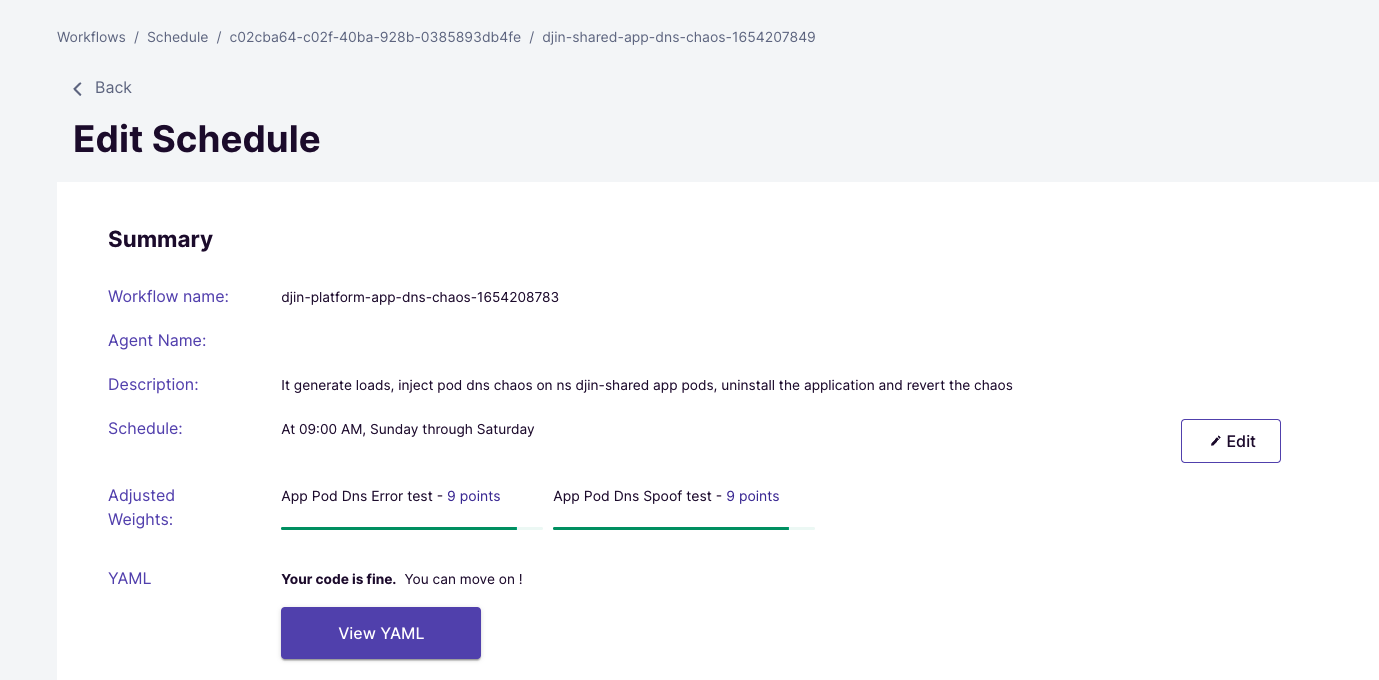
In the photo below, you see the workflow details shows djin-platform-app-dns-chaos not matching up to the workflow I chose djin-shared-app-dns-chaos

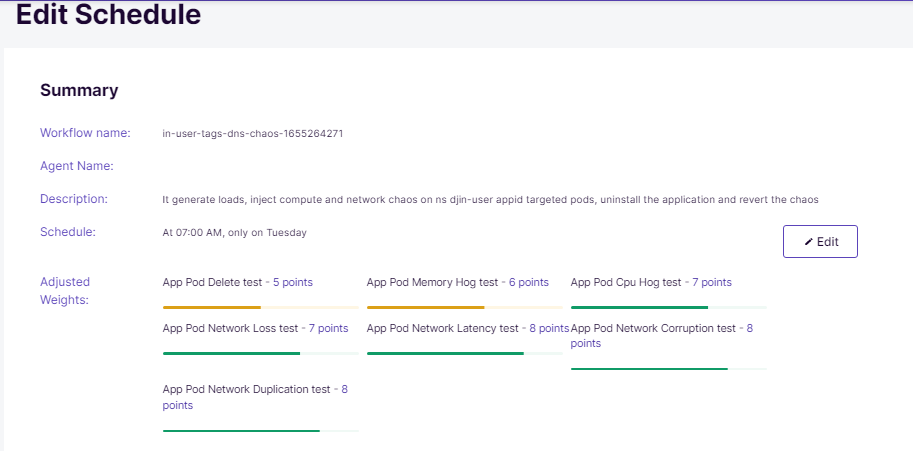
I am also working with Crystal on this. We notice the same behavior if we change "Schedule". eg. The schedule has been modified to "every Tuesday at 9 AM". It shows fine when we "Edit Schedule", but when we see "Show Schedule", it shows a different one.
Edit Schedule:
Show Schedule:


