

 linuxserver
Reverse Proxy with Apache2 several wrong Endpoints
Hello dear community,
I would like to use Heimdall with Apache2 Reverse Proxy as sub path and do create following configuration in it:
#Heimdall
Redirect 301 "/heimdallExternal" "/heimdallExternal/"
	<Location /heimdallExternal/>
		ProxyPreserveHost On
		ProxyPass http://localhost:9012/ retry=0 timeout=5
		ProxyPassReverse http://localhost:9012/
		RequestHeader set Connection ""
		RequestHeader set x-forwarded-proto "https"
	</Location>
My docker compose file:
version: "3.6"

services:
  heimdallExternal:
    image: lscr.io/linuxserver/heimdall
    container_name: heimdallExternal
    environment:
      - PUID=${PUID}
      - PGID=${PGID}
      - TZ=${TZ}
    volumes:
      - ${WORKINGDIR}/docker/heimdallExternal/:/config
    ports:
      - 9012:80
    restart: unless-stopped
I did update ..www/.env so that my hostname with sub path are configured:
APP_NAME=Heimdall
APP_ENV=local
APP_KEY=base64:xxxx
APP_DEBUG=false
APP_URL=https://DOMAIN/heimdallExternal

...
After that I'm able to use Heimdall under https://DOMAIN/heimdallExternal/.
Unfortunately it has few issues:
1. Wrong Redirect after login
- Crete user and protect it with password
- Visit
https://DOMAIN/heimdallExternal/and see Login page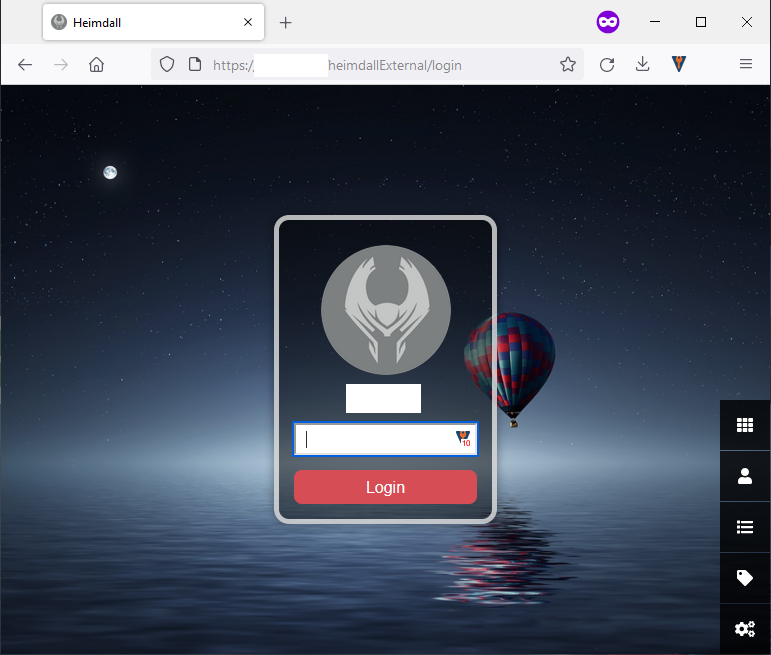
- Enter password and Hit enter --> See an error page or wrong Page not Heimdall any more.
- Open Network inspector and see correct POST request.
- After it comes GET with wrong answer in header
location: https://DOMAINinstead oflocation: https://DOMAIN/heimdallExternal/
- Workaround - visit again
https://DOMAIN/heimdallExternal/.
2. SOLVED - Wrong Link by editing Order
- Visit
https://DOMAIN/heimdallExternal/and change order of TABs - Save and see that after page reloading nothing saved and defaults (initial) state been shown
- Root Cause:
- Order Endpoint ignores Settings, instead doing POST on
https://DOMAIN/heimdallExternal/orderit does on endpoint without/between sub path andorderendpoint:https://DOMAIN/heimdallExternalorder. - Even more it ignores
APP_URLconfiguration from.envand expect POST onhttp://localhost:9012/orderinstead ofhttp://localhost:9012/heimdallExternal/order
- Order Endpoint ignores Settings, instead doing POST on
- Workaround - add rewrite rule to the Apache2 Server:
# You have to merge "order" and your sub path to "subPathorder"
	<Location /heimdallExternalorder>
		ProxyPreserveHost On
		ProxyPass http://localhost:9012/order retry=0 timeout=5
		ProxyPassReverse http://localhost:9012/order
		RequestHeader set Connection ""
		RequestHeader set x-forwarded-proto "https"
	</Location>
3. SOLVED - Background Image wrong URL
- Visit
https://DOMAIN/heimdallExternal/and change your background Image - Standard image will be shown
- Root Cause:
- Image Endpoint ignores Settings, instead of doing GET on
https://DOMAIN/heimdallExternal/storage/...it does on endpoint endpoint:https://DOMAIN/storage/....
- Image Endpoint ignores Settings, instead of doing GET on
- Workaround - add rewrite rule to the Apache2 Server:
	<Location /storage/>
		ProxyPreserveHost On
		ProxyPass http://localhost:9012/storage/ retry=0 timeout=5
		ProxyPassReverse http://localhost:9012/storage/
		RequestHeader set Connection ""
		RequestHeader set x-forwarded-proto "https"
	</Location>
4. SOLVED - Wrong link by editing Pins
- Visit
https://DOMAIN/heimdallExternal/and change your pins on the left panel - Nothing will happens
- Root Cause:
- Endpoint ignores Settings, instead of doing GET on
https://DOMAIN/heimdallExternal/items/...it does on endpoint endpoint:https://DOMAIN/heimdallExternalitems/....
- Endpoint ignores Settings, instead of doing GET on
- Workaround - add rewrite rule to the Apache2 Server:
	<Location /heimdallExternalitems/>
		ProxyPreserveHost On
		ProxyPass http://localhost:9012/items/ retry=0 timeout=5
		ProxyPassReverse http://localhost:9012/items/
		RequestHeader set Connection ""
		RequestHeader set x-forwarded-proto "https"
	</Location>

I have a similar setup to you and experience some of your issues.
# Config for Heimdall in Apache2
<Location /home>
  ProxyPass http://localhost:8001
  ProxyPassReverse /home
  RequestHeader set X-Forwarded-Proto "https"
</Location>
I fixed your issues 2, 3, 4 by adding a / add the end of the APP_URL value, i.e. APP_URL=https://my.domain/home/. However, I'm still experiencing the wrong redirect after login.
In addition, the autofill features with the "Application Type" and "Website" buttons in /items/create don't work when going through the proxy.

Thats cool, thanks! Than we can close 2,3,4. Only 1 is remaining 😄
I would also suggest to replace APP_URL=https://FQDN/blabla with something like APP_URL="${VARIABLE_APP_URL}" to make it configurable in .env file.
BUG#1 remain still. It lead me back to localhost after login, while heimdall was on a remote server.😂

This issue has been automatically marked as stale because it has not had recent activity. This might be due to missing feedback from OP. It will be closed if no further activity occurs. Thank you for your contributions.
![github-actions[bot] avatar](https://avatars.githubusercontent.com/in/15368?v=4 "Published by a pub.dev verified publisher")
This issue has been automatically marked as stale because it has not had recent activity. This might be due to missing feedback from OP. It will be closed if no further activity occurs. Thank you for your contributions.

same problem with Traefik, after login app doesnt follow APP_URL and goes to root. And im also for "APP_URL" environment variable docker deployment. Everything else working

This issue has been automatically marked as stale because it has not had recent activity. This might be due to missing feedback from OP. It will be closed if no further activity occurs. Thank you for your contributions.
This issue has been automatically marked as stale because it has not had recent activity. This might be due to missing feedback from OP. It will be closed if no further activity occurs. Thank you for your contributions.

No one within our team uses Apache for reverse proxy, we focus on using nginx and our SWAG solution.

It is ok, nginx and apache2 are quite similar, there is only configuration way is different. Nevertheless, problem is not in apache2, but problem is in Heimdall itself, it is not correctly supports subpath - redirect to the wrong place, resources from the root, etc. from the list above. If you can provide here nginx configuration for subpath, that will work and cover all points from above, I can simply map it to the apache2. But as I sad, it is not apache2 issue.
Last I checked, due to it being based on laravel, it doesn't like working in subfolders. We have a subfolder conf for SWAG but it looks like it's only designed to be used when wanting heimdall on the root of the domain. https://github.com/linuxserver/reverse-proxy-confs/blob/master/heimdall.subfolder.conf.sample
This issue has been automatically marked as stale because it has not had recent activity. This might be due to missing feedback from OP. It will be closed if no further activity occurs. Thank you for your contributions.
As ticket was closed, but I found solution to simply remove all staff by Apache itself.
My URL is https://<DOMAIN>/heimdallExternal/.
Docker runned on the same system under 'http://localhost:9012/'.
You need 2 Apache Modules mod_substitute and mod_filter
Apache config:
Redirect 301 "/heimdallExternal" "/heimdallExternal/"
	<Location /heimdallExternal/>
		ProxyPass http://localhost:9012/ retry=0 timeout=5
		ProxyPassReverse http://localhost:9012/
		RequestHeader set Connection ""

		AddOutputFilterByType SUBSTITUTE text/html text/xml text/javascript application/json
		# We will get Zipped answer, so we need unpack, substitute and pack back.
		SetOutputFilter INFLATE;SUBSTITUTE;DEFLATE
		Substitute "s|http://localhost:9012|https://<DOMAIN>/heimdallExternal|i"
	</Location>
Heimdall config ..www/.env (usually you do not need to update):
APP_NAME=Heimdall
APP_ENV=local
APP_KEY=base64:xxxx
APP_DEBUG=false
APP_URL=http://localhost:9012