linode-cli
 linode-cli copied to clipboard
 linode
Autocompletion zsh
Hey guys I installed linode-cli on my ubuntu zsh shell computer, but i didint get autocompletion. How to configure it, or where can i find autocompletion script. I cannot find it in /etc/bash_completion.d

Thanks for the report. I'll look into this - it's supposed to ship with the CLI.

It looks like it installs it under a site-packages directory:
macos$ mdfind 'name:linode-cli.sh'
/usr/local/lib/python3.8/site-packages/etc/bash_completion.d/linode-cli.sh
A convention I have seen is adding a completion sub-command that can be used to retrieve the completion files:
# Example only; does not work.
$ linode-cli completion zsh > ~/.zsh/functions/_linode-cli
$ linode-cli completion bash > ~/.bash/completion.d/linode-cli

Would having a way to retrieve the completions from the CLI be enough, or should the package install them somewhere more useful?
I would, as a multi-os admin, prefer that the pip3 install command not install them someplace.
If linode-cli is wrapped in a package (.rpm, .deb, formula, etc.) then it can take advantage of OS specific features to know where to install the completion files correctly and to depend on completion frameworks (e.g. RedHat's bash-completion package).
But python's pip/setup doesn't have a mechanism for correctly installing completion scripts for a given platform (that I know of).
TL;DR
Would having a way to retrieve the completions from the CLI be enough?
Yes
Sorry it took so long for me to get back to this. This is resolved in https://github.com/linode/linode-cli/pull/217
why it is closed? as far as I know #217 supports only bash. can it be reopened?

You're right, my bad - reopening until support for zsh completions are added.
For those of you who use zsh like myself, while there still doesn't seem to be support for zsh, there is a workaround :)
Generate the standard bash completion file into a file
First, generate the linode-cli bash completion file, you can place it wherever you want, as long as you source it in your zshrc.
In this example, we place it in ~/.zsh_local/completions/linode.sh
mkdir -v ~/.zsh_local/completions
linode-cli completion bash > ~/.zsh_local/completions/linode.sh
Enable and load the bash completion ZSH compatibility library
Now, open up your ~/.zshrc and add the following lines, somewhere in the middle of the file, but after loading any major ZSH plugins like oh-my-zsh. They will import and initialize both the standard ZSH completion system, and the Bash completion backwards compatibility adapter.
I've found that loading the Linode Bash Completion file immediately after loading/initializing the bashcompinit library can cause the completion file to not be properly loaded.
#####
# ZSH Bash completion workaround from Someguy123
# in issue https://github.com/linode/linode-cli/issues/194
#####
# Load and init ZSH Completion library
autoload -U +X compinit
compinit
# Load and init Bash Completion backwards compatibility library
autoload -U +X bashcompinit
bashcompinit
Load the Linode CLI bash completion file
At/near the end of your .zshrc, add the following line to load the Linode CLI bash completion file ~/.zsh_local/completions/linode.sh
# Load the Linode CLI Bash Completion file
source ~/.zsh_local/completions/linode.sh
Reload/restart ZSH and try it out :)
Now, either reload your .zshrc using source .zshrc, or ideally, open up a new terminal tab/window to ensure a fresh shell.
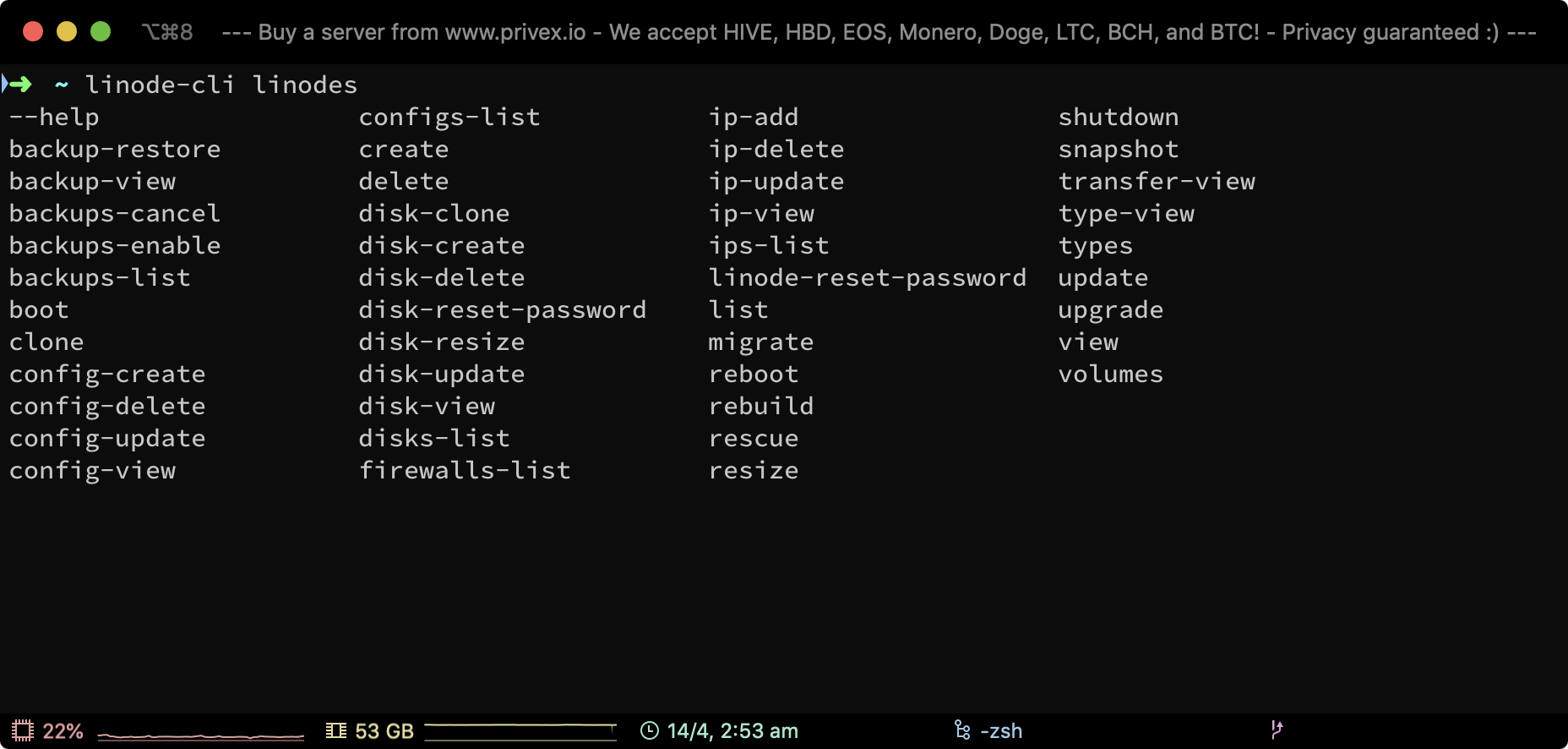
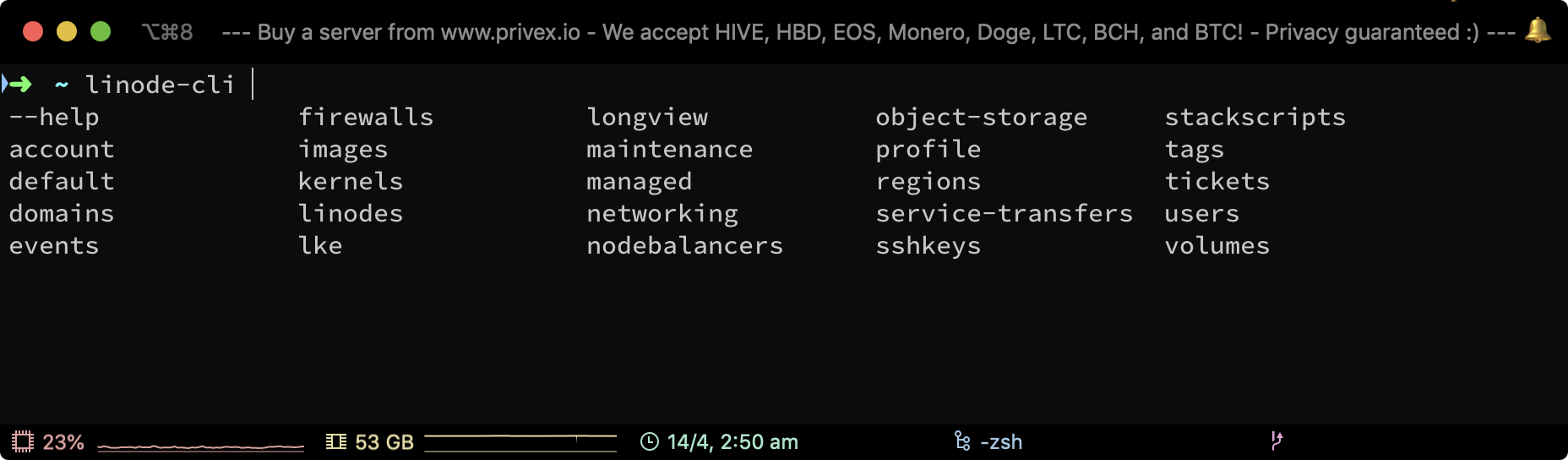
Screenshots showing the completions working in ZSH
Here's my ZSH (with oh-my-zsh) running in iTerm 2 on macOS, with the Linode CLI Bash Completion script loaded using the workaround explained in this comment :)
Example #1 - tab completion after typing linode-cli and then pressing TAB:
Example #2 - tab completion after typing linode-cli linodes and pressing TAB: