

 light-launcher
Shortcut to enable greyscale, or view describing how to do it
We could have a shortcut on top of the AllAppsActivity (or on the bottom) to enable greyscale mode on the phone globally, if it supports it: https://lifehacker.com/make-your-smartphone-less-distracting-by-switching-your-1789747192 & https://lifehacker.com/change-your-screen-to-grayscale-to-combat-phone-addicti-1795821843
This makes the phone much less distracting and helps you use it less.
 (Yes this is an iOS screenshot, but I couldn’t find a good Android one. :)

I have no idea if this is possible from a launcher (@postapczuk will have to chime in on this one) what I do is use the Titles from the status bar. You'll need the paid Tiles app, but you can change monochromacy from the status bar. https://play.google.com/store/apps/details?id=com.rascarlo.quick.settings.tiles&hl=en_AU
Could be a better solution as it might be frustrating having to go back to the launcher every single time, imo it's much easier to just drag down. I don't disable monochromacy very often anyway.
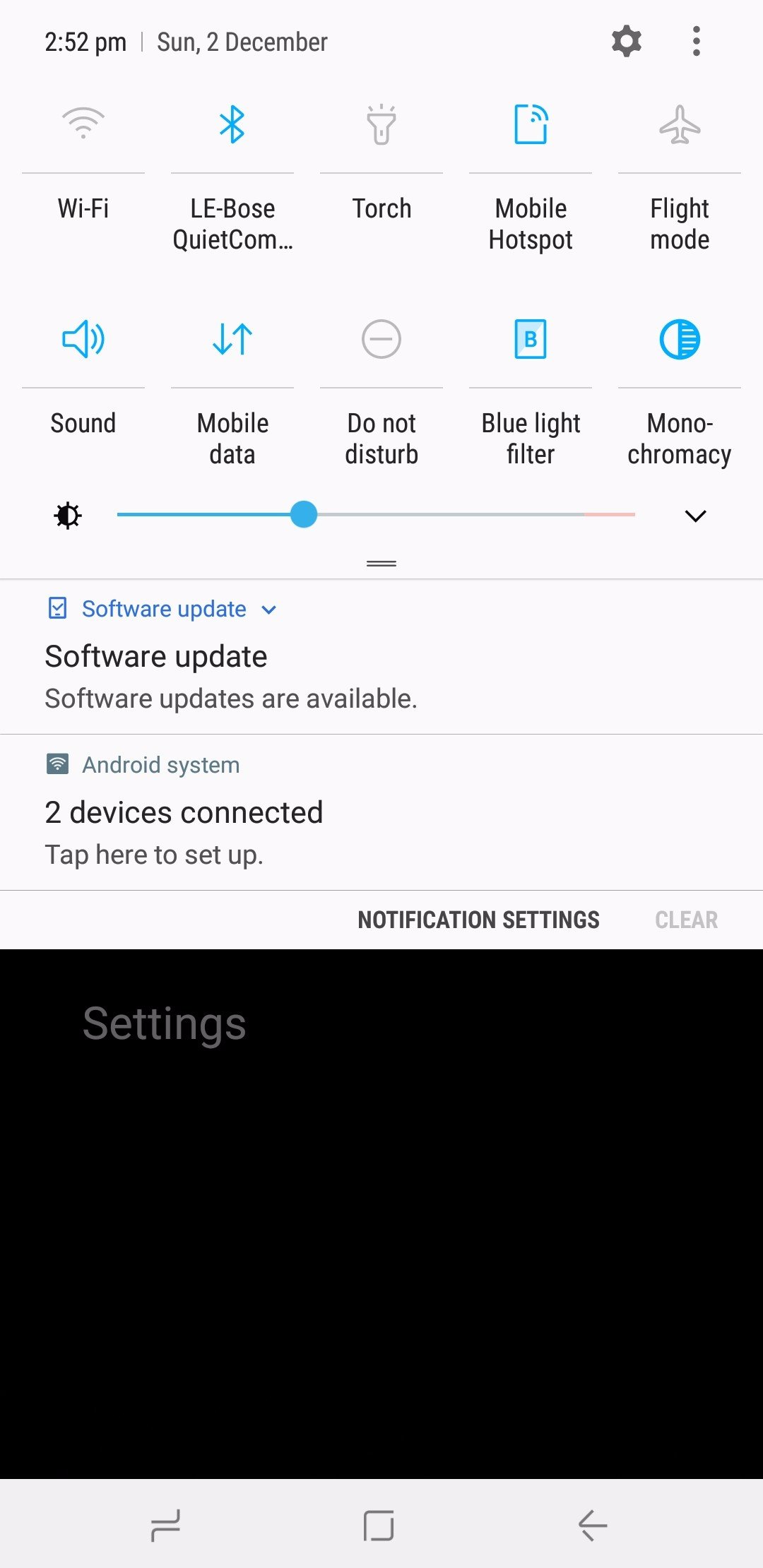 Screenshotting bypasses the monochromacy setting, but it looks black and white usually.

@snug ah, good resource, didn't know that app.
It seems that the app provides this overflow of settings, where we want single specific things. They say:
Tiles makes use of the new Quick Settings Tile API (https://developer.android.com/about/versions/nougat/android-7.0.html#tile_api) to provide new tiles that can be added to Quick Settings to change system settings and take quick actions without leaving the context of the current app.
So we could simply do the same. Then not in the launcher but by adding one tile for monochromacy. (That's better than requiring a separate app just for this little toggle. :)
@snug do you use any other toggles from that app which might be useful for the Light Launcher?
@jancborchardt Only problem is that it requires that you add android.permission.WRITE_SECURE_SETTINGS via adb, so plugging it into a computer and running commands, not a huge issue but might cause some problems.
Otherwise, not many others that would really fit the apps design. I think monochromacy is an important thing to have on a phone though.
Only problem is that it requires that you add android.permission.WRITE_SECURE_SETTINGS via adb, so plugging it into a computer and running commands, not a huge issue but might cause some problems.
Oh wow, that is necessary for all of the switches, also monochromacy? I guess it makes sense as on Android it’s only available in the development settings. But this is too nerdy, we can’t require people to install adb and connect to their computer. :)
Maybe a good first step is just having an entry on the bottom of the all apps view "Switch phone to greyscale" or so, which simply opens a new view with the instructions:
Switch your phone to greyscale for a distraction-less experience:
- Go to Settings → System → About phone (could be linked?)
- Scroll down to Build number and tap on it 7 times until it says "You are a developer!"
- Go back to the previous list and open Developer options
- Scroll down to Hardware accelerated rendering section
- For Simulate color space, chose Monochromacy
Depending on your phone it might slow down performance, so if you have an older model try if it works for you.
Just tested these steps on a Fairphone 2 with Android 8.1 (Lineage) and a Moto G1 with Android 5.1.1 (Cyanogen). Works for both of them, but on the older Moto G1 there is a slight performance impact, which is why I added the note on the bottom.
For reference, there’s also a new app on F-Droid specifically converting the display to greyscale, Monochromatic by @RichyHBM. Source at https://github.com/RichyHBM/Monochromatic
But it basically also needs what @snug wrote:
it requires that you add android.permission.WRITE_SECURE_SETTINGS via adb, so plugging it into a computer and running commands
So I’m not sure if that’s really so easy. The instructions I wrote above at https://github.com/postapczuk/Light-Android-Launcher/issues/16#issuecomment-443722848 work even when you only have your phone, and don’t require you to install anything new.
Hello, as @jancborchardt and @snug mentioned, WRITE_SECURE_SETTINGS is needed to be able to change one of the developer settings that enables the greyscale
