

 libretro
IOS RetroArch app showing a lot more storage used than it really is
Description
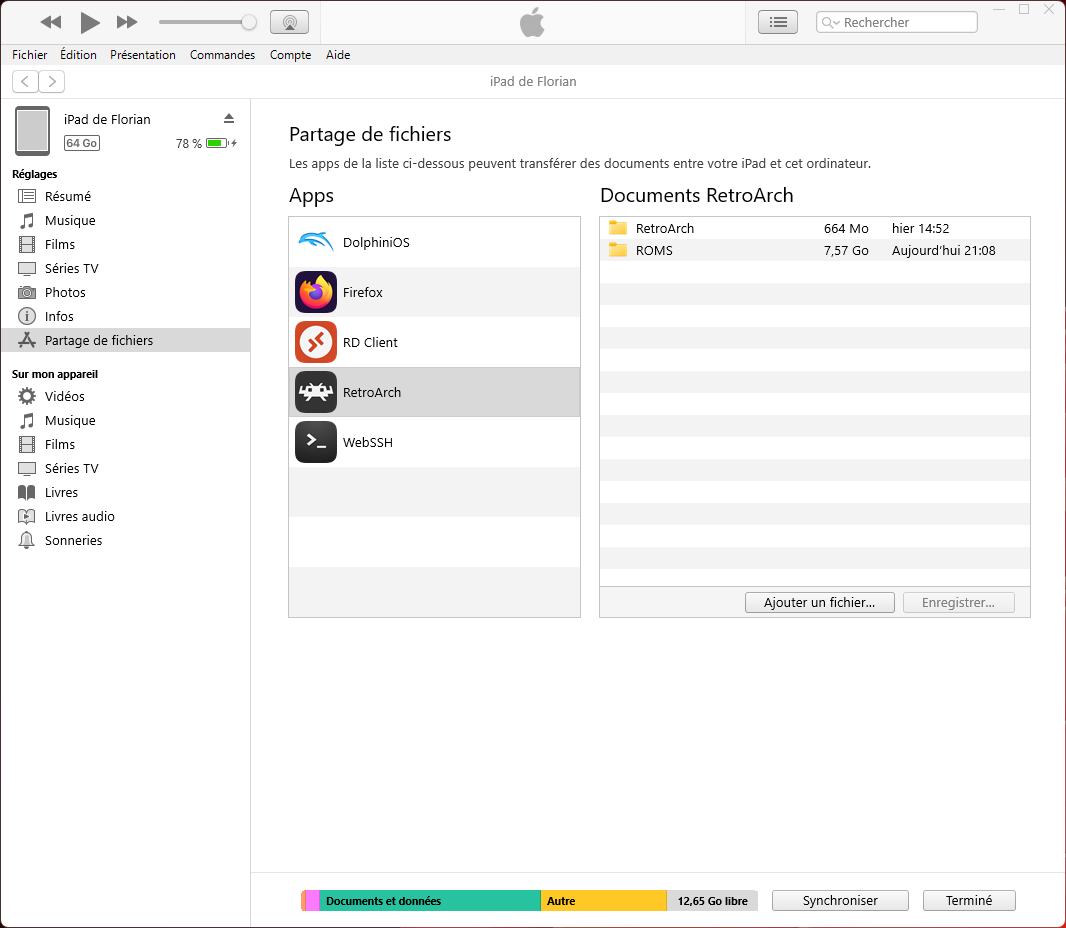
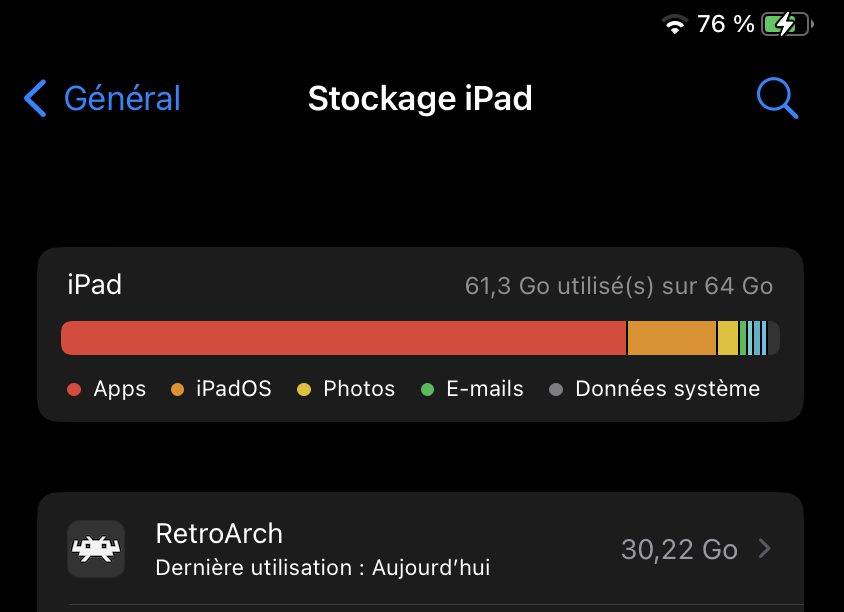
I am new to RetroArch and i use it on IOS on my Ipad mini 6. I just discovered a bug that concerned the storage used on IpadOS. I put my ROMs in RetroArch folder to use them in the app. However, i have 7.57 GB of games only but when i go in IpadOS parameter > General > Storage, Retroarch show more that 30 GB of used space. Moreover, i cannot open to see what are the 30 GB because the parameter app freeze and is unusable after that.
Bisect Results
I don't know how or when it started exactly, but to install RetroArch ipa file with AltStore, i had to reduce the official ipa file size by delete some dylib files in the ipa file, some files concerning emulators cores that i don't need like mame. Because AltStore do not accept more than 300MB ipa file size.
My use of RetroArch is just import content by analize my ROM folder and play directly, i do not change anything else.
Real storage used on my Ipad from Itunes for windows :
False storage used from my parameter app on my Ipad :
System information from RetroArch app :

Version/Commit
- RetroArch: 1.15.0
Environment information
- IpadOS: 16.3.1

I am also seeing this problem with the App Store installation of RetroArch (1.21) on my iPhone 15 Pro.

Mine too. The issue still exists. When you delete ROMs it doesn't decrease the current storage size used by the app. The only workaround to this is to reinstall RetroArch to reset the used storage.
