
RetroArch
 RetroArch copied to clipboard
 libretro
Support for loading content from external USB drive on Android 12
I just recently moved all my games roms & iso to my external SSD that can be connected via USB c cable. So my device storage can get free space. But I'm surprised RetroArch cannot detect the directory the external SSD in. It's not showing up in the list. Please give support for external SSD/hard drive content reading. As with SAF system now, other emulators has already supported this feature.

That sounds like it's not mounted? Are you on windows or linux?
In linux, just connecting the cable sometimes is not enough, depending on where you're using the os. For instance to automount my external hard drive in linux, i had to edit etc/fstab (DONT use the same line as me since your disk is different, this is just a example of options):
UUID=383bf27b-cc74-4cb2-913a-cb4deec5a8cb /media/i3/Mordred ext4 nofail,noatime,x-systemd.device-timeout=1ms 0 2
edit: oh i get what it's going on. You don't have it in the default list on 'open content' right? You can navigate the directory tree or change the default open content 'start directory' directory in the options somewhere. Generally also in linux, mountpoints for external drives appear under a directory named 'media' (after you enter the 'username directory' inside) which appears on that list.

I'm on Android. And I'm pretty sure it's mounted. Because it's detected by file manager. And other emu like Duckstation detected it. And I can play my games this way. But RetroArch not. It's weird. RA just won't detect it .
 The directory for the USB Drive won't show.
Only SD card path detected.
Do I need to edit the path manually in the RetroArch config?
Will it gonna work?
The directory for the USB Drive won't show.
Only SD card path detected.
Do I need to edit the path manually in the RetroArch config?
Will it gonna work?
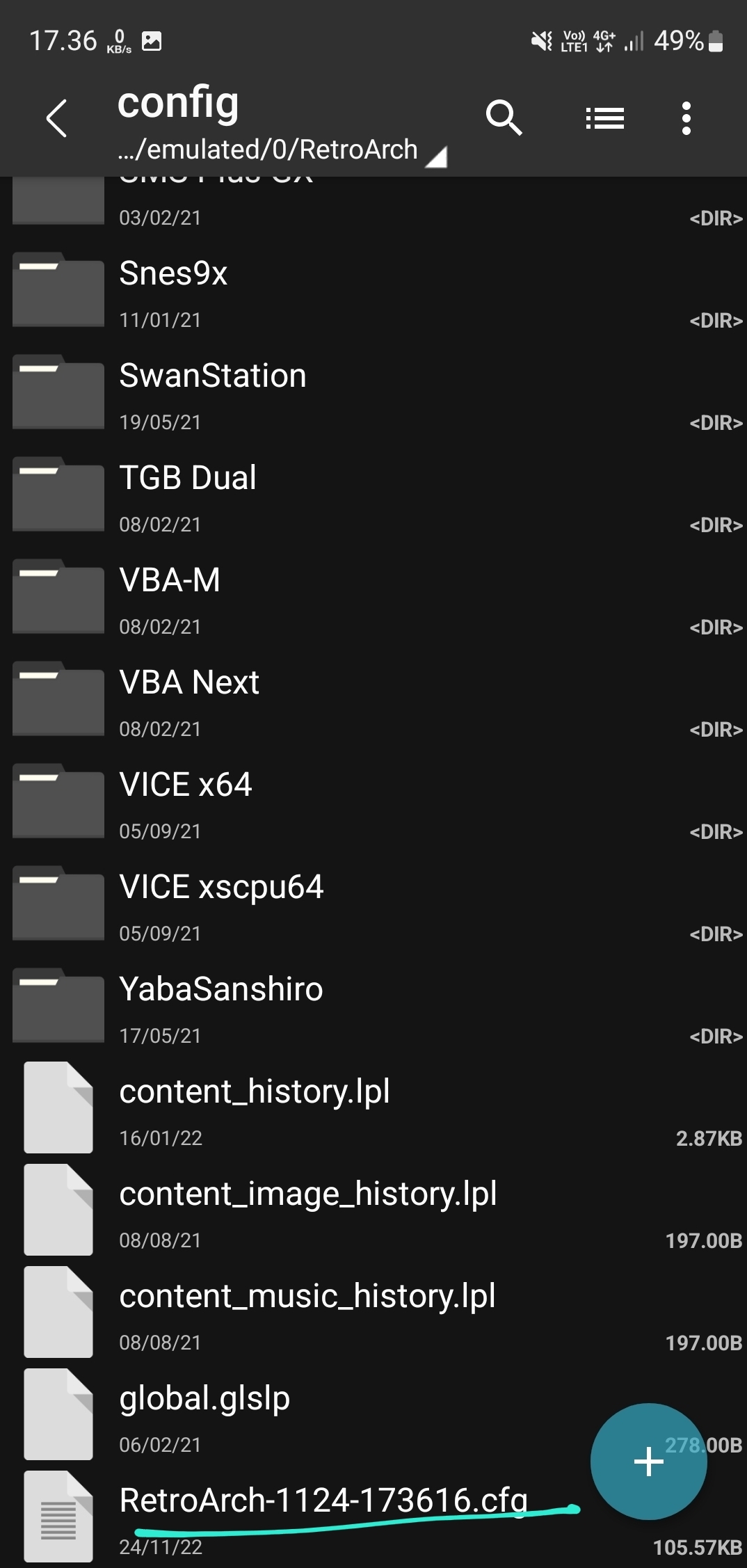
The cfg will do nothing. If it's not visible in the android filechooser it's because the application doesn't have permissions to access it. I assume you can check inside it with the android files app?
Anyway, someone else will have to help you with this because i don't have the knowhow of android.
Yeah, i already reported this on RA GitHub. Isn't that android based on Linux? If Linux could access it? android should be able to implement it also. I hope more developers will look into this issue. It's very important, because next android 13, google will limit storage access even more, unless SAF is implemented in the app.
Retroarch has been part of my arsenal for many years now and with lack of space on these phones having external access would be very nice. I totally understand your app is used for soooo many different things besides phones but cell phones are owned my a massive portion of our population. It would be beneficial if users were able to use retroarch with their external drives. Hopefully this comes out soon. Thanks keep up the good work

Having the same issue with retroarch on Android 13 on a Samsung galaxy s21 with snapdragon 888 cpu. I have an external 2.5 hdd with all my games on it and retro arch sees the drive but says nothing is on it. Everything else like the front ends for retroarch and Android file manager and apps like zeta touch (eduke32 and raze port to play duke3d games) works perfect to see and use the external hdd.
Retro arch works for games located on the phone storage itself. I've tried multiple sd cards of multiple sizes and different formats such as fat32 on a 32gb card, exfat on a 512gb card, fat32 on the 512gb card, ext4 on the 32gb card (phone won't recognize the ext4 format). Nothing works with retroarch.
Pretty disappointing that this hasn't been solved since android 11 came out with its terrible scoped storage protocol, years ago. I sold my rpi 4b 8gb's for this phone (because it can emulate GameCube and wii) with a usb type c hub with HDMI and usb ports plus power delivery, and it doesn't work. Please fix this asap for all us Android phone users.

You shouldn't format your 512 gb to fat32 though. Since it won't let you store more than 4gb data on it. Exfatall the way. Yeah even newer emu like Aethersx2, Duckstation or Skyline support content loading from usb drive (via USB c). Glad I have my SD card slot on A20 Fe. But still i stored all my emulator games on portable ssd. And saved all important media on sd card. I'm also on android 13. When will RetroArch implement this SAF "feature"?
Pada tanggal Sel, 24 Jan 2023 12.06, Polygaryd @.***> menulis:
Having the same issue with retroarch on Android 13 on a Samsung galaxy s21 with snapdragon 888 cpu. I have an external 2.5 hdd with all my games on it and retro arch sees the drive but says nothing is on it. Everything else like the front ends for retroarch and Android file manager and apps like zeta touch (eduke32 and raze port to play duke3d games) works perfect to see and use the external hdd.
Retro arch works for games located on the phone storage itself. I've tried multiple sd cards of multiple sizes and different formats such as fat32 on a 32gb card, exfat on a 512gb card, fat32 on the 512gb card, ext4 on the 32gb card (phone won't recognize the ext4 format). Nothing works with retroarch.
Pretty disappointing that this hasn't been solved since android 11 came out with its terrible scoped storage protocol, years ago. I sold my rpi 4b 8gb's for this phone (because it can emulate GameCube and wii) with a usb type c hub with HDMI and usb ports plus power delivery, and it doesn't work. Please fix this asap for all us Android phone users.
— Reply to this email directly, view it on GitHub https://github.com/libretro/RetroArch/issues/14666#issuecomment-1401402297, or unsubscribe https://github.com/notifications/unsubscribe-auth/ASUXVH56XYIBSZIZEIJ4WTTWT5PO3ANCNFSM6AAAAAASJTSI7I . You are receiving this because you authored the thread.Message ID: @.***>
I know about the 4gb limit on fat32. I was just trying anything I could try to see what the results were.
It doesn't matter what the format of your external storage. It has to do with Storage Access Framework introduced by google since android 11. Rather than accessing all folders in storage. App now only granted access to just one folder you selected. Some app developer still won't implement this because they think that the app performance (or in this case, emulator will got slowed down). But in fact this doesn't happen to me. I played a lot of heavy PS2 games on my phone with SSD attached via the USB c port. It runs normally whiteout any noticeable performance impact. I also tried playing with SD cards and it works flawlessly. It depends on the speed of the sd card though. Yes I hope RetroArch will get SAF implemented shortly.
Pada tanggal Sel, 24 Jan 2023 17.28, Polygaryd @.***> menulis:
I know about the 4gb limit on fat32. I was just trying anything I could try to see what the results were.
— Reply to this email directly, view it on GitHub https://github.com/libretro/RetroArch/issues/14666#issuecomment-1401697245, or unsubscribe https://github.com/notifications/unsubscribe-auth/ASUXVHYXZFLQP66NGESZBYTWT6VDRANCNFSM6AAAAAASJTSI7I . You are receiving this because you authored the thread.Message ID: @.***>
I realize that it has to do with retroarch and not the formating of the sd card now after testing like i did. I was trying the nightly builds as of jan 18th 2023 because people said they work with sd cards and when it didnt work for me i tried whatever i could think of to see what may work since others have said it works. Obviously Nothing worked for me and I found a few threads like this one to post my experience.
Ok another note What core did you use for ps2?
I cant believe that this has been an unresolved issue for years since android 11 came out. Its mind blowing that its been years. Retroarch is so much better than the stand alone emulators imo. I am used to it from years with raspberry pi's but it does has the most configuration settings (global, core and game all separate) which I love. This is such a disappointment to have to use other emulators for games on external storage (which is all my games) just because they havent fixed this or to have the hassle of copying games to the local phone storage when you want to play them.
I know these guys are very busy so let's not forget a little praise with our requests. Keep up the good work team. When you can make the time it would be amazing to have android working again as retroarch is amazing and we miss it soooo much!
It's not implementing SAF yet. That's why? Hope the team noticed this soon.
Core for PS2? I used stand alone app: Aethersx2. It's the best PS2 emu for Android and even PC. You should try it. I'm not relying so much on RetroArch because how good many emulators out there as stand alone app.
Pada tanggal Sel, 24 Jan 2023 23.30, Polygaryd @.***> menulis:
I cant believe that this has been an unresolved issue for years since android 11 came out. Its mind blowing that its been years. Retroarch is so much better than the stand alone emulators imo. I am used to it from years with raspberry pi's but it does has the most configuration settings (global, core and game all separate) which I love. This is such a disappointment to have to use other emulators for games on external storage (which is all my games) just because they havent fixed this or to have the hassle of copying games to the local phone storage when you want to play them.
— Reply to this email directly, view it on GitHub https://github.com/libretro/RetroArch/issues/14666#issuecomment-1402234445, or unsubscribe https://github.com/notifications/unsubscribe-auth/ASUXVH3AGH6IRR4LFCNRRYDWT77S5ANCNFSM6AAAAAASJTSI7I . You are receiving this because you authored the thread.Message ID: @.***>
Google has not provided any way for us to implement the "scoped storage" requirement as a native activity. They created an API that is only accessible through certain Google-controlled ways of developing and then made it a requirement for accessing removable storage and updating programs on the Play Store.
Github issues are not an appropriate place for general discussion, though. They are intended for development purposes only.

So how does all the other stand alone emulators and apps do it? There has to be a way to make it work. I mean I know I dont know all the details but it stands to reason that if all the other apps can do it natively then retroarch should be able to. Does it require a rewrite of the entire retroarch program or something?
They created an API that is only accessible through certain Google-controlled ways of developing
Yes, we would need to make substantial changes to the way the program currently works in Android, which would in turn make Android act significantly different from every other platform we support, therefore creating a substantial support burden and require someone who is familiar with Android-specific development to maintain it (i.e., in comparison to how we maintain it currently with primarily cross-platform methods).
Most other programs already create their Android menus through these Google tools and are able to support the new APIs without much trouble.
Would a paid version on goggle play store pay for someones or many someones time to manage the android app and solve this issue? I know I'd buy it, I'm sure others would as well as its that good imo.
Ok heres another question regarding retro arch and sd card or external storage reading. I have a chromecast 4k with google tv with android 12 on it (the newest version), a usb type c powered hub/dock attached and retroarch installed and it sees my external storage and subsequent folders and files just fine. How does retroarch work on the chromecast with scoped storage but not an android phone with scoped storage?
I think it's because Google separate it actually. The androidTV os is same android but designed for tv. Same like the watch os version. They mischiefly granted you access there since you can't have much control like on the phone os.
Pada tanggal Rab, 25 Jan 2023 06.59, Polygaryd @.***> menulis:
Ok heres another question regarding retro arch and sd card or external storage reading. I have a chromecast 4k with google tv with android 12 on it (the newest version), a usb type c powered hub/dock attached and retroarch installed and it sees my external storage and subsequent folders and files just fine. How does retroarch work on the chromecast with scoped storage but not an android phone with scoped storage?
— Reply to this email directly, view it on GitHub https://github.com/libretro/RetroArch/issues/14666#issuecomment-1402846145, or unsubscribe https://github.com/notifications/unsubscribe-auth/ASUXVH2LSCT25EPFB7PIEA3WUBUGLANCNFSM6AAAAAASJTSI7I . You are receiving this because you authored the thread.Message ID: @.***>
Nevermind. I just checked and i use launchbox to launch games. Retroarch itself cannot see my external storage on my chromecast
Using launchbox or some sort is not efficient. It's gonna be missing so many features.
Pada tanggal Rab, 25 Jan 2023 07.10, Polygaryd @.***> menulis:
Nevermind. I just checked and i use launchbox to launch games. Retroarch itself cannot see my external storage on my chromecast
— Reply to this email directly, view it on GitHub https://github.com/libretro/RetroArch/issues/14666#issuecomment-1402859051, or unsubscribe https://github.com/notifications/unsubscribe-auth/ASUXVH2MCYDMD2ISXJPMUZLWUBVQTANCNFSM6AAAAAASJTSI7I . You are receiving this because you authored the thread.Message ID: @.***>
Well launchbox the only option on chromecast with google tv. Retro arch cant see the external drive and dig doesnt work either because google took out the built in file manager so you cant make the folder dig wants you to make which for some reason doesnt make it on its own. Cant make it though xplore app either. So launchbox is the only front end that will allow you to use retro arch at all on chromecast with google tv, that I've found anyway.
This issue with usb devices on Retroarch is disappointing. In android 10 everything worked fine, but from 11 everything was bad. I hope that one day we can have this problem solved, currently several applications and emulators like ppsspp, redream, duckstation have support for usb devices, that the team can find a solution so that we can enjoy this option also in retroarch.

Thank you for bringing up this issues guys. I hope this problem will solve eventually. Hoping more people got involved to cracking this.
Pada tanggal Rab, 25 Jan 2023 10.29, pedroind @.***> menulis:
This issue with usb devices on Retroarch is disappointing. In android 10 everything worked fine, but from 11 everything was bad. I hope that one day we can have this problem solved, currently several applications and emulators like ppsspp, redream, duckstation have support for usb devices, that the team can find a solution so that we can enjoy this option also in retroarch.
— Reply to this email directly, view it on GitHub https://github.com/libretro/RetroArch/issues/14666#issuecomment-1403050260, or unsubscribe https://github.com/notifications/unsubscribe-auth/ASUXVH2FVW32JTNVIPZZQSDWUCMZTANCNFSM6AAAAAASJTSI7I . You are receiving this because you authored the thread.Message ID: @.***>
It doesnt sound like anyone at retroarch is planning to dedicate anyone to the android app because google is such a pita. As he said above it (retroarch app) would be its own thing aside from retroarchs main coding that works for every other os out there. They dont want to rewrite and support it basically because its to much extra work which for a free program i torally understand but it doesnt make it suck any less.

I just recently moved all my games roms & iso to my external SSD that can be connected via USB c cable. So my device storage can get free space. But I'm surprised RetroArch cannot detect the directory the external SSD in. It's not showing up in the list. Please give support for external SSD/hard drive content reading. As with SAF system now, other emulators has already supported this feature.
Hello! Can you please add the following information to the top post?
- OS: Android [your version]
Based on my research, the functionality of RetroArch on mobile devices connected to a USB hub with Power Delivery (PD) and USB ports can vary depending on the specific device and the version of the software being used:
Android 10 smartphone (works)
- Works with all current stable versions: Versions 1.9.0 (https://buildbot.libretro.com/stable/1.9.0/android/RetroArch.apk) and later (including those released on F-Droid): When selecting "Load Content," and then selecting "/storage/", "[XXXX-YYYY]" is accessible, and I've played games from it.
Android 13 smartphone (fails)
- The "Load Content" option displays the path "/mnt/media_rw/[A1B2-C3D4]," but attempting to access it results in a "Directory not found" error.
Google TV 12 (Chromecast with Google TV HD) (fails)
- Works with: Versions 1.10.1 (https://buildbot.libretro.com/stable/1.10.1/android/RetroArch.apk) and later (including those released on F-Droid): When selecting "Load Content," "/storage/[XXXX-YYYY]" is accessible, and I've played games from it.
- Does not work with: Versions 1.10.0 and older (for example the current release on Google Play: RetroArch 1.9.12 (2021-11-03))

Thanks for informing me.
On Mon, Aug 12, 2024, 02:01 David Hedlund @.***> wrote:
I just recently moved all my games roms & iso to my external SSD that can be connected via USB c cable. So my device storage can get free space. But I'm surprised RetroArch cannot detect the directory the external SSD in. It's not showing up in the list. Please give support for external SSD/hard drive content reading. As with SAF system now, other emulators has already supported this feature.
Hello! Can you please add the following information to the top post?
- OS: Android [your version]
Based on my research, the functionality of RetroArch on mobile devices connected to a USB hub with Power Delivery (PD) and USB ports can vary depending on the specific device and the version of the software being used: Android 10 smartphone
- When selecting "Load Content," and then selecting "/storage/", "[XXXX-YYYY]" is accessible, and I've played games from it.
Android 13 smartphone
- The "Load Content" option displays the path "/mnt/media_rw/[A1B2-C3D4]," but attempting to access it results in a "Directory not found" error.
Google TV 12 (Chromecast with Google TV HD)
- Works with: Versions 1.10.1 ( https://buildbot.libretro.com/stable/1.10.1/android/RetroArch.apk) and later (including those released on F-Droid): When selecting "Load Content," "/storage/[XXXX-YYYY]" is accessible, and I've played games from it.
- Does not work with: Versions 1.10.0 and older (for example the current release on Google Play: RetroArch 1.9.12 (2021-11-03))
— Reply to this email directly, view it on GitHub https://github.com/libretro/RetroArch/issues/14666#issuecomment-2282856801, or unsubscribe https://github.com/notifications/unsubscribe-auth/ASUXVH4ORXJYHDYQW5UU3S3ZQ6YIJAVCNFSM6AAAAABMK7LIY2VHI2DSMVQWIX3LMV43OSLTON2WKQ3PNVWWK3TUHMZDEOBSHA2TMOBQGE . You are receiving this because you authored the thread.Message ID: @.***>
Would it be possible to just implement "All storage access" permission? I think it would simplify the whole thing, and that's what ES-DE developer did in this issue and it works brilliantly. Is there and Retroarch Android repo where this could be discussed more in depth? I think it's a very important use case to support with more and more Android 11+ retro handhelds coming out and Retroarch offers such a great experience not to be able to use it if your rom collection is too big to fit in internal memory.
