

 libretro
[Feature Request] An Ability to add Translation guide subtitles for games
Many Gamers cant experience some amazing games due to the language barrier, and while Fan Translation and AI translation helps. Fan Translation can take years to make and AI translation isn't perfect and you need a fast internet connection. However, there is another solution which is a translation guide on the internet, which can be found in GameFAQs or Let's Play Archive. This solution isn't popular due to the fact it requires to exist the game or use another display screen. So my idea is to copy the text from them into a text file format that Retroarch will load when the player will ask.
let's say I want to play Princess Crown and I have a file with all the dialogs translated into English
Here is the English guide
http://web.archive.org/web/20080304172036/http://www.andriasang.com/princesscrown/pcrown/translation/beginning1.html
The game starts and I see the first Japanese sentence, So I will press a hotkey, and the first sentence in the file will appear on the screen (Which is the translated text)
Which will look Something like this
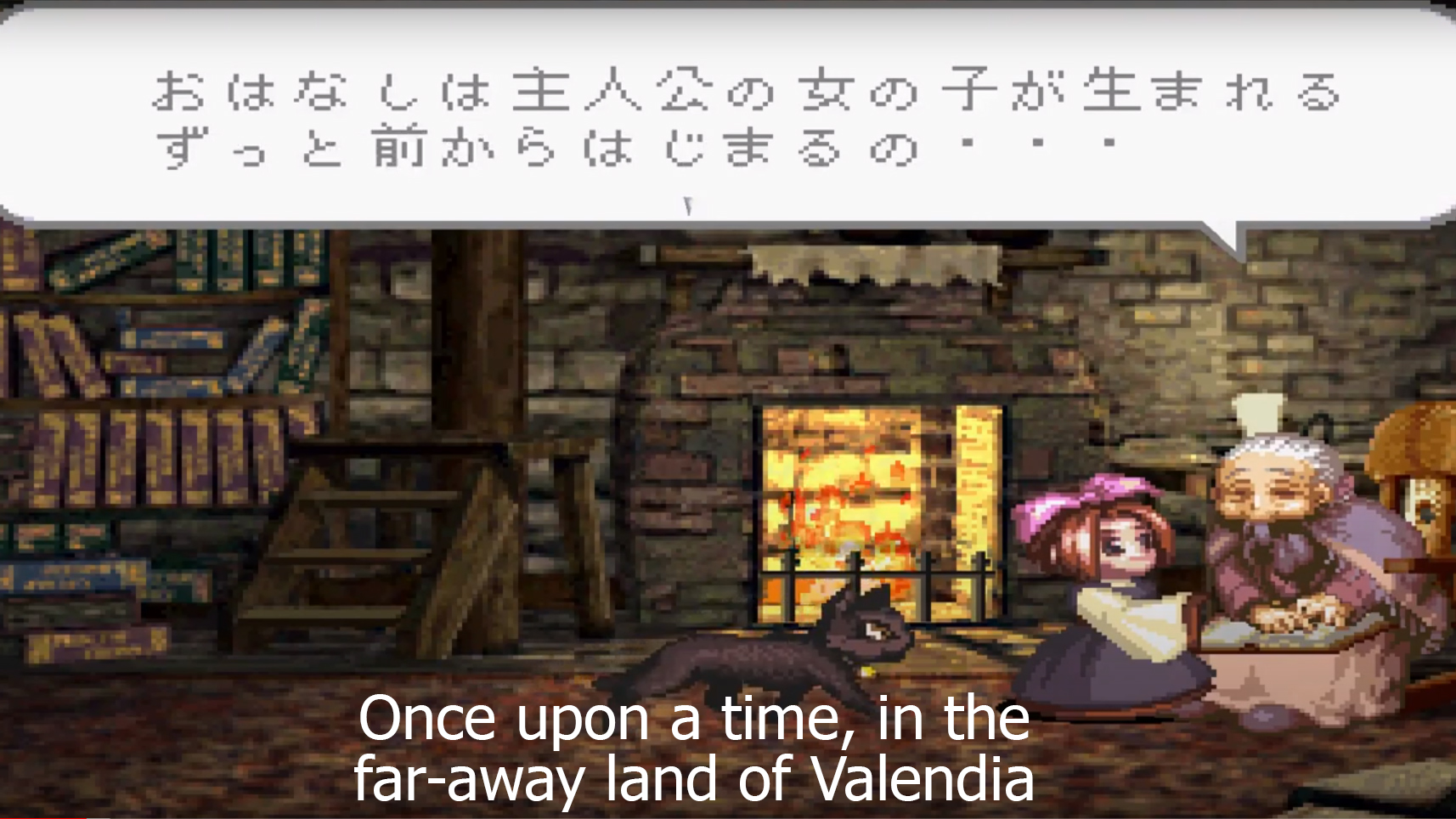
Then I will press the button to see the next dialogue in the game and then I will press the hotkey again
Also Since the translation guide is divided into chapters I will be able to play the game when I returned to it and tell Retroarch to load text from certain Chapters.
In a short, it is like the AI Translation but relying on a pre-written text.

This is should doable using the UDP API and some external scripting.
E.g.: you can write a script that keeps watching a specific memory location for a specific text/game context, and then trigger an udp command to show the translation.
As an example, see the POC script i've made here that keeps track of hiscores.
Its main limitation currently is that there is no command to draw a custom textbox at specific coordinates, you can only send notification msgs with a fixed duration.
Last month i've started experimenting on this feature for the Princess Crown translation, but it still needs a lot of work.

as alternative, i've just found these 2 emulators with lua scripting support:
- https://tasvideos.org/Bizhawk/LuaFunctions
- https://www.mesen.ca/docs/apireference.html
They both have drawing functions for text, so you may start experimenting with these.