

 leocb
leocb
Strange Behavior on Listview Column font
Hi,
I'm facing a strange behavior on listviews, with the column name font size. When creating a new Listview, each item line size is really small, so following your example, I applied one of your font using :
listview.Font = MaterialSkinManager.Instance.getFontByType(MaterialSkinManager.fontType.H4);
The problem is, it displays properly on my computer, but not on my client's one, as you can see below :
My computer :

My client's computer :
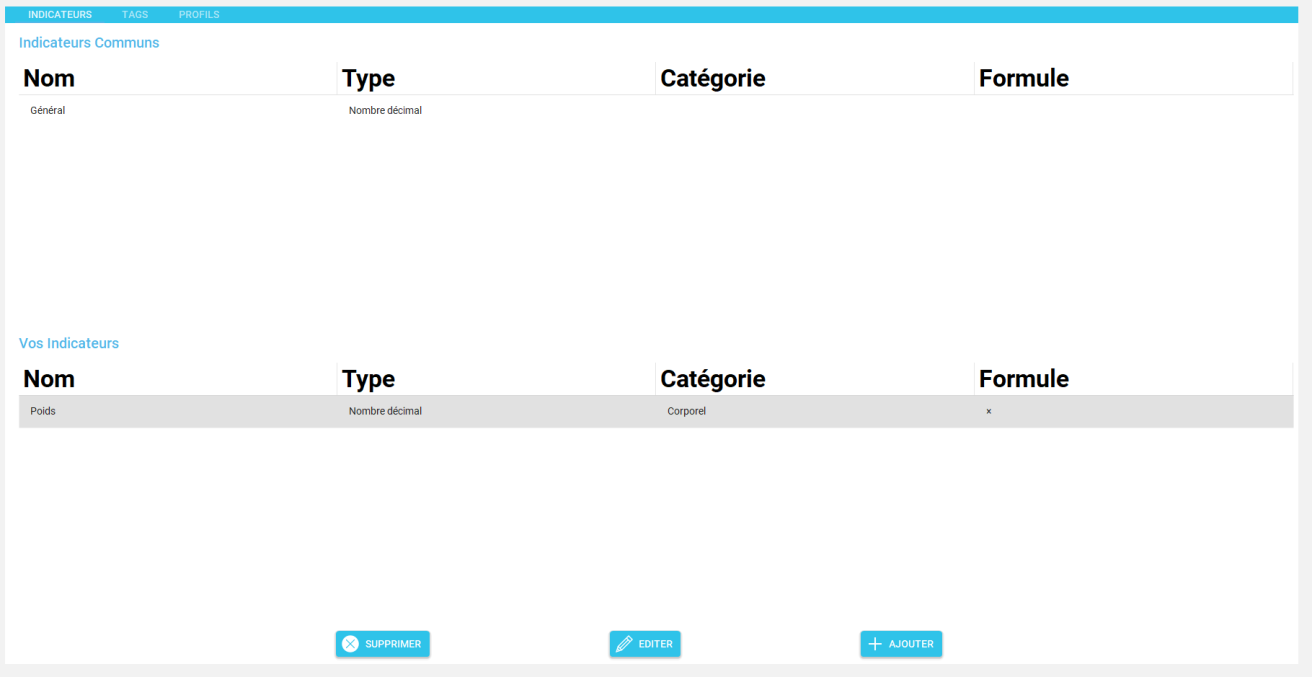
I know for a fact that my client doesn't have the Roboto font installed on his computer, so that could be one of the problem, but since this font is embedded in the dll, I was really sure it wouldn't cause any trouble.
If you have any ideas on where to look to fix that, once again, thank you !

Thanks for reporting, this is most likely causes by the windows dpi scaling, maybe related to #93

For info, Uninstalling Roboto Font on my computer created this issue. And the AutoScaleMode set to DPI doesn't seems to fix it...
It's even stranger since in your listview control, you force the actual column Font here I don't know how it can actually change it...
To fix it, I actually set the listview font to a generic font with a higher size (Microsoft Sans Serif; 32,25pt), and this actually works to make item lines bigger withouth actually changing the font !
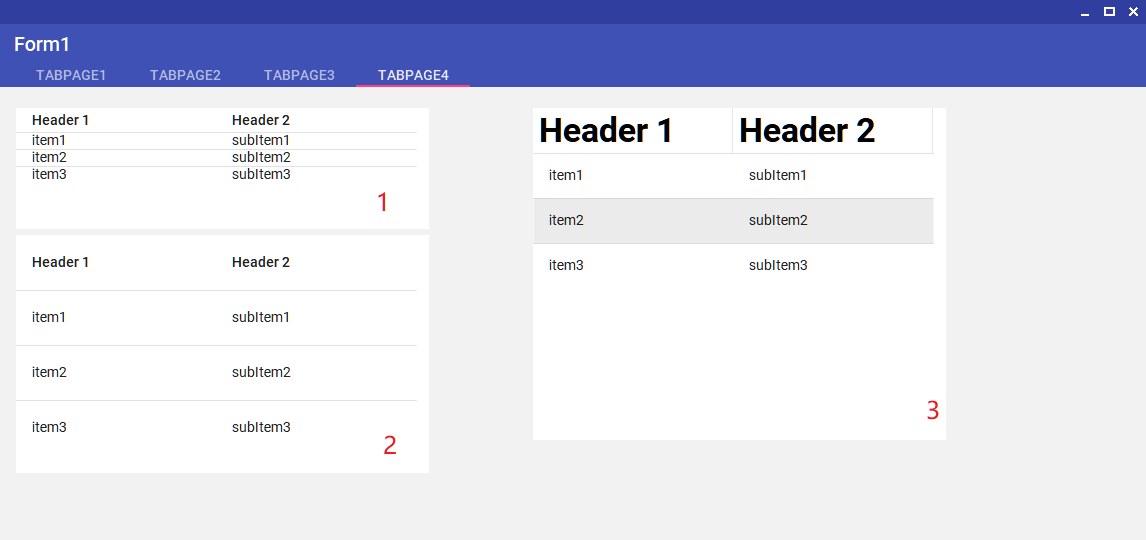
Can you post a screenshot? I believe it's the header that's too big, not the items that are too small
Here you can see the differences :
-
Default Listview when dropped directly in design mode
-
Listview with higher size font (Microsoft Sans Serif; 32,25pt)
-
Listview when trying to force font size with code
materialListView.Font = MaterialSkinManager.Instance.getFontByType(MaterialSkinManager.fontType.H4)
1 and 2 looks correct, but with wrong height. The tab selector component in the title bar also seems to have the same problem, it really looks like a dpi scaling problem. I can tell you have a 4k monitor, and that could be messing things up. Honestly at this point, my suggestion is that you migrate to WPF or UWP The thing is, I don't have much control when using the windows form's list view as a base component, it does weird things and don't obey every property set; I'm sure you've also encountered these problems when trying to solve this (thanks btw). You could try and write your own list view component, but it would be a enormous amount of work to handle every use case - that's why we use base components! I'm currently don't have any projects that use this lib, that means I'm not actively working on it. But I want to in the future! please keep trying to solve this. it's a bit of a curve ball but it can be done!