
LedgerSMB

LedgerSMB copied to clipboard
 ledgersmb
Vendor Number and Invoice Number are not filled with record when search Asset

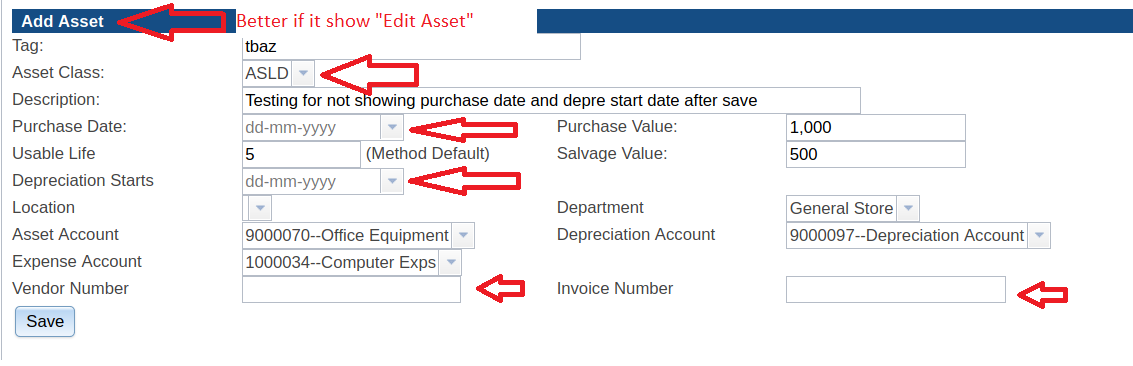
Above is the screen for Asset before save. After saving and search using Search Asset and view the detail of that Asset,
- Asset Class is not selected what I was select
- Purchase Date is empty
- Depreciation Start is empty
- Vendor Number is empty
- Invoice Number is empty
Please see below screen shot
Note. This is happened in 1.5, 1.7 and 1.8.0-beta3

The backports mentioned so far, solve the issues with the Asset Class drop down and the date selectors.
The invoice and vendor fields are a different league of problems entirely.
