
kolibri
 kolibri copied to clipboard
 learningequality
Library and Browse channel - Disproportionately large cards
Observed behavior
When I have a few cards in the Recent section or in Browse channel the cards are being stretched too much and look disproportionately large.
Steps to reproduce the issue
- Install the following build: https://buildkite.com/learningequality/kolibri-python-package/builds/5658 from https://github.com/learningequality/kolibri/pull/9222
- Go to the Library page and/or Browser channel
Screenshots

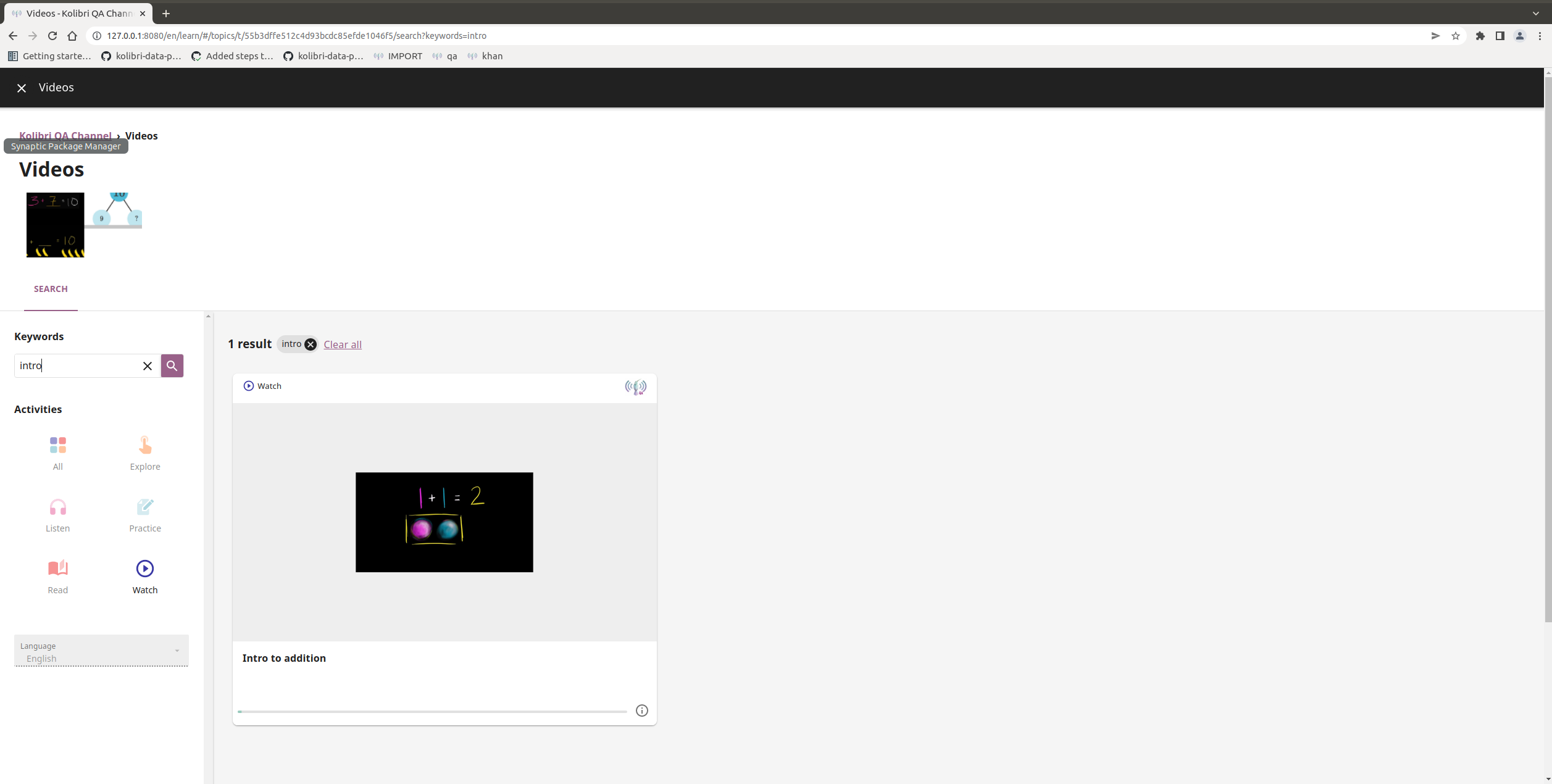
Usage Details
Windows 10 and Ubuntu 20 - Chrome, Firefox

I was trying to figure out from Figma if this was by design when there's only one card in the row, but did not find the confirmation for it... 🤔

No, this is not by design.... although I am wondering if some of it is a regression due to the screen resolution? It looks like the proportions are more like that than a laptop. I know there are designs for wide screens, and it seems like it maybe got lost ina refactor somewhere. @pcenov are you on a large/wide monitor for this testing? (Just so I can identify the area something is going wrong more easily)

Yes, 2 of my monitors are 27" and it's definitely easier to spot that there. But it's definitely the first time I'm seeing it so I decided to report it. :)
That makes sense -- it is a regression. And knowing that it's appearing there (whereas it isn't on my laptop) helps narrow down the problem. Thank you! 😊
