

 learningequality
Kolibri App > Kolibri QA Channel - Slides content item gets a black background-color in fullscreen mode
Observed behavior
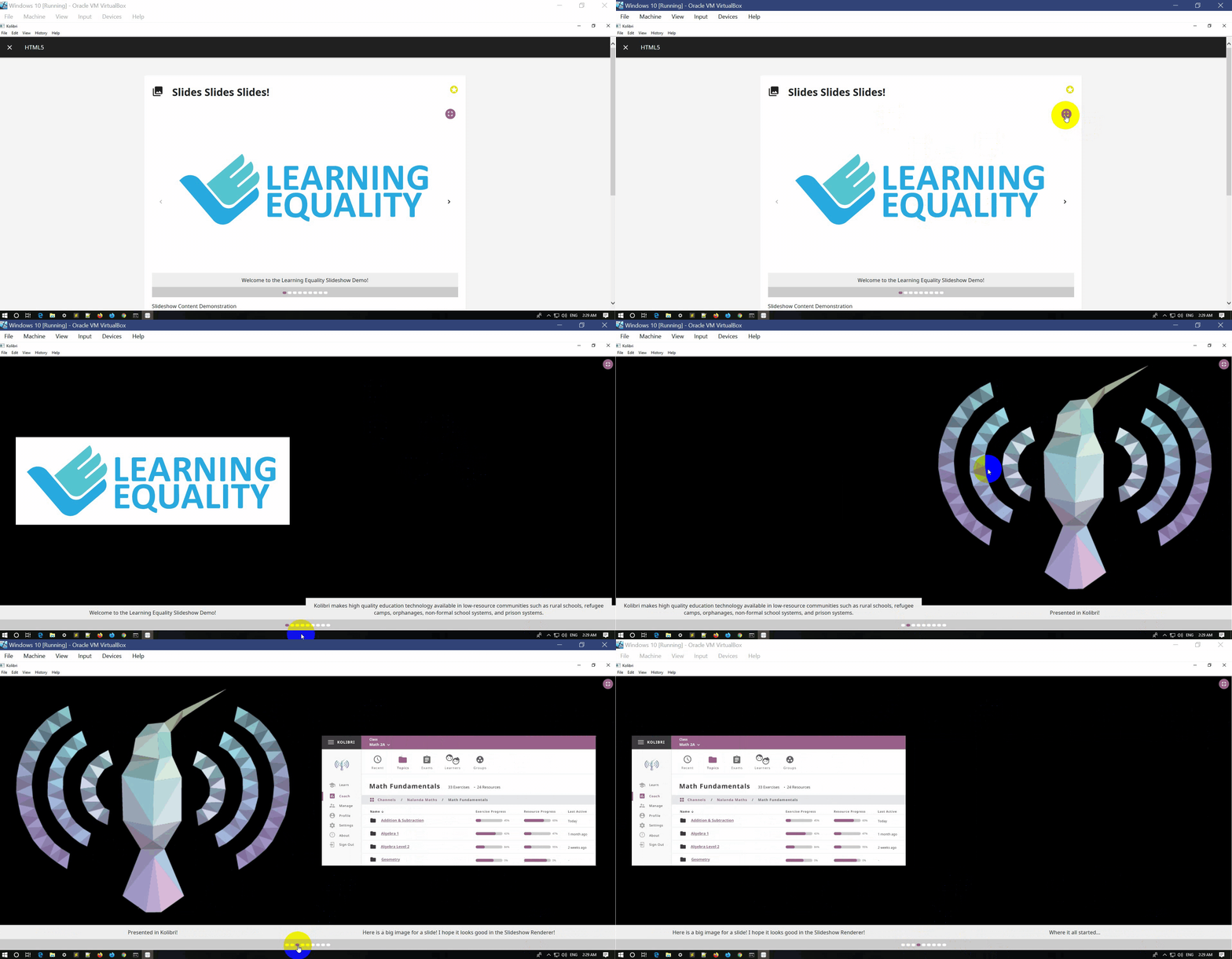
In Kolibri QA Channel the Slides content type gets a black background color in fullscreen mode and it doesn't look good in terms of UI.
Expected behavior
In Kolibri QA Channel the Slides content type keeps the white background color in fullscreen mode .
Steps to reproduce
Preconditions: Kolibri QA Channel imported
- Login to Kolibri app
- Click the hamburger menu
- Click Learn
- Click the Kolibri QA Channel
- Click the HTML5 folder
- Click the Slides folder
- Click the Slides item
- Click the Fullscreen mode button
Context
Kolibri 0.14.3 - App Windows 10 vm

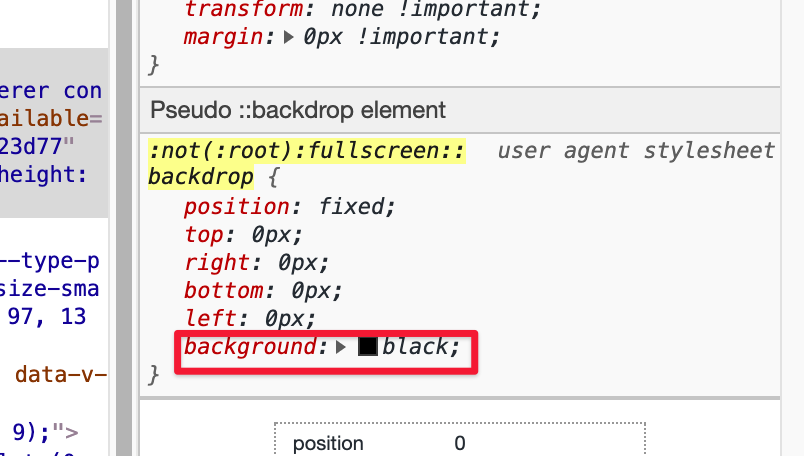
This seems to be expected behavior, because most browsers give content a black background when in fullscreen mode:
And it looks like some of the images in this slide show are just transparent, like the Kolibri Logo.
@jtamiace @nucleogenesis Do you think in the case of the slideshow renderer, we should be more opinionated and override the black background for slideshows in full-screen?
This is actually not as obvious for other content types except for maybe videos, since the content fills the whole screen when converting to fullscreen.

I'm pretty sure the black background was intentional.
I am seeing a different issue, however, that two slides are showing at the same time when in Fullscreen but only one should. The images should take up as much space as they can without distorting their aspect ratio and be centered.
Perhaps this issue should be converted to instead address that issue - or another issue can be made.
