
laughtLOOL
laughtLOOL
> 看起来provider的直连属性导致其非常鸡肋啊,规则全在github上,根本直连不了。唯一只能用jsdeliver这种,但是感觉非常不稳定,偶尔访问不了,源代码变了以后,要过好久才能访问到最新的代码。 我搞了很多方法,解决的provider更新不了总是抽风的解决方法,现在新版本可以proxy那样更新的,但是还是会更新失败,解决方法如下,如果总是弹出tls timeout那样的问题的话,打开ie然后设置里面internet选项-高级 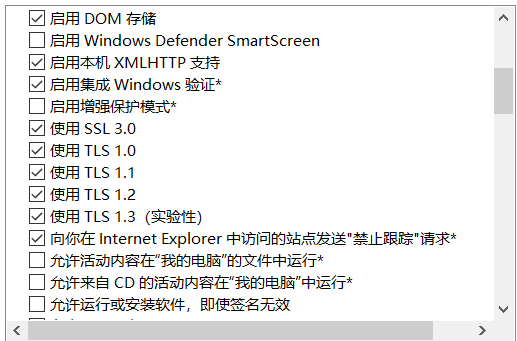 tls里面全开大概就能解决这个报错, dns请求失败的话,cmd输入指令 nslookup raw.githubusercontent.com 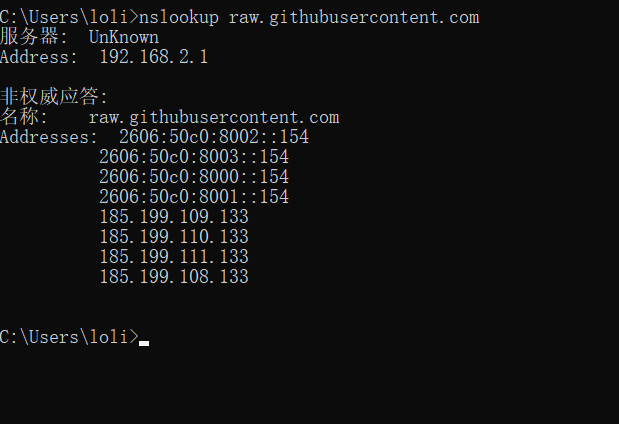 看看是否是0.0.0.0,如果是,第一个方法可以改host(不推荐) 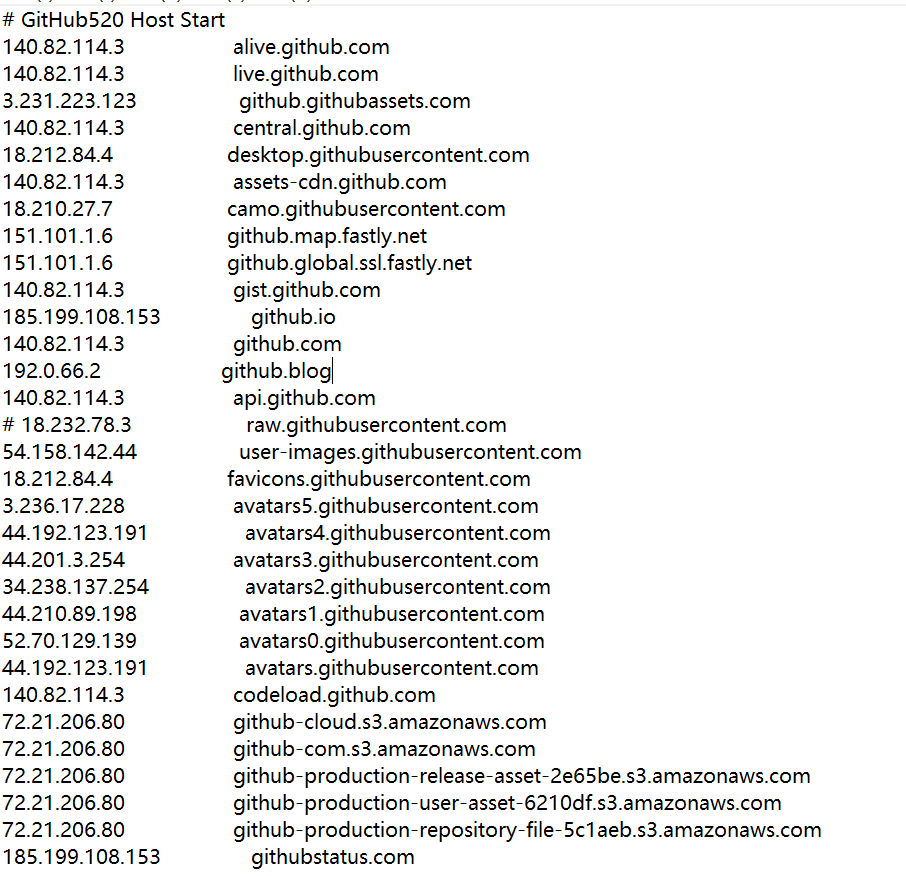 每个地方的连接的ipv4地址不一样,要自己改自己的,做法是ping 网站的ip然后写进去 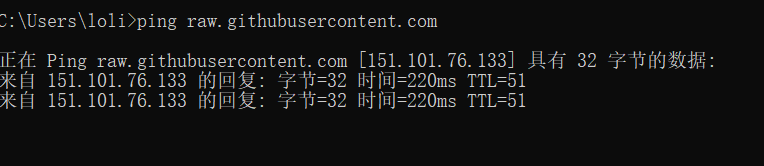 第二个方法是改系统的dns,有些可能是用路由器的dns来刷新,而路由器没有填dns的话填路由器dns是不行的 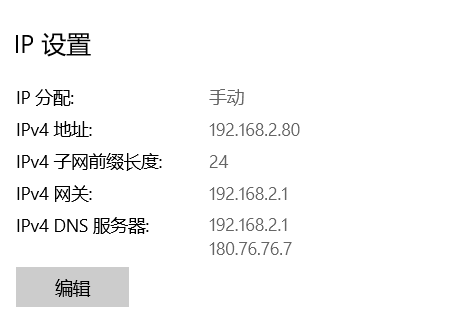 可以填多一个223.5.5.5为备用什么的 而如果路由器没填dns的话,你填主路由为dns是没有任何作用的,无论是拨号还是动态、静地址上网都可以填 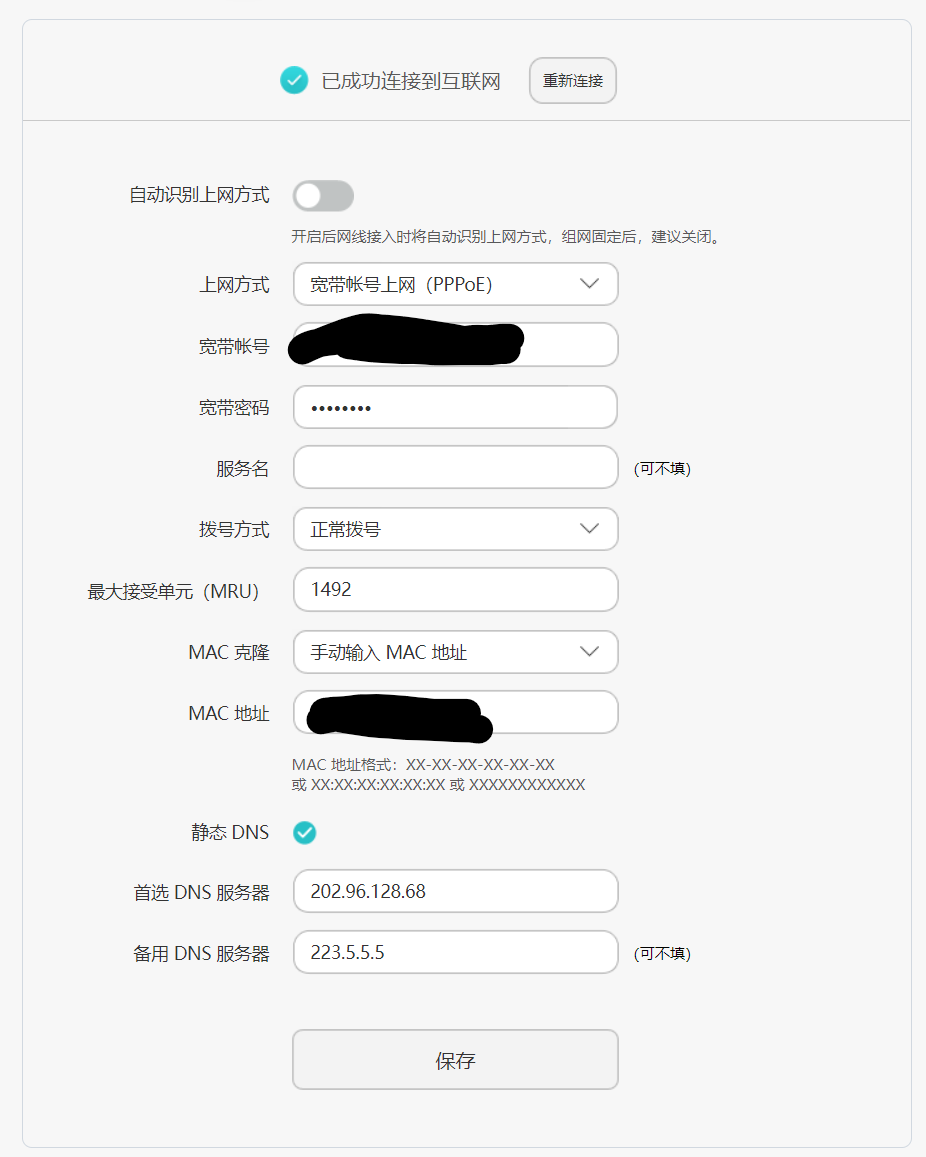 填了之后再用 cmd输入指令 nslookup raw.githubusercontent.com测试一下获得了地址没有
然后其他还有问题的是开了tun模式也会导致更新不了provider,太久远了那个问题我没找到希望有人能找出来,那个其实就是dns设置的问题也是,首先有一个正确的文件才行 mixin: log-level: error hosts: 'mtalk.google.com': 108.177.125.188 'services.googleapis.cn': 74.125.203.94 #'raw.githubusercontent.com': 151.101.76.133 dns: enable: true listen: 0.0.0.0:53 default-nameserver: - 202.96.128.68 - 223.5.5.5 - 180.76.76.76 - 8.8.8.8 - 1.0.0.1 ipv6: false enhanced-mode:...
lol, i think i have a simple idea for that, just download the light version rather than the normal, i remeber have light or dark version only
i get your mind, but in fact that is the broswer wrong, the broswer just change the "white" to the dark, like any white color not only #ffffff, and reverse...