

 lando
lando
Update SOLR documentation to reflect Drupal docs
Please complete the following:
Link to the page that needs to be updated or changed. https://docs.lando.dev/config/solr.html#configuration
Describe the change you'd like The following documentation "Consider a Drupal 8 application injecting the Solr 7.x config directly from the search_api_solr module as shown in the example below"
Is a bit misleading, as there is a directory inside search_api_solr called solf-conf-templates, however those are NOT meant to be used as is. You can find that from the README.md inside that directory, which states:
These are templates and are not to be used as config-sets!
To get a functional config-set you need to generate it via the Drupal admin UI or with
drush solr-gsc. See README.md in the module directory for details.
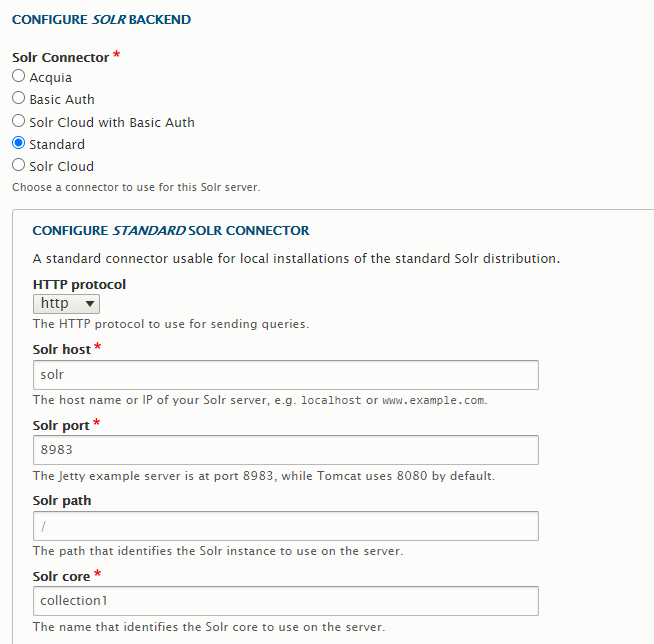
The correct procedure then, is to create a directory for lando to use for the configuration of solr, such as docroot/solrconf, and instead of copying those files from solr-conf-templates into docroot/solrconf, you should configure your server in Drupal like below:
And then going to View, and then "Get config.zip":
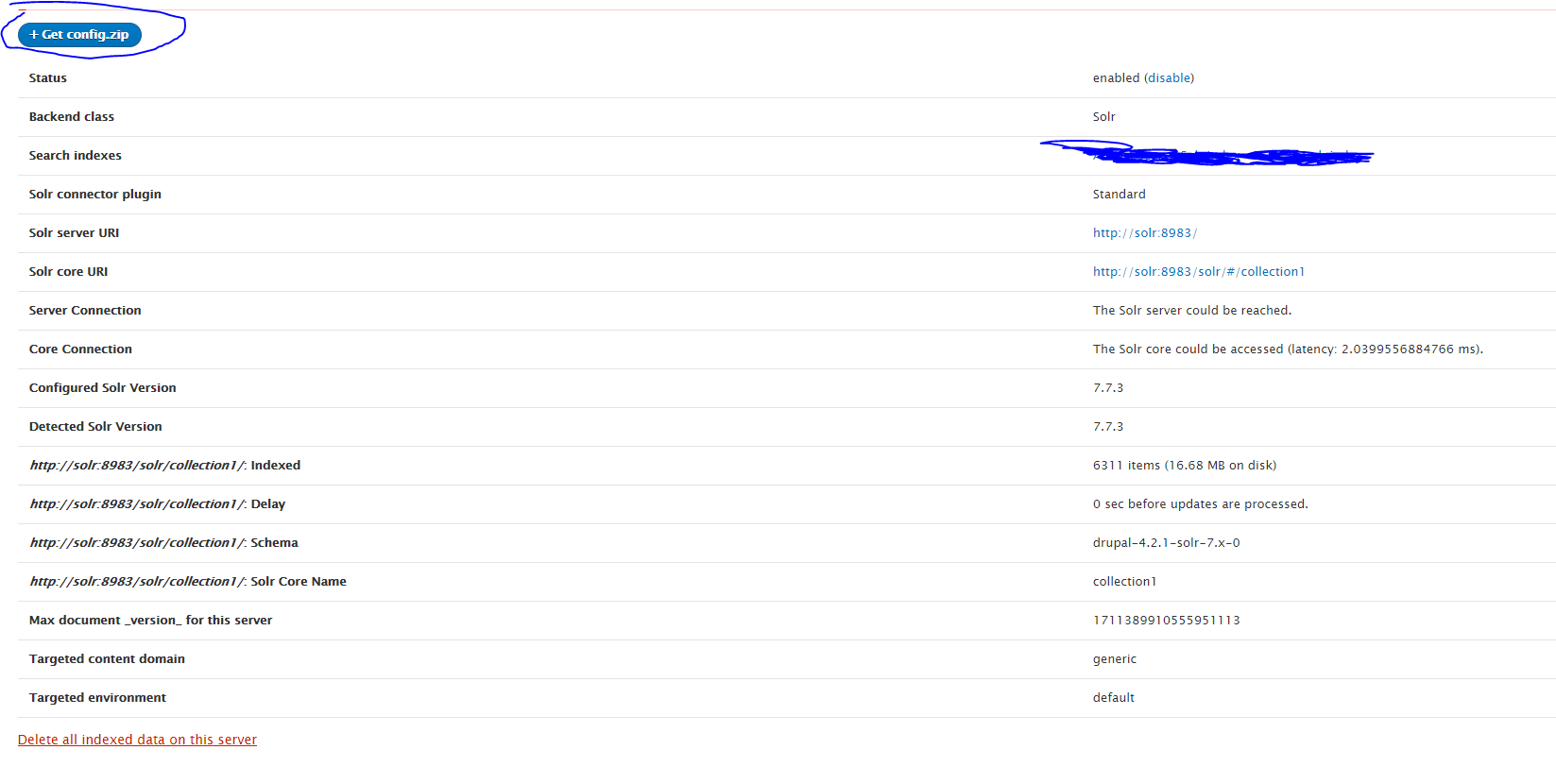
Unzip this into your docroot/solrconf directory, and then personally I had to lando destroy in order for the changes to be picked up. Note, doing a lando rebuild did NOT work.
