

 kyleneideck
Microsoft Teams does not work
Description of the bug
Microsoft Teams meeting volume does not change when moving slider.
Steps to reproduce
Moving the Teams slider doesn't change meeting volume. I even put it down to zero and I can still hear the meeting.
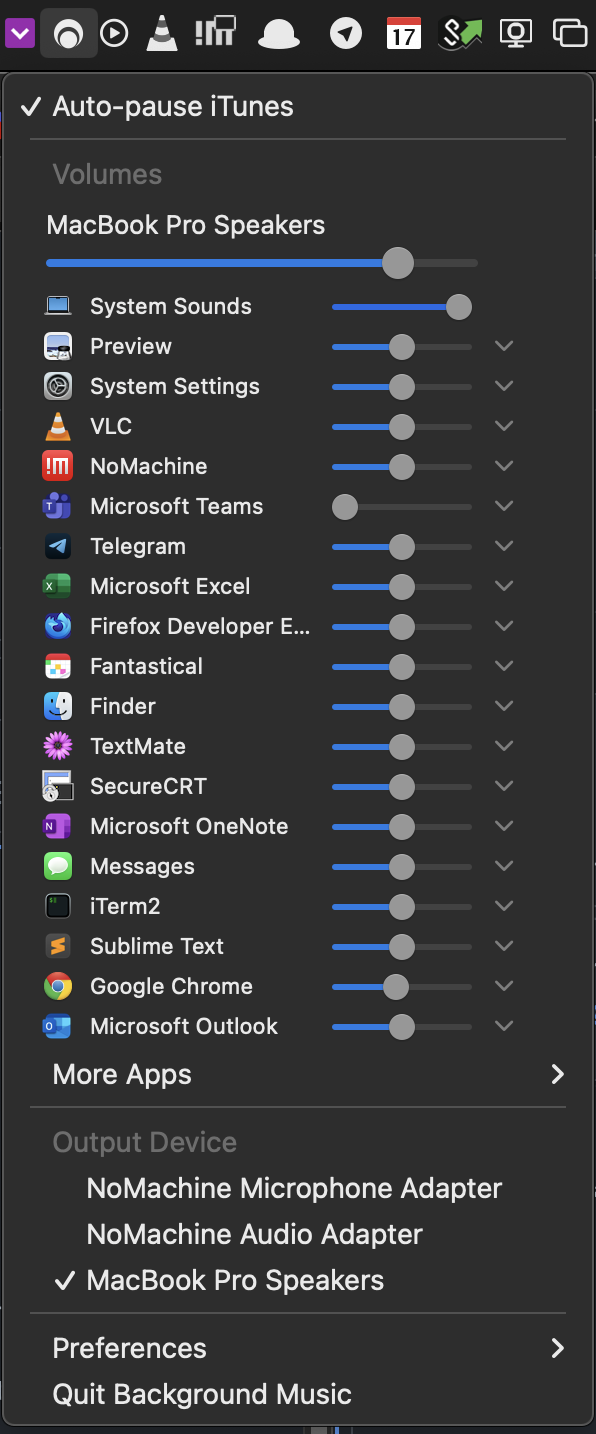
I confirmed that moving the VLC and Chrome slider (for a YouTube video), the respective volumes change as expected. So I suspect something specific to Teams.
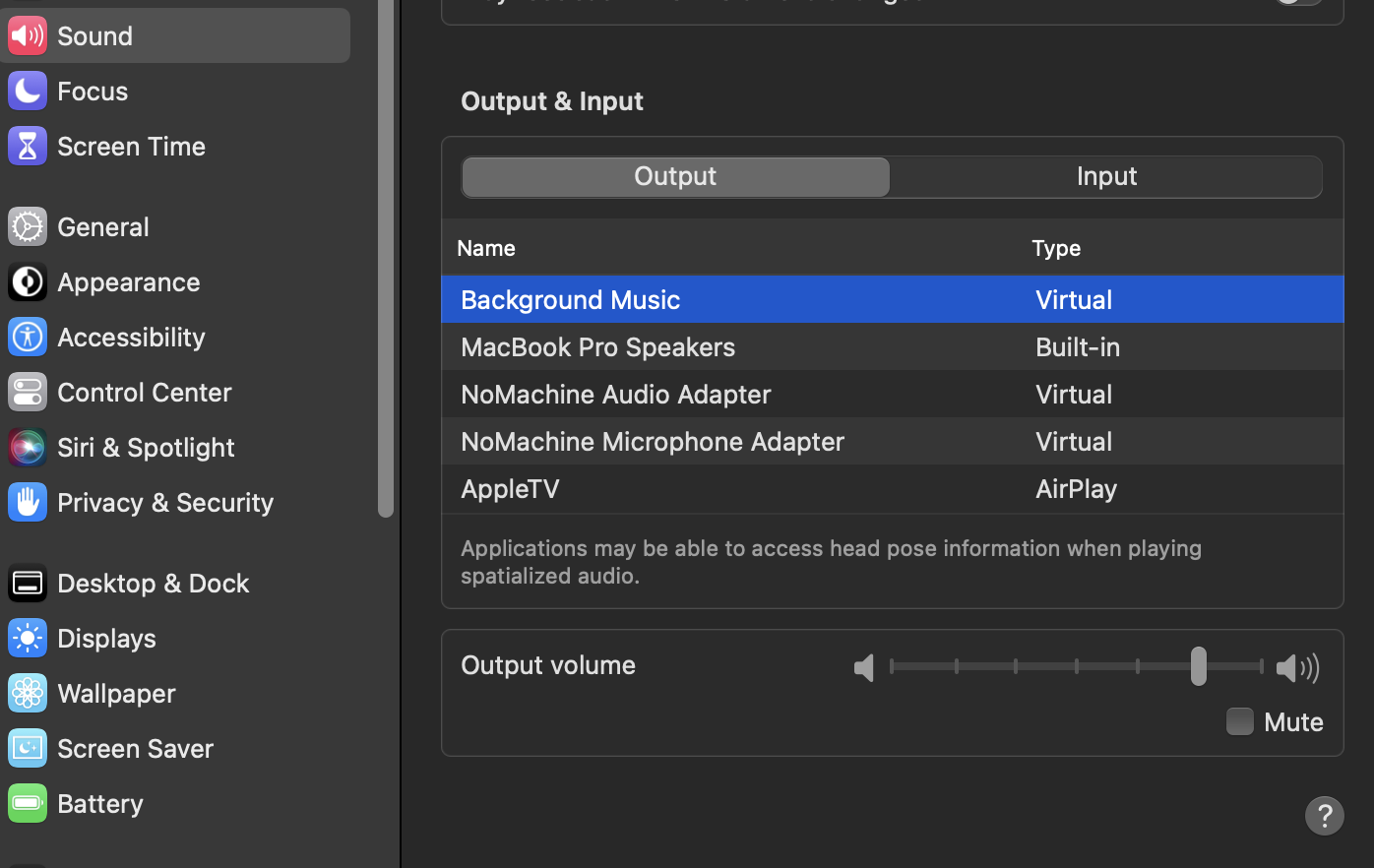
I also confirmed that System Settings -> Sounds has Background Music selected as the Output
Versions
- Background Music: "0.4.0" installed from
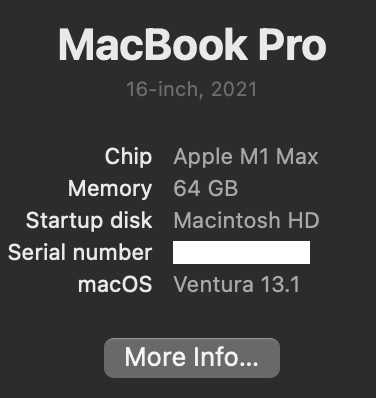
.pkgfile in this repo - macOS: Ventura Version 13.1 Beta (22C5033e)
Hardware
-
Computer:
-
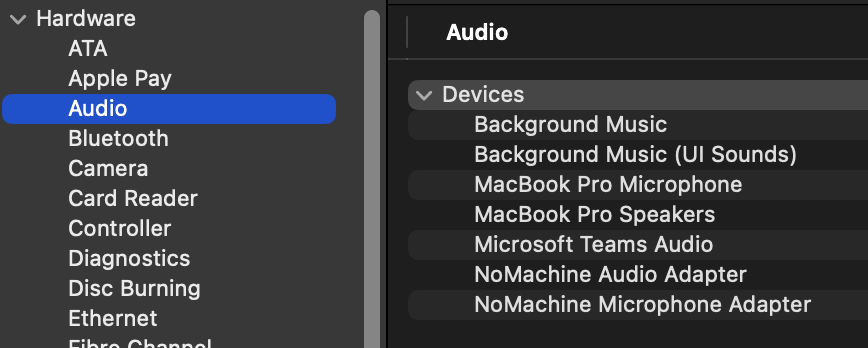
Audio Device:
Debug logs
Let me know if you need this.
Other info First time user. I might be doing something wrong but since I got it to work with VLC and Chrome, I think I am using it properly.

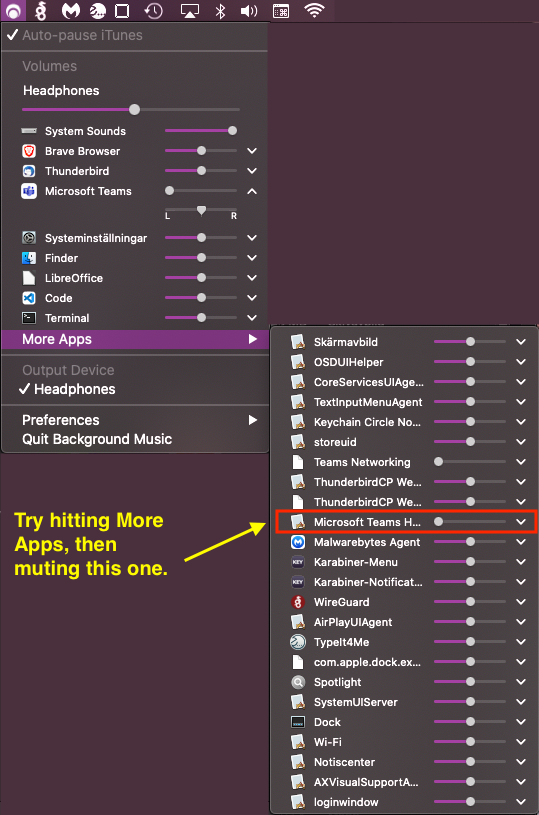
Try hitting Other Apps, then find Microsoft Teams H... and mute that.
Works for me on Mac OS 10.15.7 Catalina.
Se also this Issue: https://github.com/kyleneideck/BackgroundMusic/issues/621

Thank you kind sir. I would never have found that slider by myself.
I don't have a meeting going on right now to test it but I tried it with a 'test call' under Preferences->Devices and although the new slider worked, there was a lot of crackling and stuttering. Have you experienced that too?
Thank you kind sir. I would never have found that slider by myself.
You are welcome.
I don't have a meeting going on right now to test it but I tried it with a 'test call' under Preferences->Devices and although the new slider worked, there was a lot of crackling and stuttering. Have you experienced that too?
No crackling here. But there are several reported issues about this in regards to Teams. They have been marked as bug, so have a look at those?