

 kubeshop
Lines of referrals are wrong
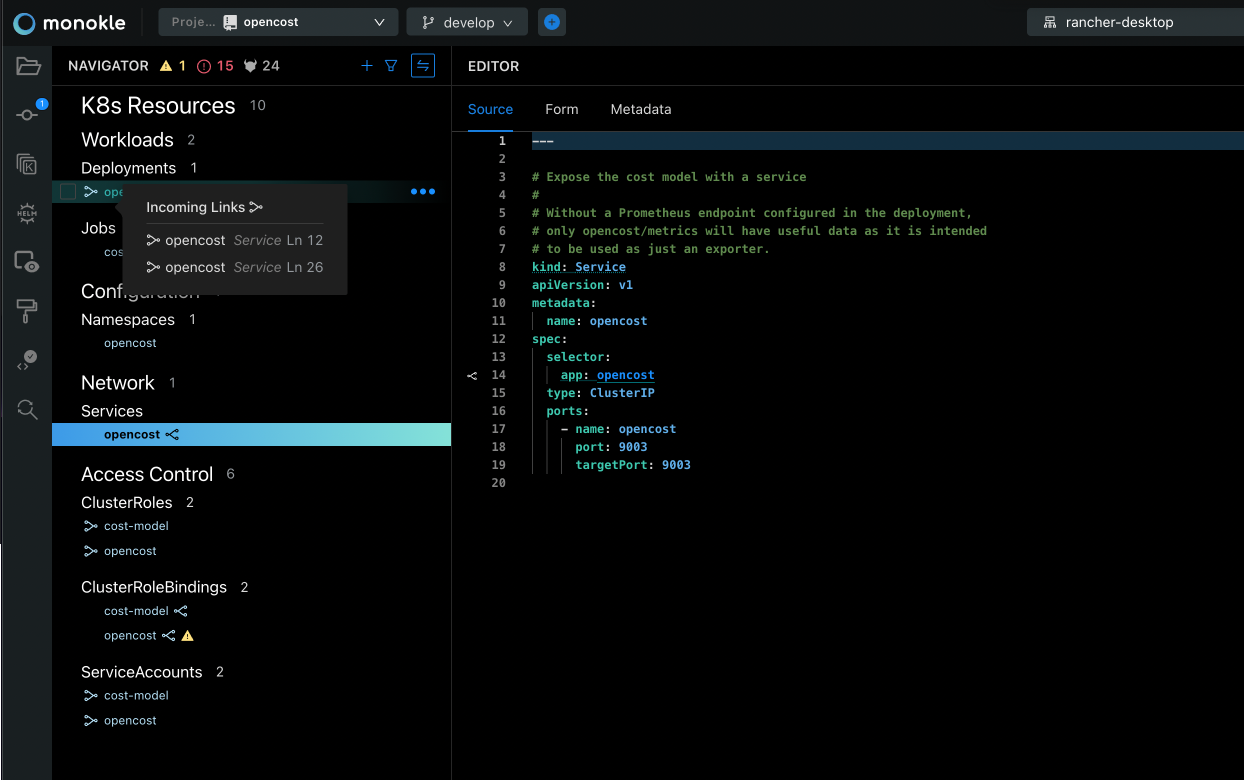
Describe the bug Using the repo opencost/opencost I see that the deployment has two different referral links, and those links are wrong
To Reproduce Steps to reproduce the behavior:
- Go to '...'
- Click on '....'
- Scroll down to '....'
- See error
Expected behavior There should only be one link, and it would be in the line 14 (not 12)
Screenshots
Desktop (please complete the following information):
- OS: [e.g. iOS]
- Version [e.g. 22]
Additional context Add any other context about the problem here.

What we discovered after the review is that the links are wrong beacuse they are mixed, the lines are ok but the way they are shown doesn't make sense. Incoming links need to point to the CR that creates it: In the example, there is a service that refers to the element in line 14, it is not important the lines of the current file where the definition can be found. So the incoming links should be: Service/opencost Ln 14 In that service there will be two Outcoming links to the Deployment, with links to lines 12 and 26 of the service Service/opencost Ln 12 Ln 26
The current version mixes Service and lines, showing local lines while having a link to the other file
I'm not sure what to say about this one.
Maybe we should keep the references from the pop-up as they are now but when you click on a link,
instead of navigating to the resource, we should only scroll to and highlight the reference within the code editor.
Then, you navigate to that resource with cmd+click in the editor on the link.
That's how outgoing links work right now.

I don't understand then what we show. Is the line in the current file that is referred by another object? I was expecting the Incoming link to be "the file / resource X refers to this one in line 24 of that file", and the Output link "we refer to Object Y in line 12 of this file and to Object Y2 in line 21 of this file".
If that is not the case, I am confused with the meaning
Example:
I select happy-cms and see some links in and out.
When I select in, I expect to see the links that point to this resource
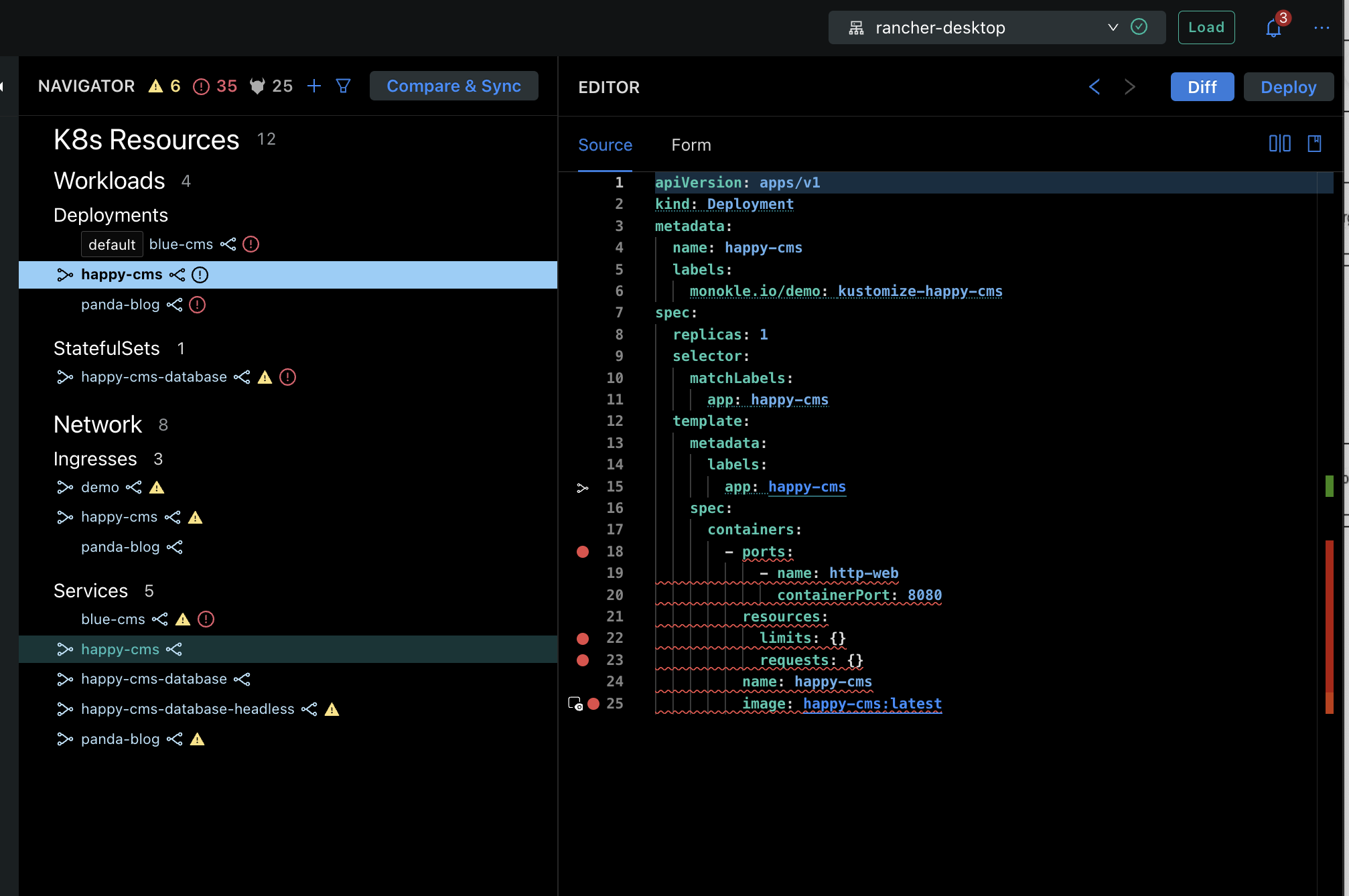
So I click on it
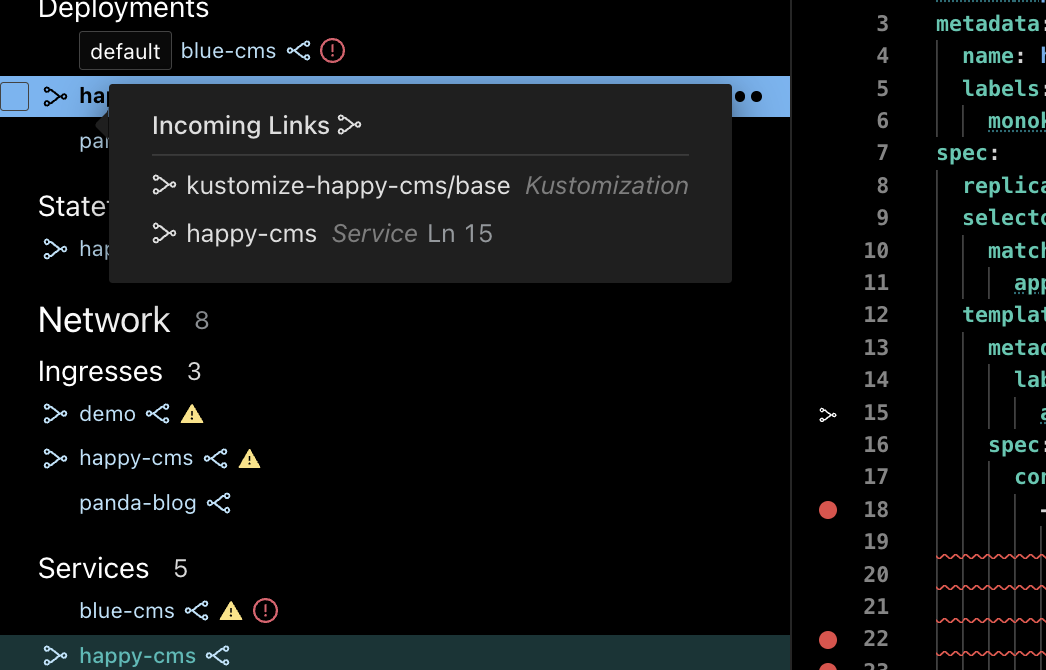
And I can navigate to it from this popover
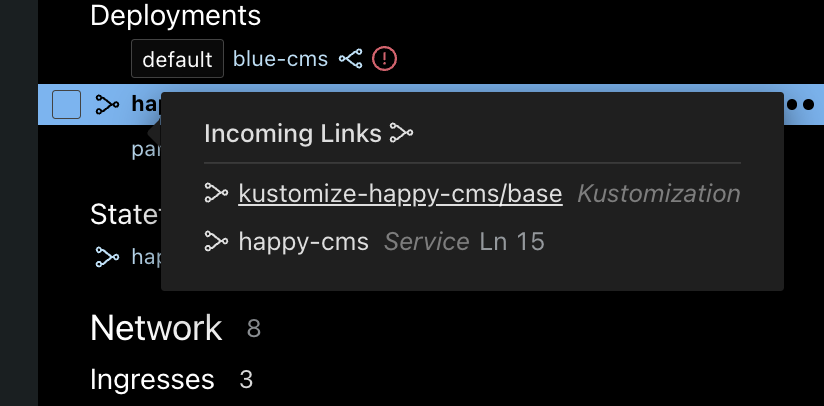
If I do that, the referal is in linke 5, but it is not shown in the popover
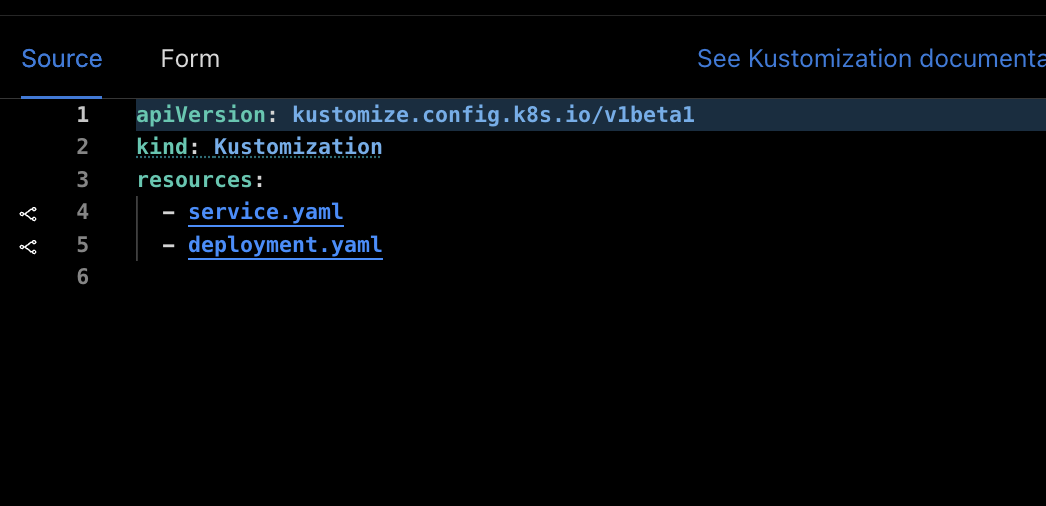
For the output, I get the line that refers to that (Line 25 is a link to the image)
That works, but it is confusing, because Ln 25 looks like is the line on the output and not the current file
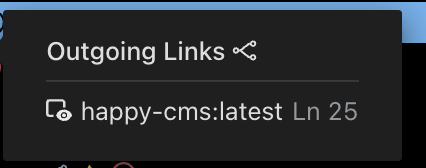
I would expect the Ln 25 to be "filename: Ln 25", and a link to that line direclty And the other link to be a link to the images list with the image selected (it does not do anything today, and that is weird)
In another example
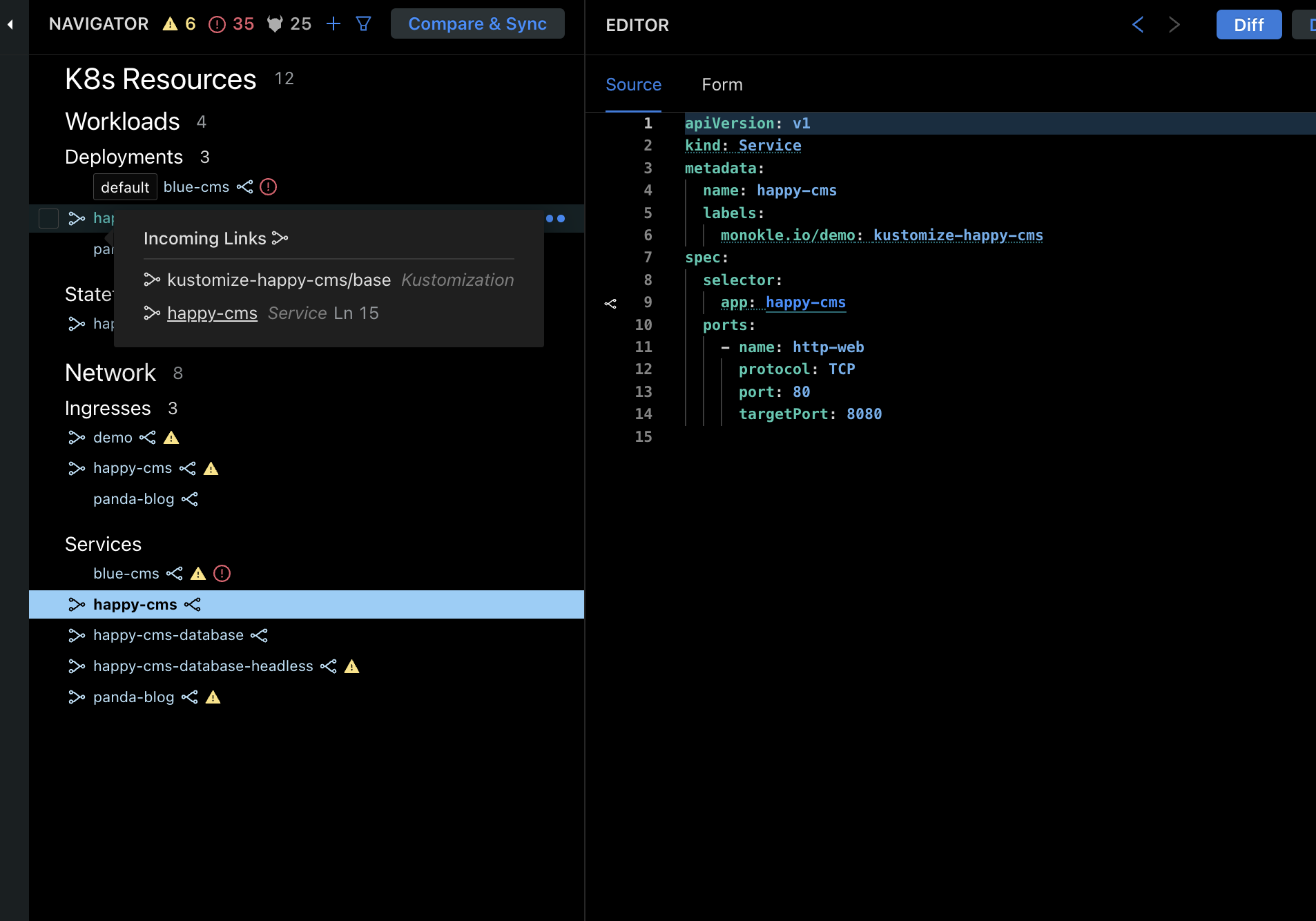
We are stating that the link is from Ln 25, but the link in the refernce is in line 9.
I want to navigate to the referral using the popover, and in the way they are right now they don't work as I expect
Ln 32 in output should be before the link The object should be a link to the object itself
This prevents the feature to be used, so moving it to blocking. I am removing the needs discussion label as there has not been more comments
just to recap for those who will work on this:
- incoming links should show the resource-name:kind:line-nr referring to this resource, clicking on it navigates to the referring resource/line
- outgoing links should show the resource-name:kind[:referring-line-nr] being referred to, clicking on resource name navigates to the referred resource, clicking on referring line selects the line in the current resource?
is that correct @chargio @devcatalin @julioramosest ?
(what is then missing is the possibility to navigate to the outgoing reference in the selected resource - which is what I think we currently navigate to when clicking an outgoing link...)

@olensmar I believe that's expected behaviour.
this relates to issue https://github.com/kubeshop/monokle/issues/3556 which is closed now, but I think we shoud put extra effort on having the UI for these hovers (errors, links, resource name label) so they look like designed. In this case, having an icon next to the hover title ("incoming links" or "outgoing links") can be confusing to the user, since there are just illustrating. Instructions in mentioned issue were to delete them.

actually there was a mistake - afaik the outoing ref never refers to a specific line - it refers to a resource only - so either we don't show the line nr in the outgoing ref, or we show the line where the ref is in the selected resource, so we could do
- clicking the outgoing resource goes to the resource
- clicking the referring line goes to the line in the current resource
although this might make sense - it could still be confusing!?
thoughts @chargio @julioramosest @devcatalin ?
@olensmar Since the link icons appear always next to a resource label name (so they are perceived at a "resource" level), clicking on them should take to the corresponding resource. So first option, would be my take