

 kubeedge
Edgemesh-server pod roaming between k8s node and edge node
What happened: edgemesh-server-** pod on K8s node roaming between k8s node and edge, edgemesh-server-** pod on edge encountered Error. What you expected to happen: Deploy edgemesh on my k8s1.19.6 + kubeedge1.9.1 and test Service function.
Environment:
- EdgeMesh version:
- Kubernetes version (use
kubectl version):1.19.6 one master + two k8s nodes + two edge nodes(Raspbettry Pi) - KubeEdge version(e.g.
cloudcore --versionandedgecore --version):

reporting a bug advertiseAddress: 192.168.0.161 nodeName: 192.168.0.161, edgeserver pod is deployed on K8s node1(192.168.0.161). However, after the Edge agents are deployed, Edgeserver drifts between the k8s node(192.168.0.161) and edge node(192.168.0.164) displays errors on the edge node. In addition, the name of the edge server pod is unique.
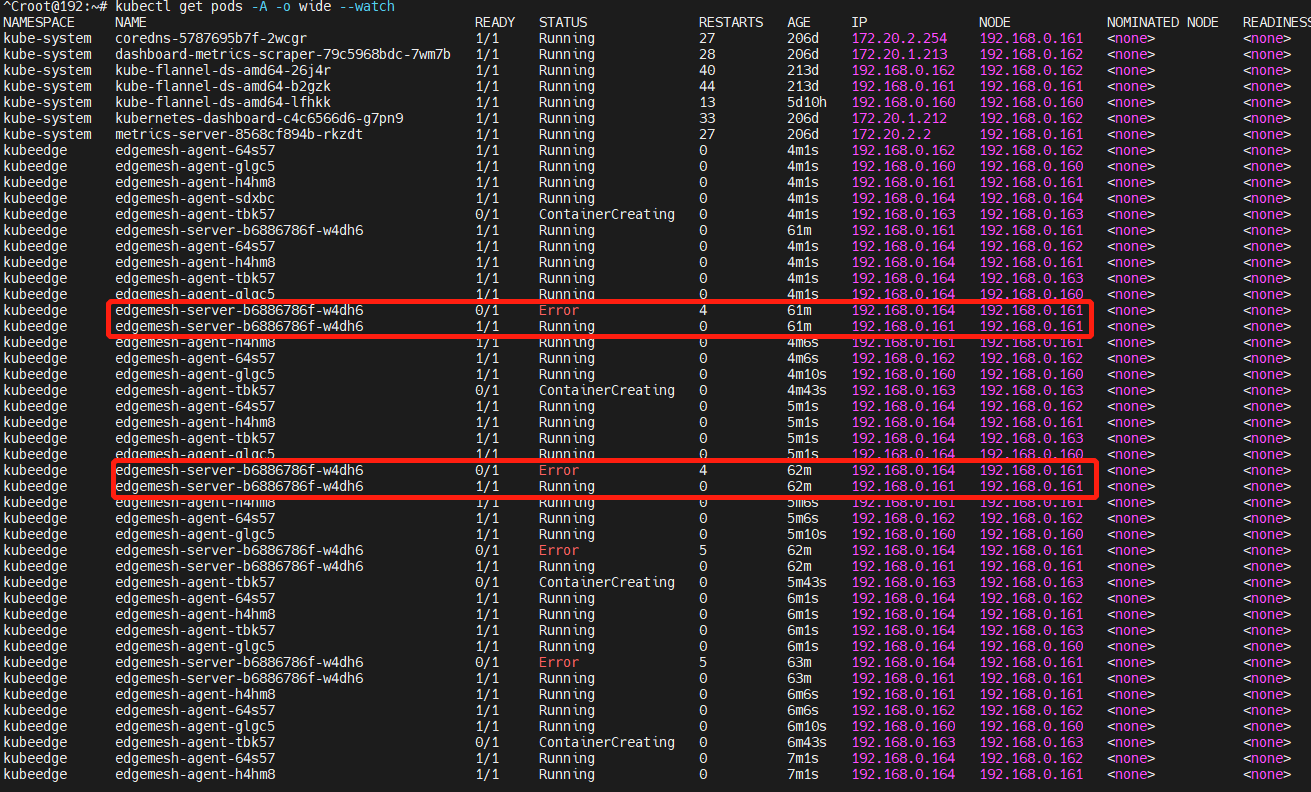
The following photo presents logs in edgeserver.

In addition, the Pod iPs of Edge Agents seem to be confused.
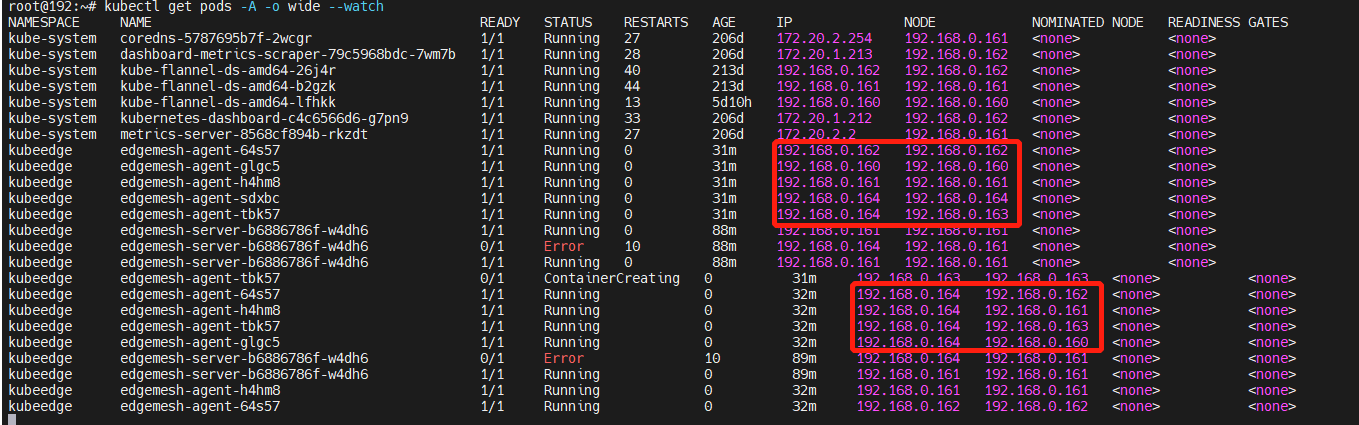
Logs in edge agent on K8s master node(192.168.0.160):
Logs in edge agent on K8s node1 or node2 (192.168.0.161 or 192.168.0.162):

Logs in edge agent on edge (192.168.0.164):


This may be a known kubeedge issue. You can refer to: https://github.com/kubeedge/kubeedge/issues/3489

i have looked up some issues: https://github.com/kubeedge/kubeedge/issues/3489 , https://github.com/kubeedge/kubeedge/pull/2808. It seems like that it has been solved in new version of Kubeedge. Subsequently, i try to install the latest KubeEdge version 1.11.1, but ecounter a new issue as follow:
edge nodes include 192.168.0.163 and 192.168.0.164.
edgemesh server and edgemesh agents are deployed ad follows:
We observe that edgemesh agents on edges (192.168.0.163 and 192.168.0.164) are always in the form of "Pending".
Next i look up issues https://github.com/kubeedge/edgemesh/issues/69, https://github.com/kubeedge/kubeedge/issues/3108 and https://github.com/kubeedge/kubeedge/issues/3019. And i still fail to find the solution.
Logs on 192.168.0.163:
 Logs on 192.168.0.164:
 The cloudcore.log on 192.168.0.160:

I don't know how should I do next.
Next, I tested Kubeedge V1.9.4, deployed Edgemesh, and found that edgemesh server and edgemesh agent worked fine.
K8s master(192.168.0.160), nodes(192.168.0.161-162), edges(163 raspberry-arm32, 164 raspberry-arm64)

Meanwhile, new problems have arisen.
We cannot get edgemesh agent's logs on Edge.

In addition, we deployed the application Pod workflow-0-task-1 on edge192.168.0.164. The three task pods (workflow-0-task-0, workflow-0-task-1, workflow-0-task-2) leverage the GRPC to communicate by obtaining a Service.
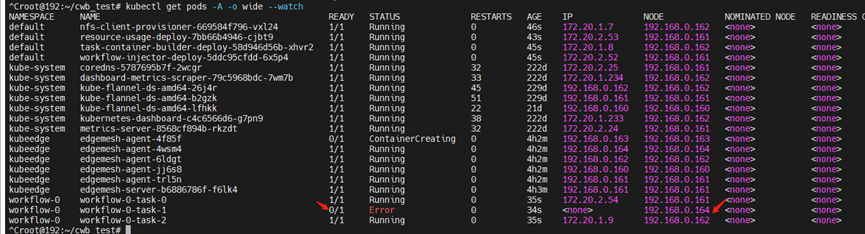
Issue 1: Kubectl logs cannot read the pod log for this Error pod.

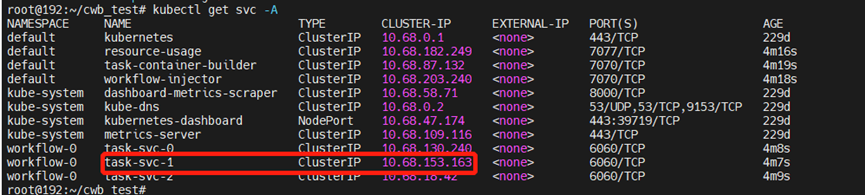
Issue 2: The Service (task-SVC-1, 10.68.153.163:6060) corresponds to task pod on edge node 192.168.0.164. The task pod workflow-0-task-0 can not access task-svc-1 via gRPC. In other words, Edgemesh fails to support Service fuction.
The following is logs on workflow-0-task-0.

Issue 1: Kubectl logs cannot read the pod log for this Error pod.
This has nothing to do with edgemesh, you need to enable the stream function of kubeedge. You can refer to: https://kubeedge.io/en/docs/advanced/debug
Issue 2: The Service (task-SVC-1, 10.68.153.163:6060) corresponds to task pod on edge node 192.168.0.164. The task pod workflow-0-task-0 can not access task-svc-1 via gRPC. In other words, Edgemesh fails to support Service fuction.
Try to invoke your serivce by cluster ip like telnet 10.68.153.163 6060 then show me some edgemesh-agent logs.
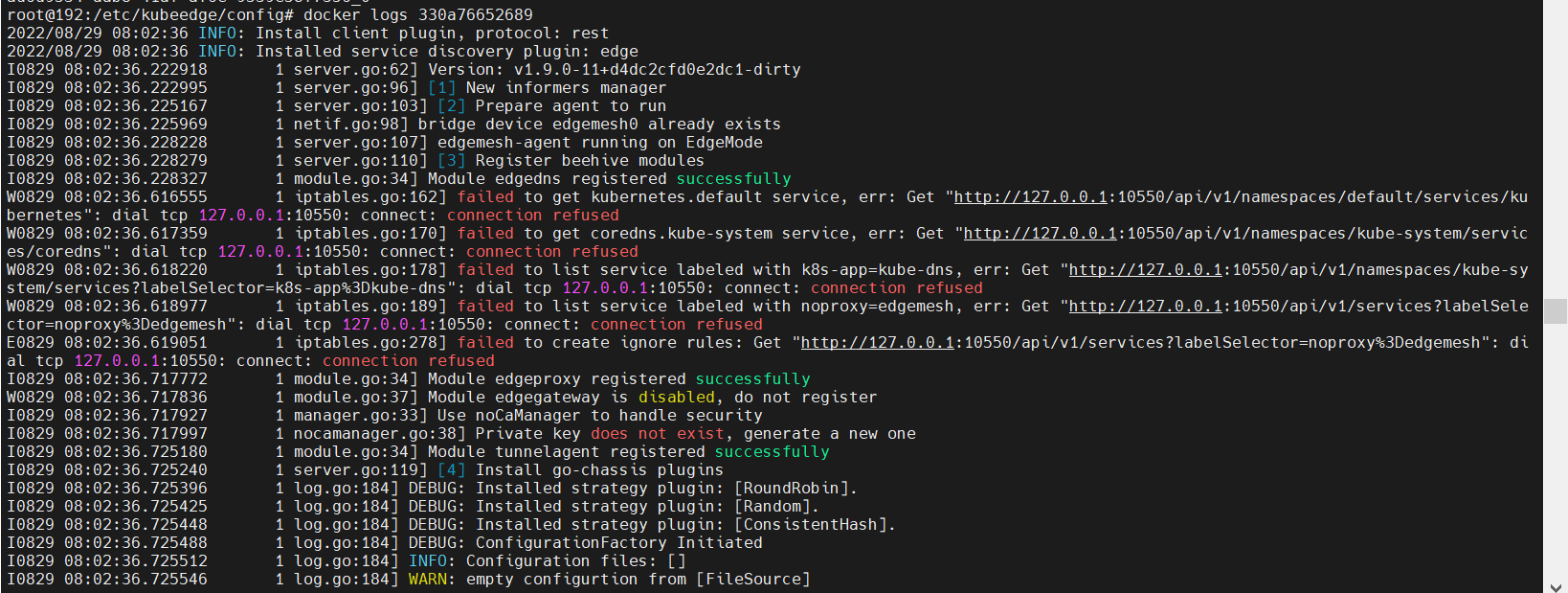
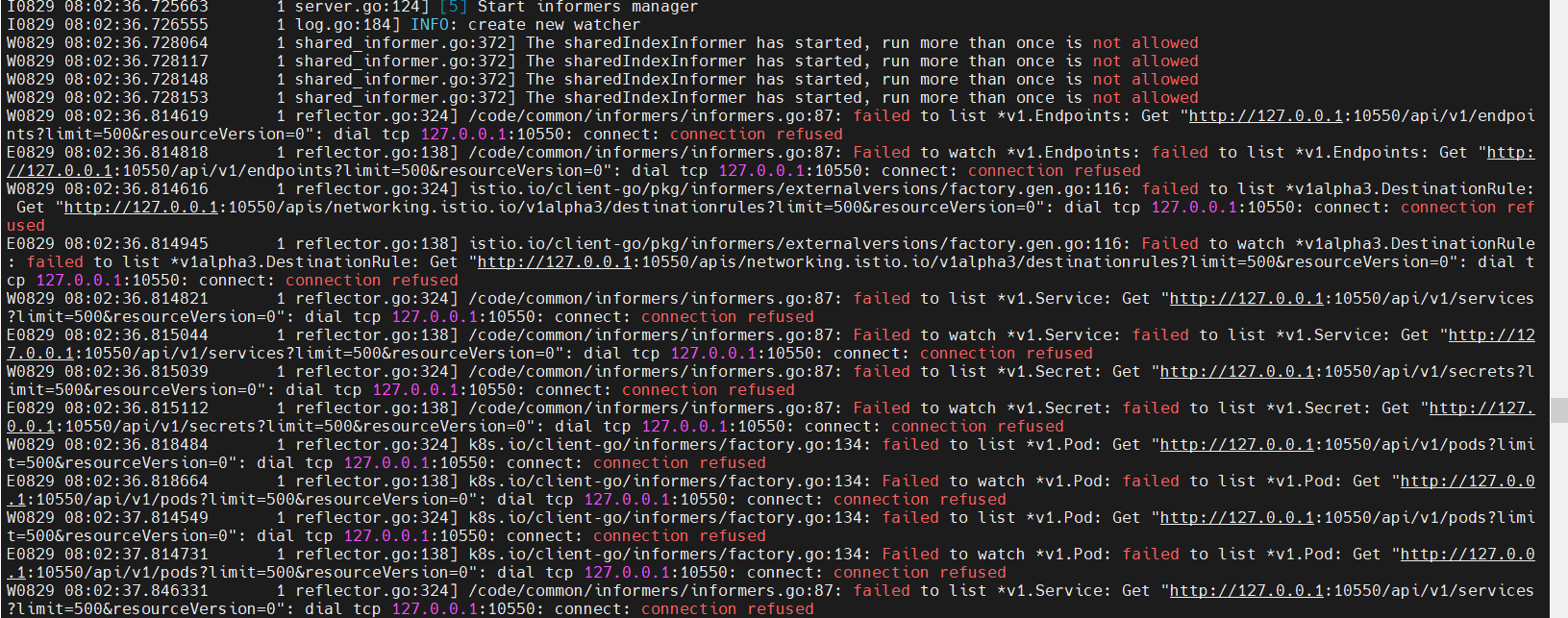
type 'docker logs 330a76652689' on edge node(192.168.0.164) and show edgemesh-agent logs as follows.
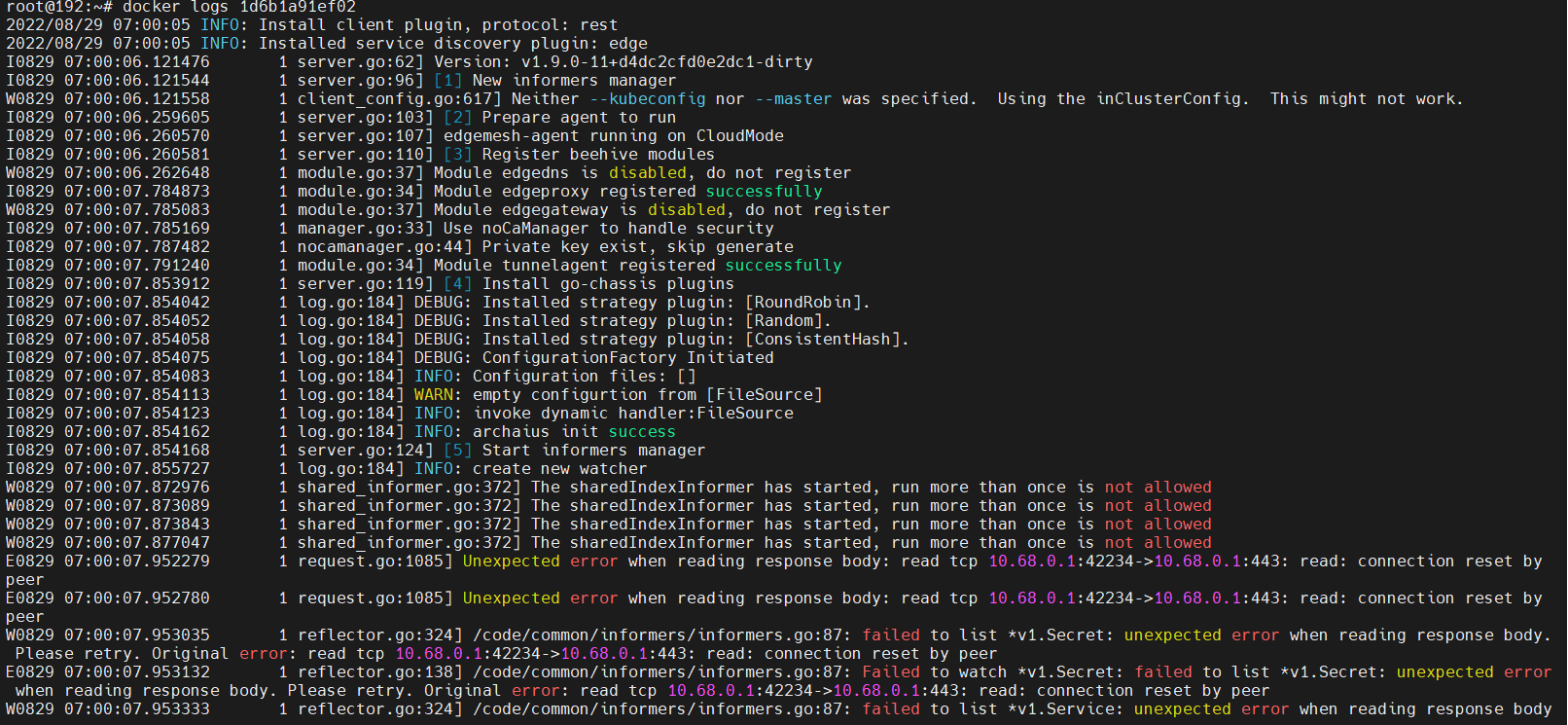
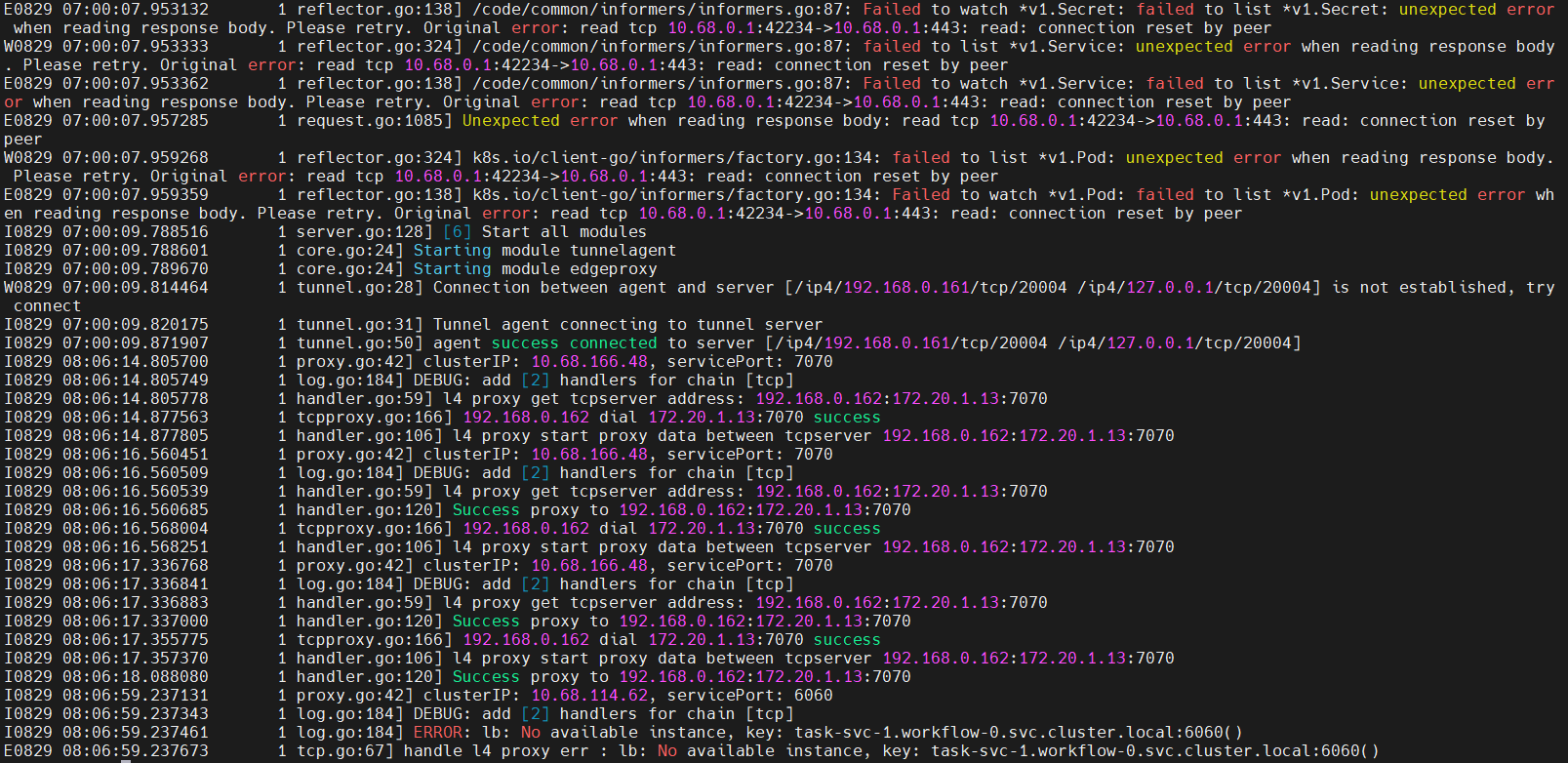
Invoke the Service task-svc-1 by cluster ip (10.68.114.62:6060) in workflow-0-task-0 on 192.168.0.161 and show logs of edge agent on 192.168.0.161.
Impotant Error Info: dail tcp 127.0.0.1:10550
You need to enable your edgecore metaServer config.
The log above is obtained after the edgecore metaServer config is enabled. In other words, the edgecore metaServer startup is not working.
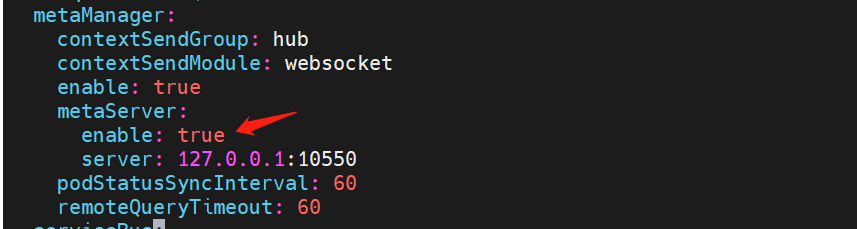
the edgecore metaServer startup is not working.
You can submit an issue to kubeedge repo.